Samsung's new Galaxy S22 models are some of the fastest Android smartphones ever, but Apple still has the world's fastest mobile processor by a considerable margin.
In a Geekbench 5 benchmark test conducted by PCMag, the Galaxy S22 Ultra with Qualcomm's Snapdragon 8 Gen 1 processor achieved a multi-core score of 3,433, compared to 4,647 for the iPhone 13 Pro Max with Apple's A15 Bionic chip. Based on these results, the iPhone 13 Pro Max is around 35% faster than the Galaxy S22 Ultra for CPU performance.
In the United States, all Galaxy S22 models are equipped with the Snapdragon 8 Gen 1, but models sold in Europe use Samsung's Exynos 2200 chip. Geekbench 5 results for the Exynos 2200 models still have multi-core scores in the mid-3,000s, however, so iPhone 13 models maintain a considerable lead in performance.
PCMag also ran Geekbench ML for machine learning performance and the iPhone 13 Pro Max achieved a score of 948, over double that of the Galaxy S22 Ultra, which came in at 448. Apple's A15 chip features a new 16-core Neural Engine capable of 15.8 trillion operations per second for machine learning tasks such as on-device Siri processing.
Apple will look to extend its lead in performance later this year with an even faster A16 chip for the iPhone 14 series.
GRID Studio takes older Apple devices that are important to Apple's history and disassembles each one, displaying the components artfully behind a glass frame. Prices for GRID's pieces start at $40 for an A-series chip and go up to $400 for the original iPhone, but there are all kinds of options priced at around the $200 mark.
If you have a favorite iPhone generation, it's likely that GRID has taken it apart. There's the original iPhone, and nearly every subsequent iPhone up to the 2017 iPhone X. With each art piece, GRID separates out each of the components and provides labels for the parts.
With the original iPhone, for example, the shell of the device is displayed next to individual components that include the power button, headphone socket, speaker, logic board, circuit board, ear piece, and other components.
There are details on the dimensions of the original device and its weight, along with a Steve Jobs quote and a look at the original interface. All of the different GRID options use the same general format, providing an interesting look at each component in a device along with labeling to help you figure out what you're looking at.
GRID doesn't only focus on iPhones, offering tear downs of the Apple Watch, the Magic Mouse, and even the A7 chip. The Apple Watch version displays and labels the heart rate sensor, flex cable, display, main board, speaker, power button, battery, and Taptic Engine, with the casing and band serving as the main centerpieces.
Every piece includes all of the original parts of the device, but they do not use real batteries to prevent any issues with the battery expanding or exploding with age. GRID's artwork is perfect for an office decoration or as a gift for an Apple fan. Disassembled devices are attractive to look at, informative, and offer a glimpse into Apple's history. Sizes vary, with the frames measuring in at 13 x 13 inches or 11.7 x 16.5 inches.
While GRID sells readymade designs from disassembled devices, the company is open to custom orders when demand allows for it. At the current time, GRID is not currently providing deconstruction of devices that are shipped.
To enter to win our giveaway for one of GRID Studio's art pieces, use the Gleam.io widget below and enter an email address. Email addresses will be used solely for contact purposes to reach the winners and send the prizes. You can earn additional entries by subscribing to our weekly newsletter, subscribing to our YouTube channel, following us on Twitter, following us on Instagram, or visiting the MacRumorsFacebook page.
Due to the complexities of international laws regarding giveaways, only U.S. residents who are 18 years or older, UK residents who are 18 years or older, and Canadian residents (excluding Quebec) who have reached the age of majority in their province or territory are eligible to enter. All federal, state, provincial, and/or local taxes, fees, and surcharges are the sole responsibility of the prize winner. To offer feedback or get more information on the giveaway restrictions, please refer to our Site Feedback section, as that is where discussion of the rules will be redirected.
The contest will run from today (February 11) at 9:00 a.m. Pacific Time through 9:00 a.m. Pacific Time on February 18. The winners will be chosen randomly on February 18 and will be contacted by email. The winners will have 48 hours to respond and provide a shipping address before new winners are chosen.
We're tracking quite a few deals on Apple-related accessories that have been introduced to coincide with the Valentine's Day holiday on February 14. These sales include companies like Twelve South, Belkin, Casely, ZAGG, and more, with savings on iPhone cases, USB-C products, wireless chargers, and Bluetooth speakers.
Note: MacRumors is an affiliate partner with some of these vendors. When you click a link and make a purchase, we may receive a small payment, which helps us keep the site running.
There are also numerous discounts across Apple's own product line this week, with deals on AirPods, iPads, and more. Below, you'll find deals on Apple devices listed first, followed by special Valentine's Day sales from third-party companies.
AirPods
We've been tracking some solid deals on AirPods in the first few months of 2022, and one of the best remains ongoing this week. You can get the AirPods 2 for $98.98, down from $129.00 on Amazon.
As a quick rundown of all the other AirPods deals going on: you can get the AirPods 3 for $149.99 ($29 off), the AirPods Max for $449.00 ($100 off), and the AirPods Pro with MagSafe for $174.98 ($69 off). We've seen many of these models slightly lower in the past, but given that the best deals were over the holidays, these are solid next-best prices.
Apple Watch Series 7
Unlike other Apple products, Apple Watch Series 7 discounts have been abundant in early 2022, and routinely reach all-time low prices. This is no different this week, and on Amazon you'll find $50 off nearly every Series 7 model. Low prices start at $349.00 for 41mm GPS models and $379.00 for 45mm GPS models.
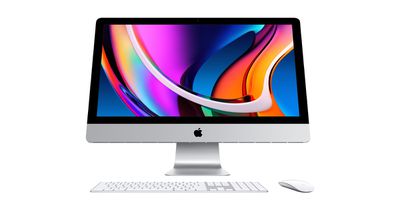
Lastly for Apple products, you can get the 7-core GPU, 256GB M1 iMac for $1,229.00 on Amazon and B&H Photo, down from $1,299.00. This sale is only available in the Silver color option, and it is an all-time low price on this version of the 24-inch M1 iMac, which just launched in 2021.
Many of the best Valentine's Day-related deals can be found at cellular carriers, especially if you're looking to buy more than one iPhone or Apple Watch at a time. AT&T is offering $330 off any Apple Watch when you buy two on a qualifying installment plan.
For iPhones, you can get the iPhone 13 at $0 when purchased on a qualifying installment agreement and trade in an eligible smartphone. For the iPhone 13 Pro Max, AT&T is offering up to $800 off with the same requirements as the previous deal. Head to AT&T's website for more information on these sales.
At Verizon, when you buy one iPhone 13 Pro, you can get another at no cost (up to $1,000 off). This deal requires a new line to be added and you'll receive up to $1,000 in promo credit over 36 months. It also works with iPhone 13, 13 Pro Max, and 13 mini.
T-Mobile's BOGO offer allows you to buy one iPhone 13 series model and get another at up to $700 off. Like most cellular offers, this requires you to activate new lines, and you'll receive it via 24 monthly bill credits once you activate the smartphones.
Brydge
Our exclusive partnership with Brydge remains ongoing through Valentine's Day. The sale takes 20 percent off a selection of Brydge's best iPad-compatible keyboards, as well as the retailer's MacBook Vertical Dock. This sale is for United States residents only and will run through February 17. You'll need to use the code MACRUMORS20 to see the discounts.
In total there are four iPad keyboards on sale, including those compatible with the iPad, iPad Air, 11-inch iPad Pro, and 12.9-inch iPad Pro. The MacBook Vertical Dock is available for the 13-inch MacBook Air (2018 and later), 13-inch MacBook Pro (2016 and later), and 16-inch MacBook Pro (2019 only). The 15-inch MacBook Pro version is excluded from this sale.
Brydge's keyboards feature multi-touch trackpads, a magnetic SnapFit case, Bluetooth, drop protection, and in some cases adjustable backlit keys. They also all include Brydge's "Instant On" feature, which instantly connects the keyboard to the iPad so you can get back to typing faster.
The MacBook Vertical Dock is an accessory built to reduce clutter on your desk by housing and charging a MacBook Pro or MacBook Air in a vertical position. Remember that these deals will expire on February 17, so you have a week to save on Brydge's keyboard with our exclusive code.
More Accessory Deals
Belkin - Take $15 off orders of $80 or more with code VDAY22
SSD prices are likely to increase globally due to contamination issues at Western Digital and Kioxia's NAND production facilities, and Apple devices may be affected (via TrendForce).
Western Digital says that it has lost 6.5 exabytes worth of BiCS 3D NAND flash storage due to use of contaminated materials at two of its plants in Japan in January. The facilities are jointly run by Western Digital and its partner Kioxia, which was previously part of Toshiba. What caused the contamination and when production is expected to resume has yet to be confirmed.
Western Digital and Kioxia are among the world's leading SSD suppliers, with their joint production amounting to around 30 percent of the entire NAND flash market. TrendForce's market research indicates that the price of NAND, which is the main component of SSDs, could spike by up to 10 percent starting in the second quarter of 2022.
Western Digital and Kioxia primarily offer SSD and eMMC storage drives for PCs, but iFixit teardowns have shown that Apple uses Kioxia NAND chips in many of its products, including the iPhone 13 lineup, the iPad Pro, and the 14- and 16-inch MacBook Pro. Whether any existing Apple products manufactured with Kioxia storage in January will need to be recalled is currently unclear.
If Apple devices are not directly impacted by contaminated Kioxia hardware, it is still possible that a tightening of supply across the industry could drive up Apple's costs, but whether the company will absorb these price rises or pass them on to consumers is yet to be seen.
Xiaomi intends to step up its challenge to Apple, the company's founder announced this week (via South China Morning Post).
Xiaomi founder and chief executive Lei Jun said on Chinese social media platform Weibo that the company will specifically focus on the high-end segment of the global smartphone market in an effort to directly rival Apple, attempting to fill the void left by Huawei. Huawei was previously China's largest smartphone vendor before being forced to pull out of the U.S. market. Lei explained that Xiaomi seeks to become the world's largest smartphone vendor within three years.
"[We aim to] fully benchmark against Apple in [terms of] product and experience, and become China's biggest high-end brand in the next three years," Lei added. He went on to describe competition with Apple in the high-end smartphone segment as "a war of life and death" that Xiaomi must overcome.
Like many companies, Xiaomi has struggled with supply chain issues over the past two years, which has hindered the company's expansion. Nevertheless, in the second quarter of 2021, Apple's iPhone sales were briefly surpassed by Xiaomi for the first time.
Xiaomi reportedly intends to attract more customers by distinguishing itself from other major Chinese Android smartphone brands that are also targeting Apple's lucrative high-end segment by focusing on user experience. This will involve opening 20,000 new retail stores in China over the next three years, adding to the 10,000 stores that it currently operates in the country. The company is also investing almost $16 billion in research and development over the next five years.
Apple is working on updated versions of the Mac mini, and at least one of the Mac mini machines in the works is likely to replace the Intel version of the Mac mini that Apple is still selling today. Apple replaced the entry-level Mac mini with an M1 version in 2020, and the company is nearly ready for a refresh of the Mac mini line.
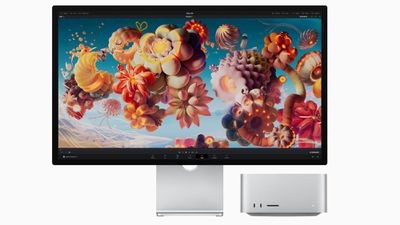
In March 2022, Apple introduced the Mac Studio, which is a hybrid between the Mac mini and the Mac Pro, but the continued existence of Intel models and rumors of a refresh suggest that the Mac mini is not being phased out of Apple's product lineup. This guide includes everything that we know about the Mac mini refresh.
Design
Rumors suggest that Apple might tweak the design of the next-generation Mac mini, but we don't know exactly what it will look like just yet.
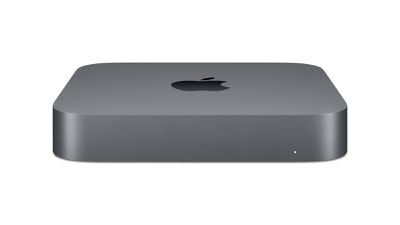
The current M1 Mac mini
Leaker Jon Prosser, who has somewhat of a mixed track record when it comes to predicting Apple's plans, provided details on what he believes the new Mac mini will look like. He says the new Mac mini will have a plexiglass-like top that will sit over the aluminum enclosure, and that the overall size could be smaller than the current Mac mini.
Prosser provided renders, but it's worth noting that this design is not quite accurate when it comes to port layout because there would not be so little space between USB-C ports.
Though some rumors have indicated the next-generation version of the Mac mini will see a redesign, Apple analyst Ming-Chi Kuo does not believe that Apple will make design updates to the machine. Kuo said it is likely to continue to use the same form factor as the current model.
Colors
The Mac mini could feature a two-tone design instead of one single color, and it could potentially come in colors other than space gray or silver, much like the 24-inch iMac. Color options have not yet been confirmed, so Apple could just stick to the standard Mac mini shades.
Ports
Apple's new Mac mini is said to be equipped with four Thunderbolt ports, two USB-A ports, an Ethernet port, and an HDMI port, along with the same magnetic charging cable used for the 24-inch iMac.
Apple Silicon Chips
According to Bloomberg's Mark Gurman, Apple is developing new Mac mini models with M2 and M2 Pro chips. The M2 chip features an 8-core CPU and up to a 10-core GPU, and the M2 Pro will be even more powerful.
Launch Date
The next Mac mini is expected to launch at some point in 2023, likely early in the year. Bloomberg's Mark Gurman initially said that the Mac mini could be refreshed in 2022, but he later said that Apple has decided to wait until 2023 to introduce new Macs. Apple analyst Ming-Chi Kuo has also said that Apple won't release an updated model until 2023.
Guide Feedback
Have questions about the Mac mini, notice a mistake, see something we left out, or want to offer feedback on this guide? Send us an email here.
In iOS 15.4 and macOS Monterey 12.3, Apple introduced Universal Control, a feature designed to allow you to control multiple Macs and iPads with a single trackpad/mouse and keyboard. This article offers solutions to the most common problems encountered when getting Universal Control to work.
With Universal Control, you can use your main Mac's trackpad and keyboard to control additional Macs and/or iPads nearby, which means you don't need a desk cluttered up with more than one set of input devices. But getting it to work can sometimes present issues, especially the first time you come to try it.
Many of the solutions listed below are requirements that need to be fulfilled in order for Universal Control to work. Check each one to ensure you have everything set up correctly.
Mac and iPad Compatibility
First up, Universal Control requires iPadOS 15.4 on an iPad and macOS Monterey 12.3 on a Mac. It is compatible with the following devices:
MacBook Pro (2016 and later)
MacBook (2016 and later)
MacBook Air (2018 and later)
iMac (2017 and later)
iMac (5K Retina 27-inch, Late 2015)
iMac Pro, Mac mini (2018 and later)
Mac Pro (2019)
All iPad Pro models
iPad Air (3rd generation and later)
iPad (6th generation and later)
iPad mini (5th generation and later)
Are All Devices Signed into Your iCloud Account?
All devices must be signed into the same iCloud account in order for Universal Control to work across them. It will not work across devices signed into separate Apple ID accounts. You can make sure your Mac is signed into iCloud by going to System Preferences -> Apple ID. On iPad, open Settings and tap the Apple ID banner at the top of the main menu.
How Far Away Are the Devices?
Universal Control is designed to be used with Macs and iPads that are nearby, usually on the same desk, so that you can visually see the cursor move from a display to an adjacent device. For this reason, Macs and iPads need to be within 30 feet (10 meters) of one another for Universal Control to work.
Are Bluetooth and Wi-Fi Enabled?
Universal Control uses Bluetooth and Wi-Fi to communicate between devices for a seamless experience, so both of these wireless protocols need to be enabled on Macs and iPads. In addition, all devices must be connected to the same Wi-Fi network.
Is Handoff Enabled?
Universal Control requires Handoff to be enabled on all devices. On Mac, go to System Preferences -> General and make sure the box is checked at the bottom, next to Allow Handoff between this Mac and your iCloud devices.
On iPad, open Settings -> AirPlay & Handoff and toggle on the switch next to Handoff. On the same screen, check that the switch is also in the green position next to Cursor and Keyboard (Beta).
Is the iPad Sharing a Cellular Connection?
For Universal Control to work, any iPads and Macs cannot be sharing a cellular and internet connection, so the Mac can't be tethered to the iPad over Wi-Fi, Bluetooth, or USB. Make sure to disable any tethering using the options in Settings -> Personal Hotspot.
Are You Using Sidecar?
Sidecar and Universal Control are separate features and some users have had trouble getting them to work in tandem. It is possible to use both features at the same time, but keep in mind that Universal Control in macOS 12.3 is still technically in beta, and some setups may throw up lingering bugs.
If you're using Sidecar to mirror or extend your Mac's display to an iPad, Universal Control won't work on that iPad and may not work on an additional iPad to Mac, as there are some issues with the way the two features interact during the beta. Turn off Sidecar using the Display panel in your Mac's Control Center to prevent potential issues.
Are You Using At Least One Mac?
Though Universal Control can be used with two or more Macs and no iPads, at least one Mac is required to use it with iPads. In other words, two iPads without a Mac cannot take advantage of Universal Control, but if at least one Mac is in the mix, you can use the feature with multiple iPads.
Problems Automatically Reconnecting to a Nearby Device
The first time you use Universal Control, you can connect to a nearby Mac or iPad by pushing the trackpad or mouse cursor to the edge of the display toward the other device. After that, you can automatically reconnect to any nearby Mac or iPad in another session, but only if the setting is enabled (it isn't by default).
To enable automatic reconnections on Mac, go to System Preferences -> Displays -> Display Settings- > Advanced, and check the box next to Automatically reconnect to any nearby Mac or iPad, then click Done.
Problems With Drag and Drop
You can drag and drop files between two devices using Universal Control, but note that if you're using an iPad and a Mac, you need to have an app open that's compatible with the file type.
If you want to drag a photo from the Mac to the iPad, for example, make sure you open up the Photos app on the iPad first. Or if you have a document you want to move, open up the Files app on the iPad.
Dragging something from the iPad to the Mac is simpler because the Mac's desktop supports different file types, unlike the iPad's Home Screen.
Problems Using Multitouch Gestures
Some multitouch gestures like Mission Control are not available on an iPad, and some are a little bit different. If you open up an app on the iPad and then want to exit out using the Mac's trackpad, you can use a three-finger swipe to do so. Alternately, with a mouse, you can mouse down over the dock to bring it up to swap apps.
Problems Using Copy and Paste
You can copy and paste text from one device to another using the one keyboard as long as it's an app that supports text input, but this feature does not yet appear to be working properly with apps like Safari. Features like copy/paste will likely see some refinement during the beta testing process.
Problems With Display Arrangement
If the cursor exits one display and appears on another display in a position that doesn't align with the physical arrangement of both displays, use the Displays section of the Mac's System Preferences to rearrange how your devices are laid out.
If your iPad is to the left of your Mac, for example, you'll want to make sure the Displays section shows that arrangement so your Mac's cursor can pop over to the iPad's display when you pop it off of the left edge of the Mac's screen.
Problems Using Apple Pencil
Universal Control does not work with the Apple Pencil. Input and control are limited to connected trackpads, mice, and keyboards. A single mouse/trackpad and a single keyboard can be used to control multiple iPads and Macs.
Problems Using iPhone
Universal Control is a feature that is designed only for the Mac and the iPad. There is no option for controlling an iPhone with a Mac or iPad's mouse/trackpad and keyboard.
Read More
If you want to know more about the ins and outs of how Universal Control works, we have a dedicated Universal Control guide that explains everything.
Guide Feedback
Have questions an issue with Universal Control not discussed or want to offer feedback on this guide? Send us an email here.
Apple today released a new update for Safari Technology Preview, the experimental browser Apple first introduced in March 2016. Apple designed the Safari Technology Preview to test features that may be introduced into future release versions of Safari.
Safari Technology Preview release 140 includes bug fixes and performance improvements for Web Inspector, CSS, Web API, Web Animations, Javascript, WebAssembly, Dialog Element, HTML, Media, WebAuthn, Accessibility, Privacy, SVG, Scrolling, Web Extensions, and more.
The current Safari Technology Preview release is built on the Safari 15.4 update and it includes Safari 15 features introduced in macOS Monterey.
Apple's aim with Safari Technology Preview is to gather feedback from developers and users on its browser development process. Safari Technology Preview can run side-by-side with the existing Safari browser and while designed for developers, it does not require a developer account to download.
Apple today released macOS Monterey 12.2.1, a minor bug fix update that comes two weeks after the launch of macOS Monterey 12.2.
The macOS Monterey 12.2.1 update can be downloaded on all eligible Macs using the Software Update section of System Preferences.
According to Apple's release notes, macOS Monterey 12.2.1 addresses a bug that was causing Bluetooth devices connected to Macs to drain an excessive amount of battery.
Following the release of the macOS Monterey 12.2 update in late January, MacRumors began seeing numerous complaints from users who were experiencing excessive battery drain during sleep mode, and the culprit appeared to be Bluetooth accessories that were frequently waking up the Macs they were connected to.
Some affected users saw their Mac's battery life drop from 100% to 0% while in sleep mode overnight after installing the macOS 12.2 update, with both Intel-based Macs and Apple silicon-based Macs affected. The problem stopped when Bluetooth was disabled or when Bluetooth accessories were disconnected from the Mac, which was not an ideal solution for users.
Apple addressed the problem in macOS Monterey 12.3 beta 2 yesterday, but now Mac owners will not need to wait for the macOS Monterey 12.3 launch to fix their Bluetooth battery drainage issues.
macOS Monterey 12.2.1 also fixes a WebKit bug that could allow maliciously crafted web content to lead to arbitrary code execution. Apple says that it is aware of a report that the issue may have been actively exploited, so Mac users should update to the new software as soon as possible.
Finally, Apple has also released new versions of Safari 15.3 for users on macOS Big Sur and Catalina, presumably addressing the same WebKit vulnerability fixed in macOS Monterey 12.2.1.
Apple today released iOS 15.3.1 and iPadOS 15.3.1, two minor updates to the iOS and iPadOS operating systems released in September 2021. iOS and iPadOS 15.3.1 come two weeks after the release of iOS and iPadOS 15.3.
The iOS 15.3.1 and iPadOS 15.3.1 updates can be downloaded for free and the software is available on all eligible devices over-the-air in the Settings app. To access the new software, go to Settings > General > Software Update.
According to Apple's release notes, iOS 15.3.1 and iPadOS 15.3.1 fix an issue that could cause Braille displays to stop responding. The updates also provide important security fixes for the iPhone and the iPad. Apple's accompanying security support document explains that software addresses a WebKit bug that could allow maliciously crafted web content to lead to arbitrary code execution.
Apple says that it is aware of a report that the vulnerability may have been actively exploited, so it is important for iPhone and iPad users to update to the new iOS 15.3.1 and iPadOS 15.3.1 as soon as possible.
Apple today announced that it is making some updates to AirTags with the aim of cutting down on unwanted tracking. There are several changes that will be implemented in a multi-phase rollout.
In an upcoming software update, Apple plans to implement new privacy warnings that will show up during AirTag setup to thwart malicious use. The warning will make it clear that the AirTag is linked to an Apple ID, that using it to track people is a crime, and that law enforcement can request identifying information about the owner of the AirTag. Apple says that the language of the alert could change slightly, but it will basically convey the following information:
AirTag is Linked to Your Apple ID. AirTag is intended solely to track items that belong to you. Using AirTag to track people without their consent is a crime in many regions around the world. AirTag is designed to be detected by victims and to enable law enforcement to request identifying information about the owner.
Apple is also going to fix a bug that was causing confusion around unwanted tracking. AirPods can cause an "Unknown Accessory Alert" warning that some people were interpreting as a notice from an AirTag. AirTags are not able to display the "Unknown Accessory Detected" messaging, which is caused by AirPods Pro, AirPods Max, third-generation AirPods, and in some cases, a Find My network accessory.
In the upcoming software update, AirPods will properly identify themselves so people will no longer see the confusing "Unknown Accessory" messaging.
Along with making these software updates, Apple is updating its Unwanted Tracking support article to provide more information on the safety features built into AirTag, AirPods, and Find My network accessories. There are expanded explanations on which accessories can trigger an unwanted tracking alert, visuals on what those alerts look like, and more detailed information on what users should do after receiving such an alert.
The documentation is much more detailed than the prior support information, and it also includes links to resources that people can use if they feel their safety is at risk as well as clear instructions on finding and disabling an AirTag.
While these are the immediate changes that Apple is making, Apple is also working on new safety features set to be implemented later this year. Precision Finding, improved display alerts, and louder sounds will make AirTags more difficult to use for people-tracking purposes.
Precision Finding - iPhone 11, iPhone 12, and iPhone 13 users who receive an unwanted tracking alert can locate an unknown AirTag with precision, similar to the Precision Finding feature that's available to AirTag owners. The feature will provide the distance and direction to an unknown AirTag when it is in range, making it easier to locate.
Display alert with sound - When an AirTag separated from its owner plays a sound to alert those nearby, it will also display an alert on an iPhone, iPad, or iPod touch so that it can be tracked down by sound or Precision Finding if the feature is available. Apple says that this feature will help if the AirTag sound is hard to hear or if the speaker has been tampered with.
Updated unwanted tracking alerts - Apple is going to update its alert system to notify users earlier that an unknown AirTag or Find My network accessory may be traveling with them.
Louder AirTag sound - When an iOS user receives an unwanted tracking alert, they can cause the AirTag to play a sound to make it easier to track down. Apple is going to adjust the tone sequence to use more of the loudest tones to make AirTags louder and easier to find.
There is no specific timeline for when these new features might be released, but Apple has them in the works for later in 2022. These updates are designed for Apple product users, and Apple has nothing to announce on the Android front today.
In addition to announcing updates to AirTags, Apple explained that AirTags privacy has always been a priority. Unwanted tracking "has long been a societal problem," according to Apple, which is why AirTags were initially built with privacy in mind with the "first-ever proactive system" designed to provide unwanted tracking alerts.
Apple says that it is listening to user feedback and innovating to make continued improvements to prevent unwanted tracking, so there could be additional changes happening in the future, including for Android users.
Unwanted AirTag tracking has not gone under Apple's radar, and the company said that it has been working with law enforcement in situations where AirTags are used for malicious purposes. Every AirTag has a unique serial number and AirTags are associated with an Apple ID. Apple is able to provide paired account details when requested by law enforcement, and it has indeed partnered with the police on cases where the information Apple offered was able to trace an AirTag back to the perpetrator, who was apprehended and charged.
Apple has been "actively working" with law enforcement on all AirTag-related requests that it has received. The company says that based on discussions with law enforcement, "incidents of AirTag misuse are rare," but even one instance is too many.
Both the National Network to End Domestic Violence and the National Center for Victims of Crime have said that Apple's safety system is raising awareness of unwanted tracking and starting a conversation about victim safety. From Erica Olsen, director of the Safety Net Project at the National Network to End Domestic Violence:
The alerts system Apple has notifying potential victims of any unwanted tracking has helped shine a light on a problem that existed long before AirTags came on the market. We are happy Apple is engaging in the conversation about victim safety and are continuing to improve safeguards. We hope others will follow their lead.
Since AirTags were released last April, there have been a growing number of news stories about the AirTags being used for stalking people or stealing items like cars through the tracking features. Apple has been criticized for a safety system that does not go far enough in protecting users, especially those who do not have Apple devices. Apple has in response already made several changes to the way that AirTags operate and released an app for Android users that scans for nearby AirTags, and hopefully the changes coming later this year will further deter the use of AirTags for unwanted tracking.
Apple today released watchOS 8.4.2, a minor update to the watchOS 8 operating system that launched in September. watchOS 8.4.2 comes two weeks after the release of watchOS 8.4, an update that added a fix for an ongoing charging issue.
watchOS 8.4.2 can be downloaded for free through the dedicated Apple Watch app on the iPhone by going to General > Software Update. To install the new software, the Apple Watch needs to have at least 50 percent battery, it needs to be placed on a charger, and it needs to be in range of the iPhone.
According to Apple's release notes for the update, watchOS 8.4.2 introduces unspecified bug fixes and security updates for the Apple Watch. There is no additional information available on the new software, but if we find out what's addressed, we'll update this article.
Colorado resident Christopher Bryan on Wednesday filed a class action lawsuit against Apple that accuses the company of fraudulently marketing and selling the sixth-generation iPad mini despite being aware of a so-called "jelly scrolling" defect with the device, according to court documents reviewed by MacRumors.
A few days after the sixth-generation iPad mini was released in September, some users started to notice that text was appearing slightly uneven while scrolling in portrait orientation on the device. Specifically, text on the left side of the screen appears to ever so slightly lag behind text on the right side of the screen while scrolling.
The complaint, filed in Northern California district court, alleges that Apple is aware of the defect, yet continues to sell the iPad mini without fixing the defect or amending its marketing materials to reflect the existence of the defect.
In late September, an Apple spokesperson said the effect is "normal behavior for LCD screens," according to Ars Technica's Andrew Cunningham. iFixit also said the effect is common for displays, but the repair company speculated that it may be more prominent on the new iPad mini due to the display's controller board being mounted vertically inside the device, rather than horizontally like in the fourth-generation iPad Air.
The lawsuit seeks damages in an amount to be proven at trial for any person in the United States who purchased a new sixth-generation iPad mini. The proposed class still has to be certified before the class action lawsuit can proceed.
Today we're tracking a pair of iPad-related deals, including the 2021 iPad mini and the Magic Keyboard for the 12.9-inch iPad Pro. Both of these sales are available on Amazon.
Note: MacRumors is an affiliate partner with some of these vendors. When you click a link and make a purchase, we may receive a small payment, which helps us keep the site running.
iPad mini 6
Starting with the iPad mini, you can get the 256GB Wi-Fi iPad mini 6 for $599.00, down from $649.00. This $50 off markdown is a match of the all-time low price on this version of the iPad mini. It's available in Starlight and Space Gray, but the Starlight option has faster shipping.
In another Amazon sale, Apple's Magic Keyboard for the 12.9-inch iPad Pro has been discounted to $299.98, down from $349.00. Although we've seen the Black colorway go down to a lower price, this is a new record low price on the White version of the 2021 Magic Keyboard.
This Magic Keyboard is compatible with the 12.9-Inch iPad Pro (third generation and later). It features a trackpad, USB-C port, backlit keys, and a floating cantilever design.
If you're on the hunt for more discounts, be sure to visit our Apple Deals roundup where we recap the best Apple-related bargains of the past week.
Foxconn, the biggest assembler of iPhones, today announced that the component shortages that have constrained the supply of devices over the past two years are now showing signs of easing, Bloomberg reports.
The first quarter of 2022 is said to be experiencing a "major improvement" in parts shortages, and "overall supply constraints" are expected to ease in the second half of the year, a spokesperson for Foxconn commented at a company event earlier today. While TSMC manufactures Apple's custom-designed chips, Apple is still reliant on many industry-standard chips, such as for power management. Display drivers and power management chips have been among the components that have constrained Apple's manufacturing capabilities, and Foxconn added that power management chips remain in short supply.
The announcement is potentially an encouraging sign across the technology manufacturing industry, but TSMC has warned that chip supplies will remain tight throughout 2022. Major suppliers like Foxconn and TSMC are planning to maintain larger inventories in the future to ensure supply security.
Smartphone shipments have slowed over the past two years due to shortages, but supply chain disruption has primarily affected low-end vendors rather than titans such as Apple. Industry analysts believe that bottlenecks will not fully ease until the second half of 2022.
Apple's latest Apple Music beta app for Android may have revealed the name of the company's forthcoming app dedicated to classical music, suggesting a release might not be too far away.
Last year, Apple announced the purchase of classical music streaming service Primephonic, which features search and browse functionality specially optimized for classical music.
Apple said that the best elements of Primephonic would become a part of Apple Music, providing subscribers with an improved classical music experience.
The company also said it would also launch a new Apple Music app in 2022 dedicated to classical music, combining Primephonic's user interface and specializations for classical music with Apple Music and features such as Lossless and Spatial Audio.
The name of the forthcoming dedicated app was not mentioned at the time. However, lines of code discovered by 9to5Google in the Apple Music beta on Android suggest it could be called "Apple Classical," with the code string referring to the ability to open a compatible track directly in the optimized service.
Apple recently advertised a job for a UX Designer to work on the new standalone music app. According to the job description, the candidate would be expected to "provide UX expertise and new perspectives specifically for Primephonic" in order to help realize a distinct experience for classical music that would include "visual, audial, and haptic" aspects.
While the job listing suggested that the Primephonic brand will persist in some form as part of Apple's classical offering, it could well exist as a sub-section of the service under an umbrella name, and "Apple Classical" would seem to fit the bill.
Earlier this week, Apple made another music-related financial move by acquiring AI Music, a startup that uses artificial intelligence to generate personalized soundtracks and adaptive music.
Tesla design chief Franz von Holzhausen recently commented on Apple's design principles and product launches, lamenting that Apple doesn't deliver something "to look forward to."
During a podcast interview with Spike Feresten of Spike's Car Radio (via iPhone in Canada and Sawyer Merritt), Holzhausen said that Apple's devices are "just a continuation" and a "slight refinement on the same thing."
The sad part about Apple products now is like there's nothing to look forward to. I feel like it's just a continuation. It's just a slight refinement on the same thing. Inspirationally, it's been hard to get super motivated by what they're doing.
He also said that he "hates to say it" but he wears an Apple Watch "just because of the fitness thing side to it. Otherwise I haven't really found much purpose to it, other than the fitness part."
Holzhausen is responsible for designing the Tesla Model S, the Model 3, the Model X, and the Model Y, along with the unreleased Cybertruck. He has been with Tesla since 2008, and before that, he was the chief of design at Mazda and led the design of the Mazda Kabura concept car.
Apple and Tesla have a long history of poaching employees from one another, and Tesla CEO Elon Musk has also publicly sniped at Apple. Back in 2015, Musk famously called Apple the "Tesla Graveyard," and claimed that "if you don't make it at Tesla, you go work at Apple."
Apple today seeded the second beta of an upcoming macOS Monterey 12.3 update to its public beta testing group, with the new software coming a week after the first macOS Monterey 12.3 public beta.
Public beta testers can download the macOS 12.3 Monterey update from the Software Update section of the System Preferences app after installing the proper profile from Apple's beta software website.
Universal Control is the major new feature in macOS Monterey 12.3, and it is designed to allow multiple Macs and iPads to be controlled using a single mouse/trackpad and keyboard. If you have a MacBook Pro and an iPad Pro, for example, both devices can be controlled with the MacBook Pro's trackpad and keyboard or a keyboard attached to the iPad.
iPadOS 15.4 is required for Universal Control on the iPad, and once the updates are installed on your devices, the feature just works as it is automatically enabled.
macOS Monterey also includes new Emoji 14 characters like melting face, biting lip, heart hands, and more, and plus it adds support for updating AirPods with a Mac. There's no official update interface, but your AirPods can receive firmware updates over-the-air when connected to a Mac, similar to how the update process works with an iPhone.
There are some under-the-hood changes as well. Apple is removing Python 2 from macOS with macOS 12.3 after support was suspended in January 2020, and Apple is eliminating some kernel extensions used by Dropbox and OneDrive, necessitating software updates for those apps.