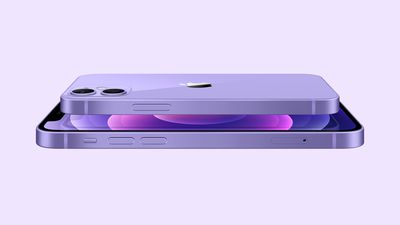
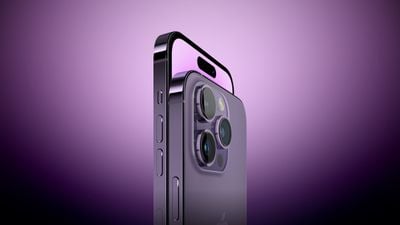
iOS 16.3 fixes an issue where horizontal lines flash across the screen on some iPhone 14 Pro Max devices when powered on or unlocked, according to Apple's release notes for the software update, which is in the final stage of beta testing.
Apple acknowledged the issue in an internal memo last week and said a fix was incoming, but it's unclear what the underlying cause is or how many iPhone 14 Pro Max devices are affected. The bug fix indicates it's a software issue, rather than a hardware defect, so installing iOS 16.3 when it's available should resolve the problem for affected customers.
Apple made the iOS 16.3 Release Candidate available to developers for testing today, and the update is expected to be released to the public next week.
Apple today released a new HomePod 16.3 software beta, which will accompany the iOS 16.3, iPadOS 16.3, tvOS 16.3, watchOS 9.3, and macOS Ventura 12.3 releases. The update adds support for the new HomePod and HomePod mini features that were announced today alongside the surprise introduction of the second-generation HomePod.
Installing the 16.3 HomePod software adds support for temperature and humidity sensing, both on the HomePod mini and on the second-generation HomePod.
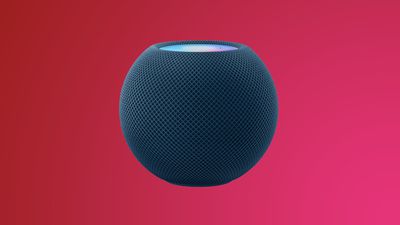
As we highlighted this morning, the HomePod mini has a dormant temperature and humidity sensor that Apple is finally activating, allowing temperature and humidity settings to be used for home automation and device activation purposes.
Ambient sounds have been remastered to be more immersive and can be added to scenes, automations, and alarms in the Home app, and recurring Home automations can be set up using Siri commands. Apple has also added a unique confirmation tone that will play when smart home requests are enacted for accessories that are located in a different room or that do not show a visible change. Find My integration for HomePod also lets you ask Siri for the location of friends and family.
For the first and second-generation larger HomePod models, optimized audio tuning provides improved clarity for spoken content like podcasts and audiobooks, and on the first-generation HomePod, there are updated volume controls for more granular adjustments at lower volumes. Apple's full release notes for the update are below.
HomePod software version 16.3 includes support for new features for your HomePod. This update also includes bug fixes and stability improvements.
- Temperature and humidity sensing measures your indoor climate with HomePod (2nd generation) and HomePod mini - Remastered ambient sounds are more immersive and can now be added to scenes, automations, and alarms in the Home app - Find My on HomePod now enables you to ask Siri for the location of friends and family, if they have shared it with you Recurring Home automations can be set up using just your voice - Siri confirmation tone will now play to indicate when smart home requests are completed for accessories that may not visibly show a change or are located in a different room - Audio tuning optimizes spoken content such as podcasts for even greater clarity on HomePod (2nd generation) and HomePod (1st generation) - Updated volume controls on HomePod (1st generation) give you more granular adjustments at lower volumes
The HomePod 16.3 update is set to be released to the public sometime next week, and it will be able to be installed on HomePods using devices that are running iOS 16.3, iPadOS 16.3, or macOS Ventura 13.2. The updates will bring new features to existing HomePods, and enable features for the second-generation HomePod that launches on February 3.
Apple is developing an Apple TV with a faster processor, according to a new report from Bloomberg. The set-top box will have a new chip, and it is slated to come out in the first half of 2024.
The Apple TV will have the same design as the current Apple TV 4K, with Apple not tweaking the look. Little else is known about the update at this time, but Bloomberg says that though it will have an upgraded chip, it is unlikely to support 8K video streaming.
Along with a minor update to the Apple TV, Apple has other smart home products in the works. There is a device that combines an Apple TV, smart speaker, and FaceTime camera into one, but launch timing on such a product is unclear as it has suffered some design setbacks.
Apple is also developing a smart display that would serve as a sort of home hub for controlling HomeKit devices, making FaceTime calls, and more. That product could launch as soon as 2024.
Apple is designing a new display that will be used for smart home management purposes, reports Bloomberg. The device will be a sort of low-end iPad that can be used for controlling HomeKit devices, streaming video, FaceTime calls, and more.
It is designed to be mounted to walls or other objects using magnetic fasteners, so it will be more integrated into the home than an iPad. Such a product would compete with devices like the Meta Portal or the Echo Show from Amazon.
Past rumors from Bloomberg have described this device as something akin to the HomePod and the Apple TV, meant for home use rather than use while on the go. Apple is also considering larger smart home display options, and a product that combines an Apple TV set-top box, smart speaker, and FaceTime camera is in development, but the project has suffered setbacks.
As of right now, Apple is targeting a 2024 launch for iPad-like smart home display.
Apple today introduced new 5B59 firmware for the AirPods 2, the AirPods 3, the original AirPods Pro, and the AirPods Max, up from the 5B58 firmware that was released in November.
Apple does not offer immediately available release notes on what's included in refreshed firmware updates for the AirPods, but the company does maintain a support document with release information.
There is no standard way to upgrade the AirPods software, but firmware is installed over-the-air while the AirPods are connected to an iOS device. Putting the AirPods in the case, connecting the AirPods to a power source, and then pairing the AirPods to an iPhone or an iPad should force the update after a short period of time.
You can check your AirPods or AirPods Pro firmware by following these steps:
Connect your AirPods or AirPods Pro to your iOS device.
Open the Settings app.
Tap General.
Tap About.
Tap AirPods.
Look at the number next to "Firmware Version."
If we find notable changes after the firmware updates are installed, we'll update this article, but the software likely includes performance improvements and bug fixes.
Apple today announced that Advanced Data Protection is expanding beyond the United States. Starting with iOS 16.3, the security feature will be available globally, giving users the option to enable end-to-end encryption for many additional iCloud data categories, including Photos, Notes, Voice Memos, Messages backups, device backups, and more. iOS 16.3 is currently in beta and expected to be released to the public next week.
By default, Apple stores encryption keys for some iCloud data types on its servers to ensure that users can recover their data if they lose access to their Apple ID account. If a user enables Advanced Data Protection, the encryption keys are deleted from Apple's servers and stored on a user's devices only, preventing Apple, law enforcement, or anyone else from accessing the data, even if iCloud servers were to be breached.
iCloud already provides end-to-end encryption for 14 data categories without Advanced Data Protection turned on, including Messages (excluding backups), passwords stored in iCloud Keychain, Health data, Apple Maps search history, Apple Card transactions, and more. Advanced Data Protection expands this protection to the vast majority of iCloud categories, with major exceptions including the Mail, Contacts, and Calendar apps.
Advanced Data Protection first launched in the U.S. in December with iOS 16.2, and Apple said the feature would roll out to the rest of the world in early 2023, so the global expansion is on schedule. All of a user's devices must be updated to Apple's software versions that support Advanced Data Protection in their country to use the feature. Outside the U.S., this includes iOS 16.3, iPadOS 16.3, macOS 13.2, tvOS 16.3, and watchOS 9.3.
When Advanced Data Protection is enabled, access to iCloud.com is disabled by default. Users have the option to turn on data access on iCloud.com, which allows the web browser and Apple to have temporary access to data-specific encryption keys.
Advanced Data Protection is designed to maintain end-to-end encryption for most shared iCloud content, as long as all participants have Advanced Data Protection enabled, including iCloud Shared Photo Library, iCloud Drive shared folders, and shared Notes. However, Apple says iWork collaboration, the Shared Albums feature in Photos, and sharing content with "anyone with a link" do not support Advanced Data Protection.
Amazon today has the 64GB 2021 Apple TV 4K for $99.97, down from its original price of $199.00. This is a match of the all-time low price that we previously saw on this model over the holidays.
Note: MacRumors is an affiliate partner with Amazon. When you click a link and make a purchase, we may receive a small payment, which helps us keep the site running.

Only the 64GB 2021 model is on sale on Amazon as this time; we haven't tracked a deal on the 32GB model since around Black Friday. For the 64GB device, Amazon is providing delivery estimates between January 25 and 26.
Apple today seeded the RC version of an upcoming macOS Ventura 13.2 update to developers for testing purposes, with the update coming one week after the release of the second macOS Ventura 13.2 beta.
Registered developers can download the beta through the Apple Developer Center and after the appropriate profile is installed, betas will be available through the Software Update mechanism in System Settings.
The macOS Ventura 13.2 update introduces support for Security Keys for the Apple ID, allowing users to verify their identity with physical hardware rather than a digital device code. Security Keys offer additional protection for the Apple ID, replacing the current verification codes provided on a secondary device when signing into a new device, signing into iCloud, using the Apple Store, and more. Apple's full release notes on the update are below.
This update introduces Security Keys for Apple ID, and includes other enhancements and bug fixes for your Mac. - Security Keys for Apple ID allow users to strengthen the security of their account by requiring a physical security key to sign in - Fixes an issue in Freeform where some drawing strokes created with Apple Pencil or your finger may not appear on shared boards - Fixes an issue where VoiceOver may stop offering audio feedback while you are typing Some features may not be available for all regions, or on all Apple devices. For detailed information about the security content of this update, please visit: https://support.apple.com/kb/HT201222
macOS Ventura is set to see a public launch next week.
Apple today seeded the release candidate versions of upcoming iOS 16.3 and iPadOS 16.3 updates to developers for testing purposes, with the new software coming a week after the second betas.
Registered developers can download the iOS 16.3 and iPadOS 16.3 profiles from the Apple Developer Center, and once installed, the betas will be available over the air.
iOS 16.3 and iPadOS 16.3 add support for physical Security Keys that can be used as added protection for an Apple ID. Any FIDO Certified physical security key can be linked to an Apple ID to be used for authentication when logging into a new device or otherwise accessing an Apple ID.
Security Keys replace the digital verification codes sent to an Apple device when using an Apple ID, and Apple says that the physical key provides strong protection against phishing and unauthorized account access. Note that two physical security keys are required when using this feature as there needs to be a backup in case one is lost. Losing a security key would revoke access to an Apple ID, as Apple cannot override the protection.
In addition to Security Keys, the beta also adds more instruction for transferring music from an iPhone over to a HomePod using handoff. Apple's full notes for the update are below:
This update includes the following enhancements and bug fixes:
- New Unity wallpaper honors Black history and culture in celebration of Black History Month - Security Keys for Apple ID allow users to strengthen the security of their account by requiring a physical security key as part of the two factor authentication sign in process on new devices - Support for HomePod (2nd generation) - Emergency SOS calls now require holding the side button with the up or down volume button and then releasing in order to prevent inadvertent emergency calls - Fixes an issue in Freeform where some drawing strokes created with Apple Pencil or your finger may not appear on shared boards - Addresses an issue where the wallpaper may appear black on the Lock Screen - Fixes an issue where horizontal lines may temporarily appear while waking up iPhone 14 Pro Max - Fixes an issue where the Home Lock Screen widget does not accurately display Home app status - Addresses an issue where Siri may not respond properly to music requests - Resolves issues where Siri requests in CarPlay may not be understood correctly
Apple today seeded the RC version of an upcoming watchOS 9.3 update to developers for testing purposes, with the new software coming almost a month after the release of the second watchOS 9.3 beta.
To install the new watchOS 9.3 update, developers will need to download the configuration profile from the Apple Developer Center.
Once installed, watchOS 9.3 can be downloaded through the dedicated Apple Watch app on the iPhone by going to General > Software update. To update to new software, an Apple Watch needs to have 50 percent battery life, it has to be placed on the charger, and it will need to be in range of the iPhone it is paired with.
According to Apple's release notes, watchOS 9.3 adds new features, improvements and bug fixes. It specifically introduces the Unity Mosaic watch face, offered to celebrate Black History Month.
Apple today seeded the RC version of an upcoming tvOS 16.3 update to developers for testing purposes, with the update coming a week after the release of the second tvOS 16.3 beta.
Developers can download the tvOS 16.3 beta by downloading a profile onto the Apple TV using Xcode.
tvOS updates usually minor in scale, focusing on internal bug fixes and improvements rather than notable outward-facing changes. There is no word as of yet what's included in the tvOS 16.3 update, and no features were found in the first beta.
Apple shares some information on tvOS releases in its tvOS support document, which is updated after each tvOS launch, but it does not provide details on betas.
Though we don't often know what's new in tvOS during the beta testing process, we let MacRumors readers know when new updates are available so those who are developers can download it upon release.
The second-generation HomePod introduced today will offer a Sound Recognition feature that allows the speaker to detect smoke and carbon monoxide alarm sounds and send a notification to the user's iPhone if either of those sounds are identified.
Apple says Sound Recognition will be available on both the new HomePod and the existing HomePod mini in a software update that will be released "later this spring," meaning the update should be available by June at the latest. It's unclear if the feature will also be rolled out to the first-generation HomePod released in 2018.
Apple warns that the feature should not be relied upon "in circumstances where users may be harmed or injured," or in "high-risk or emergency situations."
Sound Recognition on HomePods will require Apple's updated Home app architecture, which is temporarily unavailable after some users experienced issues after installing the update. It's not clear when the update will be made available again.
Sound Recognition was first introduced on the iPhone in 2020 and can detect a wide variety of sounds on that device, including a doorbell, running water, a baby crying, a car horn, a door knock, a cat meowing or dog barking, and more. Apple's announcement does not mention if HomePods will also be able to detect these other sounds, or if the feature will be limited to smoke and carbon monoxide alarms on the speakers.
Following Apple's new full-size HomePod announcement, many owners of the original HomePod are wondering if it's possible to pair the new HomePod with the first-generation smart speaker of the same name. The short answer is no.
Creating a stereo pair with the new HomePod requires another second-generation HomePod. In the footnotes from Apple's press release:
Creating a HomePod stereo pair requires two of the same model HomePod speakers, such as two HomePod mini, two HomePod (2nd generation), or two HomePod (1st generation).
That's not to say the two devices can't be used together at all. If you have a new HomePod and first-generation HomePod in the home, they can be used to play your music in different rooms, and features like Intercom will work across both devices.
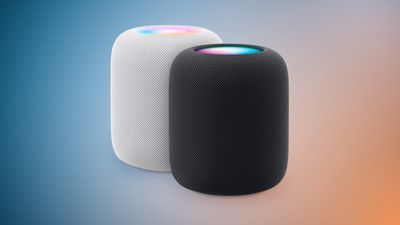
The new HomePod costs $299 and is available in both white and midnight color options. In-store availability and deliveries to customers will begin Friday, February 3 in select countries.
The reintroduced HomePod offers a temperature and humidity sensor, but Apple is also enabling the feature on the existing HomePod mini.
The HomePod's built-in temperature and humidity sensor can measure indoor environments, allowing users to create automations that close the blinds or turn on a fan or heater automatically when a certain temperature is reached in a room, for example. This information is exposed in the Home app like any other smart home accessory.
As highlighted in the comparison section of the HomePod webpage, the HomePod mini also now offers this functionality. It appears that rather than being a new version of the HomePod mini, this is a retroactively activated feature, with the temperature and humidity sensor already existing inside all HomePod mini models since launch.
In 2021, Bloomberg's Mark Gurman said that the HomePod mini includes a dormant temperature and humidity sensor – a finding also confirmed by iFixit. It seems that the component is now finally being activated, presumably via a future software update.
Apple notes that the HomePod's temperature and humidity sensing is optimized for indoor, domestic settings with ambient temperatures between 15ºC and 30ºC and relative humidity around 30 to 70 percent.
The sensor's accuracy may decrease in some situations where audio is playing for an extended period of time at high volume levels, likely due to generation of heat from the device itself. The HomePod also apparently requires some time to calibrate the sensors immediately after starting up before results are displayed.
Update: HomePod software version 16.3 enables the temperature and humidity sensor in the HomePod mini, according to Apple's release notes.
Woot today has a pair of solid discounts on Apple's MagSafe Charger and Siri Remote, and both accessories are in new condition. They both come with a one year Apple limited warranty and Amazon Prime members can get free shipping from Woot.
Note: MacRumors is an affiliate partner with some of these vendors. When you click a link and make a purchase, we may receive a small payment, which helps us keep the site running.
Starting with the MagSafe Charger, it's on sale for $29.99, down from $39.00. This is about $2 higher than the previous all-time low price, so it's a great second-best deal on the popular Apple accessory.
Shoppers should note that the MagSafe Charger comes in Woot's bulk packaging, which means it will arrive in a polybag or generic brown box instead of Apple's own packaging. Despite this, the MagSafe Charger itself is guaranteed to still be brand new with a valid Apple warranty.
Additionally, the second-generation Siri Remote (with Lightning) is on sale for $49.99, down from $59.00 today on Woot. We typically track prices on this accessory down to around $55, so Woot's sale today is one of the lowest we've ever seen for the Siri Remote.
The Siri Remote is in new condition and does not come in bulk packaging. Woot estimates a late January delivery for both devices if ordered soon.
Apple announced today that iOS 16.3 will be available for iPhone customers next week, bringing just a few new features and enhancements to iPhone customers around the world.
In a press release today announcing new Apple Watch bands, Apple said iOS 16.3 will be available next week as a requirement for a new iOS 16 wallpaper. Alongside iOS 16.3, we also expect iPadOS 16.3, watchOS 9.3, and presumably tvOS 16.3 and macOS 13.2 to also be released.
The Unity 2023 watch face will be available next week, and requires Apple Watch Series 4 or later running watchOS 9.3, and iPhone 8 or later and iPhone SE (2nd generation) or later running iOS 16.3.
The new Unity iPhone wallpaper for the Lock Screen will be also be available next week and requires iPhone 8 or later running iOS 16.3.
Compared to iOS 16.2, iOS 16.3 has few new features and instead focuses mainly on bug fixes. We've highlighted a few of iOS 16.3's new features below.
Support for security keys for Apple IDs
A redesigned HomePod Handoff prompt following the release of a new second-generation HomePod
Tweaked wording for Emergency SOS in Settings
iOS 16 was released four months ago, and some users continue to experience bugs and system UI glitches on their iPhones. iOS 16.3 is likely to address some of these issues next week. For a full rundown of what's new, see our past coverage.
Apple today announced a second-generation full-size HomePod, available to order starting today for $299 in white and midnight color options. In-store availability and deliveries to customers will begin Friday, February 3 in select countries.
The second-generation HomePod features a virtually identical design as the full-size HomePod that was discontinued in March 2021, with a backlit touch surface and mesh fabric exterior. It features a four-inch high-excursion woofer, five tweeters, four microphones, an S7 chip for computational audio, a U1 chip for Ultra Wideband features like handing off music from an iPhone, and support for Spatial Audio with Dolby Atmos. The speaker also has Siri integration and Matter support for HomeKit and other smart home accessories.
The new HomePod is 6.6-inches tall and weighs 5.1 pounds, compared to 6.8-inches and 5.5 pounds for the first-generation model, while both models are 5.6 inches wide. The new HomePod also has two fewer tweeters and microphones compared to the original model. The original HomePod was equipped with the A8 chip from the iPhone 6, while the new model has the S7 chip from the Apple Watch Series 7.
Apple will be expanding its Sound Recognition feature to the new HomePod with a software update this spring, allowing the speaker to listen for smoke and carbon monoxide alarms, and send a notification directly to a user's iPhone if a sound is identified.
Two second-generation HomePods can be paired for stereo sound, but one second-generation HomePod and one first-generation HomePod cannot.
At launch, the new HomePod will be available in the United States, Australia, Canada, China, France, Germany, Italy, Japan, Spain, the United Kingdom, and 11 other countries, according to Apple. It is compatible with the iPhone 8 and later, any iPad Pro, the fifth-generation iPad and later, the third-generation iPad Air and later, and the fifth-generation iPad mini and later running iOS 16.3 or iPadOS 16.3 or later.
"Leveraging our audio expertise and innovations, the new HomePod delivers rich, deep bass, natural mid-range, and clear, detailed highs," said Apple's marketing chief Greg Joswiak. "With the popularity of HomePod mini, we've seen growing interest in even more powerful acoustics achievable in a larger HomePod. We're thrilled to bring the next generation of HomePod to customers around the world."
Apple today released a new, special-edition Black Unity Sport Loop Apple Watch band in celebration of Black History Month.
The band comes as part of Apple's wider commemoration of Black History Month, where the company plans to highlight curated content celebrating Black culture and community.
The Black Unity Sport Loop features the word "Unity" woven abstractly into the band using red, green, and black yarns that pay homage to the Pan-African flag, while a unique layering of yarns lends a sense of three-dimensionality to the letters. Additionally, the Unity Mosaic watch face incorporates geometric shapes in green, black, red, and yellow, and as the minutes change, each number uses pieces of other numbers to morph into new forms. iPhone users can also show their support with the new Unity wallpaper for their Lock Screen.
The Black Unity Sport Loop is now available to order on apple.com and in the Apple Store app for $49, and will be available in select Apple Store locations beginning January 24. The band is available in 41mm and 45mm sizes.
The Unity 2023 watch face and Unity iPhone wallpaper will be available next week as part of watchOS 9.3 and iOS 16.3.
Note: Due to the political or social nature of the discussion regarding this topic, the discussion thread is located in our Political News forum. All forum members and site visitors are welcome to read and follow the thread, but posting is limited to forum members with at least 100 posts.