MacRumors

Affirm and Klarna today announced that their pay later options are now available for in-store Apple Pay purchases.

apple pay affirm
With the new feature, approved ‌Apple Pay‌ users can use Affirm to opt to split eligible in-person purchases into biweekly or monthly payments from 0% APR to 36% APR.

Those that choose Klarna in the U.S. can use Pay in 4 to split the cost into four interest-free installments, Pay Later to pay the full amount up to 30 days later with no interest, or Financing with monthly installments for larger purchases. In the UK, Klarna supports Pay in 3 and Pay Later.

Affirm and Klarna's pay-over-time options were already available for online purchases made using ‌Apple Pay‌, but now purchases made in retail locations can also use the split payment functionality. For a short period of time, Apple offered its own ‌Apple Pay‌ Later service, but it was discontinued in favor of partnerships with other companies.

To make an in-store purchase using Affirm or Klarna, iOS 26 is required. Customers can tap on the "+" button in the Wallet app, select Pay Later Options, and choose one of the available services. When ready to pay, double click on the side button of an iPhone as normal and then choose Affirm or Klarna as the payment option. From there, tap on Pay Later, obtain approval, and then authenticate with Face ID or Touch ID to make the purchase.

In the iOS 26 release notes, Apple is warning iPhone users that installing the new software might have a temporary impact on battery life, which is normal.

iOS 26 Battery Glass Feature
A new support document explains that major iOS updates require background setup like indexing data and files for search, downloading new assets, and updating apps.

Further, Apple says that new features could require more resources, leading to a "small impact" on performance and battery life.

Apple's hardware and software are designed together to deliver great performance and great battery life. As new features and improvements are added, they can change the way we use our devices, as you explore and utilize these new capabilities. Here are some important things to keep in mind:

Immediately after completing an update, particularly a major release, you might notice a temporary impact on battery life and thermal performance. This is normal, as your device needs time to complete the setup process in the background, including indexing data and files for search, downloading new assets, and updating apps.

New features are exciting and help you get even more out of your Apple product, though some may require additional resources from the device. Depending on individual usage, some users may notice a small impact on performance and/or battery life. Apple continually works to optimize these features in software updates to ensure great battery life and a smooth user experience.

There are often complaints about battery life after a new software update, which is likely why Apple linked the new support document in the ‌iOS 26‌ release notes. While the impact of software updates on battery life has been mentioned in past support documents, Apple has not explained possible battery drain after updates so explicitly.

The new support document wasn't written specifically for ‌iOS 26‌, and it is a generalized support document applicable to all iOS and iPadOS software updates.

Apple's support document also explains why it is important to install new versions of iOS, and how software updates work.

Related Roundups: iOS 26, iPadOS 26
Related Forum: iOS 26

Apple today released updated firmware for the AirPods Pro 2 and the AirPods 4, introducing support for the new AirPods features that are included in iOS 26, iPadOS 26, and macOS Tahoe.

AirPods Pro Firmware Feature
The firmware has a build number of 8A356, and it replaces the current 7E93 firmware.

With Apple's new software updates, the AirPods Pro 2 and the ‌AirPods 4‌ support better audio quality for phone calls and video calls, and studio-quality audio recording for interviews, podcasts, videos, and more.

There is an option to use the AirPods as a camera remote with the Camera app to take photos or start a video recording, and you can now get the AirPods to pause audio if you fall asleep while listening. A Keep Audio in Headphones feature ensures that your music won't switch to your car when you get in, and you can now get charging reminders when your AirPods battery is low. On the ‌AirPods 4‌ with ANC and the AirPods Pro 2, Live Translation is supported.

All of these features will also be available with the new AirPods Pro 3 that are releasing on Friday, September 19.

To install the new firmware, make sure your AirPods are in range of your iPhone, iPad, or Mac. From there, put your AirPods in the Charging Case and connect the Charging Case to power. Keep the case closed and wait at least 30 minutes for the firmware update to install.

Related Roundups: AirPods 4, AirPods Pro 3
Related Forum: AirPods

iOS 26 was widely released today, but the new feature that lets you add a digital version of your U.S. passport to Apple's Wallet app has been delayed.

ios 26 digital id passport wallet
Apple updated its iOS 26 features page today to indicate that the "Digital ID" feature for U.S. passports will be coming in a later software update:

Digital ID will be available in a software update with U.S. passports only.

Apple did not mention a specific version, but hopefully the feature arrives in iOS 26.1 or iOS 26.2.

Until now, the feature had been listed on the iOS 26 page in the present tense.

After creating a Digital ID in the Wallet app, you will be able to present it in person at TSA checkpoints in select U.S. airports for identity verification purposes during domestic travel. However, Apple says it is not a replacement for a physical passport, and it cannot be used for international travel and border crossing purposes.

Apple says the Digital ID feature is secure, private, and compliant with REAL ID.

It will also be possible to use the Digital ID feature for age and identity verification in apps, online, and in stores, according to Apple.

Related Roundups: iOS 26, iPadOS 26
Related Forum: iOS 26

Apple today released iOS 26 and iPadOS 26, the latest operating system updates designed for the iPhone and iPad. ‌iOS 26‌ and ‌iPadOS 26‌ are available for free on all compatible devices. You can download Apple's new software over-the-air by going to Settings > General > Software Update. It can take a few minutes for the updates to propagate to all users due to high demand on launch day.


‌iOS 26‌ is compatible with the ‌iPhone‌ 11 series and later, as well as the second-generation ‌iPhone‌ SE. If you have an ‌iPhone‌ XR, XS, or XS Max, iOS 18 is your last iOS update. As for the ‌iPad‌, ‌iPadOS 26‌ runs on all iPads that support iPadOS 18, with the exception of the 7th-generation ‌iPad‌. Apple has also released iOS/iPadOS 18.7, iOS/iPadOS 16.7.12, and iOS/iPadOS 15.8.5 for those unable to upgrade to ‌iOS 26‌.

Apple's new updates introduce Liquid Glass, the new design language that features a translucent, glass-like look for icons, buttons, menus, and other interface elements across iOS and iPadOS. Liquid Glass is designed to behave like glass does in the real world, dynamically reflecting light and allowing bits of the background to show through.

Safari, Photos, and the Camera app have simplified navigation, and many apps feature new Apple Intelligence options. Messages, FaceTime, and Phone all support Live Translation, for example. Messages includes backgrounds and new group chat features, the Phone app can screen calls for you and take over holding when you need to wait for someone.

Visual Intelligence can now understand what's on your screen and answer questions about what you're looking at, and Apple has improved Genmoji and Image Playground with new features. The Wallet app is smarter than before and can track all of your orders, and Apple Music includes a useful new AutoMix feature for song transitions.

On the ‌iPad‌, Apple overhauled multitasking and windowing for a more Mac-like experience. ‌iPad‌ apps can be placed anywhere and they have menu bars. The Phone app is now available on the ‌iPad‌, as is a new Games app. The ‌iPad‌ also has almost all of the ‌iOS 26‌ features. Apple's full release notes for ‌iOS 26‌ are below.

Design

  • Liquid Glass makes interactions across iOS more delightful, refracts and reflects content in real time, and brings even more focus to what you're viewing on your screen
  • Adaptive time on the Lock Screen fluidly resizes to the available space on your Lock Screen, complementing the subjects of your photos and adapting as notifications and Live Activities appear
  • Spatial scenes let you add a new 3D effect to your photo wallpapers, bringing them to life when you move your iPhone
  • App icons get a fresh new look with Liquid Glass, and there are more ways to customize them with updated light or dark appearances, new color-tinted icons, and a new clear look
  • Animated album art makes music playback more immersive, with full screen artist-designed animations on supported albums

Visual Intelligence

  • Learn more about the content in any app by pressing the same buttons you use to take a screenshot
  • Highlight to search for something specific on your screen
  • Jump into Google search results based on the content on your screen, find related items from your most-used third-party apps, or ask ChatGPT about what you're looking at

Live Translation

  • In Messages, automatically translate incoming texts, including group messages, and send a response in your preferred language - it'll be translated when it's delivered
  • In FaceTime, live translated captions appear on screen during the call
  • In Phone, audio is translated and spoken out loud in real time, and you can follow along with a transcription when the call is on speaker
  • With AirPods, hear a translation hands-free when someone nearby speaks to you in a different language

Shortcuts

  • Intelligent actions let you take advantage of Writing Tools, Image Playground, and other Apple Intelligence features within your shortcut
  • "Use model" is a new action that lets you tap directly into Apple Intelligence models to get responses that feed into the rest of your shortcut, or use ChatGPT if you want to tap into its broad world knowledge and expertise

Genmoji & Image Playground

  • Make Genmoji by mixing two emoji together, or by combining an emoji with a description to create what you have in mind
  • Choose expressions for your Genmoji of people, making characters look happy, shocked, and more
  • Personal attributes like hairstyle and facial hair can be modified for the Genmoji that are inspired by people from your Photos library
  • More styles with ChatGPT lets you explore additional styles like Oil Painting and Anime, or you can tap Any Style to describe the image and style you want

Camera

  • Streamlined design makes it even easier to access the Photo and Video capture modes, with other modes still just a swipe away
  • Lens cleaning hints alert you when your lens is smudged so you can capture the clearest possible photo (iPhone 15 and later)
  • New AirPods gesture lets you take a photo or start recording video just by pressing the stem on AirPods 4 and AirPods Pro 2 and later

Photos

  • Separate tabs for Library and Collections offers easier navigation, and you can access Search in every view
  • Collections view can be customized with three different layout options, and it's easy to collapse and reorder the collections
  • Recognition for events like concerts and sports lets you see the details of an event and access related content

Phone

  • New unified layout option brings together your Favorites, Recents, and Voicemails
  • Call Screening lets you screen incoming calls from unknown numbers, getting you the caller's name and reason for the call before the phone rings
  • Screened calls from unknown numbers can be placed in a new area of your call list so they're out of your way
  • Hold Assist keeps your spot in line while you wait to speak to a live agent, and rings you to return to the call when the live agent is there

Messages

  • Screening for unknown senders helps you to stay in control of who can reach you, and puts screened messages in a new area of your conversation list so they're out of your way
  • Backgrounds can be added to conversations to make them more personal, with the option to use built-in backgrounds, your own photos, or images made with Image Playground
  • Polls can help you find out everyone's availability for an upcoming dinner plan or decide on a group gift
  • Typing indicators in groups make it easy to know exactly who is about to chime in

CarPlay

  • A new design with Liquid Glass helps make each interaction area of the Dashboard distinct, and provides a new tab bar design for easy navigation in apps
  • Compact design for incoming calls makes it easy to keep your eyes on the upcoming turn in your favorite navigation app
  • Tapbacks in Messages gives you a simple way to react to messages while driving, like with a thumbs up or a heart
  • Pinned conversations appear at the top of Messages, making it easy to get to your most frequent conversations
  • Widgets stacks can be found to the left of the Dashboard, so you can stay on top of your favorite apps at a glance
  • Live Activities appear automatically on the Dashboard, making it easy to keep track of real time events on the go

Maps

  • Visited Places gives you the option to allow your iPhone to detect the places you visit, like a restaurant or shop, so you can easily find them again in the Maps library and share them easily
  • Preferred routes improve your frequent drives by learning the routes you take between places you regularly visit, like your commute from home to work

Music

  • Lyrics Translation and Pronunciation help you understand the meaning behind your favorite songs and makes it easy to sing along, even if you don't know the language
  • AutoMix transitions one song into the next like a DJ does, time stretching and beatmatching to deliver a continuous playback experience
  • Pin songs, albums, playlists, and more at the top of Library for quick, easy playback

Wallet

  • Updated boarding passes give you more access to timely and relevant information about your flights and airports, as well as quick access to airline app features
  • Order tracking (beta) uses Apple Intelligence to find emails sent by either merchants or delivery carriers and brings your full order details, progress notifications, and more into one place in the Wallet app
  • Installment financing options from your bank or card provider for your credit and debit card purchases are accessible when you pay with Apple Pay in-store on iPhone

Apple Games

  • New app is the all-in-one destination for gaming on your iPhone, helping you jump back into the games you love, discover new favorites, and play with friends in new ways
  • Challenge friends, track scores in real time, and see what else your friends are playing
  • Access your entire game library, including new and past downloads from the App Store and Apple Arcade, and launch when you are ready to play
  • Recommendations for new games are based on the games you love to play

Protecting Kids Online

  • Communication Requests give kids the ability to send requests to their parents when there are new phone numbers they want to be able to communicate with
  • Convert existing accounts to Child Accounts easily to take full advantage of all available child safety protections
  • Age-appropriate experiences in apps gives parents the option to enable kids to share their age range with third-party apps, so they can access content and features suited to their age group
  • Communication Safety expands to intervene when nudity is detected on live FaceTime calls, and to blur out nudity in Shared Albums in Photos

Accessibility

  • Accessibility Nutrition Labels in App Store product pages tell you if accessibility features like VoiceOver, Voice Control, and Captions are available within apps and games before you download them
  • Accessibility Reader makes text in any app easier to read by giving you new ways to customize text with extensive options for font, color, and spacing, as well as support for Spoken Content
  • Braille Access helps you take notes, read documents, access Live Captions, launch apps, and perform various other tasks effortlessly with your connected braille display

Other

  • Preview is a new app on iPhone dedicated to viewing and editing PDFs, with powerful features like AutoFill, a document scanner, and export options
  • FaceTime has a reimagined landing page that features personalized Contact Posters for your recent callers and video messages that play as you scroll
  • Reminder Suggestions use Apple Intelligence to identify relevant tasks when you share an email, website, note, or other text to the Reminders app
  • Local capture records the high-quality audio and video from your iPhone while on any video conferencing call, letting you produce an interview or podcast with the clearest recordings
  • Audio input picker in Control Center makes it easy to choose the right microphone for each app, including on the web
  • Estimated time to charge lets you know how long it will take for your iPhone to charge
  • Adaptive power learns your typical battery usage and, on higher usage days, makes automatic adjustments to help you extend your battery life throughout the day (iPhone 15 Pro and later)
  • Blood pressure logging experience in the Health app can send you reminders to measure your blood pressure using a third-party cuff and create a PDF report for your healthcare provider
  • New Workout tab in the Fitness app brings workout tracking, so you can track metrics like pace and distance, and even more if you have a compatible heart rate monitor like AirPods Pro 3. If you have an Apple Watch, you can take advantage of the larger screen while using features like building a Custom Workout
  • Adaptive Temperature automatically adjusts your thermostat to your preferred temperature when you're on your way home, and adjusts to save energy when you leave for the day or go on vacation
  • Custom snooze options let you adjust how long you can snooze when your alarm goes off, with options between 1 and 15 minutes
  • Password History provides a timeline of changes you've made to an account in Passwords, including a history of past passwords and generated strong passwords
  • Notes lets you import and export Markdown formatted files

And Apple's iPad-specific notes:

Windowing

  • Powerful new windowing system allows you to fluidly resize apps and place windows exactly where you want
  • Window controls makes it easier to close, minimize, and make apps full screen
  • Window tiling lets you arrange apps side by side, in thirds, or in quarters so you can work across more apps at once
  • Exposé lets you see all your open windows at a glance
  • Menu bar offers easy access to all of an app's commands, or you can use search to quickly find a specific command

Files

  • Updated list view with resizable columns and collapsible folders displays even more of your files and their details
  • Open with allows you to choose the app you open a file in and you can set the default app for a file or file type
  • Folders in the Dock let you access your files and folders from anywhere

Audio & Video Recording

  • Audio input picker in Control Center makes it easy to choose the right microphone for each app, including on the web
  • Local capture records the high-quality audio and video from your iPad while on any video conferencing call, letting you produce an interview or podcast
  • Background tasks allow for long running tasks to continue when you switch apps and are displayed as Live Activities so you always know what's running

New Apps on iPadOS

  • Preview is a dedicated app to view and edit PDFs that offers full support for Apple Pencil and powerful features like AutoFill, a document scanner, image editing, and various options for export
  • Journal is an app where you can jot down your thoughts, illustrate, and capture moments using photos, videos, audio recordings, places, and more. Journal with your keyboard, or create entries in your own handwriting using Apple Pencil. Multiple journals let you keep entries for different aspects of your life separate, flexible layouts make entries feel beautiful and personal, and a beautiful map view makes it easy to find entries based on their location
  • Apple Games is the all-in-one destination for gaming on your iPad. Access your entire game library, including new and past downloads from the App Store and Apple Arcade, and find recommendations for new games based on ones you love. Plus, challenge friends, track scores in real time, and see what else your friends are playing
  • Phone app lets you make and take calls from your iPhone and use new features like Call Screening, Hold Assist, and Live Translation

More Information and Discussion

You can find a full list of what's new in iOS 26 and iPadOS 26 in our comprehensive feature roundups. You can also chat about all of the new features in our iOS 26 forum and our iPadOS 26 forum.

Related Roundups: iOS 26, iPadOS 26
Related Forum: iOS 26

Apple today released macOS Tahoe 26, the newest version of the macOS operating system designed to run on the Mac. macOS Tahoe is a free update that can be downloaded today on compatible Macs. macOS Tahoe can run on all Apple silicon Macs, as well as the 2019 16-inch MacBook Pro, the 2020 13-inch ‌MacBook Pro‌, the 2020 and later iMac, and the 2019 and later Mac Pro.

macOS Tahoe 26 Thumb 2
Mac users can download the macOS Tahoe update by using the Software Update section of System Settings. While you're installing macOS Tahoe, take a look at our macOS Tahoe roundup to get an in-depth overview of all of the new features. Apple has also released macOS 15.7 and macOS 14.8 for those unable to upgrade to macOS Tahoe. ‎

macOS Tahoe adopts Apple's Liquid Glass design, and the translucent, glass-like look extends to desktop icons, folders, the Dock, in-app navigation, menus, toolbars, the Control Center, and more. The menu bar and Control Center are more customizable and folders can use custom colors and emoji.

Spotlight got a major update with improved search and the ability to execute hundreds of actions without ever having to open a Mac app. Safari has an updated Tab design, Live Activities now sync over from the iPhone, the Phone app has expanded to the Mac, and there's a new Games app. Apple's release notes for macOS Tahoe are below.

New design featuring Liquid Glass
The new design makes the iconic elements of macOS fresh yet familiar. A transparent menubar makes your display feel larger. Apps with Liquid Glass sidebars and toolbars reflect and refract what you're viewing, drawing more focus to your content. And you can personalize icons and widgets, giving them a light, dark, tinted, or new clear look to match your style.

Customize the look of folders
To make folders easy to recognize, you can give them a distinctive appearance. You can now choose a unique color and add emoji or symbol

Personalize Control Center
Enjoy more ways to customize which controls appear in Control Center, and how they're laid out. Add new controls from Mac and even iPhone apps, including from your favorite third-party apps. Arrange them however you like, and even create pages of controls. You can also place controls right into the menu bar for easier access.

Communicate seamlessly across languages with Live Translation
With Apple Intelligence, Live Translation helps you automatically translate text in Messages, follow along with live-translated captions in FaceTime calls, or listen to a real-time audio transcription spoken aloud in the Phone app. It works entirely on-device so your personal conversations stay private.

Create incredibly powerful shortcuts
The Shortcuts app is supercharged with Apple Intelligence. Intelligent actions can summarize text, create images, or tap directly into Apple Intelligence models. And with automations on Mac, you can make shortcuts run automatically based on conditions, such as the time of day, file or folder updates, connecting to an external monitor, and more.

New options for making Genmoji
Mix your favorite emoji together with descriptions to make something brand new. And get more control over Genmoji inspired by family and friends, with new options like hairstyle customization to help you match their latest look.

More ways to create the perfect image in Image Playground
Get more control over images inspired by people from your photo library, with new options to change their expressions or hairstyle to match their latest look. You can also access new ChatGPT styles, like Watercolor or Oil Painting, and use Any Style to describe what you want.

See Live Activities from iPhone on Mac
Continuity gets even better with Live Activities. Easily stay on top of activities that you started on iPhone, like tracking the progress of your order from Uber Eats, right from the menu bar on Mac. You can even click on the Live Activity to open the app in iPhone Mirroring.

All-new Phone app
Powered by Continuity, the new Phone app for Mac lets you relay cellular calls from your nearby iPhone. Call Screening can help you manage unwanted calls by finding out who's calling and why, without interrupting you. You can also access familiar features--including Recents, Contacts, and Voicemails--and new ones like Hold Assist and Live Translation.

Focus your Messages conversations
To help you focus on what matters, new screening tools filter out unknown numbers from your conversation list until you mark them as known, and on-device spam detection helps filter out spam. You can also add a background to your conversation to give it a distinctive look. And send polls to friends and family over iMessage and watch the votes come in live.

Discover new ways to browse in Spotlight
Spotlight makes it easy to see all your apps, locate recent or suggested files, discover actions you can take, and view your clipboard history. Just launch Spotlight from the menu bar and select the Applications, Files, Actions, or Clipboard button, which will appear next to the search field.

Take actions directly from Spotlight
You can now take hundreds of new system and app actions right from Spotlight, such as sending messages, creating an event, and running shortcuts, all without lifting your hands off the keyboard. And to get things done faster, Spotlight automatically assigns quick keys to actions you take, so you can execute them in just a few characters.

Experience the new Apple Games app
The Apple Games app is your one-stop gaming destination. Discover the latest updates across your games, such as in-game events, major updates, and games your friends are playing. Access your entire game library. And compete with friends in challenges.

Get More Info

For a deeper look at all of the new features in macOS Tahoe, we have a dedicated macOS Tahoe roundup, plus a macOS Tahoe forum for discussing the changes.

Related Roundup: macOS Tahoe 26
Related Forum: macOS Tahoe

Apple today released watchOS 26, the newest version of the watchOS operating system that runs on the Apple Watch. ‌watchOS 26‌ is compatible with the Apple Watch Series 6, all Apple Watch Ultra models, and the Apple Watch SE 2 and later. You'll also need an iPhone 11 or later with iOS 26.

watchos 26 gradient light
‌watchOS 26‌ can be downloaded for free on an ‌iPhone‌ running ‌iOS 26‌ by opening up the Apple Watch app and going to General > Software Update, or initiating an update in the Settings app on the watch. To install the new software, the Apple Watch needs to have at least 50 percent battery and it needs to be placed on a charger.

‌watchOS 26‌ uses Apple's Liquid Glass design language that is also available across iOS, iPadOS, and macOS. It brings Hypertension alerts to the Series 9 and later and the Ultra 2 and later, plus it introduces a new Sleep Score feature that's designed to help you better understand your sleep quality.

Workout Buddy provides a personalized workout experience that motivates you during exercise. There's also a new layout for the workout app and better integration with music. The Smart Stack features configurable widgets, and the Control Center is more customizable so you can add third-party app controls. Notes is available on the Apple Watch, and Messages supports Live Translation.

Apple added new watch faces, including Exactograph, Flow, and Waypoint (Ultra only), with new features also available for the Photos face. There's also a new Wrist Flick gesture to dismiss notifications one-handed, and it works on the Series 9 and later and the Ultra 2 and later. Apple's release notes for ‌watchOS 26‌ are below:

Liquid Glass
- A new design delivers a more expressive and seamless experience while maintaining the instant familiarity of watchOS and bringing more focus to your content
- Liquid Glass introduces more vitality to interactions across watchOS, refracts and reflects content in real time, and brings even more clarity to Smart Stack, Control Center, navigation, in-app controls, and more

Hypertension Notifications
- Hypertension notifications can alert you if consistent signs of chronic high blood pressure are observed over 30 day periods (Available on Apple Watch Series 9 and later, Apple Watch Ultra 2 and later)
- Hypertension notifications feature is intended for users 22 years or older, without a previous diagnosis of hypertension, and who are not pregnant

Sleep Score
- Sleep score provides a nightly score and classification of your sleep, based on sleep duration, bedtime consistency, and sleep interruptions to help you better understand the quality of your sleep and how to make it more restorative
- Sleep score can be viewed in the Sleep app, in the Smart Stack or as a watch face complication

Workout Buddy
- Personalized fitness experience with Apple Intelligence incorporates your workout data and fitness history for generative audible motivational insights during your workout
- Personalized insights are generated during key moments - like a pep talk to kick it off, your workout for splits and major milestones, and a summary of your effort once you finish - by rapidly analyzing and comparing your fitness history to your current workout
- Choose from three voices developed using a text-to-speech model with voice data from Apple Fitness+ trainers
- Your fitness data is processed privately and securely using your nearby Apple Intelligence-enabled iPhone and Private Cloud Compute

Smart Stack
- Smart Stack has an improved prediction algorithm that deploys a Smart Stack hint when there is a suggestion that is immediately useful - for example, if you are in a remote location, you'll see a hint to start recording Backtrack
- Configurable widgets let you customize how widgets appear in the Smart Stack so you can see what's most important for you - for example, select a home accessory you'd like quick access to in the Home widget

Messages
- Live Translation in Messages uses Apple Intelligence and automatically translates incoming texts, including group messages, and sends a response in your preferred language -- it'll be translated when it's delivered (Available on Apple Watch Series 9 and later and Apple Watch Ultra 2 and later when paired with an Apple Intelligence-enabled iPhone)
- Smart actions will be suggested in Messages using the context of a conversation, like starting a Check In when a friend asks a user to share when they arrive home
- Smart Replies get even more precise with an improved on-device language model that can generate relevant responses based on the content of a conversation

Watch Faces
- Exactograph is a modern re-imagination of a traditional regulator watch which separates out hours, minutes and seconds for more precise time keeping
- Flow uses Liquid Glass numerals that refract a fluid orb of color that responds to your wrist movements
- Waypoint acts as a live compass that will show where you are in relation to places you've saved in Maps or points of interest (Available on Apple Watch Ultra)
- Hermès Faubourg Party features animated shorts that appear based on the time of day or movements with a series of characters (Available on Apple Watch Hermès)
- The Photos face is enhanced by the new design with Liquid Glass, elevating numerals so you can see even more of your photos
- The Photos face will now shuffle images based on Featured content from Photos, so you can see images of your most meaningful moments every time you raise your wrist or tap the display
- Explore and discover watch faces more easily with the redesigned watch face gallery, with faces grouped into collections

Other features
- New layout of the Workout app makes it easier to use your favorite features - tap the icons in the four corners for quick access to metrics and views, experiences like Custom Workout and Pacer, media, Workout Buddy, and alerts
- Media experience in the Workout app is more integrated and intelligent, as Apple Music can now select the best playlist based on the workout type and your personal tastes, or you can see suggestions for playlists or podcasts based on what you've recently listened to during that particular workout type
- Notes app comes to Apple Watch, allowing you to access your notes right on your wrist, pin and unlock notes, complete checklist items, and create new notes with Siri, dictation, and the keyboard
- Wrist Flick is a new one-handed gesture you can use to dismiss a notification, mute incoming calls, silence timers and alarms, or return to your watch face (Available on Apple Watch Series 9 and later and Apple Watch Ultra 2 and later)
- Over 20 watch faces including Exactograph, Activity Digital, Reflections as well as Stopwatch and Timer apps, get 1Hz support that show seconds ticking in always-on mode (Available on Apple Watch Series 10 and later)
- Apple Watch can automatically adjust the volume of your notifications, incoming calls, timers, alarms, and Siri, based on the ambient noise in your environment
- Hold Assist and Call Screening come to the Phone app, when an iPhone is nearby. Hold Assist keeps your spot in line while you wait to speak to a live agent, and rings you to return to the call when the live agent is there. Call Screening lets you screen incoming calls from unknown numbers, getting you the caller's name and reason for the call before the phone rings

More information on all of the new features available in ‌watchOS 26‌ can be found in our watchOS 26 roundup.

Related Roundup: watchOS 26
Related Forum: Apple Watch

Apple today released tvOS 26, the latest version of the tvOS operating system that runs on the Apple TV 4K.

tvOS 26 Feature
tvOS 26 can be downloaded using the Settings app on the ‌‌‌Apple TV‌‌‌. Open up Settings and go to System > Software Update to get the new software. ‌‌‌Apple TV‌‌‌ owners who have automatic software updates activated will be upgraded to tvOS 26 automatically.

tvOS 26 uses the same Liquid Glass look that's available in Apple's other operating system updates, providing a unified design language across the company's platforms.

The ‌Apple TV‌ app has new poster art and an interface that displays more movies and shows at once, and profiles can be shown when the ‌Apple TV‌ wakes, making it easier for each person to select their personalized settings and recommendations.

When using Apple Music Sing, the iPhone can serve as a microphone, and it supports Lyrics Translation and Lyrics Pronunciation. The FaceTime app supports customized photos for each contact, and Live Captions now support French, German, Japanese, Korean, Mandarin, and Spanish.

There are new Aerial screen savers captured in India, an option to personalize screen savers by selecting specific categories, and the ability to designate any AirPlay-compatible speaker as a permanent speaker for the ‌Apple TV‌.

tvOS 26 is compatible with the original ‌Apple TV‌ HD from 2015 as well as all ‌Apple TV‌ 4K models. Liquid Glass requires the second-generation ‌Apple TV‌ 4K or later.

Related Roundup: Apple TV
Buyer's Guide: Apple TV (Don't Buy)

Apple today released visionOS 26, the newest version of the visionOS operating system that runs on the Apple Vision Pro.

visionOS 26 Feature
‌visionOS 26‌ can be downloaded on all Vision Pro headsets by navigating to the Settings app, selecting the General section, and choosing the Software Update option. To install an update, the Vision Pro headset needs to be removed, and there is a software progress bar available on the front EyeSight display.

With visionOS 26, Apple is introducing a new class of widgets that can be integrated into the space around you. They'll stay put even when you move around or restart your Vision Pro. Personas have been upgraded with more lifelike hair and movement, Spatial Scenes add depth to 2D images, and Safari features spatial browsing that hides distractions and lets you interact with 3D models. There's also a new Jupiter Environment.

You can now share visionOS experiences with someone else wearing a Vision Pro in the same room, and a Live Recognition accessibility feature can describe objects that are in the room. Apple's release notes for visionOS 26 are below:

Widgets and persistence
- Widgets seamlessly integrate into your space, allowing customization of frame thickness, color, and depth
- Persistence lets widgets and windowed apps stay where you placed them, even if you restart your Apple Vision Pro
- The new Widgets app lets you easily discover and access widgets available on your Apple Vision Pro
- WidgetKit allows developers to create widgets with depth and dimension for their apps

Spatial scenes
- Spatial scenes let you view your 2D photos with lifelike depth in Photos, Safari, and Spatial Gallery
- The Spatial Scene API lets developers add spatial scenes into their apps for a more immersive experience

Safari
- Spatial browsing hides distractions, reveals spatial scenes as you scroll, and automatically summarizes articles on compatible webpages
- 3D models can be embedded directly in a webpage so they can be viewed and interacted with inline
- Apple Immersive Video and wide field-of-view video can be played directly from webpages

All-new Persona
- All-new Persona feel more natural and familiar, with enhanced hair, eyelashes, complexion and movement
- Persona capture process has been updated to include new glasses styles and materials, and allow you to preview your spatial Persona before saving

Shared experiences
- Share Apple Vision Pro experiences with people in the same room, like watching the latest movie or collaborating with colleagues on a digital whiteboard

Apple Intelligence
- More styles with ChatGPT let you explore additional styles like Oil Painting and Anime, or you can tap Any Style to describe the image and style you want in Image Playground
- Choose expressions for images of people in Image Playground, making them look happy, shocked, and more
- Personal attributes like hairstyle and facial hair can be modified for Image Playground and Genmoji that are inspired by people from your Photos library
- Language support expands to English (Australia, Canada, India, Singapore, UK, U.S.), French (Canada, France), German, Italian, Japanese, and Spanish (Mexico, Spain) for Image Playground app
- Apple Intelligence language support expands to English (Australia, Canada, India, Singapore, UK, U.S.), French (Canada, France), German, Italian, Japanese, Korean, and Spanish (Mexico, Spain) for Writing Tools, Priority Notifications, Priority messages in Mail, Smart Reply, Summary, Genmoji, Image Wand, Memory movie and search photos and videos

Wide field-of-view video support
- Wide field-of-view, 180° and 360° video from action cameras like Insta360, GoPro and Canon can be played back natively on Apple Vision Pro using the new Apple Projected Media Profile

Enterprise
- Team device sharing gives you the ability to easily and securely share devices between team members of their organization
- Securely save hand and eye data, vision prescription, and accessibility settings on your iPhone so you can quickly start using a different Apple Vision Pro
- New Enterprise APIs like Protected Content, Stereoscopic Main Camera, and Window Follow Mode grant enhanced sensor access and increased control, so businesses can create more powerful spatial experiences

Accessibility
- Live Recognition in VoiceOver uses on-device machine learning to describe surroundings, find objects, read documents, and more
- Zoom into your surroundings lets you easily see what is in your view like zoom into physical books, people in the room
- Typing using Dwell and Switch Control is easier and more accurate using QuickPath, which lets you draw a path along the keyboard, and it will predict the word that you're typing
- Live Captions shows real-time transcripts of spoken dialogue in more languages, so you can follow along with conversations, FaceTime calls and content with audio narrative
- Braille Access helps you take notes, read documents, access Live Captions, launch apps, and perform various other tasks effortlessly with your connected braille display
- Accessibility Reader makes text in any app easier to read by giving you new ways to customize text with extensive options for font, color, and spacing, as well as support for Spoken Content
- Accessibility Nutrition Labels in App Store product pages tell you if accessibility features like VoiceOver, Voice Control, and Captions are available within apps and games before you download them

Other
- Freeform adds the ability to see 3D objects inside a portal on the board for more seamless viewing
- Screening for unknown senders helps you to stay in control of who can reach you, and puts screened messages in a new area of your conversation list so they're out of your way
- Backgrounds can be added to conversations to make them more personal, with the option to use built-in backgrounds, your own photos, or images made with Image Playground
- Polls can help you find out everyone's availability for an upcoming dinner plan or decide on a group gift
- Typing indicators in groups make it easy to know exactly who is about to chime in
- Folders can now be created, named, and used to group apps on the Home View
- Control Center has been redesigned to give you more convenient access to essential controls like Guest User, Travel Mode, and more
- The new Jupiter Environment lets you view Jupiter from one of its moons and speed up its rotation for more spectacular views of its enormous, swirling storms
- Look to scroll allows you to scroll horizontally or vertically through Safari and other apps just by using your eyes
- Relay cellular calls from your iPhone to Apple Vision Pro
- Record live phone calls or FaceTime audio calls to help recall important details. When you start a recording, Vision Pro automatically announces that the call is being recorded, so no one is surprised
- Unlock and view your iPhone while wearing Apple Vision Pro, even during an immersive experience
- 90Hz hand tracking makes spatial games feel more fluid and responsive
- Spatial accessory support for PlayStation VR2 Sense controller and Logitech Muse unlock new ways to create, collaborate, and play
- Game controllers remain visible even when you are in an Environment, making it easier to stay immersed while playing
- Digital Prism Correction Feature provides digital image adjustments in Apple Vision Pro in accordance with your prism prescription

More information on the Vision Pro can be found in our roundup, and we also have a dedicated Vision Pro forum for those who want to discuss the update.

Related Roundup: Apple Vision Pro
Buyer's Guide: Vision Pro (Buy Now)
Related Forum: Apple Vision Pro

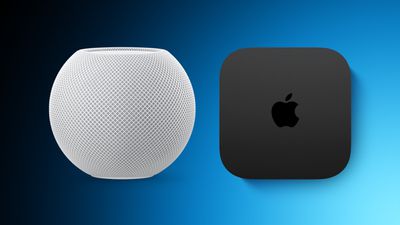
Along with iOS 26, iPadOS 26, and macOS Tahoe, Apple today released new HomePod 26 software for the ‌HomePod‌ and HomePod mini.

homepod green
‌HomePod‌ Software 26 adds support for crossfade, a feature that's designed to more smoothly transition between songs. It also includes AirPlay improvements, with Apple's release notes available below.

Software version 26 includes support for crossfade with Apple Music and AirPlay improvements. This update also includes bug fixes and stability improvements.

- Crossfade on HomePod smoothly transitions between songs by fading out the currently playing song while fading in the next so the music never stops.
- When using AirPlay to play audio on HomePod, you can now ask Siri on HomePod to play to another HomePod speaker in your home.

‌‌HomePod‌‌‌‌‌‌‌‌ software is installed automatically on the ‌‌‌‌‌‌‌‌HomePod‌‌‌‌ unless the feature is disabled‌‌‌‌, but the ‌‌‌‌‌‌‌‌HomePod‌‌‌‌‌‌‌‌ can also be manually updated in the Home app on iPhone, iPad, or Mac by tapping on the More button, choosing Home Settings, and then selecting the Software Update option.

Related Roundups: HomePod, HomePod mini

We're tracking record low prices across the entire M3 iPad Air lineup today, with discounts available at both Amazon and Best Buy. This sale includes savings on both Wi-Fi and cellular models of the tablet, and it's been a few weeks since we last saw these all-time low prices.

m3 ipad air new greenNote: MacRumors is an affiliate partner with some of these vendors. When you click a link and make a purchase, we may receive a small payment, which helps us keep the site running.
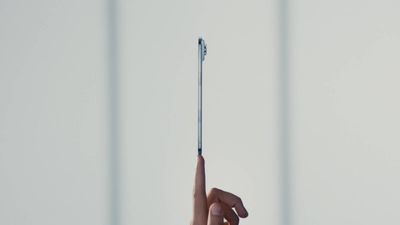

Prices start at $449.00 for the 128GB Wi-Fi 11-inch M3 iPad Air, down from $599.00. Across the board these are all $150 discounts on the M3 iPad Air, and each one is a match for the best-ever price seen on these tablets.


Our list below focuses on Wi-Fi models, but you'll also find many cellular models on sale at $150 off right now. The 128GB cellular 11-inch iPad Air is available for $599.00 and the 128GB cellular 13-inch iPad Air is available for $799.00, both representing record low prices.

11-inch M3 iPad Air

13-inch M3 iPad Air

If you're on the hunt for more discounts, be sure to visit our Apple Deals roundup where we recap the best Apple-related bargains of the past week.


Deals Newsletter

Interested in hearing more about the best deals you can find in 2025? Sign up for our Deals Newsletter and we'll keep you updated so you don't miss the biggest deals of the season!

Related Roundup: Apple Deals

The iPhone 17 launches this week with Apple's biggest display upgrade to a non-Pro model in years, some major camera improvements, faster performance, and big battery life gains.

iPhone 16 vs 17 Feature
Beyond these headline features, how much of an improvement does the ‌‌iPhone 17‌‌ really offer? This guide breaks down the differences between the iPhone 16 and ‌‌iPhone 17‌ to help you understand all of the changes and determine whether these enhancements are enough to justify making the switch‌.

This guide focuses on the ‌‌iPhone 17‌ versus the ‌iPhone 16‌‌, but to learn about how it compares to the iPhone Air and iPhone 17 Pro, see our other comparison guide.

‌iPhone 16‌ (2024) ‌iPhone 17‌ (2025)
6.1-inch display 6.3-inch display
Slimmer bezels
60Hz display ProMotion for refresh rates up to 120Hz
Always-On display
2,000 nits peak brightness (outdoor) 3,000 nits peak brightness (outdoor)
Ceramic Shield front Ceramic Shield 2 front (3x better scratch resistance)
A18 chip (N3E) A19 chip (N3P)
5-core GPU 5-core GPU with Neural Accelerators
Up to 22-hour battery life Up to 30-hour battery life
12-megapixel front-facing camera 18-megapixel front-facing camera
Tap to zoom on front-facing camera Tap to zoom and rotate on front-facing camera
Center Stage front-facing camera
Ultra-stabilized video on front-facing camera
Dual Capture (up to 4K Dolby Vision at 30 fps)
12-megapixel Ultra Wide 48-megapixel Ultra Wide
MagSafe wireless charging up to 22W with 30W adapter or higher ‌MagSafe‌ wireless charging up to 25W with 30W adapter or higher
Up to 50% charge in 30 minutes with 20W adapter or higher Up to 50% charge in 20 minutes with 40W adapter or higher
Apple N1 chip for Bluetooth and Wi-Fi
Bluetooth 5.3 connectivity Bluetooth 6 connectivity
GPS Precision dual-frequency GPS
Available in Ultramarine, Teal, Pink, White, and Black Available in Lavender, Sage, Mist Blue, White, and Black

The ‌iPhone 17‌ is a fairly substantial year-over-year update. The jump to a larger 6.3-inch display with ProMotion, 48-megapixel Ultra Wide camera, longer battery life, and new A19 chip makes it the most significant base-model iPhone upgrade in recent years. It offers great value for money at $799, with many of the new features that come to the other more expensive models this year.

Most ‌iPhone 16‌ owners will notice meaningful differences, but naturally those with an ‌iPhone‌ 14 or older will see a more dramatic dramatic leap. Buyers who want a modern ‌iPhone‌ with a Pro-level display and excellent cameras at a lower price should strongly consider the upgrade, but ‌iPhone 16‌ owners satisfied with their device may find less urgency to switch. Nevertheless, the upgrade is relatively substantial.

Related Roundups: iPhone 16, iPhone 17
Buyer's Guide: iPhone 17 (Buy Now)
Related Forum: iPhone

Woot this week is back with a massive sale on Solo Loop and Braided Solo Loop bands for Apple Watch, and we're also tracking the first ever discounts on Beats' new iPhone 17 cases.

Beats iPhone 17 Cases

beats iphone 17 case blueNote: MacRumors is an affiliate partner with Woot. When you click a link and make a purchase, we may receive a small payment, which helps us keep the site running.
Amazon today has some of the first discounts on the new Beats iPhone 17 cases, with up to 32 percent off select accessories. This also includes a discount on the Beats USB-C to USB-C Woven Cable on Amazon.

Apple Watch Bands

woot band sale blue

You can get the Solo Loop for just $14.99 ($34 off) and the Braided Solo Loop for $29.99 ($69 off). All bands in this sale are in brand new condition and come with a one-year Apple limited warranty, and they will all be compatible with the new Apple Watch Series 11.

Shoppers should note that this sale is focused on colors of the Braided Solo Loop and Solo Loop that Apple has stopped selling, and it doesn't include any of the new band colors. That being said, all of the bands in this sale are in new condition.

The entire sale is focused on Solo Loop and Braided Solo Loop Apple Watch bands, so you'll need to know the size that works best for you before you buy. Apple has a measurement tool on its website that you can use to determine your exact size.

Solo Loop

Braided Solo Loop

If you're on the hunt for more discounts, be sure to visit our Apple Deals roundup where we recap the best Apple-related bargains of the past week.


Deals Newsletter

Interested in hearing more about the best deals you can find in 2025? Sign up for our Deals Newsletter and we'll keep you updated so you don't miss the biggest deals of the season!

Related Roundup: Apple Deals

Ahead of watchOS 26 being released today, Apple has enabled the new Hypertension Notifications feature on compatible Apple Watch models in the U.S. and many other countries.

Hypertension Notifications Feature
The feature received clearance from the U.S. Food and Drug Administration (FDA) last week, and it is now functional on the watchOS 26 and iOS 26 Release Candidate versions, just hours before the software updates are set to be released to the general public.

Apple said the feature will be available in more than 150 countries and regions this month, pending regulatory clearance. Today, it confirmed that it has received marketing authorization from "other global health authorities," including in the EU. MacRumors forum members said the feature has gone live in places such as the UK, Denmark, France, Germany, Italy, Portugal, Poland, the Netherlands, Hong Kong, and others.

The feature is not yet available in Canada.

The feature can alert users if signs of chronic high blood pressure/hypertension are detected, according to Apple. Based on data from the Apple Watch's optical heart sensor, the feature can analyze how a user's blood vessels respond to the beats of the heart. The algorithm works passively in the background, reviewing data over 30-day periods, and it will notify users if it detects consistent signs of hypertension.

Apple said the feature underwent "rigorous scientific validation." According to the company, it was developed with advanced machine learning and training data from multiple studies totaling more than 100,000 participants, and its performance was then validated in a clinical study of more than 2,000 participants.

Apple says the feature is "not intended for use by people under 22 years old, those who have been previously diagnosed with hypertension, or during pregnancy."

Related Forum: Apple Watch

In the review video below, our own Dan Barbera shares his thoughts on the AirPods Pro 3, after testing them for nearly a week.


AirPods Pro 3 upgrades are more noticeable than you might think. Everything from sound quality to Active Noise Cancellation to Transparency mode are improved, and the new foam-infused silicone ear tips make for the best fit yet.

Dan said the AirPods Pro 3 deliver a more dynamic sound profile, and he found that the ear buds stay in his ears much better compared to previous AirPods Pro.

He tested the new heart rate monitoring feature on the AirPods Pro 3, and he said the results are surprisingly accurate for such a small in-ear sensor. You can wear the AirPods Pro 3 and the Apple Watch together to receive an even more accurate heart rate reading during your workouts. On your iPhone, you can also start many types of workouts in the Fitness app while wearing just your AirPods Pro 3, with no Apple Watch necessary.

Dan said Active Noise Cancellation is noticeably better compared to the AirPods Pro 2, through a combination of improved microphones and computational audio improvements. In addition, the new foam-infused ear tips provide greater passive noise isolation.

Transparency mode has also been refined, with Dan saying his voice and others sound more natural now during in-person conversations and phone calls.

Apple says AirPods Pro 3 offer up to 8 hours of listening time on a single charge, with Active Noise Cancellation enabled. That is up from 6 hours with the AirPods Pro 2. Dan tested the AirPods Pro 3 on his 5-hour flight home from Apple Park last week, and he said they lasted the entire flight, and he appreciated the improved Active Noise Cancellation. More time is needed for thorough testing of battery life, but he has no complaints so far.

Here is our recap of eight new AirPods Pro 3 features and changes:

  1. 2× more active noise cancellation: Apple says the AirPods Pro 3 offer up to 2× more active noise cancellation than the AirPods Pro 2, and up to 4× more than the original AirPods Pro. In fact, the AirPods Pro 3 offer the best active noise cancellation of any in-ear wireless headphones, according to Apple.
  2. Improved sound quality: AirPods Pro 3 feature a new acoustic architecture, with next-generation Adaptive EQ, that "transforms the bass response, widens the soundstage so users hear every instrument, and brings vivid vocal clarity to higher frequencies across music, shows, and calls," according to Apple.
  3. Longer battery life per charge: Apple says AirPods Pro 3 offer up to 8 hours of listening time on a single charge, with Active Noise Cancellation enabled. That is up from 6 hours with the AirPods Pro 2. On the other hand, the AirPods Pro 3 charging case offers up to 24 hours of total listening time with Active Noise Cancellation enabled, whereas the AirPods Pro 2 case provides up to 30 hours of total listening time with Active Noise Cancellation enabled.
  4. Heart rate monitoring during workouts: Like the Powerbeats Pro 2, the AirPods Pro 3 feature a heart rate sensor that shines pulsating infrared light to measure light absorption in blood flow. AirPods Pro 3 users can track their heart rate and calories burned, close their Move ring, and earn awards for 50 different workout types in the Fitness app on an iPhone, with no Apple Watch required.
  5. Improved fit: Apple says AirPods Pro 3 are the "most secure and best-fitting AirPods ever." The earbuds are slightly smaller, and the external design of each ear tip was "aligned to the center of the body for increased stability."
  6. Improved water resistance: AirPods Pro 3 have IP57-rated sweat and water resistance, up from IP54 for the AirPods Pro 2. By definition, an IP57 rating means the AirPods Pro 3 could withstand temporary immersion in up to one meter of water, but Apple's marketing only promises that they "can handle the sweatiest workouts and even a sudden downpour."
  7. U2 chip: The AirPods Pro 3 charging case is equipped with Apple's second-generation U2 chip for Ultra Wideband, allowing the Precision Finding feature to work at 1.5× the distance in the Find My app. You will need an iPhone 17, iPhone 17 Pro, iPhone 17 Pro Max, or iPhone Air for this.
  8. XXS ear tip option: AirPods Pro 3 come with new XXS silicone ear tips, along with the same XS, S, M, L sizes included with the AirPods Pro 2. Apple says the tips are now infused with foam for greater passive noise isolation.

AirPods Pro 3 are available to pre-order now, and they launch on Friday, September 19.

Some other media outlets and YouTube channels have shared AirPods Pro 3 reviews too.

Related Roundup: AirPods Pro 3
Buyer's Guide: AirPods Pro (Buy Now)
Related Forum: AirPods

Following three months of beta testing, iOS 26 was released today, September 15. The update is compatible with the iPhone 11 series and newer, and it is available to install via the Settings app, under General → Software Update.

iOS 26 Feature
Below, we have highlighted eight new features included in iOS 26. Even more new features and changes are outlined in Apple's release notes for the update.

Some of the features are only available on newer iPhone models.

Liquid Glass

iOS 26 on Three iPhones
iOS 26 introduces an all-new Liquid Glass design with translucent menus, buttons, and icons.

Apple describes Liquid Glass as "a new translucent material that reflects and refracts its surroundings, bringing greater focus to content, and delivering a new level of vitality across controls, navigation, app icons, widgets, and more."

Lock Screen Enhancements

new iphone lockscreen ios 26
On iOS 26, the Lock Screen's clock automatically adapts to fill the empty space, and you can view full-screen animated album art for supported Apple Music songs.

New iMessage Features

ten messages features
Here are some of the key new features and changes in the Messages app on iOS 26:

  • Backgrounds: You can now add a background to any conversation, and all participants will see it. You can choose from Apple's selection of backgrounds, or you can set any of your own photos as a background. You can turn off conversation backgrounds in the Settings app if desired.
  • Polls: You can now create polls in group chats, allowing people to vote on topics or questions, such as which restaurant to go to. Apple Intelligence can detect when a poll might come in handy and suggest one.
  • Apple Cash in group chats: You can now send and receive Apple Cash in group chats.
  • Typing indicators in group chats: You can now see who is typing in group chats.
  • "Add Contact" button in group chats: This button makes it easier to add people to the Contacts app in group chats.
  • "Select" option: When you tap and hold on a message bubble, a new "Select" option appears. Tapping on it allows you to select a portion of text in a message, whereas you could previously only copy an entire message.
  • Unknown sender screening: When turned on, this setting automatically moves messages from unknown senders to the Unknown Senders folder, and hides notifications for them until you accept them.

Call Screening and Hold Assist

ios 26 phone app screening
iOS 26 adds a couple of useful features to the Phone app: Call Screening and Hold Assist.

Call Screening is an opt-in setting that asks unknown callers for their name, and the reason why they are calling. And with Hold Assist, your iPhone can automatically wait on hold for you during a call, and notify you when the agent on the other line is ready.

Adaptive Power Mode

iOS 26 Adaptive Power Notifications
iOS 26 introduces an Adaptive Power Mode on the iPhone, alongside the existing Low Power Mode.

Apple says Adaptive Power Mode can make "performance adjustments" when necessary to extend an iPhone's battery life, including slightly lowering the display brightness, allowing some activities to "take longer," and automatically turning on Low Power Mode when the iPhone's remaining battery life reaches the 20% mark.

Adaptive Power Mode is only available on the iPhone 15 Pro models and newer. The setting can be turned on in the Settings app, under Battery → Power Mode.

AutoMix

apple music automix ios 26
A new AutoMix feature in the Apple Music app can seamlessly transition from one song to the next, like a DJ would. AutoMix replaces the previous Crossfade feature.

Preview App

Apple Preview App iPhone
iOS 26 extends a version of the Apple's Preview app from the Mac to the iPhone, providing you with a built-in app to edit and mark up PDFs and images.

CarPlay Upgrades

CarPlay Liquid Glass Dark
When you are using CarPlay with an iPhone running iOS 26, the new Liquid Glass design extends to the CarPlay interface. Like on the iPhone, the new look includes more shimmery app icons and translucent user interface elements.

Starting with iOS 26, you can respond to messages with standard Tapbacks like a heart, thumbs up, or exclamation marks directly through CarPlay.

CarPlay Messages Tapbacks

You can now view your pinned conversations in the Messages app on CarPlay.
CarPlay Pinned Messages

CarPlay has a new compact view for incoming phone calls, so that you can still see other information on the screen, such as turn-by-turn directions.
CarPlay Compact Phone Calls
CarPlay's Dashboard screen can now show Live Activities, letting you keep track of things like a flight's arrival time at a glance.

CarPlay Live Activities
The regular version of CarPlay now has a widgets screen, for things like calendar appointments and HomeKit accessory controls.

CarPlay Widgets
iPhone users will be able to wirelessly stream videos to the CarPlay screen using AirPlay, according to Apple. For safety reasons, video playback will only be available when the vehicle is parked, to prevent distracted driving. The connected iPhone will be able to detect when the vehicle is in motion and end playback.

Automakers need to add support for this feature, so it might be limited to newer vehicles and take some time to roll out.

More

Read our iOS 26 roundup linked below to learn more about the update.

Related Roundups: iOS 26, iPadOS 26
Related Forum: iOS 26

Apple's new iPhone 17 models are proving to be more popular than their predecessors over the first pre-order weekend, both in terms of production and delivery times, but major questions remain about the success of the iPhone Air, according to Apple analyst Ming-Chi Kuo.

better iphone 17 lineup
In a new post on X, Kuo said that preorder demand for the ‌iPhone 17‌ lineup has outpaced last year's iPhone 16 models. ‌iPhone 17‌, 17 Pro, and 17 Pro Max production for the third quarter of this year is approximately 25% higher than their predecessors last year, alongside stronger pre-order demand across all three models. The iPhone 17 Pro Max remains the most in-demand model; production is approximately 60% higher than that of the ‌iPhone 16‌ Pro Max.

The ‌iPhone Air‌ is the only model of the four new devices that is readily available at launch. While this superficially suggests even weaker demand than the ‌iPhone 16‌ Plus saw last year, Kuo noted that production of the ‌iPhone Air‌ is set to be approximately 3x higher than that of the ‌iPhone 16‌ Plus.

He added that there is no direct historical comparator for its positioning in the lineup, making it hard to assess how it will perform at this early stage. Kuo speculates that while the ‌iPhone Air‌ "doesn't look compelling on paper," the in-store hands-on experience could succeed in convincing customers to buy the device.

Related Roundups: iPhone 17, iPhone 17 Pro, iPhone Air
Related Forum: iPhone

Update 10:06 a.m.: iOS 26 is rolling out now, though it may take a bit for all users to see it, so keep checking!


Today's the day! Apple is about to release iOS 26, which will deliver the biggest redesign since iOS 7 and bring a range of new features and improvements to iPhones worldwide. It's Apple's biggest software update of the year, and Apple announced at last week's iPhone event that it will be releasing iOS 26 sometime today – Monday, September 15.

iOS 26 on iPhone Feature
Based on past releases, the update is likely to drop at around 10:00 a.m. Pacific Time/1:00 p.m. Eastern Time. Apple's own websites for countries around the world also suggest a 10:00 a.m. Pacific Time release, with Apple's site for India listing a September 15 launch while the company's Indonesian page lists a September 16 release, pointing to a narrow window around 10:00 a.m. Pacific to line up with time zone differences.

To give iPhone users globally an idea of when iOS 26 should become available as an over-the-air update, we've compiled the below list of time zone conversions for several countries. This list isn't exhaustive, so please verify the exact time for your specific location, and bear in mind that there could always be a delay as Apple prepares its servers for rollout.

  • Australia West - 1:00 a.m. AWST (Tues)
  • Australia East - 3:00 a.m. AEST (Tues)
  • Austria - 7:00 p.m. CEST
  • Baltic countries - 8:00 p.m. EEST
  • Belgium - 7:00 p.m. CEST
  • Brazil East - 2:00 p.m. BRT
  • Canada West - 10:00 a.m. PDT
  • Canada East - 1:00 p.m. EDT
  • China - 1:00 a.m. CST (Tues)
  • Denmark - 7:00 p.m. CEST
  • Finland - 8:00 p.m. EEST
  • France - 7:00 p.m. CEST
  • Germany - 7:00 p.m. CEST
  • Hong Kong - 1:00 a.m. HKT (Tues)
  • India - 10:30 p.m. IST
  • Indonesia West - midnight WIB (Tues)
  • Ireland - 6:00 p.m. IST
  • Italy - 7:00 p.m. CEST
  • Japan - 2:00 a.m. JST (Tues)
  • Luxembourg - 7:00 p.m. CEST
  • Netherlands - 7:00 p.m. CEST
  • New Zealand - 5:00 a.m. NZST (Tues)
  • Norway - 7:00 p.m. CEST
  • Poland - 7:00 p.m. CEST
  • Portugal - 6:00 p.m. WEST
  • Puerto Rico - 1:00 p.m. AST
  • Saudi Arabia - 8:00 p.m. AST
  • Singapore - 1:00 a.m. SGT (Tues)
  • South Africa - 7:00 p.m. SAST
  • South Korea - 2:00 a.m. KST (Tues)
  • Spain - 7:00 p.m. CEST
  • Sweden - 7:00 p.m. CEST
  • Switzerland - 7:00 p.m. CEST
  • Taiwan - 1:00 a.m. CST (Tues)
  • UAE - 9:00 p.m. GST
  • United Kingdom - 6:00 p.m. BST
  • United States West - 10:00 a.m. PDT
  • United States Mountain - 11:00 a.m. MDT
  • United States Central - noon CDT
  • United States East - 1:00 p.m. EDT

Be Prepared to Wait

When iOS 26 and iPadOS 26 become available as an over-the-air update, make sure your device is fully charged before you start the process over Wi-Fi, as it may take some time to complete. To check that the update is available, go to Settings ➝ General ➝ Software Update, and wait a moment for your device to contact Apple's servers. If you're in no rush, you can wait for iOS 26 to be delivered to your iPhone when you next plug it into your computer.

On that note, a word of caution: During the initial rollout of major software updates like iOS 26, Apple users may experience slower download speeds and sluggish performance when trying to update their devices. This is largely due to the high demand on Apple's servers, as millions of users worldwide attempt to download the update simultaneously.

The surge in traffic can overwhelm network capacity, leading to delays in downloading or installing the update. To avoid these potential issues, you may want to wait a day or two before installing the update, allowing server congestion to subside and ensuring a smoother upgrade experience.

Related Roundups: iOS 26, iPadOS 26
Related Forum: iOS 26