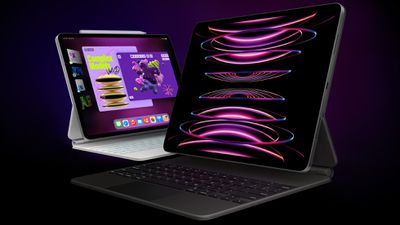
Apple this week began selling certified refurbished 2022 iPad Pro and iPad Air models through its online store in additional countries, including France, Germany, Japan, and the UK. Availability in the U.S. and Canada began last month.
The fourth-generation 11-inch iPad Pro with the M2 chip, sixth-generation 12.9-inch iPad Pro with the M2 chip, and fifth-generation iPad Air with the M1 chip are each available in a variety of storage capacities and color options. The refurbished models are discounted by approximately 15% compared to the original pricing of these iPads.
Apple first introduced this particular iPad Air model in March 2022, and the iPad Pro models followed in October of that year.
Apple says its refurbished iPads include a new battery and outer shell, a new white box, and all manuals and accessories, including a USB-C charging cable and power adapter. Apple says it puts refurbished devices through a "thorough cleaning process and inspection," and it performs full functionality testing to ensure there are no defective units.
All refurbished iPads are covered by Apple's one-year limited warranty and 14-day return policy, and eligible for AppleCare+ coverage.
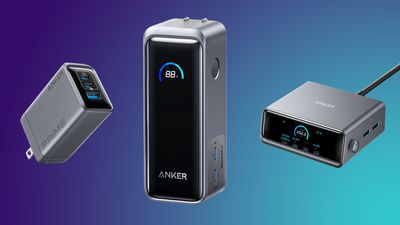
Anker this week is hosting a big fall sale on Amazon, coinciding with the early Black Friday event it's hosting on Anker.com. Additionally, we're tracking some deals on Jackery portable power stations, which are high-capacity portable batteries that can provide backup power to a wide variety of devices, from laptops to RVs.
Note: MacRumors is an affiliate partner with Amazon. When you click a link and make a purchase, we may receive a small payment, which helps us keep the site running.
For the Anker deals, you'll need to have a Prime membership in order to see some of these discounted prices, but only one requires an on-page coupon this time around. Similarly for the Jackery discounts, you'll find that every deal has been automatically applied on Amazon with the exception of one requiring an on-page coupon.
In June, Apple discontinued its "buy now, pay later" service called Apple Pay Later, which let qualifying customers split a purchase made with Apple Pay into four equal payments over six weeks, with no interest or fees. Instead, Apple said customers in the U.S. would be able to apply for loans from select other "buy now, pay later" services when they check out with Apple Pay on the web and in apps on iOS 18 and iPadOS 18.
Affirm payment plans have been available through Apple Pay since last month, and competing service Klarna announced that it is integrating with Apple Pay in the U.S. and the U.K. starting today, and in Canada in the coming months.
iOS 18 and iPadOS 18 users can select "Other Cards & Pay Later Options" when checking out with Apple Pay to access payment plans available from Klarna and Affirm. For example, Klarna offers an interest-free "Pay in 4" payment plan for purchases totaling between $35 and $2,000, which is similar to what Apple Pay Later offered.
Apple also announced an upcoming integration with PayPal.
Starting next year, customers in the U.S. will be able to see their PayPal balance when using their PayPal debit card in the Wallet app on the iPhone, according to Apple.
Apple today shared a letter celebrating the upcoming 10-year anniversary of Apple Pay, which launched in the U.S. on October 20, 2014, as part of iOS 8.1.
Apple Pay has since become available in over 75 countries and regions, and the vast majority of retailers in the U.S. now accept contactless payments, with one notable exception being Walmart. Two other longtime holdouts that are finally rolling out contactless payments in the U.S. include The Home Depot and Texas-based grocery store chain H-E-B.
Starting today, eligible customers in the U.S. and U.K. have access to financing through "buy now, pay later" service Klarna when checking out with Apple Pay on the web and in apps on iOS 18 and iPadOS 18. And starting next year, customers in the U.S. will be able to see their PayPal balance when using their PayPal debit card in the Wallet app on the iPhone.
Here is the full letter from Jennifer Bailey, Apple's vice president of Apple Pay and Apple Wallet:
When we started our journey with Apple Pay 10 years ago, we saw a unique opportunity to leverage Apple's hardware and software to make a meaningful impact on the financial health and lives of our customers. From the outset, we envisioned a world where you could use your iPhone to seamlessly pay for everything — from groceries to train tickets, in person and online, across the globe — all while keeping your personal and financial information safe and private.
Today, Apple Pay is used by hundreds of millions of consumers in 78 markets, at checkout on millions of websites and apps, in tens of millions of stores worldwide, and is supported by more than 11,000 bank and network partners. We hear from customers every day about how much they love the ease, security, and privacy protections Apple Pay provides in their daily lives, and how much they enjoy using it across their devices — including iPhone, Apple Watch, iPad, and Mac.
One of my earliest memories of realizing how Apple Pay was positively impacting consumers' lives was when we rolled out Apple Pay for transit in Tokyo, which is used by millions of travelers every day. I watched in awe as people quickly tapped their iPhone or Apple Watch to pay while passing through the turnstiles — no need to fish out any cash, cards, or coins from their wallets, or even unlock or wake their device. It's a great example of how Apple Pay's seamless and secure customer experience delivers convenience and peace of mind to consumers around the world, whether they're commuting to work, shopping online, or picking up their morning coffee.
We know how important it is for customers to feel secure and trust that their financial transactions are private when making a payment. That's why we're always working to safeguard consumers, while also enabling banks to have industry-low levels of fraud for Apple Pay transactions. And it's also why Apple Pay was designed to protect users' highly sensitive personal and financial information, like their card number, which is never shared with merchants. Our customers trust that when they use Apple Pay anywhere, they can have the peace of mind that their payments are protected.
Looking ahead at what's next for Apple Pay, we are excited to now bring our users more ways to pay, including the option to redeem rewards and access installment loans from Apple Pay-enabled issuers and lenders right at checkout with Apple Pay online and in-app on iPhone and iPad. This gives consumers greater flexibility in how they pay with the easy and trusted Apple Pay experience they already know and love. It also provides Apple Pay-enabled issuers and lenders with new ways to connect with their customers, and make their rewards and installment offerings even more accessible.
Beyond payments, we're also advancing our broader vision of replacing users' physical wallets with an easy, secure, and private digital wallet — Apple Wallet. Today, users can seamlessly and securely add and access eligible event tickets, transit cards, keys, government IDs, and more all from Apple Wallet. And we're always looking for new ways to make using Apple Wallet convenient while delivering unparalleled security and peace of mind.
The last decade was an incredible journey, and we're thrilled that so many people around the world are enjoying the experience that Apple Pay and Apple Wallet provide. I can't wait to see what the next 10 years have in store.
Bailey also sat down for an interview with Frank McShan:
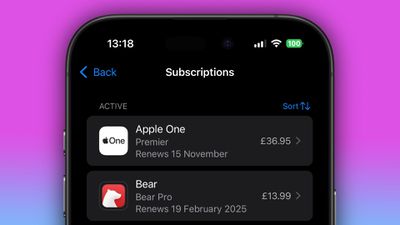
The Federal Trade Commission (FTC) has announced a final "click to cancel" rule that aims to simplify the process of ending subscriptions and memberships for US consumers.
The new rule will require businesses to make cancellation processes as straightforward as sign-up procedures, and companies will be prohibited from forcing customers to use chatbots or speak with agents to cancel subscriptions that were originally initiated online or through an app. For memberships started in person, businesses must offer cancellation options by phone or online.
In a statement accompanying the Commission's press release, FTC Chair Lina M. Khan said: "Too often, businesses make people jump through endless hoops just to cancel a subscription. The FTC's rule will end these tricks and traps, saving Americans time and money. Nobody should be stuck paying for a service they no longer want."
The rule will apply to almost all negative option programs across all media. It also requires sellers to provide clear information before obtaining billing details and to secure informed consent for negative option features prior to charging customers.
The move follows a significant increase in consumer complaints about subscription practices, according to the FTC. In 2024, the government agency received an average of nearly 70 complaints per day related to negative option and recurring subscription issues, up from 42 per day in 2021.
The Commission voted 3-2 to approve the final rule, with two Republican commissioners opposing it. Some initially proposed measures were dropped, including requirements for businesses to send annual reminders about recurring charges. The new regulation is set to take effect 180 days after publication in the Federal Register.
The regulation is part of the FTC's efforts to modernize its 1973 Negative Option Rule and address unfair practices, and follows recent legal actions against major companies like Amazon and Adobe over their subscription practices.
Apple's Roadside Assistance via Satellite feature for iPhones is now live in the United Kingdom, based on a recent update to Apple's support documentation.
The quiet launch follows Apple's announcement during its iPhone 16 event in September that the feature would expand to the UK later in the year.
Roadside Assistance via Satellite enables iPhone users to contact breakdown services in areas without cellular or Wi-Fi coverage. UK breakdown rescue service Green Flag has partnered with Apple to provide assistance to stranded motorists via the feature in areas with poor connectivity.
According to the updated support page, the service is available on a pay-per-use basis for those who are not Green Flag members, though specific pricing details have not been disclosed. Apple offers its satellite services, including Roadside Assistance, free for the first two years with the purchase of an iPhone 14 or later.
For Roadside Assistance via Satellite to work when outside of cellular and Wi-Fi coverage, users need to be in an open area with a clear view of the sky and horizon, according to Apple.
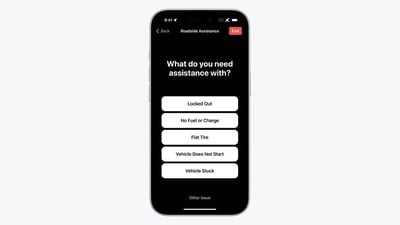
To use the feature, open the Messages app and start a new message. Next, type "roadside" into the address field, and a "Roadside Assistance" option will appear. Tap on "Roadside Assistance" and follow the on-screen instructions to connect your iPhone to a satellite and request help.
The feature is compatible with iPhone 14 and newer models running iOS 17 or later. The UK expansion follows Apple's established partnerships with AAA and Verizon Roadside Assistance in the US.
The seventh-generation iPad mini's charging speed is capped at 20W, according to a Chinese regulatory filing.
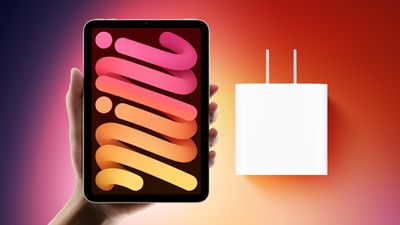
The new iPad mini's charging speed has seemingly been confirmed through a China Compulsory Certificate (3C) certification report (spotted by 91Mobiles), revealing that the new model has the same charging specification as its immediate predecessor. According to the 3C certification, the seventh-generation iPad mini (model A2996) supports 20W "fast charging," using a 9VDC x 2.22A power output. This is the same wattage as the sixth-generation iPad mini, which also featured a 20W USB-C charger. The listing also mentions a 45W adapter, but the iPad mini's actual charging speed is capped at 20W. This limitation puts it behind several competitors in the market, such as the OnePlus Pad 2, which boasts 67W fast charging.
The 2021, sixth-generation iPad mini gained 20W charging thanks to the implementation of a USB-C port, 8W more than the fifth-generation iPad mini, which had a Lightning port. The iPad Air is similarly capped at 20W, but tests show that the iPad Pro can reach charging speeds of up to 30W. Apple's focus on optimizing long-term battery life may be one reason why charging speeds remain relatively conservative across its product lines. Faster charging can generate additional heat, which can reduce battery lifespan over time.
Apple secretly collaborated with Chinese automaker BYD to develop long-range electric vehicle battery technology as part of its now-nixed Apple Car project, according to Bloomberg.
Beginning around 2017, the partnership focused on creating a battery system using lithium iron phosphate (LFP) cells. The joint effort aimed to produce batteries with longer range and improved safety compared to typical EV batteries of the time. Apple reportedly brought expertise in advanced battery packs and heat management, while BYD contributed manufacturing know-how and advancements in LFP cell technology.
The collaboration was part of Apple's since-canceled car project, which the company invested approximately $1 billion per year in over the past decade. Although Apple doesn't own the technology used in BYD's current Blade batteries, the partnership reportedly influenced the development of BYD's battery systems.
The project is said to have been led by Alexander Hitzinger on Apple's side, with a team of about 50 battery engineers overseen by Mujeeb Ijaz. Michael He, vice president of BYD's battery business, led the efforts for the Chinese company.
Despite the years of collaboration, Apple eventually moved away from the partnership and explored systems from other battery makers. Apple ultimately canceled its car project in February 2024 after executives decided it was not a viable project.
While Apple's car ambitions didn't materialize, the battery development work reportedly contributed to other areas of the company's technology portfolio, including the Vision Pro headset and Neural Engine AI processor. Read our Apple Car roundup for more details about the canceled project.
For the last several years, Apple has been working to create its own 5G modem, with the eventual goal of eliminating the need to use third-party modem technology. Apple's 5G modem is inching closer to completion, and we could see the first iPhone with an Apple modem in 2025.
This guide covers everything we know about Apple's 5G modem development.
First Products With Apple's 5G Modem
Swapping out a modem chip might not sound like a big deal, but tweaking cellular technology can have a major impact. Apple has to make sure that its 5G modem is as good or better than 5G chips from its current modem supplier Qualcomm before transitioning to its own technology.
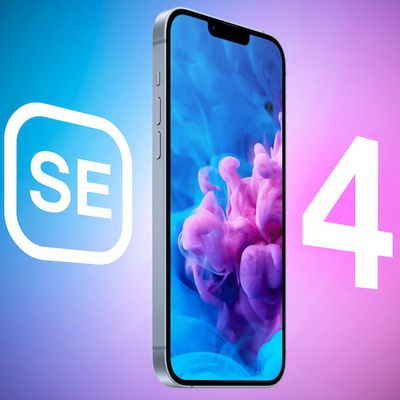
For that reason, we're expecting the 2025 iPhone SE 4 to be the first Apple device with the Apple-designed 5G modem. It is a lower volume device than a flagship smartphone, and it will let Apple see modem performance at scale in consumer hands before bringing the Apple modem to the main iPhone line.
According to current rumors, iPhone SE 4 will come out in early 2025, likely sometime before April. After Apple releases the iPhone SE 4 with Apple modem, we could see it in a second device soon after. Rumors suggest that the low-cost iPad will also get the Apple modem chip early in the year.
Apple analyst Ming-Chi Kuo has suggested that the ultra-thin iPhone 17 "Air" that's in development will use the Apple modem, with the device set to launch in September 2025 alongside the iPhone 17 and iPhone 17 Pro models. Apple will ship an estimated 35 to 40 million iPhone units with the Apple modem in 2025, and from there, if all goes well, more iPhones will adopt the technology in 2026 and 2027.
No mmWave 5G
In September, DigiTimes suggested that Apple's first 5G modem chip would not support faster mmWave technology, and would instead be limited to sub-6GHz 5G. mmWave 5G is the fastest 5G, but it is short range and limited to big venues and major cities. In suburban and rural areas, sub-6GHz is used.
Sub-6GHz isn't as fast as mmWave 5G, but it is much longer range, which makes it more viable for widespread use. DigiTimes believes that Apple will continue to rely on Qualcomm modems for iPhone models that support mmWave, which is essentially U.S. iPhones. mmWave is still limited in availability in many countries, so Apple only has mmWave-capable modems in iPhones sold in the United States.
Bloomberg's Mark Gurman has confirmed that the first version of Apple's 5G modem will not support mmWave.
Modem Speeds
Apple's modem chip will support theoretical download speeds of up to 4Gb/s, so it will be slower than the Qualcomm modems in the current iPhone 16 models. Real-world data speeds are often much slower than theoretical maximums, so the actual difference may not be as pronounced, if at all.
Modem Benefits
The chip will not be as fast as Qualcomm's chip, but it will use less power, and it will include improved cellular network scanning and satellite connectivity enhancements.
Qualcomm Dispute
Right now, all iPhones use Qualcomm 5G modems, and Apple has to buy the modem chips and pay a patent licensing fee for using Qualcomm technology. Back in 2017, Apple sued Qualcomm over anticompetitive patent licensing practices and also claimed that Qualcomm had failed to pay more than $1 billion in royalty rebates.
After filing the lawsuit, Apple attempted to cut ties with Qualcomm and opted to use only Intel modem chips in the 2018 iPhone XS/XR models and the 2019 iPhone 11 lineup. Apple had used Intel chips for some iPhones in the past, opting for a mix of Qualcomm and Intel modems in different regions, but Apple wanted to stop relying on Qualcomm entirely.
Intel-only chips were fine for the 2018 and 2019 iPhones, but for the 2020 iPhone 12 lineup, Apple wanted to transition to 5G technology. Apple's plan was to use Intel 5G chips, but Intel struggled with development. Intel missed developmental deadlines, and it became clear that Intel 5G chips were not going to happen.
Apple needed the 5G modems from Intel to be functional and ready to test by summer 2019, and completed chips needed to be shipped to Apple in early 2020, which wasn't going to happen. Apple spoke with Samsung and Mediatek about the possibility of 5G modems to avoid having to make amends with Qualcomm, but it turned out Qualcomm modems were the only option.
In April 2019, Apple settled with Qualcomm and the two companies dropped all litigation. Apple paid Qualcomm $5 to $6 billion in late royalty fees, and agreed to continue to pay ongoing patent royalties for every iPhone manufactured, plus the company signed a six-year licensing deal with Qualcomm.
The 2020 iPhones ended up using Qualcomm's 5G chips, and every iPhone after that has also used Qualcomm technology. Apple most recently extended its modem licensing deal with Qualcomm through March 2027, so we will likely see Qualcomm modems in some devices up until then as Apple transitions to its own technology.
Intel Purchase
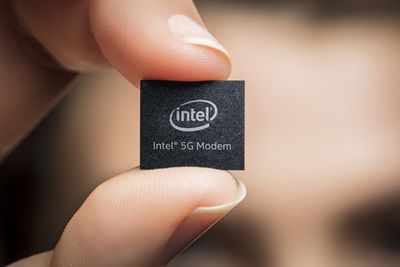
Just after Apple settled with Qualcomm, Intel announced plans to exit the 5G modem business. Intel was not able to make a 5G modem to compete with Qualcomm, and that was the end of Intel's modem business. Intel met customer commitments for existing 4G modems, but then-Intel CEO Bob Swan said there was "no clear path to profitability and positive returns" in the smartphone modem business.
Intel decided to sell off its modem business, and Apple ultimately opted to acquire it. In July 2019, Apple and Intel inked a deal that saw Apple purchasing the majority of Intel's smartphone modem business. Approximately 2,200 Intel employees joined Apple, and Apple also took over Intel's related intellectual property, equipment, and leases, in a transaction valued at $1 billion.
With the Intel purchase, Apple became the owner of more than 17,000 wireless technology patents, and the Intel employees joined Apple's cellular technologies group. The purchase was aimed at helping Apple accelerate 5G modem development, but Apple has still faced delays and design issues.
Development Issues
There have been rumors about iPhones adopting an Apple-designed modem chip since 2023, which is when the technology was meant to be ready. Kuo said in mid-2022 that Apple's modem work had "failed," leading to stalled development and a launch delay.
Gurman said in late 2023 that Apple was forced to postpone the debut of an Apple modem until 2025 or 2026 due to development setbacks, and he claimed that the technology could "lag behind the competition by years."
Apple has reportedly experienced issues with the Intel code it has been working with. Engineers have had to do rewrites, and adding new functionality has caused existing features to break. Apple also has to avoid infringing on Qualcomm patents with the chip, adding another layer of complexity.
A September 2023 report from The Wall Street Journal suggested that Apple has run into problems because it had unrealistic goals, a poor understanding of the challenges involved in modem development, and completely unusable prototypes. Chips tested in late 2022 were allegedly "three years behind Qualcomm's best modem chip," and in danger of making the iPhone's wireless speeds slower than competitors.
Release Date
It's looking like we'll see the first Apple modem in the iPhone SE 4, which is expected in early 2025. From there, Apple will likely expand the technology to other devices, using a mix of Qualcomm and custom-designed chips until its own work on 5G modems is advanced enough to phase out Qualcomm entirely.
Future Apple Modems
After debuting the first Apple modem in the iPhone SE and other lower-volume products, Apple plans to unveil a second-generation model that will be included in devices coming in 2026 and 2027.
The second-generation modem will support faster 5G mmWave speeds, and it will be included in the iPhone 18 lineup in 2026 and in iPad Pro models in 2027.
After that, Apple will come out with the third-generation version, which Apple expects will be able to outperform Qualcomm's modems in terms of performance and AI features.
Further in the future, Apple is discussing merging the modem into the A-series chip in the iPhone.
Amazon today refreshed its popular Kindle e-reader lineup, introducing the first Kindle that has a color display. The $279.99 Kindle Colorsoft has a 7-inch high-contrast display that Amazon says offers "paper-like color."
While Amazon has released tablets with traditional LCD displays that support color, the Colorsoft is E Ink like Amazon's other Kindle tablets, but with new technology that allows for color. Amazon is using LED pixels and a new oxide backplane for color without impacting resolution or increasing latency when turning pages.
There have been rumors that Apple has tested electronic paper display (EPD) technology for future devices, including color EPD, which is similar to what Amazon has just rolled out. Back in 2022, Apple analyst Ming-Chi Kuo said Apple tested E-Ink's Electronic Paper Display for future foldable tablet applications, and he said that color EPD could perhaps become a mainstream solution for the cover screen of a foldable iPhone, iPad, or Mac.
Color e-ink is still newer technology, but there are other products like the Remarkable Paper Pro that use it.
Amazon says that the Kindle Colorsoft is its brightest Kindle yet, and the display is able to adjust the front light for any lighting condition. It continues to have a 300 pixel-per-inch resolution for black and white, with a 150 pixel-per-inch resolution for color.
Amazon today also unveiled an updated $399.99 Kindle Scribe that supports note-taking with a white-bordered display and a screen that has a paper-like texture. It comes with a Premium Pen that feels like an actual pen, complete with a soft-tipped eraser for erasing. AI integration allows for summaries and bullet point lists of notes taken, and notes can be refined to have a more readable font.
Other new additions include the latest Kindle Paperwhite, which Amazon says is its fastest to date with 25 percent faster page turns, and a new matcha color for the entry-level Kindle. The Kindle Colorsoft will ship on October 30, while the Kindle Scribe will ship on December 4. Other Kindles are available now.
Update: This article was updated to provide exact pricing at Amazon's request. The prior version listed the Kindle Colorsoft's price as $280 instead of $279.99, and the Kindle Scribe's price as $400 instead of $399.99. Note that Amazon's listed pricing is before tax, so customers who live in areas where sales tax is collected will see total prices higher than $279.99 and $399.99. There may also be shipping fees for customers who do not have Amazon Prime.
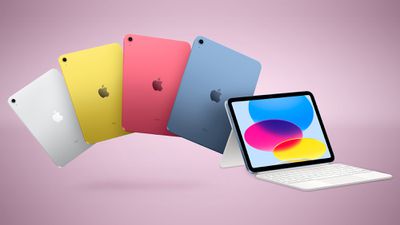
Given recent events, it now seems unlikely that Apple will update its entry-level iPad this year.
First and foremost, Apple lowered the price of the iPad 10 and stopped including a charger with the device in Europe this week, and there is a low chance that Apple would have proceeded with those changes if an iPad 11 was imminent.
Second, Apple's announcement of a new iPad mini in a standalone press release this week further suggests that the iPad 11 is not coming soon.
In his newsletter last month, Bloomberg's Mark Gurman said "new, lower-end iPads" were likely to be unveiled at Apple's next event "in the coming weeks," alongside the first Macs with M4 chips. It is unclear if Apple is still planning to host a Mac-focused event later this month, but it seems that an iPad 11 will not be announced this month regardless.
Apple released the iPad 10 in October 2022, and it features a 10.9-inch display and an A14 Bionic chip. It is unclear when the iPad 11 will be released given these recent developments, but 2025 at the earliest seems like a safe bet at this point.
Apple's chief people officer Carol Surface is leaving the company, reports Bloomberg. Surface joined Apple in February 2023, so she has been at the company less than two years.
Most senior executives are at Apple for much longer periods of time, and it is not clear why Surface is leaving. She was hired when Apple decided to split its primary human resources role from retail last year, and she reported directly to Apple CEO Tim Cook.
Deirdre O'Brien had been handling both the retail and people (or HR) role, but when Surface took over, O'Brien transitioned to just overseeing retail. With Surface leaving, O'Brien will once again oversee both people and retail.
Surface was previously the chief human resources officer at Medtronic, and the chief people officer title was created when she joined Apple.
Apple today announced an update to its Apple Business Connect feature, designed to allow any verified business to create a consistent branding and location presence across apps that include Maps, Wallet, Phone, and Mail.
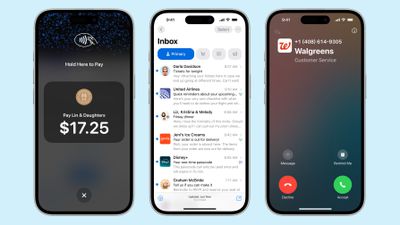
Using Business Connect, companies are able to sign up to display their brand in the Phone app when a call is placed to an iPhone user, or in the Mail app to make an incoming email more recognizable. Businesses can sign up for Branded Mail today, with logos appearing to customers later this year when iOS 18.2 is released.
In 2025, companies will be able to use Business Caller ID, which will show their name, logo, and department on an inbound call screen.
There's also now an option for businesses to display their logo in Tap to Pay on iPhone, rather than a category icon. Apple says this change will help customers ensure they're making a payment to a verified business.
Businesses have been able to claim and manage their location place cards for Maps using Business Connect, but now Business Connect is also available to businesses that operate a service or that operate online without a physical location.
Surgeons at the University of California, San Diego have been testing the Apple Vision Pro for surgeries, and have performed more than 20 minimally invasive operations while wearing the headsets. Surgeon and director of the Center for Future Surgery at UCSD, Santiago Horgan, recently spoke with Time to provide some commentary on the Vision Pro's performance.
According to Horgan, the Vision Pro could be "more transformative" than robotic devices that are used to assist in surgeries. While the Vision Pro is expensive for consumers, it is affordable for hospitals compared to most medical equipment, and it is widely available technology that many hospitals around the country will be able to take advantage of.
During laparoscopic surgeries, doctors send a camera through a small incision, and the camera's view is shown on a nearby screen. Doctors have to watch the screen while also operating on the patient, a process that the Vision Pro streamlines. Horgan says that surgeons need to look over at CT scans, monitor vitals, and more while doing these surgeries, and all of that information can be viewed through the Vision Pro instead.
This prevents surgeons from having to contort their bodies in odd positions, cutting down on discomfort while performing surgeries.
While Horgan has tried other headsets like Google Glass and Microsoft's HoloLens, the displays were not good enough. But the Vision Pro has high-resolution OLED displays, and the result has turned out to be "better than [UCSD surgeons] even expected."
In surgeries that involve the Vision Pro, doctors, assistants, and nurses all wear the headsets instead of looking at screens, and no patients have opted out of the Vision Pro surgeries.
UCSD is also testing the Vision Pro's ability to create 3D radiology imaging, and the team may also test it in other medical applications. More on how the Vision Pro and other similar devices are being tested for medical use is outlined in the full Time article.
Apple today released a new macOS Sequoia 15.1 public beta, allowing non-developers to test the software ahead of its October 28 launch. The latest beta comes a day after Apple provided the seventh beta to developers.
Public beta testers who have signed up for Apple's beta testing program can download the macOS Sequoia 15.1 update by opening up the Settings app, tapping into the Software Update section and selecting the Public Beta option.
iOS 18.1, iPadOS 18.1, and macOS Sequoia 15.1 are the first updates that includes Apple Intelligence features. Not all AI capabilities have been added, but the beta includes Writing Tools, Siri updates, summaries, AI-powered Focus modes, and smart replies. To use Apple Intelligence features, you need an iPhone 15 Pro, an iPhone 16 model, or M-series Mac or iPad.
Writing Tools are available whenever text can be selected and edited, and the feature can be used for spell checking, correcting grammar, rewriting your work with a new tone, and summarizing text.
Siri has been overhauled with a new design that includes a subtle glow around the display, and Type to Siri means you don't have to speak to Siri to get answers. Siri can follow along if you stumble over your words, and can maintain context between requests. Safari can summarize articles, and there's a new Reduce Interruptions Focus Mode that intelligently highlights only important notifications.
Smart replies are available in Messages and Mail, plus the Mail app surfaces priority time sensitive messages and puts them at the top of your inbox. Photos has a Memory Movie feature for creating slideshows based on text descriptions, and there is a Clean Up tool for unwanted objects in your photos.
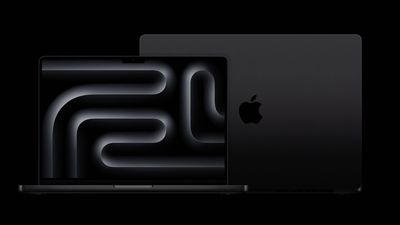
Apple's supply chain is gearing up for new MacBook Pro models with M4 chips, which are expected to be announced this month, according to DigiTimes.
"Apple is expected to unveil new MacBook Pro models equipped with the latest M4 chip in October, which could boost related component shipments," says the paywalled report, published today. "This trend is evident in the revenue reports from component manufacturers such as Jarllytec and Shin Zu Shing for September."
Bloomberg's Mark Gurman previously reported that Apple plans to announce its first Macs with M4 series chips this year, including a 14-inch MacBook Pro with the M4 chip, 14-inch and 16-inch MacBook Pro models with M4 Pro and M4 Max chips, an iMac with the M4 chip, and a redesigned Mac mini with M4 and M4 Pro chips. Apple already debuted the M4 chip in the iPad Pro earlier this year, but it has yet to announce the M4 Pro and M4 Max chips.
The entry-level 14-inch MacBook Pro with the M4 chip seemingly already leaked in Russia in recent weeks, and those leaks revealed that the MacBook Pro lineup might finally start with 16GB of RAM instead of 8GB. The leaked 14-inch MacBook Pro has no major external design changes, but it does appear to have an additional, third Thunderbolt 4 port compared to the current entry-level model with two Thunderbolt 3 ports.
It is currently not entirely clear if Apple plans to announce the first Macs with M4 chips at a virtual event this month, or with press releases only. Yesterday, Apple announced a new iPad mini with Apple Intelligence support in a press release.
In any case, it appears that new Macs are just around the corner.
If the App Store is currently down for you, you are not alone. Many users have indicated that the App Store is not working for them right now across devices like the iPhone, iPad, and Mac, preventing them from downloading apps after tapping the "Get" button.
The issues are not yet reflected on Apple's system status page, but thousands of customers have indicated they are affected on the Downdetector website.
We'll update this post as more information becomes available, or when the issues appear to be resolved for all users.
If you are affected, let us know in the comments section.
Update 1: Apple's system status page now lists issues with the App Store's Volume Purchase Program and subscription purchases, but not the App Store overall. Check back for further updates.
Update 2: The App Store is functional again in our testing.
Update 3: Apple's system status page says the App Store outage has been resolved.
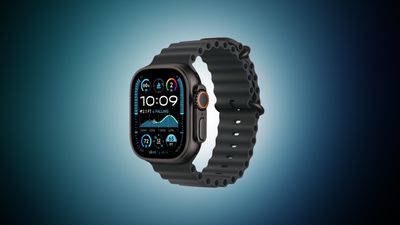
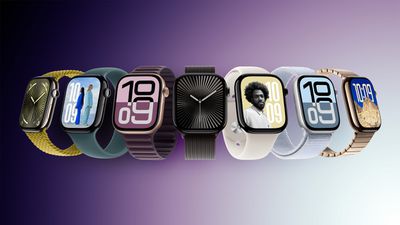
Amazon this week is discounting a collection of Apple Watch models, including the new Series 10 and Black Ultra 2 devices.
Apple Watch Series 10
Note: MacRumors is an affiliate partner with Amazon. When you click a link and make a purchase, we may receive a small payment, which helps us keep the site running.
You can get the 42mm GPS Apple Watch Series 10 for $374.28, down from $399.00. This price is available in the Rose Gold Aluminum with Plum Sport Loop model, but there are also a few devices at only a few dollars higher. This price range remains the lowest we've seen the Series 10 drop to date.
The 46mm GPS Apple Watch Series 10 is available for $402.91 in the Jet Black Aluminum with Black Sport Band color, down from $429.00. Similar to the smaller model, you can find a few more models on sale on Amazon right now for just a few dollars more, including the Rose Gold and Silver Aluminum options.
Amazon has the Apple Watch Ultra 2 in Black Titanium for $734.89, down from $799.00 in multiple band styles. This is an overall second-best price on the Black Apple Watch Ultra 2, but it's just about $5 higher when compared to the all-time low price we tracked over Prime Day.


 Note: MacRumors is an affiliate partner with Amazon. When you click a link and make a purchase, we may receive a small payment, which helps us keep the site running.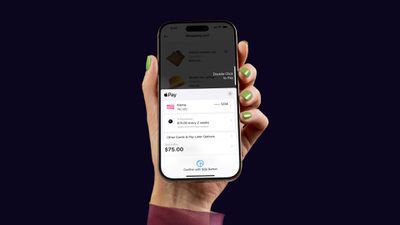






 Note: MacRumors is an affiliate partner with Amazon. When you click a link and make a purchase, we may receive a small payment, which helps us keep the site running.