 Last week, popular API documentation browser Dash was removed from the App Store after Apple accused the app's developer of "fraudulent conduct," including almost 1,000 fraudulent reviews detected across two accounts and 25 apps.
The two accounts were linked together by common credit card, bank account, developer ID login, and bundle ID, according to iMore.
Dash developer Bogdan Popescu responded with his side of the story the next day, claiming the secondary account exists because he helped a relative get started by paying for her Apple Developer Program Membership using his credit card.
What I’ve done: 3-4 years ago I helped a relative get started by paying for her Apple’s Developer Program Membership using my credit card. I also handed her test hardware that I no longer needed. From then on those accounts were linked in the eyes of Apple. Once that account was involved with review manipulation, my account was closed.
Popescu said he "was not aware" his developer account was linked to another until Apple contacted him two days after removing Dash from the App Store.
However, the developer community has presented compelling evidence suggesting otherwise -- which we present as speculation.
Earlier this week, developer Steven Troughton-Smith appeared to have discovered the secondary account, belonging to Mihaela Popescu. A cached iTunes page shows a list of 19 apps belonging to this account, tied to the same com.kapeli bundle identifier, all of which have since been removed from the App Store.
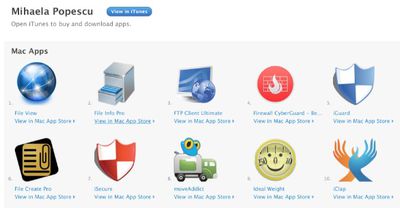
MacRumors forum member frumpsnake dug further and discovered some of those apps were at one time promoted on his website, including iGuard and moveAddict. Kapeli, the name of Bogdan's company, also tweeted about moveAddict, and there is even a moveAddict press release tied to his name.
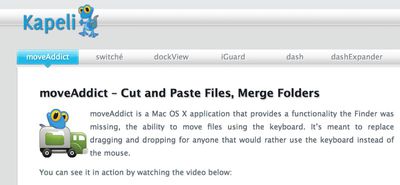
From the press release:
Bogdan Popescu, a Software Engineering student at Coventry University, took this as a challenge from Apple - moveAddict is the result of one month's work.
MacRumors reader architect1337 subsequently discovered the screenshot file below, which has a date of Sunday, January 12, 2014, belongs to a user called "bogdan."
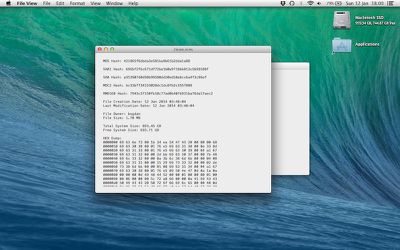
Select the next image. We can examine the image and see the file owner is a user called 'bogdan'. This would indicate that when these screenshots were taken, a user called 'bogdan' owned files on that mac and created this file on this date (creation date).
I'm sure there are circumstances where the original author gave all his old software to Mihaela and that she continued to sell and update the entry (on this site) for his (and perhaps others) software.
Apple had agreed to reinstate Dash on the App Store if Bogdan agreed to acknowledge fraudulent activity occurring between the two linked accounts, but he refused. Apple then commented on the matter publicly, at which point Bogdan disclosed a private phone call with the company, so it's unclear if that offer still stands.
Update: Bogdan Popescu has provided his side of the story in a statement given to iMore, explaining that the secondary account belonged to his mother and that he had transferred over some apps to focus his attention on Dash.
(Thanks, Alastair!)

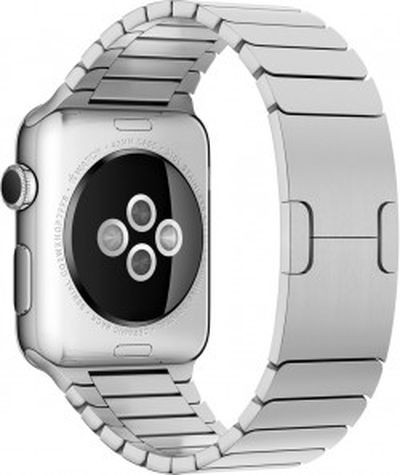 The U.S. Patent and Trademark Office published an invention today that suggests the next Apple Watch could identify its owner simply by checking their heart rate.

 Apple today
 Adobe has released