Anthropic has released a new feature for Claude that allows users to install artifacts as desktop apps on macOS and Windows.

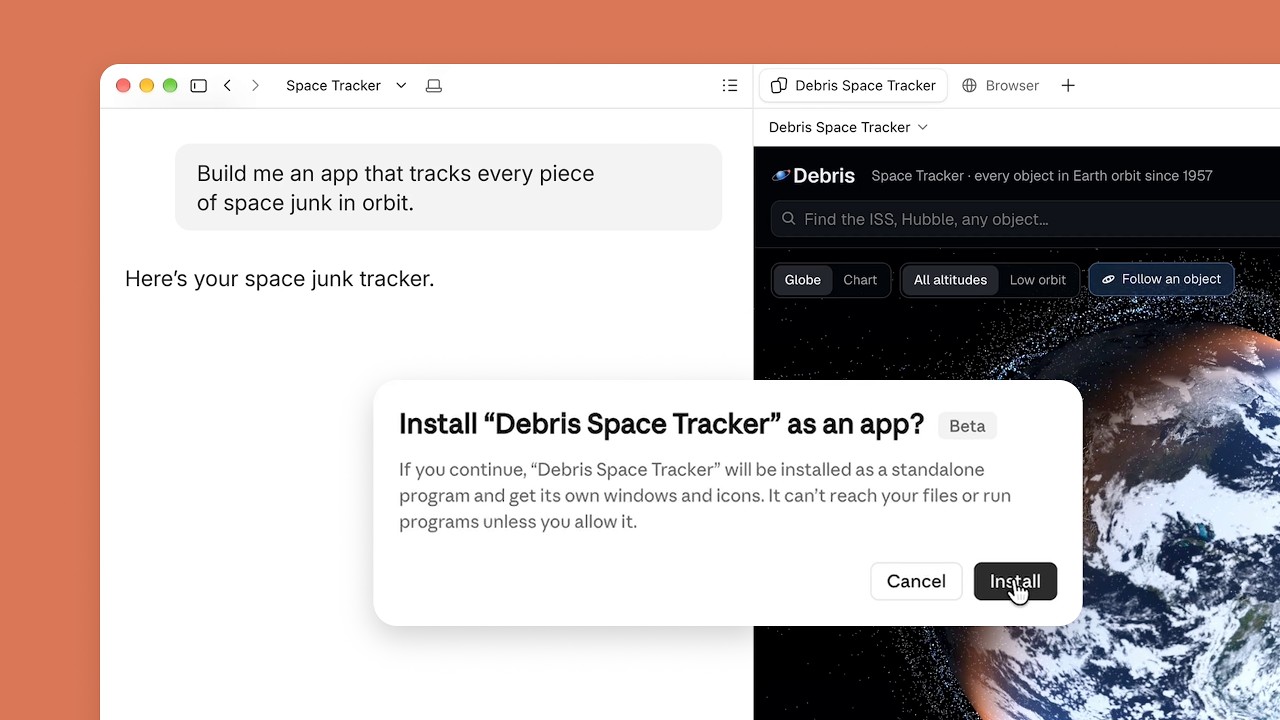
When you ask Claude to create an artifact, you can now click "Install as app" in the Share menu, after which you'll be able to launch it in its own dedicated app window and see it in the Dock.
Artifact-based apps don't need to be packaged or signed, but they do need a permission level to be set. Choosing Default permissions means they can only do what they'd be able to do in a browser, while giving them higher App permissions means they can do things like create always-on-top windows, listen for global keyboard shortcuts, and send notifications. Full computer access means apps can run programs and read, change or delete files without asking each time.
Apps can be used with connectors, and they include an option to add a menu bar item. Apps also update automatically when the underlying artifact is edited, and each change prompts a new permissions request. Anthropic has made some example apps available to try and to give users an idea of what's possible.

Anthropic says building an app and any calls it makes to Claude count toward usage limits. The feature remains in beta and is available on all plans in Claude Desktop, though Enterprise users will need switch it on manually first.