HomeView Tidbits: Mirror, Sleep Timer, and Other Details - MacRumors
Skip to Content

HomeView Tidbits: Mirror, Sleep Timer, and Other Details

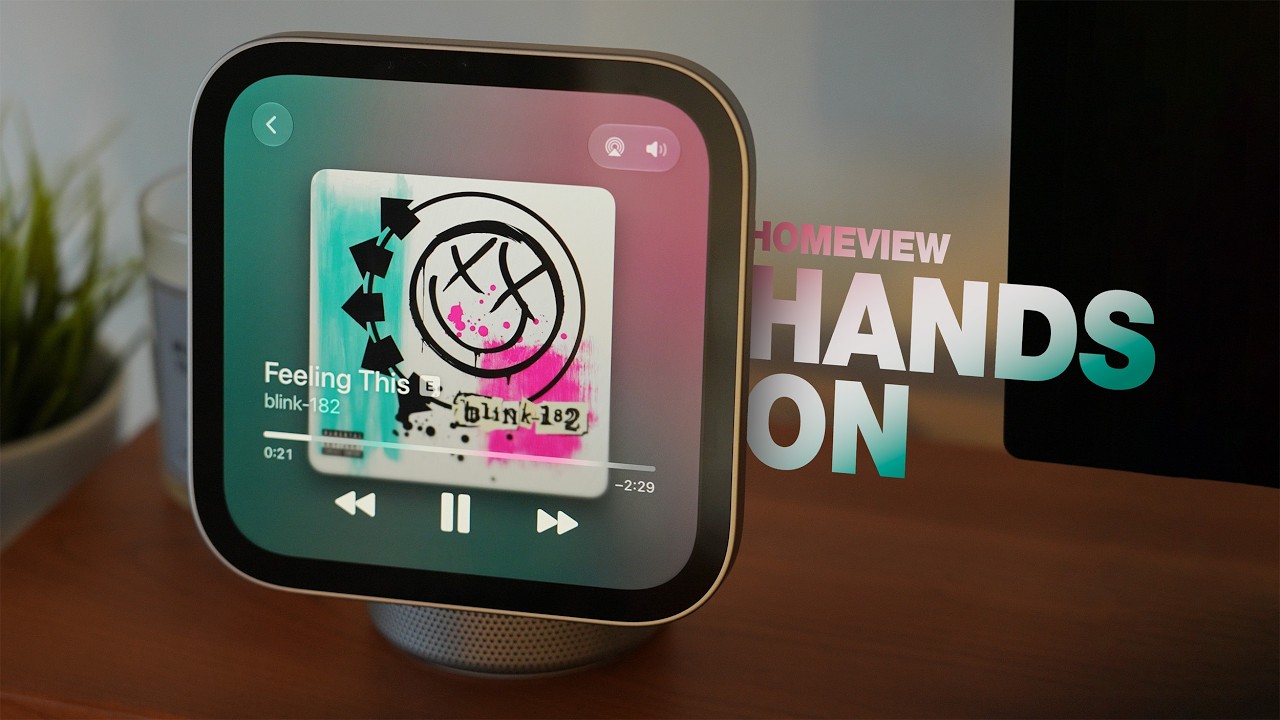
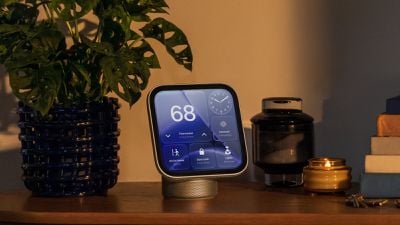
Apple's HomeView is out today, and we're finally learning all the little details about the new hub. We've rounded up a list of tidbits for those setting up a HomeView or thinking about getting one.
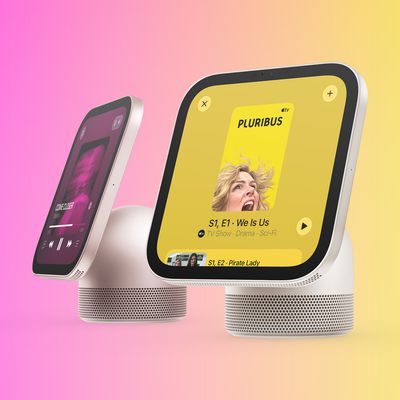
homeview lifestyle

Sunglasses

Apple says the HomeView probably won't recognize you if you have your face covered, including when wearing sunglasses. If HomeView isn't identifying you, Apple suggests removing anything that would block the camera from seeing your face.

The HomeView's screen needs to be angled toward your face, you need to be centered in the frame and closest to the camera if other people are around, and the HomeView can't be blocked by overhanging shelves and cabinets. Apple says the HomeView needs front-facing, even light.

Mirror

There's a "Mirror" in the HomeView Control Center that lets you use the camera to see yourself. There's an option to turn on an edge light for face illumination, along with 1x and 2x zoom.

Guest Controls

The HomeView owner has multiple options for what guests can access.

  • Safari can be turned on or off, or adult websites can be blocked.
  • By default, guests can use Siri for general knowledge, writing help, and math help, but ‌Siri‌ features can be turned off.
  • Explicit content can be turned on or off.
  • There's an option to choose which Apple Music subscription supplies music for an unrecognized user.

Wi-Fi/Cellular

The HomeView authenticates people through face recognition and by making sure their iOS device is nearby, recently unlocked, and on the same Wi-Fi network as the HomeView. If there's a Wi-Fi outage, Apple says cellular can also be used to unlock personal content as long as it's in the same location and was recently on the Wi-Fi network.

Sleep Timer

You can set a sleep timer on HomeView to pause whatever media is playing when the timer goes off.

No Buttons

There is no button to turn the HomeView on or off, or restart it. It can be restarted from the Settings app or by briefly unplugging it.

Logins

You can log into websites and apps using your iPhone, similar to how the Apple TV works.

Notifications

The HomeView only has notifications for phone calls and home devices, with an option to toggle on critical notifications. There are no other notification settings or options.

Liquid Glass

The transparency of the Liquid Glass interface can be adjusted from clear to opaque like on iPhone, iPad, and Mac.

Personal Data Lockouts

If someone tries to repeatedly access personal content on HomeView that needs authentication, facial recognition via the camera is disabled and you'll need to prove identity with a registered device.

Related Roundup: Apple HomeView
Buyer's Guide: HomeView (Buy Now)

Popular Stories

iPad mini 7 Review Thumb 1 sans text

Apple Expected to Release New Products on Next Four Fridays

Sunday October 18, 2026 11:01 am PDT by
Apple likely plans to release MacBook Pro models with OLED displays, 14-inch MacBook Pro and iMac models with M6 chips, and/or an iPad mini 8 with an OLED display on Friday, November 6, according to Bloomberg's Mark Gurman. The devices are expected to be announced on Tuesday, October 27 or Wednesday, October 28. If this timeframe proves to be accurate, then Apple will be releasing new...
Apple Event Logo

Apple Releasing Yet Another Two New Products Next Week

Friday November 6, 2026 7:36 am PST by
Apple's massive wave of product launches will finally end next week, with its all-new HomeView smart home hub and the fourth-generation Apple TV 4K set to be released on Friday, November 13 and no other major hardware releases expected for the remainder of the year. Since late August, Apple has announced more than 25 new devices and accessories in one of its busiest stretches...
homeview entertainment feature 1

Here's a New Tour of Apple's HomeView Software

Saturday October 31, 2026 8:47 am PDT by
Broadcasts app developer Steve Troughton-Smith has shared a Halloween treat for us today: a tour of the software on Apple's upcoming HomeView smart home hub. Apple has already demoed the HomeView to selected tech reporters and content creators, but Troughton-Smith offers a closer look at several features, interfaces, and apps. Using a virtualized HomeView created by Guilherme Rambo,...

Top Rated Comments

1 day ago at 05:57 pm

I can’t really see the point of this device. Why wouldn’t you just use your phone?

I live in a three story row house and this can now serve as my super-powered alarm clock/music player/home hub in the top floor bedroom while my phone sits somewhere else in the house. I don’t *need* it, but it’s really convenient. The larger screen also allows for larger typefaces and visually easier interfaces, which my eyes appreciate. I can easily afford the cost. My wife shared that this is a much better-looking and nicer and darker-screened alarm clock than the Sony iPhone-enabled one I’ve had during the last 16 years. That’s the point of the device for me.

Regarding devices, we all have our own use cases and what we need, what we desire, and what we can afford. From what I can tell so far, this device is hitting the mark for many. If it doesn’t hit your mark or those of others, it’s okay! I’m glad this exists so I can use it, and I hope you find the best device for your needs.
Score: 16 Votes (Like | Disagree)
Apple_Robert Avatar
15 hours ago at 04:23 am

Huh? So the “hitting the mark” is an alarm clock for you, with large fonts? When you’re actually on the third floor, your phone does that far better. Or just, I dunno, buy an alarm clock if it’s that important?

This device is pointless and a major Apple fail.
It may be useless for you but, it won’t be for others. Stop trying to make people feel bad about their purchase.
Score: 11 Votes (Like | Disagree)
23 hours ago at 08:17 pm
I just set mine up a couple hours ago and love it … especially so much more than my MacGyvere’d iPad. There are drawbacks, for sure, like the constantly having to be plugged in, but I also imagine some of those features may be in the future (with a heftier price tag too). I enjoy the size for what I expect to use it for (reference mostly), speaker is really really good (caught myself taking a break to watch Widow’s Bay). Some of the UI could use some tweaks, but overall digging it. I have mine on my work desk. Thinking of getting one or two more—one on the nightstand for sure, and maybe a kitchen one. For the price, I think it’s a worthwhile gadget to have in the collection.
Score: 9 Votes (Like | Disagree)
GIZBUG Avatar
23 hours ago at 07:53 pm
even with this list of selling points….still overpriced
Score: 9 Votes (Like | Disagree)
Ian Howlett Avatar
1 day ago at 04:15 pm
I can’t really see the point of this device. Why wouldn’t you just use your phone?

Score: 9 Votes (Like | Disagree)
diamornte Avatar
1 day ago at 02:23 pm

Does it show phone calls ? I can't seem to find that option. So If I get a call (not FaceTime ) will it ring on the HV as well ?
This just happened for me. It shows on all devices. I answered on the homeview, the audio is much better than an iphone speaker. I love this thing most of all for the photo face, which can store over a hundred photos or more… I have 130 pics on mine cycling 1 time a minute.


Score: 9 Votes (Like | Disagree)
Latest Stories
Apple Black Friday Starts Early: Save on Apple Watch, MacBook Air, and More
12 hours ago
Top Stories: Apple's New Software Approach, iPhone Duo-Optimized Apps, and More
13 hours ago
HomeView Tidbits: Mirror, Sleep Timer, and Other Details
1 day ago
Siri AI Still Not Enabled on HomePod Mini 2 With Latest Software Update
1 day ago
Apple Releases tvOS 27.2.1 With Siri AI for Older Apple TVs
1 day ago
Microsoft 365 Outage Resolving After Nearly 24 Hours
1 day ago
iPhone Duo Survives 450,000 Folds, but Hinge is Weakening
1 day ago
Apple TV 4K Launch Day Deal Arrives at Amazon
1 day ago
The MacRumors Show: HomeView and Apple TV 4K First Impressions
1 day ago
YouTube App Not Working on Your New Apple TV? Here's the Fix
1 day ago
Apple Meets Thai Officials Over iPhone Spyware Warnings
1 day ago
Apple Shares HomeView 27.2 Release Notes With List of Features
1 day ago
HomeView in Québec: Apple Says Canadian French Support to Arrive in Software Update
2 days ago
Apple Watch Ultra 3 Gets Big $250 Discounts Ahead of Black Friday
2 days ago
Apple Says HomeView Sets New Record in Design-Focused Interview
2 days ago
Best Apple Deals of the Week: AirTag 2 Hits Record Low Price, Plus Early Black Friday Sales
2 days ago
iPhone 18 and 18e Coming in Spring 2027 With A20 Chip
2 days ago
King Charles to Join Elton John's Apple Music Radio Show
2 days ago
Select 'Apple Home Collection' Accessories Now Available to Order
2 days ago
Major Microsoft 365 Outage Continues
2 days ago
Apple Launches Two Products Today
2 days ago
Hands-On With the New Apple TV 4K and Siri AI
2 days ago
Siri AI Coming to Older Apple TV 4K Models in tvOS 27.2.1
2 days ago
HomeView Launch Kicks Off as First Orders Reach Customers
2 days ago
Apple Continues to Move Up iPhone Duo Delivery Dates
2 days ago
Apple Explains How HomeView Keeps Camera Data Private
2 days ago
Apple Releases Updated HomeView Software 27.2 Before Launch
2 days ago
Apple Adds Samsung Foldables to Trade-In Program
2 days ago
Apple Sports App Now Features UFC
2 days ago
Trump Says Tim Cook Should Be Nvidia CEO as Jensen Huang Resigns
2 days ago