Manchester's Bee Card Now Fully Supported in Apple Wallet
In August, Transport for Greater Manchester announced that the Bee Card could be added to the Apple Wallet app on the iPhone and Apple Watch, but it was limited to younger riders using free or discounted "Our Pass" tickets. As of this Tuesday, though, the Bee Card is now fully supported in Apple Wallet for all types of Bee Network tickets.
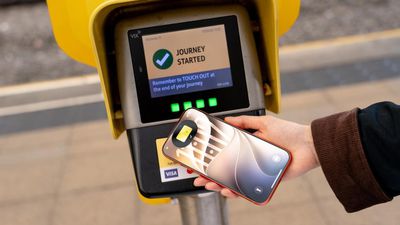
To add the card to Apple Wallet, open the app, tap on the plus sign in the top-right corner, select "Travel Card" (may appear as "Transit Card" for some users), scroll down to the United Kingdom section, and choose Bee Network.
Once the card has been added, you can buy bus and tram tickets directly in Apple Wallet and store them on the virtual Bee Card. Then, when traveling on the Bee Network in Greater Manchester, you can simply tap your iPhone or Apple Watch on a card reader to pay for your fare. If you enable Express Mode, there is no need to wake or unlock the iPhone or Apple Watch when holding it near the card reader.
iOS 27 is required to add the Bee Card to Apple Wallet.
Popular Stories
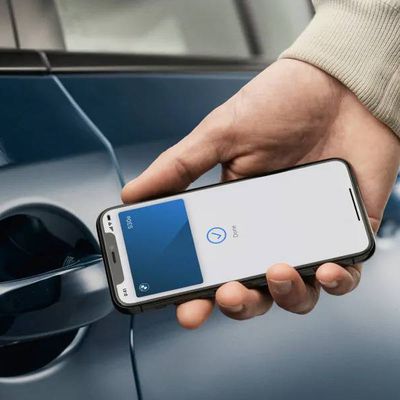
Apple Wallet car keys are coming to three more vehicle brands, including Lincoln, Lucid Motors, and China's Freelander, according to code uncovered by MacRumors contributor Aaron Perris. However, the code does not provide a timeframe for availability.
The digital key feature allows you to lock, unlock, and start a compatible vehicle with an iPhone or Apple Watch. It is already offered by...
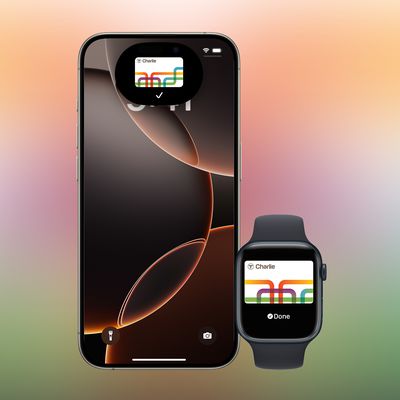
This year, the Massachusetts Bay Transportation Authority (MBTA) has been testing a new version of the Charlie Card with Apple Wallet support on the iPhone and Apple Watch.
The new Charlie Card is currently limited to test participants, with a public release set to follow "at a later...
Since 2023, Apple's newer iPhones have had an 80 percent charge limit for those who want to extend battery lifespan. Charging to 80 percent instead of 100 percent is supposed to put less stress on the battery, improving longevity.
For the last three years, I've used that setting on my iPhone. I started with the iPhone 15 Pro Max, then did the iPhone 16 Pro Max, and most recently, the iPhone...