iOS 27 Lets You Add Apple TV Remote to Your iPhone's Home Screen
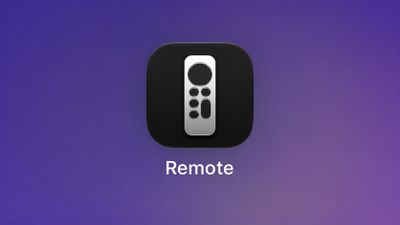 Starting with iOS 27, the virtual Apple TV remote can be added to the iPhone's Home Screen again, rather than being limited to Control Center. To do so, swipe down on the Home Screen and search for "remote." Next, tap and hold on the Remote app and drag it to your Home Screen. Alternatively, you can find it in the App Library.
Apple used to offer an Apple TV Remote app in the App Store, but it was removed in 2020.
Popular Stories
New models of the Apple TV 4K and HomePod mini are "nearly ready to go," according to the latest word from Bloomberg's Mark Gurman.
Subscribe to the MacRumors YouTube channel for more videos.
Both devices have been ready "for months," but Apple is holding off on launching them until the more personalized version of Siri is available, he said.
"I am told the hardware for the next Apple TV...
Apple today provided developers with the second betas of upcoming watchOS 26.6, tvOS 26.6, and visionOS 26.6 betas for testing purposes. The software comes three weeks after Apple seeded the first betas.
The software updates are available through the Settings app on each device, and because these are developer betas, a free developer account is required.
There's no word on what's in the...
Following the WWDC 2026 keynote event, Apple has seeded the first betas of iOS 27, iPadOS 27, macOS 27, watchOS 27, tvOS 27, and visionOS 27 to developers for testing purposes.
Registered developers can opt in to betas and download the software through the Settings app on each device.
The software includes many of the new features that were shown off earlier today, though some of what...