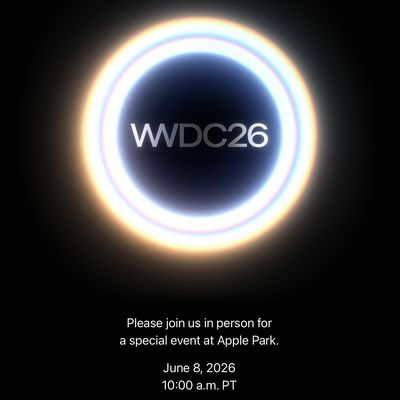
Apple's Worldwide Developers Conference (WWDC) starts today with the traditional keynote kicking things off at 10:00 a.m. Pacific Time. MacRumors is on hand for the event and we'll be sharing details and our thoughts throughout the day.
We're expecting to see a number of software-related announcements today, headlined by a reset on Apple's push into AI that should see a significant overhaul for Siri plus quite a few new AI-driven features.
Apple is providing a live video stream on its website, on YouTube, and in the company's TV and Developer apps across its platforms. We will also be updating this article with live blog coverage and issuing Twitter updates through our @MacRumorsLive account as the keynote unfolds. Highlights from the event and separate news stories regarding today's announcements will go out through our @MacRumors account.
Sign up for our newsletter to keep up with Apple news and rumors.
Live blog transcript ahead...
8:01 am:
— Tim Cook (@tim_cook) June 8, 2026
8:57 am: We're on site at Apple Park and getting ready for the big day!
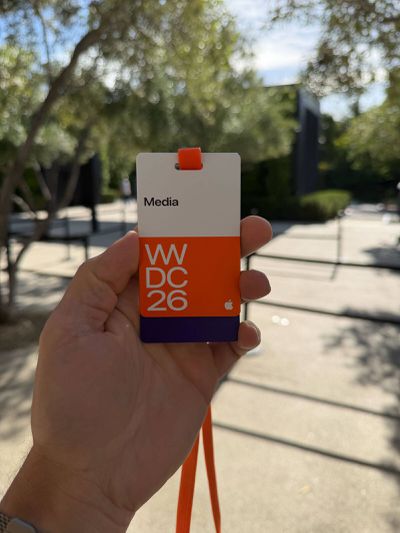


9:32 am: It's Lil Finder Guy!
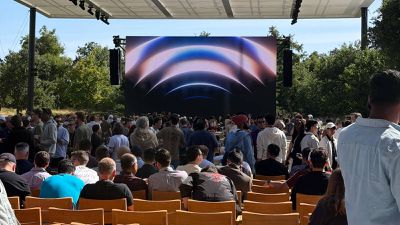
9:41 am: We're under 20 minutes to go, and more attendees are starting to take their seats.
9:48 am: The stream is live in the TV app and on Apple's website, as usual with shifting colors of the Apple logo and a chill soundtrack. The stream should also be going live on YouTube shortly before the keynote kicks off.
9:56 am: Rather than Tim Cook as usual, Craig Federighi is out on stage warming things up before the keynote.

9:58 am: And now here's Tim!

9:58 am: Two minutes until the stream starts for the rest of us!
10:00 am: The video is starting with a rendering of Apple Park turning into an Apple logo, set to a friendly musical intro.

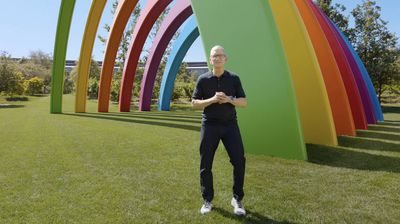
10:01 am: Tim's final "Good Morning!"
10:01 am: "We all look forward to this event and this week as we get to share our latest platform advancements and innovations with our developer community and with our users."
10:02 am: "The energy around Apple platforms has never been stronger. Developers are building more apps than ever, with well over 1000 submissions to the App Store every hour."
10:02 am: "At Apple, we've always believed that technology should be personal, powerful, and easy to use. The tight integration of our hardware and our software unlocks the full potential of each of our products. That same philosophy drives us to design our operating systems to work together seamlessly and to create a common foundation of technologies to help developers build great experiences across their apps."
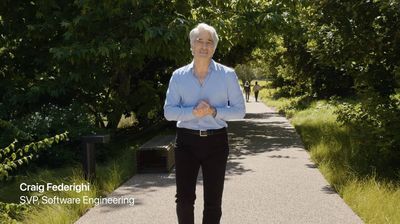
10:03 am: "We've seen that when we put powerful tools into people's hands, they can do extraordinary things from extraordinary places, places we only could have dreamed of. This is what WWDC is all about, introducing new technologies and innovations that push the limits of what's possible."
10:03 am: Tim hands it off to Craig to talk about the latest advancements in Apple Intelligence and Siri.
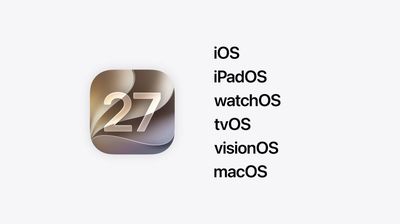
10:04 am: Three areas of focus: Platform improvements, trust and safety, and a "big leap forward" for Apple Intelligence and Siri.
10:05 am: "Speaking of macOS, for those of you that are WWDC regulars, you of course know that this is the moment where I relay the latest exploits of Apple's crack marketing team, and their, shall we say, unconventional methods for naming macOS releases. In this case, I'm afraid the story is incomplete."


10:06 am: "Last I saw them, they just spilled out of their recently installed Apple Park Experiential ideation yurt, and piled into their microbus. I tried to catch them, but they just handed me this note out the window before motoring northward. So, here's all I've got..."
Following an... interesting interlude, the new macOS is named: Golden Gate.
10:06 am: "Instead of just introducing a host of new features, we're also taking the features you already rely on and making them even better, because we believe the best operating systems aren't just built on big breakthroughs, they're built on sweating the details."
10:07 am: "Attention to detail has always been core to Apple's DNA, and this year our teams doubled down on our relentless dedication to make the experience feel more polished and intuitive. We scoured every part of the OS for opportunities to refine our systems, from the UI to the foundations. Nothing was off limits, no enhancement too small. We made things faster, smoother, even easier to use, and we took care of a bunch of things you've been asking about."
10:08 am: Liquid Glass is getting some attention after user feedback that the team "deeply appreciates." The "foundations" of how liquid glass is built.
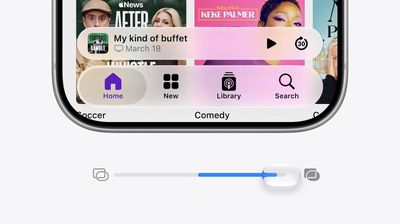
10:08 am: A new slider to set the transparency from opaque to completely clear.
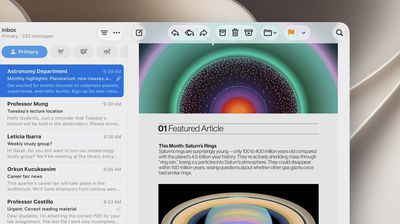
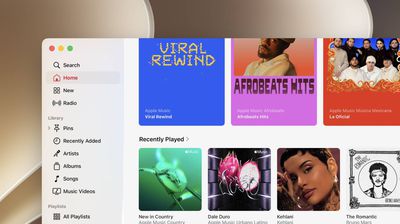
10:09 am: Sidebars now expand to the edge of the window, and refraction continues beneath the sidebar, and sidebar icons keep their color.
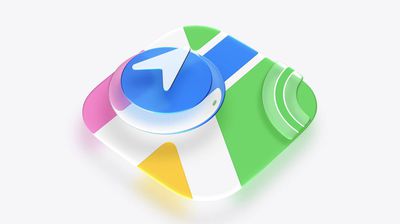
10:10 am: "Finally, let's talk about app icons. Last year, we redesigned all of our app icons to establish a more harmonious look across apps and platforms. This year we're taking this new design even further by integrating additional layers of liquid glass directly into the icon artwork itself."
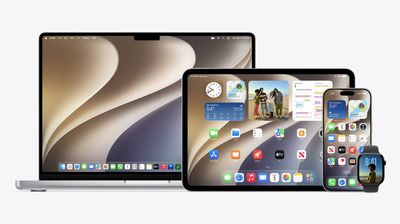
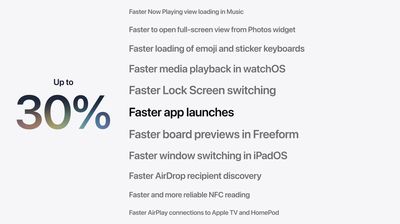
10:11 am: "We also spent a lot of time digging into the fundamentals, things like memory usage, CPU utilization, networking operations, display rendering. I could go on and on, but really the point is this: we optimized the parts of the system that make a big difference in the responsiveness of our products."
10:11 am: App launches now happen 30% faster, both Apple and third-party apps.
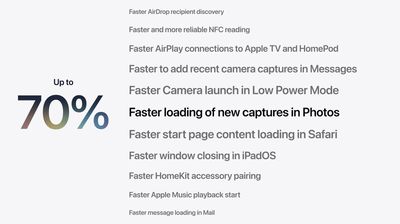
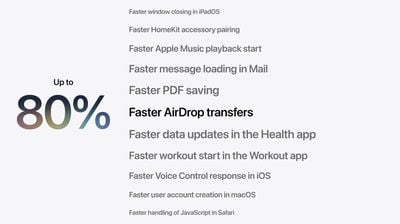
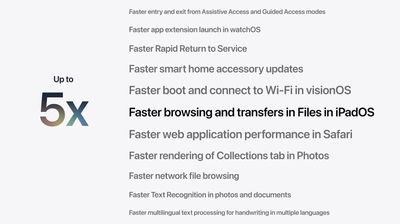
10:12 am: New photos appear up to 70% faster in the Photo Library, and AirDrop photo transfer happen up to 80% faster. Browsing and transferring items from iPad Files to an external drive starts 5x faster, as fast as Finder on Mac.
10:12 am: "We're also doing something that will make older iPhones feel even more responsive, which has to do with our CPU scheduler. The CPU scheduler is a key system component that manages CPU resources across workloads as you use your iPhone throughout your day, even when you're doing a ton of things at once, requiring a whole lot of compute. The CPU scheduler ensures the right work is executed at precisely the right time."
10:13 am: "This year we further optimized it, so it's even more efficient when handling performance-intensive workloads, and not only that, but we also figured out a way to bring it to older models all the way back to iPhone 11, and yes, that does mean that iOS 27 is supported on iPhone 11 and all of the same iPhone models as iOS 26. This continues our industry-leading support and means iOS 27 is available to more users than any iOS release ever."
10:13 am: iOS 27 is supported on iPhone 11 and newer.
10:14 am: iPhone is smarter about when to stay connected to a wi-fi network and when to disconnect and go back to carrier, and large photo transfers in iMessage will no longer hold up the entire chat while it uploads (or fails to).
10:14 am: Search has been "rebuilt" across Spotlight, Photos and Mail.
10:14 am: "After you update, our new search infrastructure goes to work indexing the content of your device."
10:15 am: "When you go to search, you'll find what you're looking for."
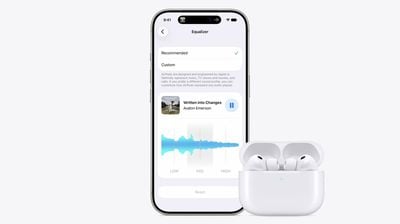
10:16 am: "There are also some great features across your apps and products that we're excited to deliver, including some we've been hearing about from you."
- Friends on Android and Windows can join shared albums with full resolution sharing.
- Cycle tracking now tracks menopause and perimenopause.
- AirPods have custom EQ to further personalize how your AirPods sound.

10:16 am: Apple Vision Pro allows you to turn your own panorama pics into spatial scenes. Maps gets a big upgrade to Flyover.

10:17 am: Now we're moving on to trust and safety.
10:18 am: Going over end-to-end encryption, app permissions, and life-saving features like crash detection.
10:18 am: Child Safety features are being expanded.
10:18 am: "Our work in this area is grounded in two core principles. First, we recognize that every child is unique and parents are in the best position to decide what works for their family."
10:19 am: "Second, we believe in shaping Apple's child safety features based on expert health research. The best available research from clinical and child development experts, as well as online safety experts, emphasizes the importance of balancing learning creativity. creativity, and connection with establishing boundaries around technology use."
10:20 am: "As parents, we want our kids to develop healthy digital habits to help parents accomplish this. The American Academy of Pediatrics created the family media plan, and we are working with them to adapt it into a guide for parents that helps them establish those healthy digital habits using our child safety features."
10:20 am: "We also continue to collaborate with researchers to understand the impact of technology on children's well-being and are committed to advancing the science in this area. We know many families are looking for help to make sure their kids experience only what parents think they're ready for."
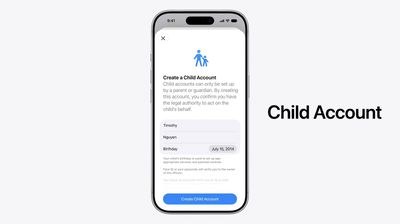
10:21 am: Existing accounts can be converted to a Child Account.
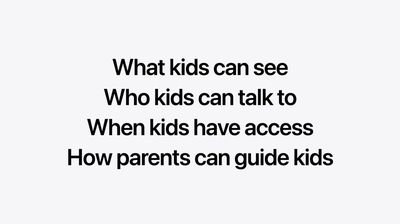
"Building off the child account this year, we focused on tackling the things parents are most concerned about, like what content kids can see, who they're allowed to talk to, when kids have access, and how parents can guide their kids' digital journey, and we're providing parents with recommendations based on expert guidance to help them decide what's right for their kids. Let's start with what content kids can see."
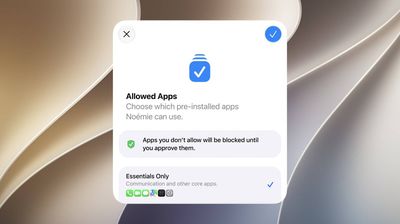
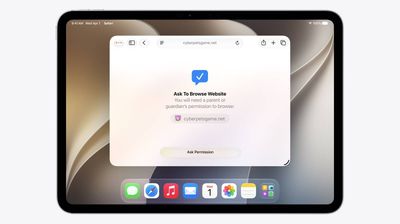
10:23 am: Kids can request to get apps with "Ask to Buy", expanding to "Ask to Browse Website" and parents can approve this right in Messages.
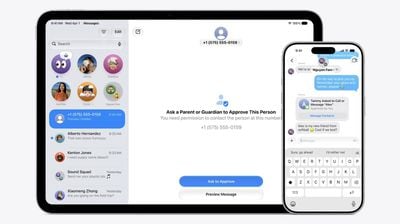
10:23 am: Parents can add other trusted adults, like grandparents, to the system.
10:24 am: The system already intervened when possible nudity was sent or received in a photo or FaceTime, but this expands to gore and violence as well.
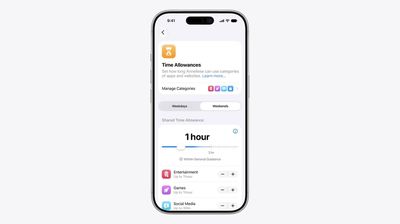
10:24 am: New Time Allowance support comes to Games, Entertainment and Social Media, allowing time allowance set based on category or overall.
10:25 am: "Because every child is unique, parents are in control and can always adjust any of the suggested allowances based on what's best for their child."
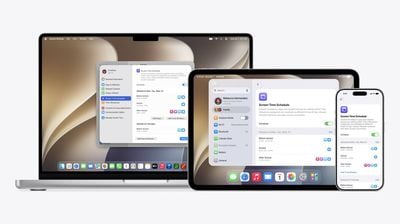
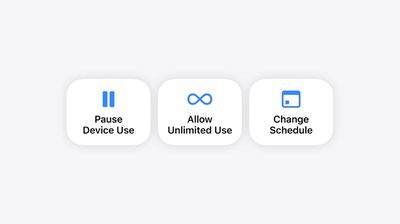
10:26 am: "When it comes to school, we believe devices in the classroom should be used to support learning. So now parents can easily set up a schedule and choose which apps are available to kids at different times of the day." Schedules also work hand-in-hand with time allowances.
10:27 am: "It's developers who play an important role in ensuring kids are getting age-appropriate experiences within apps. Many apps already offer parental controls to help shape kids from content they shouldn't see. We believe every app has that same responsibility."
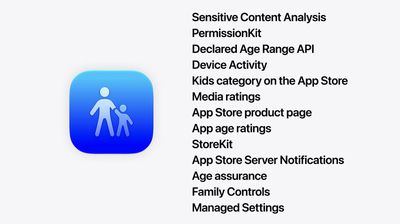
10:28 am: "To sum it up, we're giving parents powerful, easy to use tools to help manage what kids can see, who they can talk to and when they have access and for parents who want to learn more, we have a new website that highlights all of our child safety features and provides answers to common questions, including how to get started together. This makes for a big update underscoring our ongoing commitment to building a safe and trusted platform for kids."
10:29 am: "Now let's turn to intelligence. AI is incredibly powerful technology with the potential to shape society in profound ways, and with proper care, unlock meaningful benefits for people. Still, some appear to be racing forward, seemingly pursuing AI for the sake of AI without clear regard for the people, all of us that it's ultimately meant to serve."
10:29 am: Apple is taking a "big step forward" with Apple Intelligence, using a "bold" new architecture, an "entirely new" Siri, and how to make apps "smarter and more useful."
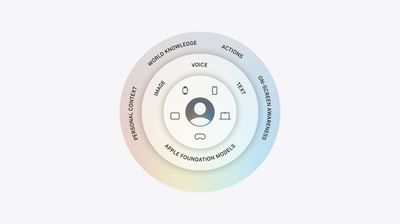
10:30 am: "Let's get started with our new architecture. It's centered around you and the Apple products that you use every day, and at the heart of Apple intelligence are Apple Foundation models. This year we embarked on a deep collaboration with Google, leveraging the technologies behind their Gemini family models."
10:31 am: "Together we created the next generation of Apple foundation models for our integrated Apple intelligence experiences and adapted these new models to run on device and on servers using private cloud compute."
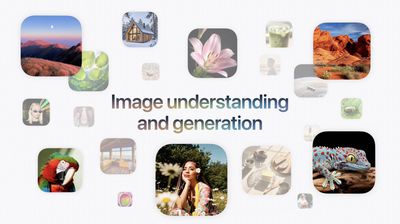
10:31 am: "These powerful server and on device models unlock a huge upgrade for Apple intelligence with state of the art understanding and reasoning and multiple modalities like powerful image understanding and generation, so you can create realistic images, edit photos like never before, and get answers about visual content."
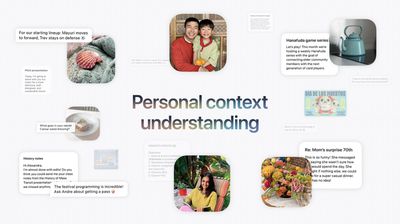
10:31 am: Some devices get a higher-power model with the ability to generate speech, and higher accuracy with dictation, natural language understanding and more.
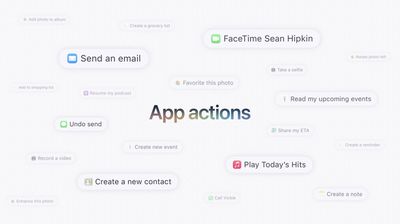
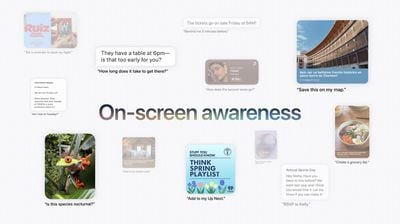
10:32 am: "We integrated our models deeply into our platforms, enabling a wide system-wide capabilities, and Apple Intelligence securely coordinates across them with a new system orchestrator."
10:33 am: "Apple Intelligence can tailor its assistance in the moment based on the app and what you're doing. This powerful new architecture unlocks a wide range of helpful experiences, from an all-new Siri to intelligent features across your most used apps, and because they're available system wide, they system-wide, they're even more useful for the things you do every day."
10:33 am: "At Apple, we believe privacy in AI is non-negotiable. Apple intelligence uses on-device processing, as well as private cloud compute, which ensures your data is not accessible to Apple or anyone else."
10:34 am: "Your data is only used to execute your request, and outside experts can continue to verify this promise at any time. Now we're excited to show you all the ways that Apple Intelligence elevates your Apple products, starting with an all-new Siri."
10:34 am: "We know there are times when you expect more from Siri."
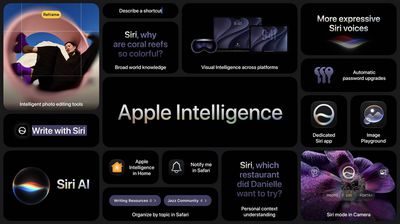
10:35 am: New "Siri AI"

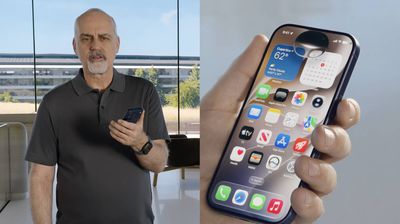
10:35 am: "Siri is now a profoundly more capable assistant that helps you find what you need and gets more done. It's also more official, so you can go back and forth like never before and get details, engaging answers."
New Siri app to go back to prior conversations, with built-in visual intelligence. Siri is built into the Dynamic Island now.
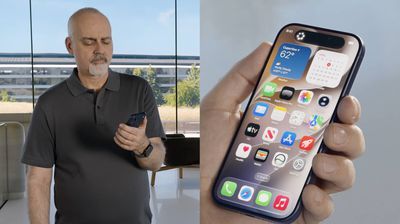
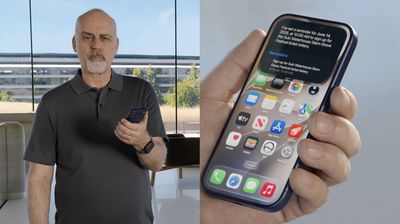
10:36 am: "Let's start with something simple, but super useful. Say you heard about a local concert... Siri can draw on current world knowledge to ground its answers to your questions."
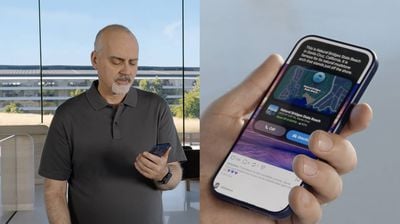
10:38 am: He's using Siri to find photos and remind him of messages he sent to others, and then using that to set a destination in Maps.
10:39 am: There's a "brand new voice experience" that makes Siri sound more expressive.
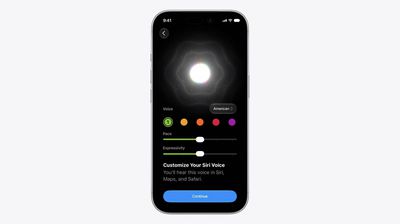
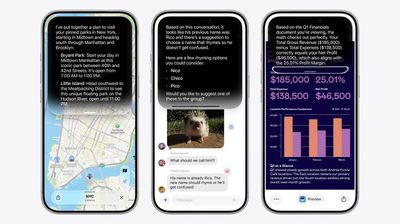
10:40 am: Updates to Siri extend to CarPlay and AirPods, too.
10:40 am: It's "more conversational", going well beyond quick questions and one-shot tasks.
10:40 am: Swipe down from the Dynamic Island to search, or say Hey Siri or use the side button to interact.
10:42 am: They're showing a back-and-forth conversation (with notable delays for a pre-recorded demo, though it's likely less of a delay in real life).
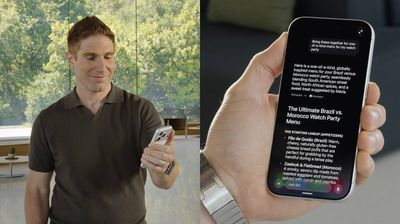
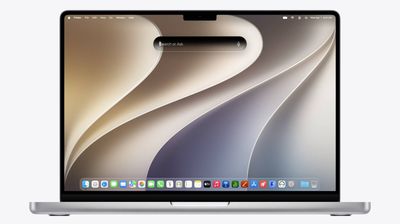
10:43 am: It uses world knowledge, personal content, and allows you to perform tasks like writing Messages or emails.
10:43 am: Siri is now integrated to Spotlight on Mac.
10:45 am: Users can right-click on any window or item and ask Siri questions directly. He selected three files in the Finder and asked Siri to compare the three of them and pick which was best.
10:46 am: He's now asking a question about something his son shared in a Message, and following it up and asking it to write an email about what was shared.

10:47 am: "We're bringing Siri AI, including its rich conversational experience, to even more platforms like iPadOS."
There's a new dedicated Siri app as well, allowing you to visit old conversations or kick off a new one. Conversation history is synced via iCloud, so you can go from device to device. It'll also work on WatchOS.
10:48 am: VisionOS gets a 3D visualization of Siri that you can place anywhere in your space, and you don't need to say "Hey Siri", but instead just have to look at the visualization and start talking.
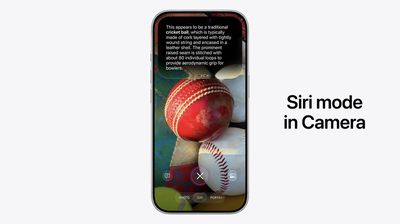
10:48 am: There's a new Siri mode in Camera.
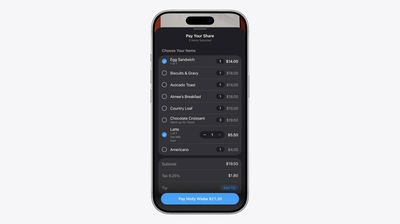
10:49 am: Siri can recognize items, and can give feedback or allow you to take actions. You can aim the camera at a restaurant bill, and then immediately start dividing up the bill to split it with friends via Apple Cash.

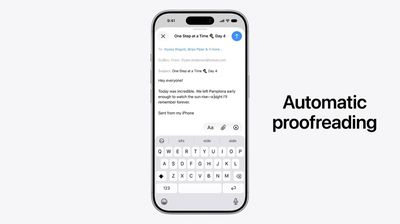
10:51 am: When you write with Siri in Mail and Messages, it can customize to how you usually communicate with different people.
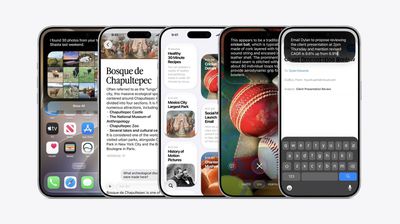
10:53 am: New Apple Intelligence features are coming to other Apple apps as well, including managing Safari tabs.

10:53 am: Tabs can automatically organize into topics.

10:54 am: Safari can automatically monitor a page on your behalf with "Notify Me", using natural language to tell Safari what you're looking for, and Safari will notify you when the page updates.
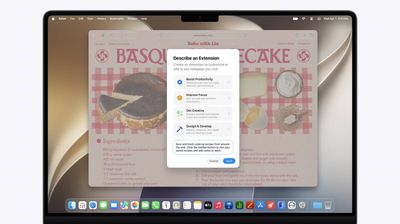
10:55 am: "Wouldn't it be great if you could tailor the content of a web page to your particular needs and preferences, like adding a button to the toolbar to save and rate recipes you've tried? Now, with describe an extension, you can do just that. Describe what you want in natural language, and Safari can create a custom extension that adapts web pages just for you."
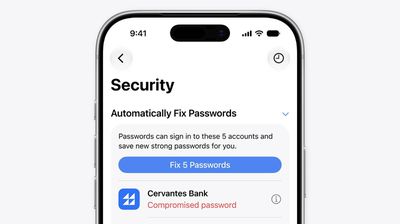
10:56 am: "Safari also works with the Passwords app to upgrade your security using Apple Intelligence. Passwords already alerts you about weak and compromised passwords, but going to each site and changing them can take time. Now you can automatically update eligible accounts to strong passwords with just a tap... Apple Intelligence and Safari can agentically take action on your behalf, securely navigating through each website to sign in and fix your passwords."
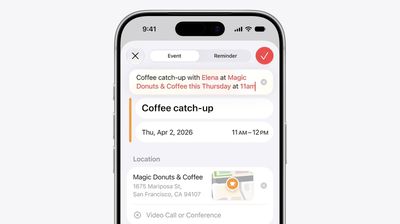
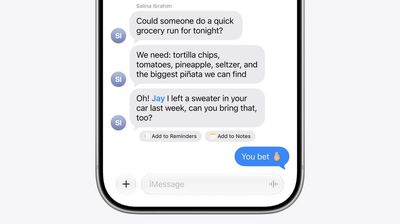
10:57 am: "Messages uses Apple in context of your conversations and offers one-tap suggestions, making it easier than ever to get things done, like creating a reminder or a note, or if someone asks for photos, Messages helps you find the right ones. Just tap search for photos, and messages recognizes keywords, locations, and people named in your library to find the best options."
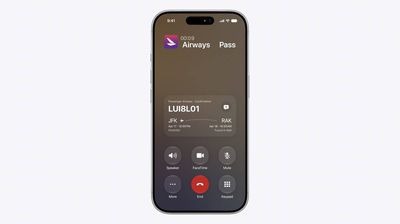
10:58 am: The Phone app can look at who you're calling (not what you're saying) to find useful information as well.
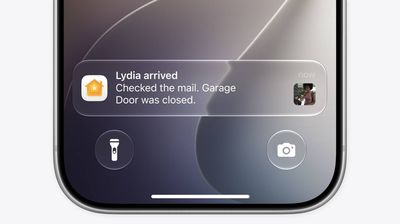
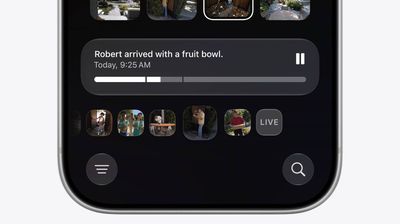
10:58 am: "Apple Intelligence makes it easier to stay on top of things at home, starting with accessory notifications. They're a great way, but they can also add up. The Home app draws on Apple intelligence to understand related notifications as single activity. So you get one notification that continues to update as this activity happens."
10:59 am: "The Home app can now use Apple intelligence to analyze recorded clips from compatible cameras and generate descriptions that summarize what happened in them, and because it understands it can pull up relevant footage from all your cameras. So, when you play a clip, the Home app seamlessly connects them together to give you the whole picture, like what exactly has been going on in your backyard."

11:00 am: You can now describe a shortcut in natural language, instead of needing to build it step by step.

11:01 am: "It's the perfect superpower to stay on top of things every day."

11:01 am: New version of Image Playground, reimagining the experience "with powerful image models at its core."
11:01 am: New generative model that runs on private cloud compute even supports photorealistic image creation.
11:02 am: Photos can be transformed to different styles with just a description.

11:03 am: Photos can be created or modified, allowing users to choose dimensions, add or remove items from the image, and more. Users can include people from their photos in the images, and it's also available to developers via the Image Playground API.
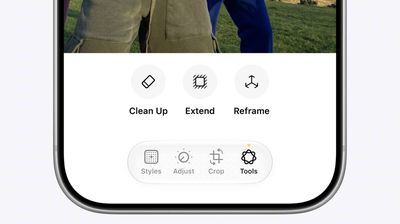
11:04 am: "We have a deep respect for the craft of photography."
11:04 am: "Our goal for bringing AI into the Photos app is to help photographers enhance their images in ways that respect the original moment. And now into the new, more powerful image models of Apple intelligence to make incredible edits possible."
The cleanup tool is getting a "big upgrade." Images can be expanded with the Extend tool.
11:05 am: Spatial Reframing allows users to "fix" framing and timing of photos after they're taken.
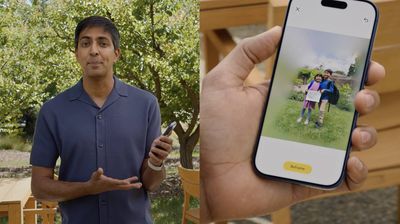
11:06 am: Users can touch and drag to "reposition" a camera to change the angle of the photograph.
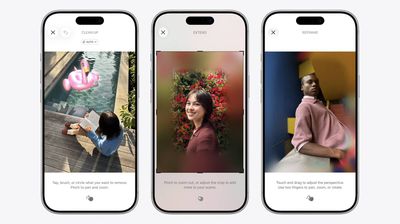
11:07 am: "It only generates new content to fill in the gaps where the perspective has shifted, ensuring the reframed photo stays consistent with the original scene."
11:07 am: "It's like I was able to go back in time and adjust my camera in the moment I snapped the photo."
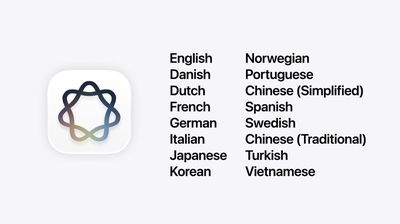
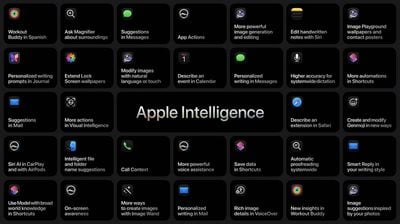
11:08 am: Siri AI will be available for free with the new OS release, with some daily restrictions on usage (and additional usage available with iCloud+).

11:09 am: Developers can start trying out the new version of Siri today, with a beta launching to the public later this year. Siri AI will not be available in the EU on iOS and iPadOS.
11:09 am: In China, Siri AI will not be available "while we work through regulatory requirements."
11:10 am: New Foundation Models framework for developers, adding Image input to text, along with Custom skills and models running on servers.
11:11 am: New Core AI framework, too.
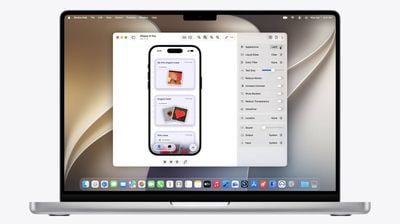
11:12 am: "Our app ecosystem has never been more vibrant, more developer apps more than ever before. Like with agentic coding, it's changing how apps get built, and Xcode is the best place to build them. The coding assistant can now localize your app and interact with simulated devices, and you can extend its capabilities with custom skills."
11:13 am: Now Craig is touting the rest of WWDC, talking about the labs and more across the rest of the week.
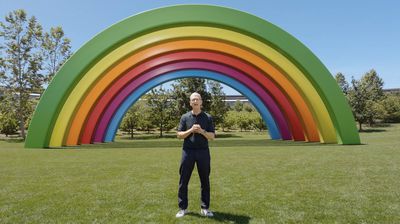
11:13 am: And back to Tim, wrapping up his last WWDC keynote.

11:14 am: Developer beta today, public beta coming next month, available to all users this fall.
11:14 am: "One of the greatest highlights of my time as CEO have been events like this, sharing powerful new tools with all of you and what you create with them has been a constant reminder that imagination has no limits.
Over the years, you have helped people create, learn, and experience the world in explain ways, and with the incredible capabilities we introduced today, I truly believe the best is still ahead."

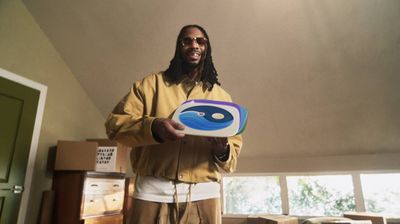
11:15 am: "At Apple, creating the best products in the world to deliver experiences has always been our north star. It's been the honor of a lifetime to help advance that mission with teams whose creativity, care, and conviction continue to make a difference in people's lives. Thank you all. Let's have a great WWDC."
11:17 am: We exit with a musical number from Erick the Architect that finishes with "thanks for developing these apps for me and all my friends."
11:17 am: With that, the keynote is complete!