First macOS Tahoe 26.5 Beta Now Available for Developers - MacRumors
Skip to Content

First macOS Tahoe 26.5 Beta Now Available for Developers

Apple today provided the first beta of an upcoming macOS Tahoe 26.5 update to developers for testing purposes, with the update coming six days after Apple launched ‌macOS Tahoe‌ 26.4.

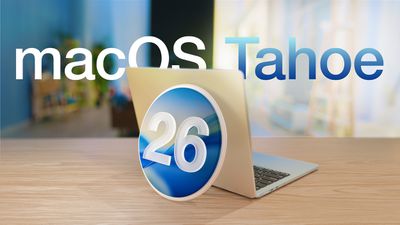
macOS Tahoe 26 Thumb 2
Developers can download the ‌macOS Tahoe‌ 26.5 update by opening up the System Settings app, selecting the General category, and then choosing Software Update. Beta Updates will need to be enabled, and a free developer account is required.

‌macOS Tahoe‌ 26.5 could introduce some Apple Intelligence Siri features, though recent rumors suggest the new capabilities will be held until iOS 27.

The beta is limited to developers right now, but a public beta is expected in the next week or two.

Related Roundup: macOS Tahoe
Related Forum: macOS Tahoe

Popular Stories

iphone 17 pro dark blue 1

Apple Preparing 'Most Significant Overhaul in the iPhone's History'

Sunday March 29, 2026 8:18 am PDT by
Bloomberg's Mark Gurman has high expectations for Apple's first foldable iPhone. In his Power On newsletter today, he said the foldable iPhone will be "the most significant overhaul in the iPhone's history." "iPhone 4, iPhone 6 and iPhone X were clearly a big deal, but this is a whole new design," he said. Like Samsung's Galaxy Z Fold 7, the foldable iPhone will reportedly open up like ...
Apple Event Logo

Apple to Launch These 15+ New Products Later This Year

Friday March 27, 2026 2:03 pm PDT by
March has been an incredibly busy month for Apple, with the company unveiling more than 10 new products and accessories. We said hello to the MacBook Neo at the start of the month, and we bid farewell to the Mac Pro at the end of it. Nevertheless, there is still a lot more to come this year. Beyond the usual annual updates to iPhones and Apple Watches, Apple's all-new smart home hub is...
Apple Apps Grid

Apple Releasing Two New iPhone Apps This Year

Saturday March 28, 2026 8:00 am PDT by
Apple is expected to release two new iPhone apps this year, including an Apple Business app and a Siri app with chatbot-like functionality. With the Apple Business app, employees at businesses using the new Apple Business platform will be able to install apps for work, view contact information for colleagues, and request support. Apple Business is launching on April 14, and it replaces Apple ...


Top Rated Comments

4 hours ago at 10:58 am
I'm sticking with Sequoia and will skip Tahoe altogether.
Score: 14 Votes (Like | Disagree)
3 hours ago at 11:13 am

Am I the only one who prefers the look of Tahoe as to previous OSs? I feel like it has a more refined look than Sonoma, Sequoia, etc
We are literally taking screenshots daily of all the bad bugs and glitches so I think your definition of “refined” is not the same as others.
Score: 12 Votes (Like | Disagree)
MartiNZ Avatar
3 hours ago at 12:03 pm
Got a Neo. First proper use of macOS since High Sierra. So surprised at how bad the user experience has become. Mad inconsistency between how app windows appear, a lot of lost customisation and things being locked down - can't delete built-in apps or even the localisation packages within them; have to fish madly through settings to find where things live - plus not that keen on the new ipadOS-like appearance of the settings, or the fact that the window can't be wider! Spotlight settings are totally broken on a brand new machine, don't even load without deleting caches and restarting, and then deleting them again and restarting every time you log out. I never really cared for Spotlight, but it did used to actually function!

Window inconsistency is about as bad as back in the brushed metal days. Some apps respect the awful new shaved corners while others don't bother, most at least respect the light or dark mode settings, but Games is like nah this is the dark side no matter what. The old distinction between square-cornered popup inspector panes and rounded permanent windows is gone. Resolution settings are hidden by default and that results in very blurry font smoothing by default, which is mad when that used to be an Apple hallmark all the way back since 10.1.5! Oh, and, liquid ass, need I say more?

Then with resolution set properly, which is lovely in terms of screen real estate, Finder list view still only gives two tiny icon size options. I mean it used to be okay with lower dpi screens, but now it's bonkers, especially as icon scaling is also one of the old hallmarks! At least now you can save the column layout easily, name - kind - size - modified should be the default anyway, but it no longer saves preference for window size and location so I had to remove the size column to get the content to fit. Oh, and it still doesn't actually "calculate all sizes" with that option turned on, but that's a 25-year-old but at this point. I guess there's a reason Windows doesn't offer that lol. At least Apple borrowed snap functionality from Windows, one of its best features, but they did it very half-assedly! No option for thirds or more complex layouts, and poor UI for making changes, not to mention still no way to just disable fullscreen completely, when it is the single worst feature in macOS, leading to confusion for all older users, meaning that one hasn't been able to suggest a Mac to parents in about 15 years ... well except for with Boot Camp, and we can't even do that anymore lol.

Can't turn off built-in fonts, even those of different scripts; can't set QuickTime to autoplay videos, which used to be a simple defaults write command but no longer exists somehow. QuickTime seems kind of abandoned :(. Music app is at least better than how bloated iTunes had got, but it still has mad issues using the actual user Music folder, insisting on putting a music folder inside the music folder. Music-ception! Still, it is better than iTunes on Windows, which still imposes a 31-character limit on filenames, and won't let you rename a file while it is playing. MacOS has always been more forgiving in such regards, but I have to wonder if even that will go soon, what with all the locking down and removal of user free will. Think different seems to have taken on a much darker meaning since I was last using the OS.

And in this time period they are trying to attract heaps of new users at the low price end of the market. I guess they are relying on them being blind? It really is a shame about the Boot Camp thing, because the Neo would be a great cheap Windows laptop, and Windows 11 is pretty incredible, especially since they finally ditched the **** start menu with pinned recommendations - and they're even going to allow renaming the user folder on install soon, one of the real bugbears of that OS.
Score: 4 Votes (Like | Disagree)
bigandtasty Avatar
3 hours ago at 11:13 am

I'm sticking with Sequoia and will skip Tahoe altogether.
Same here. Have my MBA in dual boot and when comparing between Tahoe and Sequoia, it's an easy choice. Just not a fan of  software as of late. Keeping all my devices on past software until  gains back some quality control in their releases.
Score: 4 Votes (Like | Disagree)
AltecX Avatar
1 hour ago at 01:26 pm

Me too. Guess that people here believe that they get more attention if they write some stupid comments about something they have never used.

macOS 26 is really good and works with the same level of problems like any other previous macOS.
Or they have issues you don't? Windows Me ran rock solid for me, but I also don't deny it was trash for most people.
Score: 3 Votes (Like | Disagree)
Apple Knowledge Navigator Avatar
3 hours ago at 11:48 am

As with 26.4, no visual inconsistencies or bugs have been fixed.
Very reassuring to read.
Score: 3 Votes (Like | Disagree)