PSA: Disabling iCloud Drive in iOS 17 No Longer Turns Off Third-Party App CloudKit Syncing
In iOS 17 and macOS Sonoma, turning off iCloud Drive no longer impacts third-party apps that use Apple's iCloud database to sync their data, a notable change that is likely to be welcomed by both developers and users.
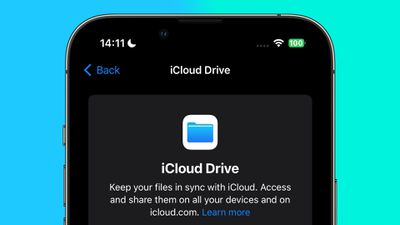
In previous versions of macOS and iOS, when iCloud Drive is manually disabled in System Settings or the Settings app, this also turns off iCloud (i.e. CloudKit) database access for third-party apps, even if they don't use an iCloud Drive folder. This is despite the fact that iCloud syncing of Apple's own stock apps remains unaffected.
This behavior is not made clear in Apple's user-facing settings, which confusingly include separate switches to turn iCloud on and off individually for iCloud Drive, system apps, and third-party apps.
Moreover, iCloud Drive can take a considerable amount of device storage, therefore some users may choose to disable it, without realizing that they are also preventing some third-party apps from syncing between their devices.
By making iCloud Drive and third-party app iCloud access configuration independent from one another in iOS 17 and macOS Sonoma, cloud management better reflects the Settings interface. It also means that users with company-issued devices where iCloud Drive is disabled as a matter of policy will still be able to use third-party apps that depend on iCloud syncing to function properly.
Popular Stories
While the iPhone 18 Pro and iPhone 18 Pro Max are not expected to launch for another eight months, there are already plenty of rumors about the devices.
Below, we have recapped 12 features rumored for the iPhone 18 Pro models, as of January 2026:
The same overall design is expected, with 6.3-inch and 6.9-inch display sizes, and a "plateau" housing three rear cameras
Under-screen Face ID...
While the iPhone 18 Pro models are still around eight months away, a leaker has shared some alleged details about the devices.
In a post on Chinese social media platform Weibo this week, the account Digital Chat Station said the iPhone 18 Pro and iPhone 18 Pro Max will have the same 6.3-inch and 6.9-inch display sizes as the iPhone 17 Pro and iPhone 17 Pro Max.
Consistent with previous...
Verizon is experiencing a major outage across the U.S. today, with hundreds of thousands of customers reporting issues with the network on the website Downdetector. There are also complaints across Reddit and other social media platforms.
iPhone users and others with Verizon service are generally unable to make phone calls, send text messages, or use data over 5G or LTE due to the outage....
Apple today updated its trade-in values for select iPhone, iPad, Mac, and Apple Watch models. Trade-ins can be completed on Apple's website, or at an Apple Store.
The charts below provide an overview of Apple's current and previous trade-in values in the United States, according to the company's website. Most of the values declined slightly, but some of the Mac values increased.
iPhone
...
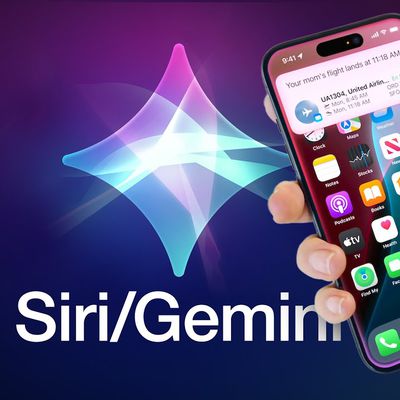
Apple and Google this week announced that Gemini will help power a more personalized Siri, and The Information has provided more details.
Subscribe to the MacRumors YouTube channel for more videos.
As soon as this spring, the report said the revamped version of Siri will be able to…
Answer more factual/world knowledge questions in a conversational manner
Tell more stories
Provide...