

LastPass Hacked for Second Time This Year - MacRumors
Skip to Content

LastPass Hacked for Second Time This Year

Password management app LastPass says it is investigating a security incident after an "unauthorized party" compromised its systems on Wednesday and gained access to some customer information.
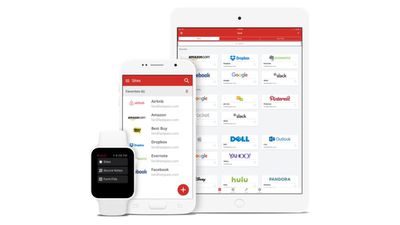
lastpass
The information was stored in a third-party cloud service shared by LastPass and parent company GoTo, said LastPass CEO Karim Toubba in a blog post. Toubba said the hackers used information stolen from LastPass' systems in a separate previously disclosed incident that occurred in August of this year. Toubba added in the blog post that "customers' passwords remain safely encrypted."

We recently detected unusual activity within a third-party cloud storage service, which is currently shared by both LastPass and its affiliate, GoTo. We immediately launched an investigation, engaged Mandiant, a leading security firm, and alerted law enforcement.

We have determined that an unauthorized party, using information obtained in the August 2022 incident, was able to gain access to certain elements of our customers' information. Our customers' passwords remain safely encrypted due to LastPass’s Zero Knowledge architecture.

According to a blog post dated August 22, the previous incident saw a threat actor gain access to the LastPass Development environment using a developer's compromised endpoint to steal source code and some proprietary LastPass technical information. LastPass said at the time that its systems "prevented the threat actor from accessing any customer data or encrypted password vaults."

LastPass is currently working to understand the scope of Wednesday's incident and identify what specific information has been accessed. GoTo, formerly LogMeIn, said it was also investigating the incident, although it did not explain whether GoTo users were also impacted by the hack. In the meantime, LastPass products and services remain "fully functional," said Toubba.


Popular Stories

Apple Event Logo

Apple to Release These 15 New Products Later This Year

Friday June 12, 2026 7:45 am PDT by
Apple's annual WWDC developers conference is drawing to a close, but there is still a lot to look forward to in the second half of the year. Apple is expected to release at least 15 more products later this year. Now that the more intelligent and personal version of Siri has finally arrived in beta, a full two years after Apple first previewed it at WWDC 2024, we should begin to see some new ...

Apple Lists 250 Changes Across iOS 27 and More Feature

Apple Shares List of 250 Changes Across iOS 27, macOS Golden Gate, and More

Wednesday June 10, 2026 1:34 pm PDT by
During its WWDC 2026 keynote on Monday, Apple briefly showed a slide with hundreds of new features and enhancements coming across iOS 27, macOS 27 Golden Gate, watchOS 27, tvOS 27, and visionOS 27. All of the software updates are currently available as developer betas, and they are expected to be released to all users in September. We already highlighted some of the key new features from the ...
Apple Logo Top Half

Have One of These 16 Apple Devices? Software Support Ends This Fall

Saturday June 13, 2026 8:00 am PDT by
Apple will end software support for 16 devices this fall across four product lines, with the Apple Watch seeing the most sweeping cull in the product's history. The full extent of this year's software drops became clear with the announcements of macOS 27 Golden Gate, iPadOS 27, tvOS 27, and watchOS 27 at WWDC this week. The one bright spot is that iOS 27 features identical device support to...

Top Rated Comments

46 months ago

Why would you not use the built in password manager and instead willingly pay to use another, less secure, manager?
Because 3rd party password managers (1password, keeper, bitwarden) offer a lot more flexibility and security than Apple's built-in manager. Apple's version is good enough for basic functions, anything more and a dedicated manager is far more advanced. Everyone knows that LastPass is trash and has always been trash.
Score: 32 Votes (Like | Disagree)
Abazigal Avatar
46 months ago

Why would you not use the built in password manager and instead willingly pay to use another, less secure, manager?
It’s a pain to retrieve passwords when you want to key them into a non-Apple device. For example, when I went to log in to an account on my windows work laptop, I can view said password via the 1Password app on my Apple Watch. It’s also much easier to generate / change passwords in the 1Password app. iCloud Keychain really needs its own standalone manager app, rather than being hidden in the settings app.
Score: 30 Votes (Like | Disagree)
djcerla Avatar
46 months ago
… but this time it’s the LastTime!
Score: 29 Votes (Like | Disagree)
ProfessionalFan Avatar
46 months ago
I switched all my passwords to iCloud passwords. Not only does it work more seamlessly as an Apple ecosystem member, but it feels more secure.
Score: 25 Votes (Like | Disagree)
Poleri Avatar
46 months ago
This is why I use BitWarden for years. :cool:
Score: 21 Votes (Like | Disagree)
46 months ago

That used to be true but now that they added 2FA and notes there isn’t much of a difference and, in Apple slickness, the 2FA integration is one tap seamless. The only reason I use BitWarden as well is for redundancy. I would like to see categories added, I do like that in BW.
Not much difference? If so, where can I get these features using iCloud:


* Multiple vaults so I can separate personal from work passwords?
* Ability to give family members access to certain passwords (like streaming services) while keeping other passwords only to myself
* Ability to store sensitive documents, along with personal information (Drivers License numbers, SSNs, etc.)
* Ability to fill MORE than just user name and password fields (At aa.com, I have to enter my number and last name to log in.)
* Ability to recognize when a site uses SSO via Apple, Google, GitHub, etc. and remember that setting so the next time I go to that site it takes me direcly to the correct SSO login?
* Save my SSH keys so I don't have to manually copy them to each computer I use?

If you have basic needs, sure iCloud works. But, the best Password managers do SO much more. People need to stop saying that Apple is "almost the same". They are not even in the same ballpark.
Score: 19 Votes (Like | Disagree)







































