Google TV App Lets iPhone Serve as a Remote for TVs With Android TV OS

Google today announced the launch of a Google TV app that's designed for iOS devices, with the aim of helping iPhone and iPad owners to create watchlists, get content recommendations, rate movies, and more. iOS users previously had access to the Play Movies and TV app, and those who had that installed will see it update automatically to the revamped Google TV app.
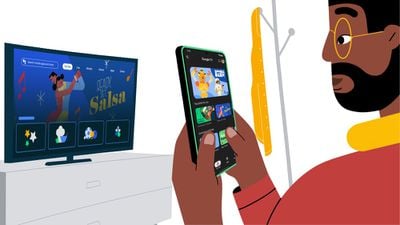
google tv ios app
‌iPhone‌ and ‌iPad‌ users who have a Google TV or another Android TV OS device can use their iOS device as a remote control. Just click on the remote button in the app and then connect to the TV to control the TV with the phone and access Google Assistant. The feature allows users to take advantage of the phone's keyboard for typing in passwords and search terms.

With Google TV, users can input information on the streaming services they subscribe to and get recommendations for shows and movies to watch based on interests and past viewing habits. Shows can be saved to a Watchlist that is able to sync across devices signed into a Google account.

TV shows and movies can be liked or disliked, and using these features affects the recommendation algorithm. A Highlights tab provides a daily news feed of reviews, news, and more about TV shows and movies that will interest each user.

The app supports all movies and shows purchased or rented with a Google account, so the content can be watched on an ‌iPhone‌ or ‌iPad‌ while on the go.

The Google TV app can be downloaded from the App Store for free. [Direct Link]

Tag: Google

Popular Stories

iPhone Top Left Hole Punch Face ID Feature Purple

iPhone 18 Pro Launching Later This Year With These 12 New Features

Thursday January 15, 2026 10:56 am PST by
While the iPhone 18 Pro and iPhone 18 Pro Max are not expected to launch for another eight months, there are already plenty of rumors about the devices. Below, we have recapped 12 features rumored for the iPhone 18 Pro models, as of January 2026: The same overall design is expected, with 6.3-inch and 6.9-inch display sizes, and a "plateau" housing three rear cameras Under-screen Face ID...
Apple MacBook Pro M4 hero

These 5 Apple Products Will Reportedly Be Upgraded With OLED Displays

Friday January 16, 2026 7:07 pm PST by
Apple plans to upgrade the iPad mini, MacBook Pro, iPad Air, iMac, and MacBook Air with OLED displays between 2026 and 2028, according to DigiTimes. Bloomberg's Mark Gurman previously reported that the iPad mini and MacBook Pro will receive an OLED display as early as this year, but he does not expect the MacBook Air to adopt the technology until 2028 at the earliest. A new iPad Air is...
Apple Wallet ID Illinois

Apple Plans to Expand iPhone Driver's Licenses to These 7 U.S. States

Friday January 16, 2026 12:12 pm PST by
In select U.S. states, residents can add their driver's license or state ID to the Apple Wallet app on the iPhone and Apple Watch, and then use it to display proof of identity or age at select airports and businesses, and in select apps. The feature is currently available in 13 U.S. states and Puerto Rico, and it is expected to launch in at least seven more in the future. To set up the...
iOS 27 Mock Quick

iOS 27 Will Add These 8 New Features to Your iPhone

Sunday January 18, 2026 3:51 pm PST by
iOS 27 is still many months away, but there are already plenty of rumors about new features that will be included in the software update. The first beta of iOS 27 will be released during WWDC 2026 in June, and the update should be released to all users with a compatible iPhone in September. Bloomberg's Mark Gurman said that iOS 27 will be similar to Mac OS X Snow Leopard, in the sense...
14 inch MacBook Pro Keyboard

MacBook Pro Buyers Now Facing Up to a Two-Month Wait Ahead of New Models

Sunday January 18, 2026 6:50 pm PST by
MacBook Pro availability is tightening on Apple's online store, with select configurations facing up to a two-month delivery timeframe in the United States. A few 14-inch and 16-inch MacBook Pro configurations with an M4 Pro chip are not facing any shipping delay, but estimated delivery dates for many configurations with an M4 Max chip range from February 6 to February 24 or even later. At...

Top Rated Comments

TouchedByAl Avatar
48 months ago
Bought a chromecast on a whim when it came out in 2020. I already had an Apple TV but the reviews gushed about its interface and recommendations. I thought I would give it a shot. The recommendations were good (I know, google) and the interface looked nice but boy it aged fast. The device kept getting slower and Bluetooth never quite worked especially with AirPods. I disconnected it and one of my in laws is using it. Part of me says this feature should’ve been here much sooner but this is Google..
Score: 3 Votes (Like | Disagree)
jonnysods Avatar
48 months ago

I would assume Roku is similar with data gathering. Pretty much every Smart TV is terrible with regards on this, it's how they make their margins because my understanding is that the margins aren't great on TVs. You can get the Sony, just don't connect it to WiFi and only connect it via ethernet when you need to do a software update. Use an AppleTV for your access to apps and content.
That's fair. I have a decent firewall that I could put the TV on a whitelist so I only get basic things, but I think it would break Roku or Google. If I get an Apple TV and have 2 remotes, I may as well throw them out the window because my kids will lose them in 2 minutes ;)

But I think your idea is best.
Score: 1 Votes (Like | Disagree)
AirunJae Avatar
47 months ago

That's fair. I have a decent firewall that I could put the TV on a whitelist so I only get basic things, but I think it would break Roku or Google. If I get an Apple TV and have 2 remotes, I may as well throw them out the window because my kids will lose them in 2 minutes ;)

But I think your idea is best.
Get an Elago case for the AppleTV remote off of Amazon and put an AirTag in its compartment. We have a toddler so that's what I did ?
Score: 1 Votes (Like | Disagree)
Morgenland Avatar
48 months ago

That's fair. I have a decent firewall that I could put the TV on a whitelist so I only get basic things, but I think it would break Roku or Google. If I get an Apple TV and have 2 remotes, I may as well throw them out the window because my kids will lose them in 2 minutes ;)

But I think your idea is best.
As long as your kids aren't throwing iPhones out the window, Apple's Remote App can help.;)

Attachment Image
Score: 1 Votes (Like | Disagree)
AirunJae Avatar
48 months ago

It's one of the reasons I haven't gotten a new Sony TV, because of Android. I'd rather a Roku version or something.
I would assume Roku is similar with data gathering. Pretty much every Smart TV is terrible with regards on this, it's how they make their margins because my understanding is that the margins aren't great on TVs. You can get the Sony, just don't connect it to WiFi and only connect it via ethernet when you need to do a software update. Use an AppleTV for your access to apps and content.
Score: 1 Votes (Like | Disagree)
AirunJae Avatar
48 months ago

Bought a chromecast on a whim when it came out in 2020. I already had an Apple TV but the reviews gushed about its interface and recommendations. I thought I would give it a shot. The recommendations were good (I know, google) and the interface looked nice but boy it aged fast. The device kept getting slower and Bluetooth never quite worked especially with AirPods. I disconnected it and one of my in laws is using it. Part of me says this feature should’ve been here much sooner but this is Google..
Yeah, when we got rid of cable and went to streaming, I initially gave the GoogleTV a shot. It was super annoying with how quickly it would have to reload apps, which pushed me to pony up and just pay the money for the AppleTV. Still use the Chromecast as a streamer for the bedroom tv, and it's fine for that as we don't use it nearly as much as the living room.
Score: 1 Votes (Like | Disagree)