

Useful Mac Accessories Worth Checking Out

If you recently picked up one of the new M1 Macs that Apple released in November, or received a new Mac for the holidays, you may be in search of useful accessories to go along with it. In our latest YouTube video, we rounded up some great Mac accessories that are worth checking out.
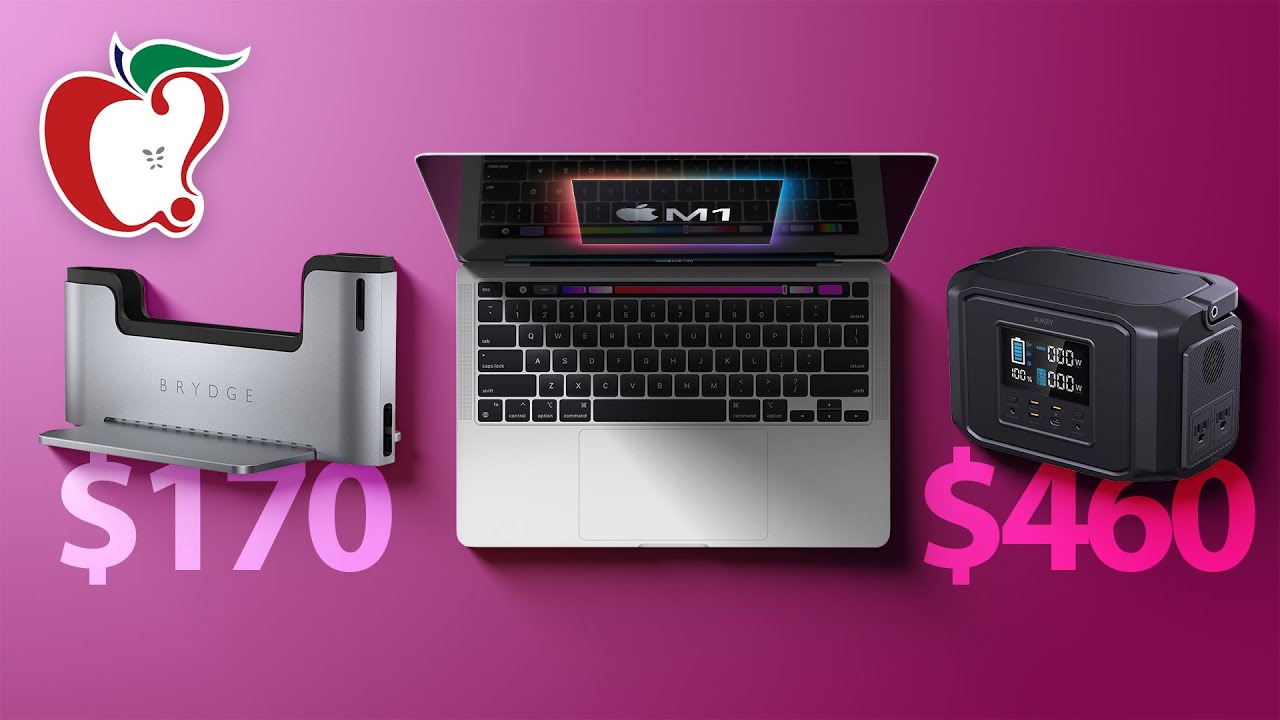

MacRumors videographer Dan has highlighted several of his favorite Mac products, ranging from storage options to displays, docks, and more. A list of what's in the video is below.

  • WaterField Designs Vero Leather MacBook Sleeve ($119) - If you have MacBook Pro or a MacBook Air and are looking for a sleeve option, the Vero from WaterField Designs has a slim fit, protective design that slips right into a bag or backpack.
  • WaterField Designs Executive Messenger Bag ($379) - Looking for something more than a sleeve? The Executive Leather Messenger Bag from WaterField Designs has lots of pockets for housing all of your accessories plus there's padding for your MacBook.
  • Twelve South PlugBug Duo ($50) - The Plugbug Duo is a little add-on for your MacBook charger that provides two USB-A ports that can be used for your accessories, with power provided by the MacBook power adapter.
  • Twelve South ParcSlope ($60) - The ParcSlope is a stand that's designed to elevate your MacBook or iPad to a more comfortable working position, raising the screen and adding additional airflow.
  • LG UltraFine 4K Display ($700) - LG's 4K 23.7-inch display is an ideal companion for Apple Macs, given that it was designed for Apple devices. It connects over Thunderbolt 3, offers up to 85W of charging power, and it has two Thunderbolt 3 ports and three USB-C ports.
  • Brydge Vertical Dock ($170) - The Vertical Dock from Brydge holds your MacBook upright and is a solid docking solution for using your machine in clamshell mode. It connects via two USB-C ports, and then there are an additional two accessible ports at the back of the dock.
  • 13-inch LineDock ($349) - Designed for 13-inch machines, the LineDock is a docking solution that attaches to the bottom of your MacBook. It adds extra battery life and up to 1TB storage, plus it has 100W passthrough charging and a total of nine ports including HDMI, Mini DisplayPort, SD card slot, USB-A and USB-C options.
  • Aukey PowerZeus 500 ($460) - If you need power for your devices in an emergency or while off the grid, Aukey's PowerZeus 500 offers a 518Wh capacity that can charge up a MacBook several times with enough juice left over for other devices. There's also the smaller Power Titan 300 if you don't need quite as much power.

What are your favorite Mac accessories that you would recommend to others? Let us know in the comments.


Popular Stories

iPhone Top Left Hole Punch Face ID Feature Purple

iPhone 18 Pro Launching Later This Year With These 12 New Features

Thursday January 15, 2026 10:56 am PST by
While the iPhone 18 Pro and iPhone 18 Pro Max are not expected to launch for another eight months, there are already plenty of rumors about the devices. Below, we have recapped 12 features rumored for the iPhone 18 Pro models, as of January 2026: The same overall design is expected, with 6.3-inch and 6.9-inch display sizes, and a "plateau" housing three rear cameras Under-screen Face ID...
Apple MacBook Pro M4 hero

These 5 Apple Products Will Reportedly Be Upgraded With OLED Displays

Friday January 16, 2026 7:07 pm PST by
Apple plans to upgrade the iPad mini, MacBook Pro, iPad Air, iMac, and MacBook Air with OLED displays between 2026 and 2028, according to DigiTimes. Bloomberg's Mark Gurman previously reported that the iPad mini and MacBook Pro will receive an OLED display as early as this year, but he does not expect the MacBook Air to adopt the technology until 2028 at the earliest. A new iPad Air is...
2024 iPhone Boxes Feature

Apple Adjusts Trade-In Values for iPhones, Macs, and More

Thursday January 15, 2026 11:19 am PST by
Apple today updated its trade-in values for select iPhone, iPad, Mac, and Apple Watch models. Trade-ins can be completed on Apple's website, or at an Apple Store. The charts below provide an overview of Apple's current and previous trade-in values in the United States, according to the company's website. Most of the values declined slightly, but some of the Mac values increased. iPhone ...
Apple Wallet ID Illinois

Apple Plans to Expand iPhone Driver's Licenses to These 7 U.S. States

Friday January 16, 2026 12:12 pm PST by
In select U.S. states, residents can add their driver's license or state ID to the Apple Wallet app on the iPhone and Apple Watch, and then use it to display proof of identity or age at select airports and businesses, and in select apps. The feature is currently available in 13 U.S. states and Puerto Rico, and it is expected to launch in at least seven more in the future. To set up the...
iPhone Top Left Hole Punch Face ID Feature Purple

New Leak Reveals iPhone 18 Pro Display Sizes, Under-Screen Face ID, and More

Wednesday January 14, 2026 7:09 am PST by
While the iPhone 18 Pro models are still around eight months away, a leaker has shared some alleged details about the devices. In a post on Chinese social media platform Weibo this week, the account Digital Chat Station said the iPhone 18 Pro and iPhone 18 Pro Max will have the same 6.3-inch and 6.9-inch display sizes as the iPhone 17 Pro and iPhone 17 Pro Max. Consistent with previous...

Top Rated Comments

rKunda Avatar
65 months ago
I just received the vero sleeve this week and it’s very nice. Much thicker than you’d think from the promo pics. Instead of a lined leather sleeve it’s really a pretty well padded case.


I have their bolt briefcase arriving today. Always eyed their products but never bought anything until this month.

No long term use yet, but their sales and support was stellar.
Score: 4 Votes (Like | Disagree)

jlc1978 Avatar
65 months ago
waterfield makes great products, I have 5 or 6 bags and sleeves and love them. Tom Bihn does as well.

I'd avoid the PlugBug. Neat idea, but not durable; mine came apart after a few years.
Score: 2 Votes (Like | Disagree)
Digital Skunk Avatar
65 months ago
Skip the bridge dock unless you anticipate keeping your computer for a LONG LONG time.

I got one for my Retina MBP and it was awesome after some of the kinks were ironed out (mainly it's display port cable was crap and didn't trigger the MBP to operate in clamshell mode. Sending it to a dock first then out to the monitor helped.)

But once I purchased the Touch Bar version MBP the dock was a dead weight. Not only would it of course not work with the TBMBP it was hard to sell even as a combined set with the Retina.

A great product, but hard to get rid of once it becomes obsolete.
Score: 2 Votes (Like | Disagree)
Apple_Robert Avatar
65 months ago
Good video, Dan.
Score: 1 Votes (Like | Disagree)
OldCorpse Avatar
65 months ago
I guess it’s just me, but I found these accessories a bit underwhelming. The sleeve seems OKish, but really nothing to write poems about.

I am interested in accessories, but this video did not hit the spot. A nice hub that’s truly multi C TB connector would be nice.

All in all - my rating “underwhelming”. Of course, that’s just me, YMMV.
Score: 1 Votes (Like | Disagree)








































