Siri Shortcuts, Screen Time, and iMessage Screen Effects Coming to macOS This Year - MacRumors
Skip to Content

Siri Shortcuts, Screen Time, and iMessage Screen Effects Coming to macOS This Year

iOS apps and features including Shortcuts, Screen Time, and iMessage effects will be coming to macOS later this year, after they're first unveiled at Apple's Worldwide Developer's Conference in June. The information was shared today by 9to5Mac's Guilherme Rambo, who spoke with people familiar with the development of macOS 10.15.
siri shortcuts duo
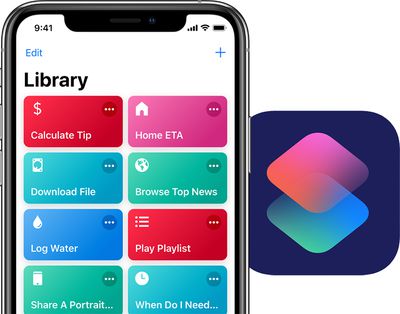
The major update to macOS, which is expected to launch in the fall, will include support for Siri Shortcuts. Apple updated the previous Workflow app for iOS to become ‌Siri‌ Shortcuts in September 2018, alongside the release of iOS 12. It allows you to create multi-step automations that you can initiate with a simple ‌Siri‌ command.

Today, Shortcuts has expanded to numerous third-party apps like American Airlines and Caviar. Later this year, Mac computers will get "system-wide" support for ‌Siri‌ Shortcuts, according to today's report.

Secondly, macOS 10.15 will see the addition of Screen Time, which tracks your device usage and reports back to you at the end of each week with statistics on what apps you use the most. Parents can use the feature to limit the time their kids spend in certain apps, and people trying to take a break from social media can set time limits on apps like Instagram and Twitter.

On macOS, this feature will work essentially the same as it does on iOS. It'll be housed in a new panel in System Preferences to customize its settings, and an overlay will appear when time limits are exceeded, where you can close the app or bypass the Screen Time lock with a passcode.

Lastly, macOS will be getting iMessage screen effects that have been exclusive to iPhones and iPads for a few years. These include full screen effects like Echo, Balloons, Confetti, and Lasers. On current versions of macOS, when an iPhone user sends these effects and they're read on a Mac, the iMessage screen on Mac simply states "Sent with [Effect Name]" below the message.

Today's news follows previous reports about Apple's plans to tie the iOS and macOS ecosystems more closely together. This includes letting developers release universal apps that work across iPhone, iPad, and Mac devices, which could happen by 2021. Last year at WWDC, Apple also ported a few iOS apps to macOS for the first time, including Home, News, Voice Memos, and Stocks.


Tag: macOS

Popular Stories

Apple Event Logo

Apple Unveiled Four New Products Today

Tuesday August 25, 2026 8:39 am PDT by
Apple today unveiled a new Mac mini with M6 and M5 Pro chip options, a new Mac Studio with M5 Max and M5 Ultra chip options, a new version of the Polishing Cloth with a lower price, and updated Magic Keyboards for Macs. To learn more about these products, read our coverage below: Apple Announces New Mac Mini With M6 and M5 Pro Chips and More Apple Unveils New Mac Studio With M5 Max and M5...


apple magic keyboard with glyphs 2026 refresh

Apple Quietly Refreshes Magic Keyboards

Tuesday August 25, 2026 7:22 am PDT by
Apple today quietly introduced updated Magic Keyboard models with revised U.S. English key labeling. On the new keyboards, the tab, caps lock, shift, return, and delete keycaps are labeled with glyphs rather than edge text. On the full-size models with a numeric keypad, the change goes further, with the home, page up, page down, end, clear, and enter keys also swapping their text labels for...
iPhone 18 Pro Dark Cherry Feature

iPhone 18 Pro and iPhone Ultra: When Will Apple Event Be Announced?

Monday August 24, 2026 6:45 am PDT by
It is now late August, meaning that Apple's annual iPhone event is just around the corner. Below, we take a look at when the event might be held this year. This September, Apple is expected to unveil the iPhone 18 Pro, iPhone 18 Pro Max, and an all-new foldable iPhone that will reportedly be named the iPhone Ultra. The regular iPhone 18, a lower-end iPhone 18e, and the iPhone Air 2 are not...

Top Rated Comments

Amadeus71 Avatar
96 months ago
More useless features on macOS - remember when there were reasons to look forward to a new version of OS X?
Score: 49 Votes (Like | Disagree)
Andres Cantu Avatar
96 months ago
Pretty negative responses so far, but I welcome feature parity between iOS and macOS, even if it’s for smaller things like these.
Score: 17 Votes (Like | Disagree)
QCassidy352 Avatar
96 months ago
The Mac mini is MIA.
Apple sells a very nice Mac mini, which was updated in late 2018.
Score: 16 Votes (Like | Disagree)
blinkytoo Avatar
96 months ago
To run Mac OS you need a Mac. Does Apple still make Macs?

The top of the line Mac Pro is 6 years old with 4+ year old hardware. The Macbook Pro has keys that stick. The Mac mini is MIA. The iMacs have 5200RPM hard drives that I had in my Mac 10 years ago and replaced with SSDs. Shouldn't all Mac come standard with SSDs in 2019?. I am still using my 2008 Mac Pro and am waiting for a compelling upgrade.

How does the worlds most valuable company forget to do what brought them to the dance?
I guess the heroin of iPhone profit has killed the golden Apple of innovation. "Can't innovate my ass" is right.
Score: 16 Votes (Like | Disagree)
justperry Avatar
96 months ago
Useless crap, especially Siri shortcuts, I really have a hard time getting Shortcuts.
Prefer stuff like APFS, or even Darkmode, not this stuff.
Score: 16 Votes (Like | Disagree)
8CoreWhore Avatar
96 months ago
i wish apple would improve macos spellcheck. give it parity with ios. had i typed this in ios and not macos, you would see several capital letters but instead there are none.
Score: 13 Votes (Like | Disagree)