Three Things to Know About the New Apple Pencil
Last week, Apple introduced a second-generation Apple Pencil that magnetically attaches to the new iPad Pro. It also features automatic pairing, wireless charging, tap to wake, double-tap to switch drawing tools, a more seamless design with no Lightning connector or cap, and a matte rather than glossy finish.
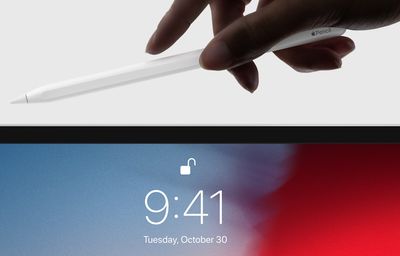
As the new Apple Pencil begins to arrive to customers around the world, we've learned some additional details about the drawing tool:
- Unlike the original, the second-generation Apple Pencil does not include an extra tip in the box. Apple sells a four-pack of extra tips online and at many of its retail stores for $19 in the United States.
- The new Apple Pencil wirelessly charges when attached to the new iPad Pro, but it is not compatible with Qi-based wireless chargers. Not too much of a surprise there, but good to know.
- In a memo shared with its retail stores on Wednesday, seen by MacRumors, Apple said customers "may experience the new Apple Pencil as unresponsive after initial setup" and outlined steps to resolve this.
First, pair the Apple Pencil to the iPad Pro. Once the iPad Pro has an internet connection, it will download an Apple Pencil firmware update and send it to the Apple Pencil via Bluetooth. The Apple Pencil will continue to work normally during the 10-minute transfer.
The pairing update will begin the next time the Apple Pencil goes idle for 60 seconds, and will take roughly two minutes. The Apple Pencil will be non-responsive during this time. Once it resets, and the update is complete, it will start working normally again.
The new Apple Pencil is compatible with the latest 11-inch and 12.9-inch iPad Pro models. It retails for
$129 in the United States with free custom laser engraving available exclusively for orders placed on Apple.com.
Apple has more details about the new Pencil on its website.
Popular Stories
Apple's iPhone development roadmap runs several years into the future and the company is continually working with suppliers on several successive iPhone models at the same time, which is why we often get rumored features months ahead of launch. The iPhone 18 series is no different, and we already have a good idea of what to expect for the iPhone 18 Pro and iPhone 18 Pro Max.
One thing worth...
2026 could be a bumper year for Apple's Mac lineup, with the company expected to announce as many as four separate MacBook launches. Rumors suggest Apple will court both ends of the consumer spectrum, with more affordable options for students and feature-rich premium lines for users that seek the highest specifications from a laptop.
Below is a breakdown of what we're expecting over the next ...
CES 2026 has just provided a first glimpse of the folding display technology that Apple is expected to use in its upcoming foldable iPhone. At the event, Samsung Display briefly showcased its new crease-less foldable OLED panel beside a Galaxy Z Fold 7, and according to SamMobile, which saw the test booth before it was abruptly removed, the new panel "has no crease at all" in comparison.
The ...
Though it's been just a few months since iOS 26 launched, we're already hearing rumors about the next-generation version of iOS, iOS 27. iOS 27 will be introduced at Apple's June WWDC 2026 event before it launches in September 2026.
We don't know all of the details about iOS 27 yet, but we do have some information about what to expect.
"Snow Leopard" Update
iOS 27 will apparently focus...
JPMorgan Chase has reached a deal to take over operation of the Apple Card, reports The Wall Street Journal. Barring any "last minute hiccups," the deal should be announced shortly after over a year of negotiations.
Reports began circulating over two years ago that current Apple Card issuer Goldman Sachs was looking to end its partnership with Apple as part of an effort to scale back on...
Logitech users on macOS found themselves locked out of their mouse customizations yesterday after the company let a security certificate expire, breaking both its Logi Options+ and G HUB configuration apps.
Logitech devices like its MX Master series mice and MX Keys keyboards stopped working properly as a result of the oversight, with users unable to access their custom scrolling setup,...
OpenAI today announced the launch of ChatGPT Health, a dedicated section of ChatGPT where users can ask health-related questions completely separated from their main ChatGPT experience.
For more personalized responses, users can connect various health data services such as Apple Health, Function, MyFitnessPal, Weight Watchers, AllTrails, Instacart, and Peloton. Last month, MacRumors discovere...
Apple has lost another senior figure from its Safari team as a lead designer departs for The Browser Company, extending a pattern of high-profile exits from Apple's browser team amid intensifying competition around AI-driven browsing.
Marco Triverio was a lead designer for Safari and has now joined The Browser Company, the developer of the Arc and Dia browsers. The move was confirmed by The...