

Skip to Content

MacRumors Giveaway: Win a Lightpad Block M From ROLI

by

For this week's giveaway, we've once again teamed up with ROLI, this time to give away one of the company's LightPad Block M music making devices.

For those unfamiliar with ROLI, it's a company that makes a fun, modular music creation system called Blocks, designed for everyone from beginners to professionals.
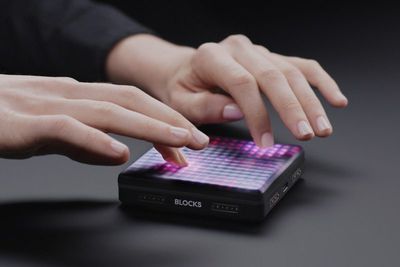
rolilightpadm
The Lightpad M, priced at $200, is a key component in the ROLI system. Lightpad M supports pressure-based multi-touch gestures on its light-up grid surface to make music. The Lightpad M can recreate the sounds of cellos, flutes, drums, violins, and hundreds of other instruments with simple, intuitive touch gestures.
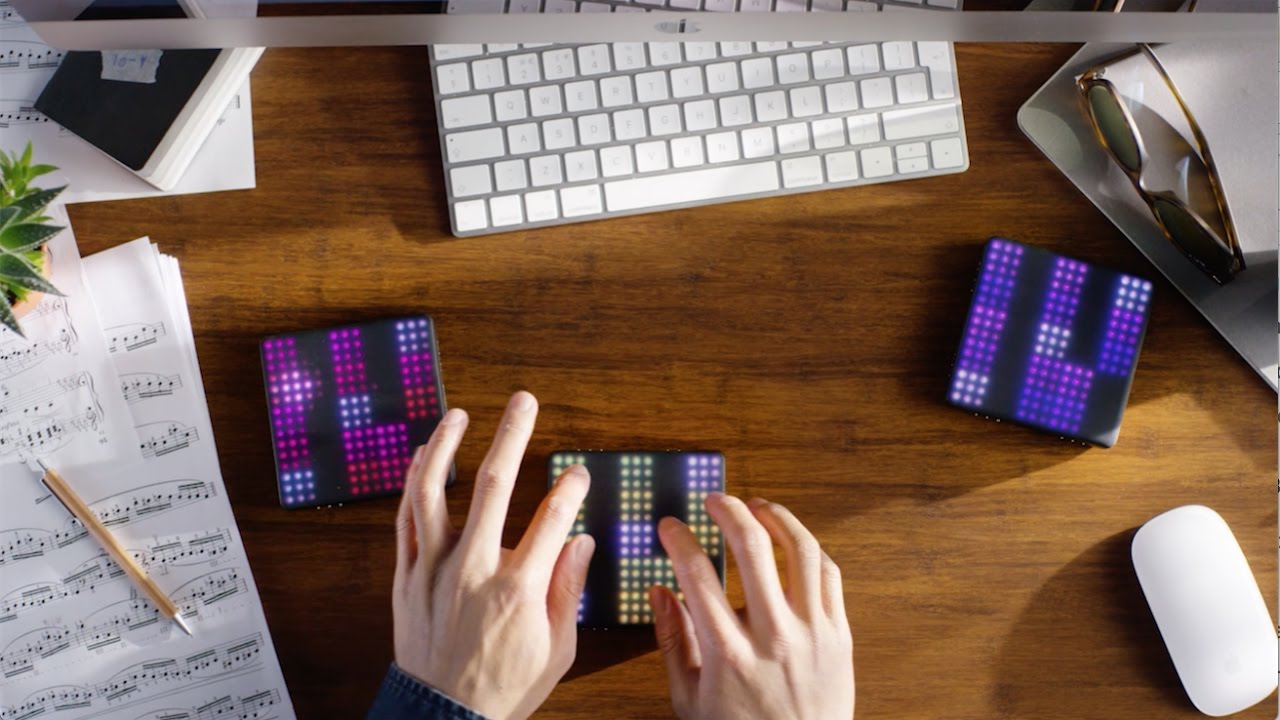

It also supports beats, chords, melodies, and more, and it ships with more than 200 sounds, with options to add more through an accompanying suite of apps that work with the Lightpad M.
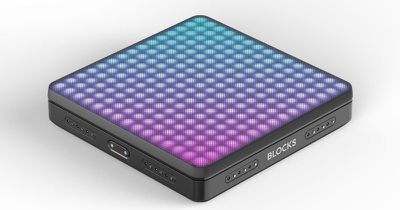
rolilightpad
Gestures include a strike for sounding a note, a side to side glide to change pitch, an up and down slide to modulate sound, a press for a deeper sound, and lift to change resonance.

There's a soft, silicone top layer on the Lightpad M for precise control, and the top of the square-shaped accessory lights up in hundreds of colors when touched. Microkeywaves on the silicone surface of the Lightpad M offer pleasing tactile feedback, and it's sensitive enough that even a light touch makes music.
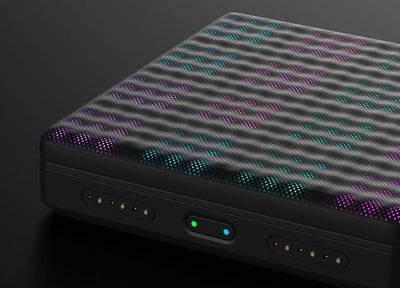
lightpadmcloseup
You can fit the Lightpad M in the palm of your hand, so it's small enough to go anywhere, and it offers a wireless connection.
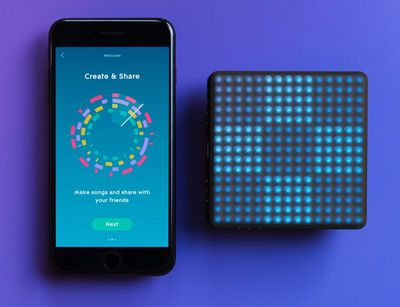
roliblocksapp
The Lightpad M is designed to connect to and work with the rest of the ROLI Blocks system, including the Seaboard Block, Live Block, Loop Block, and Touch Block.


We have a ROLI LightPad Block M to give away to a MacRumors reader. To enter to win, use the Rafflecopter widget below and enter an email address. Email addresses will be used solely for contact purposes to reach winners and send prizes. You can earn additional entries by subscribing to our weekly newsletter, subscribing to our YouTube channel, following us on Twitter, or visiting the MacRumors Facebook page.

Due to the complexities of international laws regarding giveaways, only U.S. residents who are 18 years or older and Canadian residents (excluding Quebec) who have reached the age of majority in their province or territory are eligible to enter. To offer feedback or get more information on the giveaway restrictions, please refer to our Site Feedback section, as that is where discussion of the rules will be redirected.

The contest will run from today (April 6) at 11:00 a.m. Pacific Time through 11:00 a.m. Pacific Time on April 13. The winner will be chosen randomly on April 13 and will be contacted by email. The winner will have 48 hours to respond and provide a shipping address before a new winner is chosen.

Top Rated Comments

mixel Avatar
103 months ago
Remember, back in the day, when you would actually have to learn how to play an instrument?
You still have to learn to play an instrument.. If you want to play an instrument. Stuff like this is a fun extra. If anything that seaboard block looks more complex than using a standard keyboard and would take as much learning as anything else.

Score: 2 Votes (Like | Disagree)
twistedpixel8 Avatar
103 months ago
Don't get me wrong, it does look like a cool and fun box. But I disagree that it's more complex than learning a standard keyboard. I trained on piano for decades and I still am nowhere near the level of professionals. This box essentially plays back pre set riffs, sequences and sounds. Yes, there's a learning curve but it isn't even in the same conversation as mastering piano, guitar, violin, etc.
I own things like this for producing electronic music (hobby, not professional) and I think unless you have actually tried to play one (or other types like Seaboard Block) you can’t really accurately comment. I’m not having a go at you, I’m just saying that these things look a lot easier to play than they actually are. Yeah, making it just play loops is easy enough but to actually learn how far to slide your finger, when you need to release, how hard to press, which areas harmonize with other areas, etc. is actually very difficult. It’s not like these touch app looping music “creators” where all the timing and stuff is done for you. Well, it can do things like that but if you use it like that it’s a waste of money.
Score: 1 Votes (Like | Disagree)

Popular Stories

MacBook Neo Feature Pastel 1

First MacBook Neo Benchmarks Are In: Here's How It Compares to the M1 MacBook Air

Thursday March 5, 2026 4:07 pm PST by
Benchmarks for the new MacBook Neo surfaced today, and unsurprisingly, CPU performance is almost identical to the iPhone 16 Pro. The MacBook Neo uses the same 6-core A18 Pro chip that was first introduced in the iPhone 16 Pro, but it has one fewer GPU core. The MacBook Neo earned a single-core score of 3461 and a multi-core score of 8668, along with a Metal score of 31286. Here's how the...
HomePod mini and Apple TV Sage

New Apple TV and HomePod Mini Are Still Missing, Here's Why

Thursday March 5, 2026 6:11 am PST by
Apple this week unveiled seven products, ranging from the iPhone 17e to the MacBook Neo, but new Apple TV and HomePod mini models were not among them. Given that there have been rumors about the next-generation Apple TV and HomePod mini since all the way back in late 2024, some customers are wondering why the devices have yet to launch, and the answer likely relates to Siri. In September, ...
MacBook Neo Feature Pastel 1

Apple Announces $599 'MacBook Neo' With A18 Pro Chip

Wednesday March 4, 2026 6:15 am PST by
Apple today announced the "MacBook Neo," an all-new kind of low-cost Mac featuring the A18 Pro chip for $599. The MacBook Neo is the first Mac to be powered by an iPhone chip; the A18 Pro debuted in 2024's iPhone 16 Pro models. Apple says it is up to 50% faster for everyday tasks than the bestselling PC with the latest shipping Intel Core Ultra 5, up to 3x faster for on-device AI workloads,...








































