

Lifeprint, known for its photo printers that come equipped with augmented reality technology, today announced the launch of its latest printer, which is larger than the original version to let iPhone users print bigger pictures.
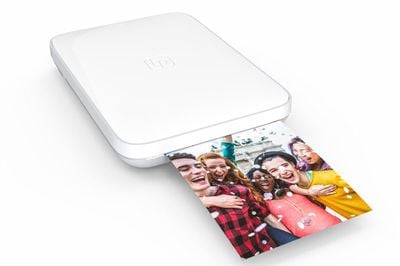
The new Lifeprint photo printer can print images that are 3 by 4.5 inches, up from 2 by 3 inches. WiFi is new to this version of the printer, which means you can print to a Lifeprint printer from anywhere in the world and send photos to printers owned by friends and family. Bluetooth is also available for local printing.
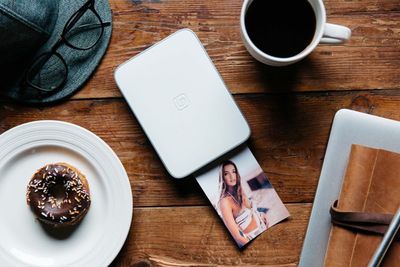
With Lifeprint printers, you also can print a still of a video or a Live Photo and then use the Lifeprint app to see an augmented reality version of the video, essentially bringing your photos to life. It's a little bit gimmicky, but it can be a fun way to share videos with friends. It's also a neat way to print and share Live Photos.


Like many of the miniature iPhone printers on the market, Lifeprint printers use ZINK paper, which allows for color images without ink cartridges. ZINK also has a sticky back, so all of your printed photos double as stickers. On the downside, ZINK is expensive at over $1 per photo when using the Lifeprint-branded paper in the new size.
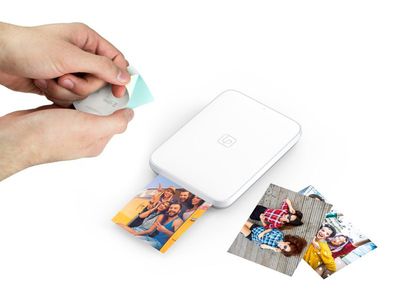
You can print photos, videos, Live Photos, GIFs, Snaps, and more with Lifeprint, and the Lifeprint app has built-in tools for editing your images and adding stickers, filters, and captions. There's also integration with Instagram and Facebook so you can print directly from your social network.
"For our second printer, we wanted to go bigger and broader. The larger film is classic instant camera size and really captures that retro look and feel. Perfect for decorating your walls. But more importantly the WiFi capability means you're always connected. This allows users to print to and from anywhere in the world. No matter where you are, you're connected and ready to print. And of course, the magical Harry Potter-like Hyperphotos still bring those videos to life in your hands. Super cool."
Lifeprint's new 3x4.5 printer is available exclusively from Apple.com and Apple retail stores for $149.99 starting today. Film is priced at $50 for a pack of 40 and $30 for a pack of 20.










































![Apple Pulls Keynote, Pages and Numbers From App Store [Update: Back]](https://images.macrumors.com/t/Okb7kitB_gNr6qe5Pex9nQIysD8=/112x112/article-new/2026/01/Apple-Creator-Studio-iWork-suite.jpg)


Top Rated Comments
Craig: Customers over 65 years old?
Tim: Yes, Craig.
Craig: they're by and large upset that the "Live Photos are printing as regular photos"
Tim:
And that kids, is the beginning of the story of how we increased the Genius Bar efficiency by 70%.
[doublepost=1512500750][/doublepost]I've never used one of these kinds of printers. How does it print without ink cartridges? Is it in the paper? Or is it the kind of thing where when you finish a particular color (red, yellow, blue or black), you have to throw away the whole printer and get a totally new one? Seems kind of wasteful if you have to throw the whole thing out if you finish just one color.
2. Photopaper is way too expensive.
3. Who prints photo's nowadays.
4. Oh Wow, it prints photo's over WiFi.