The most recent iOS 9 beta added WiFi calling options for AT&T subscribers, but when the beta was released last week, the feature was not functional.
As of today, some users in the MacRumors forums who are running iOS 9 noticed a different message when attempting to activate the feature, and just hours later, WiFi calling began working for a limited number of AT&T subscribers.
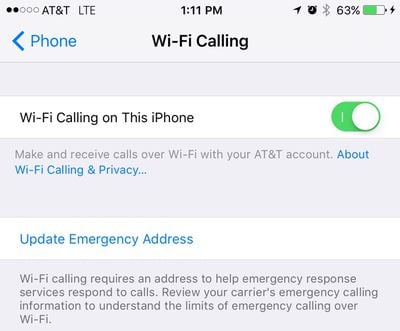
When attempting to activate WiFi calling in the Settings app, users who have access to the feature are receiving a welcome screen, a disclaimer, and a notice that WiFi calling has been activated and should be available within a few minutes. During the setup period, users are required to enter an address that emergency services will visit as a caller's location cannot be determined from a WiFi call.
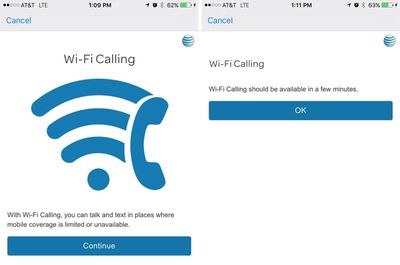
Following a short waiting period, WiFi calling becomes ready for use with the "Wi-Fi calling on This iPhone" option toggled on. While a few of our readers have had success getting the WiFi calling feature working, several other users do not have access, suggesting AT&T may be testing the feature in a limited number of areas ahead of launch.
WiFi calling was first introduced with iOS 8, and shortly after the feature debuted, AT&T announced plans to support it. The company has not made any further announcements, but it is likely an official launch will come after iOS 9 is released to the public in September. An AT&T employee who is also a MacRumors reader says that his store has not received word on an upcoming launch, so official word on further availability of WiFi calling may still be a few weeks off.
WiFi calling is a feature that lets calls be placed over a wireless connection when cellular connectivity is poor. It is similar in function to Apple's own FaceTime audio feature, and has thus far been limited to T-Mobile and Sprint users.