Apple today updated its investor relations page to announce that it will share its earnings results for the fourth fiscal quarter (third calendar quarter) of 2018 on Thursday, November 1.
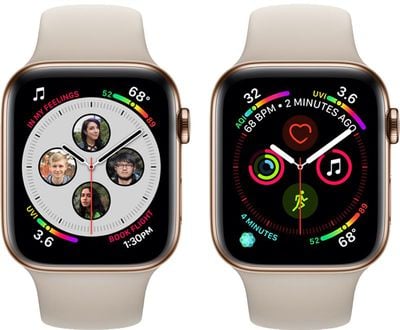
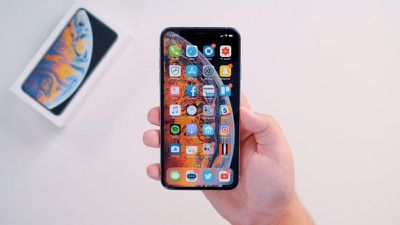
The earnings release will provide a look at sales of the new iPhone XS and XS Max during their first week of availability, and we may hear some details on how well the Apple Watch Series 4 sold.
Apple has not provided launch weekend sales for the iPhone XS and XS Max, so earnings will mark the first look at how well the updated devices sold compared to the iPhone 8, 8 Plus, and X.
Apple's guidance for the fourth quarter of fiscal 2017 includes expected revenue of $60 to $62 billion and gross margin between 38 and 38.5 percent. In 4Q 2017, Apple posted revenue of $52.6 billion and gross margin of 37.9 percent.
The quarterly earnings statement will be released at 1:30 PM Pacific/4:30 PM Eastern, with a conference call to discuss the report taking place at 2:00 PM Pacific/5:00 PM Eastern. MacRumors will provide coverage of both the earnings release and conference call on November 1.
Apple today updated its Apple Store app with support for Siri Shortcuts, which the company says can be used to make pre-ordering the upcoming iPhone XR with the iPhone Upgrade Program faster than ever.
When getting pre-approved for an iPhone XR, iPhone Upgrade Program members will see a new "Add to Siri" button that can be used to record a custom phrase like "pre-order my iPhone."
Once pre-orders are available on October 19, customers can say the custom-made phrase and Siri will pull up their pre-approvals in the Apple Store app, allowing for quick order completion.
Other than the Siri Shortcut outlined by Apple, there do not appear to be other Apple Store Shortcut options available at this time. Full release notes for the update are below:
What's New iPhone Upgrade Program members can now use Siri Shortcuts for an even faster way to complete their iPhone XR pre-order on 10.19. Look for the 'Add to Siri' button while getting pre-approved, and record your own voice command, like "pre-order my iPhone." Say your phrase when pre-order begins, and let Siri pull up your pre-approval in the Apple Store app so you can quickly complete your order.
The Apple Store app can be downloaded from the App Store for free. [Direct Link]
The iOS 12 update brought a major new feature, Siri Shortcuts, which is designed to let you create voice and tap-activated automations that can complete multiple complex tasks in just a few seconds.
In our latest YouTube video, we've rounded up five Siri Shortcut options that we think most people will find interesting. These are a great place to start if you're new to Shortcuts.
Siri Shortcuts are available in the Shortcuts section of the Settings app (Settings > Siri & Search) and through the dedicated Shortcuts app, but you can also find great options on Reddit and other websites. The Shortcuts below have been sourced from multiple places.
- Calculate Tip - Perhaps one of the simplest Shortcuts available, Calculate Tip is available in the Shortcuts Gallery. When you activate this Shortcut, it will ask you the total bill and the amount that you want to tip (12%, 15%, 18%, or 20%) before providing you with the tip amount and the total bill with tip included.
- Convert Burst to GIF - With Convert Burst to GIF, sourced from Reddit, you can take a series of burst photos with the iPhone camera by holding down on the capture button and then convert them into a GIF. There are also shortcuts for doing the same thing with a Live Photo in the Shortcuts Gallery.
- Watch Music Video - The Watch Music Video Shortcut, also from Reddit, lets you detect the currently playing Apple Music song and then search for the accompanying music video on Apple Music. If a music video is found, it will open it up in the Apple Music app so you can watch it.
- What's Happening on Twitter - If you have the Twitter app installed, you can create a "See What's Happening" Shortcut that will allow you to view Twitter's Moments section with a Siri voice command. You can access this option by going to Settings > Siri & Search > Twitter > See All.
- Dark Sky Weather - With Dark Sky installed, you can see a weather forecast with information pulled from Dark Sky through a Siri voice command. As with Twitter, you can get to this option through the Siri & Search section of the Settings app. Assigning a command like "What's the weather today" to this third-party Shortcut will let you get weather data from Dark Sky rather than the built-in weather app when you ask Siri about the weather.
Many of the Shortcuts listed above can be tweaked and customized after you have downloaded them if desired, and you can assign Siri voice commands to activate them. For app-based Shortcuts, you can do this in the Settings app, and for longer Shortcuts that have multiple steps, you can add a Siri command in the Shortcuts app.
Do you have favorite Shortcuts that you've been using in iOS 12? Let us know in the comments and we may feature them in a future video.
Apple has established an exclusive playlist deal with the Ministry of Sound label, an Apple representative told Variety this afternoon.
Under the terms of the partnership, Ministry of Sound-created playlists will be available on Apple Music starting on Thursday, October 4.
Owned by Sony, Ministry of Sound currently offers several popular playlists on Spotify, such as "Dance Nation," "Rave Nation," and "R&B Mixtape."
Because of the new deal with Apple Music, these playlists, some of which have hundreds of thousands of followers, will be pulled from Spotify and other non-Apple services over the course of the next few days.
Ministry of Sound, founded in 1993, is one of the largest dance-music recording companies and describes itself as "The Home of Dance Music." Ministry of Sound represents artists that include London Grammar, DJ Fresh, Sigala, Marshmello, Yogi, and more.
As Variety points out, this is not Apple's first exclusive playlist deal, and playlists are yet another area where Apple Music, Spotify, and other services can attempt to one up another.
Spotify is well-known for its selection of algorithmic and mood-based playlists, which many believe to be superior to those provided by Apple, but Apple may be able to draw more subscribers by offering exclusive curated playlist content unavailable anywhere else.
Apple has also worked to provide customers with other exclusives, including early album releases, albums unavailable anywhere else, music videos, documentaries, and more.
Eve Systems has been offering HomeKit-connected devices since 2015, and the Eve Room, able to measure temperature, humidity, and air quality, is the newest Eve product available for purchase.
The new Eve Room is actually an upgraded version of an original Eve Room that was one of Eve's first product releases back in 2015, but the new version has been overhauled with a redesigned enclosure that's both sleeker and more informative.
While the original Eve Room was just a little white plastic block, the Eve Room adopts the new aluminum and e-ink design that was first introduced with the Eve Degree, Eve's more affordable temperature and humidity monitor that does not offer air quality monitoring.
Eve Room (left) next to Eve Degree
Like the Eve Degree, the Eve Room is palm sized and tiny enough that it's unobtrusive on a shelf, on a table, on a kitchen counter, or on a bedside table. It measures in at 2.1 x 2.1 x 0.6 inches, which is quite a bit smaller than the 3.1 x 3.1 x 1.3 inch measurements of the original Eve Room. Eve Room is an indoor product and should not be used outdoors.
The 200x200 e-ink display of the Eve Room displays the current temperature, humidity, and air quality in the room, with air quality pictured as a series of stars from one to five. If you press on the arrows next to the display, you can cycle through several display options that focus on temperature, humidity, or both.
I like the addition of the e-ink screen in the Eve Room because I can check the room conditions at a glance without needing to open up an app or ask Siri, something that was necessary with the previous version of the Eve Room. You do need a little bit of force to change the display output, but it's nice having the option to focus on the parameter most important to you.
The second beta of iOS 12.1, which was released this morning, includes a fix for a charging issue affecting the iPhone XS, XS Max, and other iOS devices.
Discovered following the launch of the two new iPhones and highlighted over the weekend, the charging bug causes some iPhone and iPad devices to refuse to charge over a Lightning connection when the screen is not activated.
According to iMore's Rene Ritchie, the new iOS 12.1 beta fixes the issue so iOS users will no longer need to double check to make sure their devices are charging after being plugged in.
Today’s iOS 12.1 beta includes a fix for the charging issue some people were experiencing with iPhone and iPad.
With it, no more delay or uncertainty about charging. You’ll be back to just plugging it in and getting power.
(Pretty much what I said in my video yesterday.)
— Rene Ritchie (@reneritchie) October 2, 2018
The bug does not affect all iPhones and iPads, but those who are impacted have seen their devices fail to charge over Lightning when plugged in while the iPhone is asleep.
Tapping the iPhone to wake it up in this situation resumes charging, but an iPhone that is affected and plugged in with the screen deactivated can refuse to charge, resulting in uncertainty over whether or not a device is actually charging.
While this issue originally came to light because of complaints from iPhone XS and iPhone XS Max owners, it appears it was widespread and affected many devices running iOS 12.
Apple first promised new emoji were coming on World Emoji Day back in July, but the new characters were not included in the original iOS 12 update.
Apple plans to introduce more than 70 new emoji characters, with options for red hair, gray hair, curly hair, and no hair, along with smiley faces that include cold face, party face, pleading face, and face with hearts.
Super heroes, an eye-shaped nazar amulet, and an infinity symbol will be added, along with new animals such as kangaroo, peacock, parrot, and lobster. New food items include mango, lettuce, cupcake, and moon cake, with a full list of new Unicode 11 emoji available from Emojipedia.
Apple says that it is working with the Unicode Consortium to add additional disability-themed emoji to Unicode 12, which is set to be released in 2019.
Developers can get the new emoji right now by downloading the iOS 12.1 update, and Apple says the software will also be available for public beta testers later in the day.
Apple today seeded the second beta of an upcoming iOS 12.1 update to developers, two weeks after seeding the first beta and a little over two weeks after releasing iOS 12, a major new version of the iOS software.
Registered developers can download the new iOS 12.1 beta from Apple's Developer Center or over-the-air once the proper configuration profile has been installed from the Developer Center.
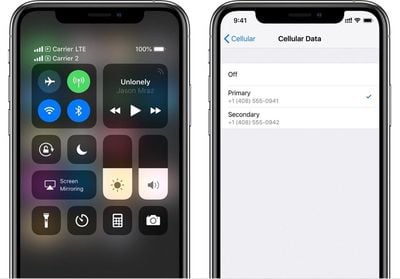
iOS 12.1 introduces several new features that Apple promised would come to the new iPhone XS and XS Max devices. The beta introduces support for the eSIM, which is a digital SIM that lets you activate a cellular plan from a carrier without the need to use a physical SIM card.
Carriers will need to implement support for eSIM, which is likely to happen after iOS 12.1 launches. In the U.S., AT&T, Verizon, and T-Mobile will support eSIM.
The iOS 12.1 update brings a new real-time Depth Control feature, which lets you adjust the depth of field of your Portrait Mode photos before you capture them. Right now, in iOS 12, Depth Control is only available for post-capture editing.
If you tap on the "F" icon at the top of the screen while capturing a photo you use Depth Control to adjust the amount of background blur in an image.
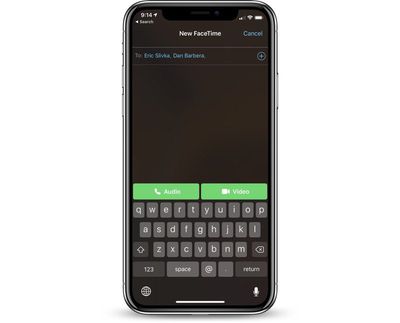
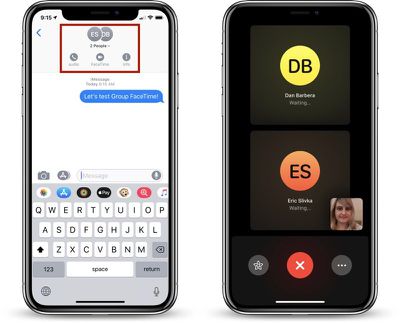
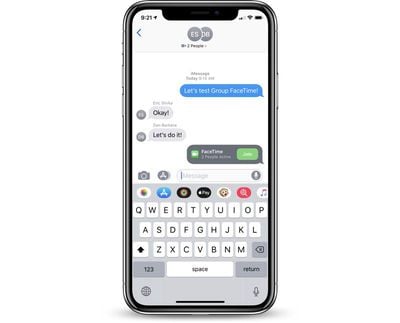
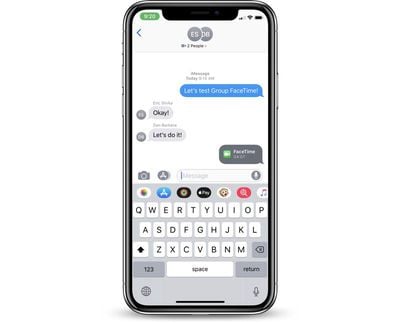
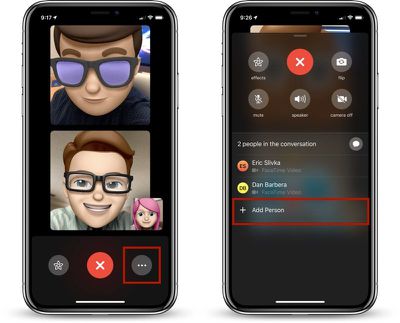
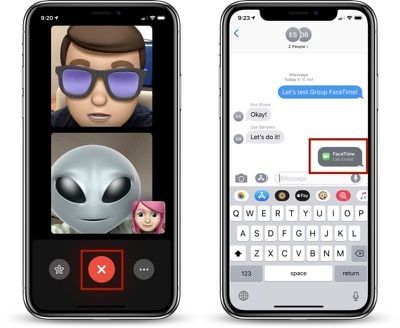
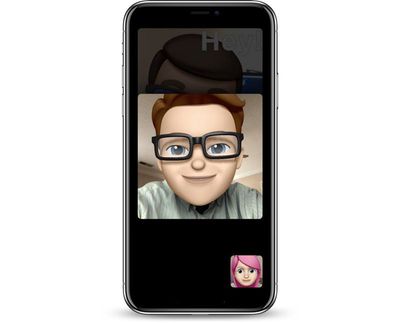
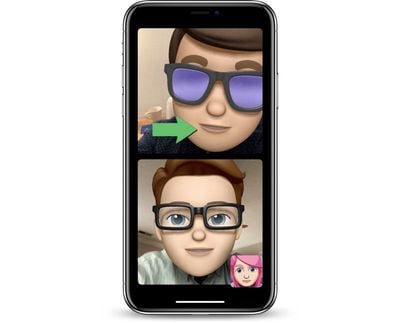
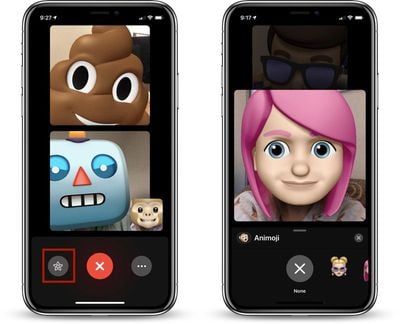
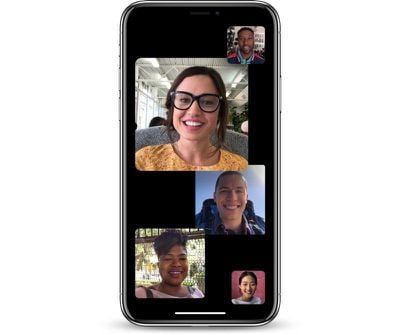
In addition to these iPhone XS and XS Max features, iOS 12.1 reintroduces the Group FaceTime feature that was removed from iOS 12 during the beta testing period. Group FaceTime was present in many early betas but was ultimately removed because Apple needed more time to test it.
Group FaceTime is designed to let iPhone and Mac users conduct video and audio chats with up to 32 participants at one time, with new camera effects features included.
Apple today announced that new emoji are coming in the iOS 12.1 beta, with options to include red hair, gray hair, curly hair, and no hair, along with smiley faces that include cold face, party face, pleading face, face with hearts, and tons more.
If any additional new features are found in the second iOS 12.1 beta, we'll update this post with details. Apple today also released a second beta version of Xcode 10.1.
Update: Apple has also seeded the second beta of iOS 12.1 to public beta testers.
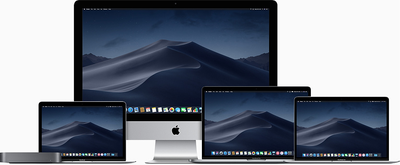
macOS Mojave introduces a new method of installing software updates, so after the initial beta has been installed using the appropriate profile from the Developer Center, additional betas can be downloaded through opening up System Preferences and choosing the "Software Update" option.
The 10.14.1 update includes support for Group FaceTime, a feature that was removed during the beta testing period. Group FaceTime, which lets you chat with up to 32 people at once, is also present in the iOS 12.1 beta.
No other significant features were found in the first developer beta of macOS Mojave, so it's not clear if there are any additional changes. The update likely includes performance improvements and bug fixes for issues that have been discovered since the release of the Mojave update.
Should new features be found in the second beta, we'll update this post.
macOS Mojave is a major update that brings features like a systemwide Dark Mode, stacks for organizing messy desktops, new Finder capabilities, new tools for taking screenshots, a Continuity Camera option for easily transferring photo scans and documents from iPhone to Mac, and more.
Once the proper configuration profile has been installed from the Apple Developer Center, the new watchOS beta can be downloaded through the dedicated Apple Watch app on the iPhone by going to General --> Software update.
To install the update, the Apple Watch needs to have at least 50 percent battery, it must be placed on the charger, and it has to be in range of the iPhone.
watchOS 5.1 includes support for Group FaceTime, with Group FaceTime calls able to be answered in an audio-only capacity on the Apple Watch. Group FaceTime allows you to chat with up to 32 people at one time.
The watchOS 5.1 update also brings a full-screen new "Color" watch face option for the Apple Watch Series 4, with users able to choose between multiple shades. There's also a filled-in circular color option for older Apple Watch models that joins the standard Color clock face.
Should additional new features be found in the second beta of watchOS 5.1, we'll update this post.
Designed for the fourth and fifth-generation Apple TV models, the new tvOS 12.1 developer beta can be downloaded onto the Apple TV via a profile that's installed using Xcode.
We're not yet sure what fixes and changes the tvOS 12.1 update might bring, but it's likely to focus on bugs that have been discovered since the release of tvOS 12. No new changes were discovered in the first tvOS 12.1 beta.
Apple's tvOS updates have historically been minor in scale, and Apple does not often provide us with detailed notes outlining what's new. We'll update this post should anything be found in the second beta.
Update: Apple has also seeded the second beta of tvOS 12.1 to public beta testers.
Apple is donating $1 million to aid in relief efforts in Indonesia after Indonesian island Sulawesi was devastated by a 7.5 magnitude earthquake and subsequent tsunami on September 28.
Following the disaster, more than 1,000 people have died in Sulawesi and several other Indonesian islands have been hit with aftershocks and similar quakes.
Apple CEO Tim Cook this morning tweeted about Apple's $1 million donation.
Our hearts go out to the people of Sulawesi and all of Indonesia after this weekend’s devastating earthquake and tsunami. Apple is donating $1 million to aid relief efforts as this beautiful country starts to rebuild.
— Tim Cook (@tim_cook) October 2, 2018
Apple often accepts donations from iTunes customers for relief efforts on its website, in the App Store, and in the iTunes Store, but right now, Apple is continuing to collect customer donations for hurricane Florence relief efforts.
Apple last month also donated $1 million to the American Red Cross to support relief efforts in North and South Carolina.
Apple has notified Genius Bars and Apple Authorized Service Providers that its inventory of displays for Late 2014 and Mid 2015 models of the 27-inch iMac with Retina 5K display is constrained until mid to late December, according to an internal service document obtained by MacRumors today.
As a result, if a customer with one of those iMac models requires a display repair due to accidental damage, Apple has instructed its service providers to offer a free repair if the customer is willing to wait until mid to late December.
If a customer is unable to wait, Apple will offer a functionally equivalent 2017 model 27-inch iMac with Retina 5K display to be paid for by the customer, minus a $600 or local equivalent discount. The Late 2014 or Mid 2015 iMac must be returned to Apple — the customer will never get it back.
For example, if a customer takes a base model Late 2014 5K iMac with a damaged display to an Apple Store in the United States, and declines to wait until December for a repair, the Genius Bar is instructed to offer the customer a base model 2017 5K iMac for $1,199, down from its original price of $1,799.
Note that the 2017 models will be Customer Replacement Units, or CRUs, but it's unclear if they will be refurbished or brand new.
In order to qualify, the iMac must be out-of-warranty. If the iMac is still covered by AppleCare+ or Apple's standard one-year warranty, Genius Bars and Apple Authorized Service Providers are instructed to proceed with a standard repair. Note that only Late 2014 and Mid 2015 models are eligible — no others.
Unsurprisingly, Apple says any iMac with excessive or catastrophic damage as a result of reckless, abusive, or purposeful conduct is ineligible for a free repair. This includes any iMac that has been crushed or bent, or partially or fully submerged in liquid. This isn't a free 2014-to-2017 iMac upgrade program.
This procedure is to be followed by Apple Store and Apple Authorized Service Provider locations worldwide until display inventory is restored. Non-end users with two or more eligible iMacs with a damaged display are not eligible to claim a free repair to prevent resellers from abusing the offer.
All of this information comes from an internal Apple document obtained by MacRumors from multiple reliable sources, but we can't guarantee this procedure will be offered by all service providers. We also can't guarantee that all Apple employees or technicians will be aware of or acknowledge this temporary policy.
To initiate a repair, head to the Get Support page on Apple.com.
Apple Business Chat, a platform for businesses to provide customer service through iMessage, is now available in Australia, Canada, France, Germany, Hong Kong, Italy, Singapore, Japan, Switzerland, and the United Kingdom. The feature launched in the United States earlier this year.
The international expansion coincides with 30 additional businesses adopting Apple Business Chat around the world today, adding to 15 brands in the United States that have been using the platform, which remains in beta.
For example, luxury fashion brand Burberry is integrating with Apple Business Chat worldwide to enable clients to check availability on items nearby, ask questions about the size and fit of clothing and accessories, and get help placing an order. Customers can also inquire about special events like fashion shows.
Hotel chain Four Seasons is expanding its adoption of Apple Business Chat to reach 88 properties across the globe with Four Seasons Chat's capabilities to communicate with real people at each property in more than 100 languages, with response times averaging 90 seconds or less.
The full list of brands launching Apple Business Chat today:
North America
1-800 Contacts
DIRECTV NOW
Fairmont Hotels, including the Claremont Club & Spa in Berkeley
Kimpton Hotels
Freshly
Mall of America
Macerich malls, including Scottsdale Fashion Square and Santa Monica Place
Men's Wearhouse
Jos A. Bank
Overstock.com
Quicken Loans
West Elm
Hendrick Automotive Group
Lithia Group
SnapTravel (US & Canada)
Worldwide
Burberry (Worldwide)
matchesfashion.com (UK)
NH Hotels (Europe)
nPower (UK)
Robins & Day (UK)
buddybank (Italy)
Engie (France)
La Redoute (France)
AXA Insurance (Switzerland)
Swisscom (Switzerland)
Vodafone (Germany)
Credit Suisse (Hong Kong and Singapore)
Telstra (Australia)
Harvey Norman (Australia)
KDDI (Japan)
Apple Business Chat launched in iOS 11.3 in March, enabling iPhone and iPad users to ask for information, schedule appointments, make purchases, and complete other customer service tasks directly in the Messages app.
Business Chats must be initiated on an iPhone or iPad, but they can be continued on any other iPhone, iPad, Mac, or Apple Watch signed into the same Apple ID. You can start a conversation by searching for a business in Maps, Safari, Siri, or Search and tapping on the Messages bubble where available.
Business Chat requires iOS 11.3 or later. Also note that while the feature has expanded to additional countries, availability varies by brand. For example, when we tried to message Apple through Business Chat in Canada, an automatic reply indicated that the feature remains unavailable in that country.
Update: This article has been updated with additional information from Apple's announcement.
Last month Ikea began rolling out the HomeKit-compatible Trådfri smart plug to Sweden and a few other countries in the European Union. Today, HomeKit News spotted the same smart plugs in listings on the United States Ikea website, suggesting a launch in the U.S. sometime later this month.
Ikea's Trådfri smart plug connects to the company's existing Trådfri Gateway ($29.99), which connects a variety of other smart home products like light bulbs, dimmers, motion sensors, and more. Among the list of Trådfri products, U.S. shoppers can now see the "Trådfri Wireless Control Outlet" -- or smart plug -- near the bottom. At the time of writing, the smart plug is not available online and not sold in stores yet.
In the U.S., the Trådfri smart plug will cost $9.99 for a single plug and $14.99 for one plug and a wireless remote control button. The price of a single smart plug at Ikea is far lower than the cost of rival HomeKit smart plugs, like Eve Energy ($49.21 on Amazon), Wemo Mini Smart Plug ($29.95), iDevices Switch ($28.40), and the iHome Wi-Fi Smart Plug ($22.86). The Trådfri Wireless Control Outlet was also spotted on the UK Ikea website for £9.00.
When added to HomeKit, the Trådfri accessories can be controlled through Siri, scenes, and custom automations. For smart plugs, you can attach a regular lamp, coffee maker, tea kettle, or other household appliance to the plug and control it through Ikea's own app, or with Apple's Home app. Ikea first introduced HomeKit support for the Trådfri system in November 2017.
Following a preview at WWDC 2018, Apple today announced that students at three universities in the United States can now add their student ID cards to Apple Wallet to get around campus using just an iPhone or Apple Watch.
Namely, starting today, students at Duke University, the University of Alabama, and the University of Oklahoma can now add their ID card to the Wallet app on iOS 12 and watchOS 5 and use it to pay quickly and easily for laundry, coffee or lunch, and even get into their dorms, the gym, or the school library.
Apple says Johns Hopkins University, Santa Clara University, and Temple University will roll out the capability by the end of this school year.
Students simply hold their iPhone or Apple Watch near the reader anywhere physical student ID cards are accepted — on and off campus. An optional Express Mode bypasses the need to authenticate with Face ID, Touch ID, or a passcode, allowing for the quickest entry possible to buildings around campus.
Apple Pay Cash, Apple's mobile peer-to-peer payments service, could be available sooner rather than later in some European markets.
French tech blog iPhon.fr reports today that an iPhone user in France discovered screens on his new Apple Watch and iPhone XS Max overnight inviting him to set up Apple Pay Cash using a credit card issued by a French bank. Similar reports are also coming in from Apple device owners in other European countries.
Apple Pay Cash arrived on iOS devices in December 2017, although it's currently only officially available to users in the United States. The system allows for quick person-to-person money transfers, much like competing services Square Cash and Venmo.
In addition to the setup screens shared over social media, an Apple support page for Apple Pay Cash has been discovered localized in German that went live on Apple's servers on September 30.
Apple Pay Cash can be transmitted via iMessage and funds are instantly added to the recipient's Apple Pay Cash card in the Wallet app.
When new users receive money for the first time, the funds are added to their new Apple Pay Cash card once they accept Apple's terms. The card's funds can then be used to make purchases using Apple Pay in stores, in apps, and on supported websites, or withdrawn to a bank account within one to three business days.
When Apple Pay Cash does arrive outside the U.S., Apple device owners wanting to use it will need an iPhone 6 and later, iPhone SE, any iPad Pro model, a fifth-generation iPad, iPad Air 2, or iPad mini 3 running iOS 11.2 or later.
Opera Touch was released today for iOS. The "light, fast, and secure" browser is specially designed for all-screen devices with no home button like the iPhone XS and iPhone XS Max, and comes with an interface that's optimized for one-handed use.
Thanks to a floating "Fast Action" menu button located at the bottom of the screen, users can touch to access a radial menu and swipe through several actions, enabling them to open and close browser tabs, perform searches, and navigating forwards and backwards through web pages with their thumb.
The main screen includes quick access to top and recent websites, and the browser also features built-in ad blocking and comes with protection against disguised online cryptocurrency mining, or "cryptojacking".
Elsewhere, the app makes use of Opera's My Flow feature, which allows users to transfer URL links, images, and note clippings between devices running Opera over a secure and private connection.
Opera Touch is available for iPhone and iPad in several languages and can be downloaded directly from the App Store. [Direct Link]