MacRumors

iPhones are lost and stolen every day, but luckily Apple has robust tools built into iOS that will keep your data safe and your device unusable if it's misplaced or snatched by a thief.

FindMy Feature
With Find My iPhone, you can locate lost devices, disable them, and even fully erase them, but unless you've been in a situation where you've needed these services, you may not know exactly how they work, what they do, or what information someone can access when they have your device.

apple find my network
This guide covers the ins and outs of losing your ‌iPhone‌ (or iPad), including settings that should be enabled beforehand for security purposes, how to use Apple's tools to look for your device, and what happens when it's in someone else's hands.

Before You Lose Your iPhone

To cut down on ‌iPhone‌ theft, Apple implemented a tool way back in iOS 7 called Activation Lock that renders an ‌iPhone‌ unusable without the owner's Apple ID or password. What that means is even when a thief or a third-party has your ‌iPhone‌, it's still tied to your ‌Apple ID‌ and can't be used with any other account. Your ‌iPhone‌ can even be wiped completely and it will still be locked down, making it almost useless to anyone but you.

Activation Lock, available on devices running iOS 7 or later, is tied to ‌Find My‌ ‌iPhone‌. When ‌Find My‌ ‌iPhone‌ is turned on, Activation Lock is on. When setting up a new device, ‌Find My‌ ‌iPhone‌ is automatically enabled, but you can check to make sure it's turned on by following the below steps.

findmyiphone

  1. Open the Settings app
  2. Tap on your profile picture.
  3. Tap on "iCloud."

  4. Tap on ‌Find My‌.
  5. Make sure ‌Find My‌ ‌iPhone‌ is toggled to the on position (in green).
  6. At this screen, enable "Send Last Location" for extra security. If your battery is critically low, it'll send its last known location to Apple. If your ‌iPhone‌ is lost and your battery dies, this is a feature you'll want to have. It's also useful to turn on the ‌Find My‌ network, which allows your ‌iPhone‌ to be located even if it's offline or powered off by leveraging the devices of other people.

In addition to inextricably linking your ‌Apple ID‌ to your ‌iPhone‌, ‌Find My‌ ‌iPhone‌ also lets you locate your devices at any time, remotely erase them, and remotely put them into a "Lost Mode" to lock down your data.

‌Find My‌ is the most important feature to have turned on in the event a device is lost, but there are other key security options -- a passcode and two-factor authentication. With a passcode, no one can access personal data stored on your ‌iPhone‌, and with two-factor authentication, your ‌Apple ID‌ will be safer from hacking attempts, something a thief or person with malicious intent might try to get access to a stolen device.

sixdigitpasscode
Two-factor authentication will require an extra verification code to be entered before your ‌Apple ID‌ and ‌iCloud‌ account can be accessed.

Set Up Separation Alerts

If you have a newer ‌iPhone‌ running iOS 15 and an Apple Watch running watchOS 8, you can set up separation alerts that will let you know if you leave your ‌iPhone‌ behind, preventing it from getting lost in the first place.

find my ios 15 separation alert
Here's how to enable it:

  1. Open up the ‌Find My‌ app.
  2. Tap on the Devices tab.
  3. Tap on your ‌iPhone‌ in the list.
  4. Tap on "Notify When Left Behind."
  5. Tap to toggle on the "Notify When Left Behind" feature.

With this feature enabled, you can get an alert if your ‌iPhone‌ is left somewhere when you leave. This also works for all of other ‌Find My‌ devices and AirTags.

Steps to Take When Your iPhone is Lost or Stolen

Logging into ‌Find My‌ through iCloud.com on any smartphone, computer, or tablet is the first step to take when you can't find your ‌iPhone‌. Whether it's been lost or stolen, if it has power and is connected to Wi-Fi or a cellular network, the approximate location of the ‌iPhone‌ will show up on a map.

findmyiphoneicloud
With the latest versions of iOS, ‌Find My‌ can even find your ‌iPhone‌ when it's powered off, has no WiFi connection, or after it's been erased, but if it runs out of battery, ‌Find My‌ ‌iPhone‌ will show the last known location for 24 hours. After that, it can't be located again until functionality is restored.

Activate Lost Mode
Along with establishing a location for a lost device, ‌Find My‌ ‌iPhone‌ can be used to lock that device down through Lost Mode. Lost Mode displays a phone number and a message on the ‌iPhone‌'s screen, leaving everything else inaccessible. If you didn't have a passcode set up, Lost Mode will prevent your ‌iPhone‌ from being used. Lost Mode can be turned on by following the steps below.

findmyiphonelostmode

  1. Go to iCloud.com. Sign in with your ‌Apple ID‌. Alternatively, use another one of your devices and access the ‌Find My‌ app.
  2. On the web, click on "All Devices" and find the missing device in the list. On iOS, tap on the "Devices" tab and select the missing device and tap it.
  3. On the web, a menu will pop up with the option to play a sound, erase the phone, or enable Lost Mode. On the ‌iPhone‌, tap "Mark as Lost."
  4. If activating Lost Mode on a device without a passcode, you will be prompted to create one.
  5. You'll be asked to enter a phone number or email address where you can be contacted. Enter the number or choose "Next" to skip the option.
  6. At the next screen, you can write a message that will be displayed on the ‌iPhone‌, such as an email address or a reward offering.
  7. Choose "Done" to activate Lost Mode and then check "Notify if Found." The ‌iPhone‌ is now locked and can only be accessed using the passcode you designated when turning on Lost Mode or the passcode that was already on the device. If it's offline and later located, you will get an email when it connects to the Internet and can convey its location.

With Lost Mode activated, the ‌iPhone‌'s screen will display the phone number and the message you set. On a device with a cellular connection, there will also be a "Call" option to call the specified number. Emergency phone numbers are still able to be called as well.

lostiphone
Activating Lost Mode immediately disables credit or debit cards associated with Apple Pay, activates Low Power mode for maximum battery life, and renders all features on the ‌iPhone‌, such as Siri, inaccessible.

The two other options in the ‌Find My‌ app are "Play Sound" and "Erase This Device," both of which are straightforward. "Play Sound" causes a loud beeping to occur, which can be turned off by hitting the power button on the ‌iPhone‌. It's useful for an ‌iPhone‌ that's been misplaced nearby.

lostmodeiphone
Erase This Device will delete all of the data on the ‌iPhone‌ remotely. It should be used as a last resort because if there's a chance of finding your ‌iPhone‌, you don't want to lose all your data. With Activation Lock, a passcode, and Lost Mode, an ‌iPhone‌ is essentially locked down, but erasing data can give peace of mind if you lose a device you don't expect to get back. If you do have to erase your ‌iPhone‌, it may still be locatable through ‌Find My‌ even after it's wiped because of Activation Lock.

Lost Mode and Erase ‌iPhone‌ only work when the ‌iPhone‌ is turned on and has a cellular or Wi-Fi connection. If it is off or unable to connect to the Internet, these actions will be queued and activated as soon as a connection is available. Lost Mode combined with "Notify if Found" will send you an email when a misplaced ‌iPhone‌ that is offline can connect to the Internet. Note that while initiating Lost Mode or erasing a device requires an internet connection, your lost ‌iPhone‌ can be found even without a cellular or Wi-Fi connection through the ‌Find My‌ network, so long as the ‌Find My‌ network is enabled as described above.

foundiphoneemail
If Lost, Use the ‌Find My‌ ‌iPhone‌ Map
If your ‌iPhone‌ has been left behind in a restaurant or store and you're not sure where it was misplaced, ‌Find My‌ ‌iPhone‌ gives a close approximation of its location. If it's in an apartment building or other dense urban area, it might not be able to pinpoint the exact spot where it is, but it can get close. As long as your ‌iPhone‌ is on and has a cellular or Wi-Fi connection, its location will be continually updated in the ‌Find My‌ ‌iPhone‌ app so it's easy to track down.

With a phone number and other contact information available through Lost Mode, someone who finds it can easily contact you.

If Stolen, Contact the Police
If your ‌iPhone‌ has been stolen, ‌Find My‌ ‌iPhone‌ can help law enforcement ascertain its location. It can be tempting to go to the location of a stolen ‌iPhone‌ on your own, but doing so can be dangerous. When dealing with an unknown criminal element, getting the police involved is the safest move.

Report Lost ‌iPhone‌ to Carrier
The three major carriers in the United States, AT&T, Verizon, and T-Mobile, have tools for reporting a smartphone as stolen to suspend service and in some cases, block the device from being used on the carrier's network.

attsuspendservice
Suspending cellular service will prevent your ‌iPhone‌ from connecting to a cellular network. It ensures a thief cannot use the device to make phone calls or rack up service charges, but in many cases, those features will be unavailable anyway.

What's Accessible on a Lost iPhone?

Most people probably don't think about the extent of the information stored on an ‌iPhone‌ until it falls into the wrong hands, but there's a lot of data that's potentially accessible. In the event your ‌iPhone‌ is stolen, there's likely enough detail about you to make you vulnerable to phishing attempts and malicious social engineering.

Below is a list of what someone can find out about you and what remains hidden behind a passcode. If you don't have a passcode, your ‌iPhone‌ is an open book.

Before Turning on Lost Mode
With a passcode on, whatever is available through the lock screen can be used. If you have Notification Center, Control Center, and ‌Siri‌ access enabled, all of those features are available to a stranger. Anything you can access from the lock screen, a stranger can access.

‌Siri‌ can answer personal questions about who the ‌iPhone‌ belongs to and offer up contact information. Asking "Whose ‌iPhone‌ is this?" or "Who am I?" gives a name and a phone number. Apple Music can be turned on, and ‌Siri‌ can be used to make phone calls to contacts based on commands like "Call mom."

siriinfo
‌Siri‌ won't give more detailed contact information like your email address without a fingerprint, apps can't be opened, and settings can't be changed.

In Control Center, all features are accessible. The flashlight can be turned on, the calculator can be opened, alarms can be set, and the camera can be used. Pictures can be taken, but the Camera Roll can't be opened to display existing images.

lockscreenstuff

Some of the information a stranger can learn about you before Lost Mode is enabled on a lost device

Notification Center has the most potential to divulge personal information. Depending on what's enabled, previews of emails and messages might be displayed, calendar events are visible, recent ‌Apple Pay‌ transactions are listed, and many third-party apps, like Evernote, will show previews of content in the Today view. On an ‌iPhone‌ with Face ID, some of these previews are disabled by default so you may not need to worry quite as much.

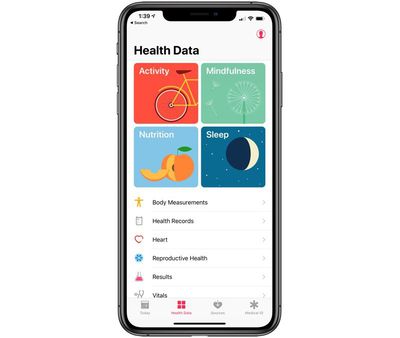
If you have the Medical ID feature set up through the Health app, all of that information is available, including emergency contacts, height, weight, blood type, allergies and health conditions.

medicalid
All of these lock screen features are optional and can be disabled through the Settings app if desired.

After Turning on Lost Mode
Activating Lost Mode locks the ‌iPhone‌ down, which is why turning it on right away is imperative. Lost Mode prevents all of the above listed features from being used. ‌Siri‌ is inaccessible, as is the Control Center, the Notification Center, and Medical ID information.

lostiphone 1
All someone can do with your ‌iPhone‌ when it's in lost mode is call you, turn it off, or make an emergency phone call.

What Happens When a Lost iPhone is Turned Off?

If a thief turns off your ‌iPhone‌, it used to mean that your ‌iPhone‌ wouldn't be locatable. That changed with iOS 15 and the ‌Find My‌ network. If you have an ‌iPhone‌ that's running iOS 15 or later and that has ‌Find My‌ turned on, you can get pings with its location thanks to other nearby Apple devices even when your ‌iPhone‌ is off.

For this to work, an ‌iPhone‌ does need to be within range of other Apple devices and it does also need to have some battery life remaining, so this is not a foolproof solution for finding a stolen or lost ‌iPhone‌.

What Happens When a Lost iPhone is Wiped?

Lost Mode locks down the ‌iPhone‌ and prevents it from being accessed in iTunes when plugged into a computer, but it can't stop someone from wiping an ‌iPhone‌ via iTunes using recovery mode or DFU mode.

activationlock
Even if your ‌iPhone‌ is fully erased, the person who has it can't use it. Activation Lock stays on and there is no way to bypass it. As soon as the ‌iPhone‌ boots up, it asks for an ‌Apple ID‌ and password and it won't go past the activation screen without the information. As of iOS 15, an erased ‌iPhone‌ can still be located using ‌Find My‌.

Beware of Phishing Attempts
Your ‌iPhone‌ is essentially useless without your ‌Apple ID‌ and password. Some thieves may make an attempt to get that information through phishing attempts like fake emails or messages, so it's best to be aware of this possibility should your ‌iPhone‌ be stolen.

iOS 6 and Earlier

Find my ‌iPhone‌ can no longer be downloaded on devices running iOS 6 or earlier, but older iPhones and iPads that had the app installed prior to the launch of iOS 7 will still be able to use it to locate a lost device. ‌Find My‌ ‌iPhone‌ is available on iOS 5 and iOS 6.

findmyiphonescreenshot.jpg
Pre-iOS 6 devices do not include Activation Lock, but devices running iOS 6 have access to Lost Mode, which is the operating system where the feature was introduced. Devices running iOS 5 or earlier cannot use Lost Mode, but there is a feature called "Lock" for rendering a device inaccessible.

With no Activation Lock feature, an ‌iPhone‌ with iOS 6 or earlier installed can be wiped by a thief and set up as a new device. For that reason, if you have a device that can run the latest version of iOS, it's always better to update.

No Find My iPhone

Without ‌Find My‌ ‌iPhone‌ enabled, there is no reliable way to track an ‌iPhone‌ that's been lost as it won't be accessible in ‌iCloud‌. Not having ‌Find My‌ ‌iPhone‌ installed also means Activation Lock is turned off, meaning a thief can wipe an ‌iPhone‌ and set it up as a new device. For that reason, it's a good idea to make sure that ‌Find My‌ is always enabled.

More than 200 new emojis will be coming to iOS later this year, with the Unicode Consortium officially approving the final 2019 emoji list.

Emojipedia has a full list of all the emoji we can expect to see in 2019, including flamingo, otter, waffle, sloth, white heart, people holding hands, ice cube, snorkel, orangutan, juice box, falafel, and more.

2019emojifinallist
The 2019 emoji lineup will introduce new emojis to represent people with disabilities, such as person in wheelchair, guide dog, service dog, and deaf person. It will also include support for mixed race couples.

There are 59 new emoji characters, 75 with gender variations, and 230 total emojis when both gender variations and different skin tones are counted.

Now that the Unicode Consortium has finalized the list of 2019 emojis, smartphone makers, social media networks, and others are free to implement the new characters, but must design the new icons first.

The emoji in the Emojipedia images are just representations of the new emoji characters and do not reflect the design that Apple and other smartphone makers will use.


It typically takes Apple several months to introduce support for new emoji characters. In 2018, for example, Apple did not add the new 2018 emojis until the October iOS 12.1 update. Apple is likely to do something similar for iOS 13, so we could see the new emoji come as part of an iOS 13 update after the new operating system is released.

Tag: Emoji
Related Forum: iOS 13

Apple today seeded the second beta of an upcoming macOS Mojave 10.14.4 update to its public beta testing group, one day after seeding the second beta to developers and a week after releasing the first macOS Mojave 10.14.4 public beta.

The macOS Mojave update can be downloaded using the Software Update mechanism in the Mac App Store after downloading the appropriate profile from Apple's beta testing website. Apple's beta testing site gives users access to iOS, macOS, and tvOS betas.

macbookairmojave
macOS Mojave 10.14.4, along with iOS 12.2, introduces support for Apple News in Canada for the first time, allowing Canadian users to read the news in French or English.

The update also includes support for Touch ID-enabled Safari AutoFill and automatic Dark Mode themes in Safari. That means if you have ‌Dark Mode‌ enabled on macOS Mojave, when you visit a website with a dark theme, it will be activated automatically. You can see a demo of the feature here.

macOS Mojave 10.14.4 will likely be in beta testing for the next several weeks as Apple refines features and works out bugs. After that, it will see a release alongside iOS 12.2, watchOS 5.2, and tvOS 12.2.

Related Forum: macOS Mojave

Apple today seeded the second beta of an upcoming tvOS 12.2 update to its public beta testing group, one day after providing the beta to developers and a week after releasing the first tvOS 12.2 public beta.

The tvOS 12.2 public beta can be obtained by going to the Settings app on the Apple TV and navigating to the Software Updates section under "System." "Get Public Beta Updates" will need to be toggled on, and once it is, the ‌Apple TV‌ will download the beta software.

appletv4k2
tvOS 12.2, paired with iOS 12.2, lets users ask Siri to play specific media on an ‌Apple TV‌ from an iOS device. You can, for example, ask ‌Siri‌ to play Modern Family on the TV in the living room. This works for music and TV content.

siriios122
No other new features were discovered in the tvOS 12.2 beta as of yet, and it's often difficult to determine what's new because Apple does not provide release notes letting us know what's changed.

Related Roundup: Apple TV
Buyer's Guide: Apple TV (Don't Buy)

Apple today released the second beta of an upcoming iOS 12.2 update to its public beta testing group, one day after seeding the second beta to developers and a week after releasing the first public beta.

Beta testers who have joined Apple's beta testing program can download the iOS 12.2 beta update over-the-air after installing the proper certificate on an iOS device.

ios12banner
Those who want to download the new beta can do so after signing up for the beta program, which gives access to iOS, macOS, and tvOS betas.

The iOS 12.2 update expands Apple News to Canada for the first time, with Canadian iPhone and iPad users able to access news stories in English, French, or both. It introduces infrastructure for AirPlay 2 and HomeKit on third-party TVs, a feature announced in early January.

The TV remote feature in Control Center has been redesigned to take up the full display of an ‌iPhone‌, and there are tweaks to the Wallet app with a refined interface and a new look for Apple Pay Cash. Changes have been made to Safari with warnings about unsecured websites and new search arrows, and there's now a setting to set Downtime for apps on a day by day basis.

Apple is improving Safari's privacy in iOS 12.2 through a new Motion & Orientation toggle located under Settings --> Safari --> Privacy & Security, which is disabled by default. The setting needs to be enabled on to allow websites to display content that relies on motion data from the accelerometer and gyroscope in the ‌iPhone‌ and ‌iPad‌.

applenewscanada
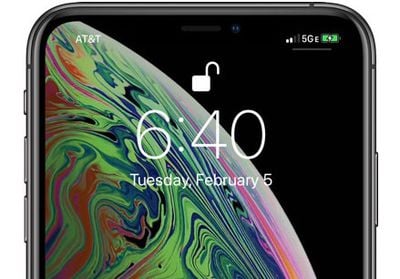
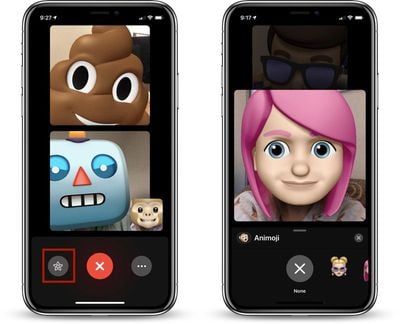
There are new Animoji in the second iOS 12.2 beta, including a boar, a shark, a giraffe, and an owl. Animoji can be used within the Messages and FaceTime apps. For some AT&T users, there's a new "5G E" icon for the cellular signal, replacing the standard LTE icon. This is a bit misleading of AT&T, because the ‌iPhone‌ does not support 5G, nor is the network AT&T calls 5G E actual 5G. Instead, it's an upgraded version of LTE, with more info available here.

newanimojicharacters
A full list of the new feature changes we've found in iOS 12.2 can be found in our iOS 12.2 tidbits post.

iOS 12.2 confirms Apple's plans to release second-generation AirPods with "Hey Siri" support, thanks to a hidden AirPods setup screen in the beta. The inclusion of the AirPods setup option in the beta indicates that Apple could perhaps be planning to release new AirPods when iOS 12.2 is released.

The update also features hints of an upcoming ‌Apple News‌ subscription service, which could see ‌Apple News‌ offering a Texture-like paid magazine service.

The iOS 12.2 update will likely see several rounds of beta testing over the course of the next month or so before it launches to the public.

Related Forum: iOS 12

Fuse, the company that came up with the Side Winder cable organizer for wrangling the extension cord of a MacBook, is today out with its newest product, the Side Kick, which can be pre-ordered via Kickstarter.

The Side Kick is designed for the MacBook Pro's USB-C power adapter and is for those users who don't need or want the extension cable. It's able to wind up the USB-C cable in a useful way that's perfect for when you need to travel with your ‌MacBook Pro‌.

sidekick1
We normally shy away from promoting crowdfunded products on MacRumors, but Fuse has a track record of creating Mac products and was able to send me a prototype to test out ahead of time.

The prototype version of the Side Kick is similar to the Pop Sockets designed for the iPhone. It has a collapsible base that sticks onto the side of the ‌MacBook Pro‌ charger, which, when you pull it out, extends so that you can wrap up your entire USB-C cable neatly.

sidekick2
Both the adhesive that sticks to the Side Kick and the popping mechanism work well even on this early version that I have, so Fuse seems well on the way to a completed product.

Size wise, the Side Kick does take up most of the space on the ‌MacBook Pro‌ power adapter, so it may interfere with some other products that use the extension portion of the charger. It's also designed solely for the USB-C cable -- if you use an extended cable (which no longer ships with the ‌MacBook Pro‌) you'll need the Side Winder instead.

sidekick3
The cable wraps around neatly with the Side Kick extended, and it adds about an inch of additional real estate to the power adapter on the right side. When popped in without the cable wrapped, it's not too bulky, but it would be nice to see it slimmed down a bit more. There are two cable catches at the end so you can keep the USB-C connector in place once it's wound up.

I was still able to use my power adapter as normal with the Side Kick attached, and it fit well both in a standard outlet and a power strip with no serious hindrance.

sidekick4
The Side Kick will work well for people who use just the plain USB-C cable with their standard ‌MacBook Pro‌ power adapters. It is limited to the USB-C 61 and 85/87W power adapters for the 13 and 15-inch ‌MacBook Pro‌ models right now because of size constraints. Fuse says that it's working on a version for the MacBook and MacBook Air, which will come out in the future.

sidekick5
My prototype version of the Side Kick is unfinished and isn't the best looking accessory at this point in time, but Fuse tells me that the final product will include sturdier cable notches, a whiter finish for the rim and socket, and an embossed logo for an all-around nicer design.

Fuse is using Kickstarter to fund the Side Kick, and the first few hundred backers will be able to order it at a 40 percent discount. A single Side Kick is available for $12, while two are available for $20. After the early bird pricing is gone, the Side Kick will be priced at $15 for one or $26 for two.

Apple has launched its annual Back to School promotion in Japan this week, according to Japanese blog Mac Otakara.

back to school japan
While the promotion typically offers free Beats headphones in the United States and Europe, the Japanese edition offers students free Apple Store gift cards valued up to ¥18,000 or roughly $165 with the purchase of select Mac and iPad Pro models.

Apple is also offering qualifying students 20 percent off AppleCare+ coverage for select Mac and ‌iPad Pro‌ models.

The promotion runs February 6 through April 3.

Apple Music has recently launched a new advertising campaign in Los Angeles, showcasing the Memoji versions of musicians including Shawn Mendes, Ariana Grande, and Kacey Musgraves. Apple put up the billboards ahead of the 61st Annual Grammy Awards, which take place on February 10 at the Los Angeles Staples Center.

animoji billboards

Apple has placed the billboards at the Hotel Figueroa in LA, which is down the street from the Staples Center. It appears there are multiple billboards in the city, however, including some that are dedicated specifically to each of the three artists and highlighting their Grammy nominations.

kacey musgraves memoji

Memojis are animated emoji characters that can take the form of each user's personal appearance, and using the TrueDepth camera system on iPhone X family devices, you can animate the Memojis with your facial movements. Apple has used Animoji in its ads a few times previously, including for last year's Grammy awards. Those commercials had the alien Animoji singing "Redbone" by Childish Gambino and the Animoji dog, fox, and poop singing "Stir Fry" from Migos.

As for the nominations, Shawn Mendes has two, one for song of the year ("In My Blood") and one for best pop vocal album (the self-titled "Shawn Mendes"). Ariana Grande was also nominated twice this year, for best pop solo performance ("God Is A Woman") and best pop vocal album ("Sweetener"). Lastly, Kacey Musgraves received four nominations, for album of the year ("Golden Hour"), best country solo performance ("Butterflies"), best country song ("Space Cowboy"), and best country album.

California resident Monica Emerson has filed a class action lawsuit against Apple this week, accusing the company of releasing iOS updates which were "specifically designed and programmed to reject, starting on November of 2016, old iPhone chargers from properly charging the iPhones."

accessory may not be supported

Image Credit: iGeeksBlog

The complaint, obtained by MacRumors, alleges that Emerson bought an ‌iPhone‌ 7 in September 2016 and charged the device with Apple's power adapter included in the box without issue until around October 2017, when it stopped working alongside the alert "this accessory may not be supported."

In or around October 2017, Plaintiff attempted to use her Apple Charger and received a message that read "This accessory may not be supported." Thus, requiring that people buy a new charger for her iPhone. Upon learning this, Plaintiff felt ripped off, cheated, and violated by Defendant.

The alert is part of Apple's system that aims to protect iOS devices against potentially dangerous aftermarket accessories.

Emerson believes the alert forced her and thousands of other customers in her situation to buy new chargers, with total claims exceeding $5 million. As a result, she is suing Apple for damages, accusing the company of false advertising, unfair business practices, fraud, and other violations of California laws.

Emerson supposedly always used Apple's first-party charger, but it's unclear whether it was connected to the ‌iPhone‌ with an Apple-certified Lightning to USB cable under the Made for iPhone program. If she was using an Apple power adapter with an uncertified cable, then the message was correctly displayed.

While it's hard to believe that Apple released an iOS update that prevented its own chargers from working—it simply doesn't make sense—there have been scattered complaints of the "this accessory may not be supported" system throwing false positives for Apple-certified chargers and cables over the years.

False positives can occur for a variety of reasons, including something as simple as a dirty pin on the Lightning connector.

Emerson is seeking a jury trial in the U.S. District Court for Central California.

Audio company Sonos today announced a new range of speakers called "Sonos Architectural by Sonance," which are a collection of passive speakers that are designed for both indoor and outdoor use. There are three new speakers total: the Sonos In-Ceiling, Sonos In-Wall, and Sonos Outdoor Speaker.

sonos in wall

Sonos In-Wall

As their names imply, the first two speakers are designed to be placed within the walls or ceilings of your home, sitting flush with each surface. Sonos says it worked with Sonance to make sure each speaker blends into any space while still providing the clear sound, even coverage, and performance expected of a Sonos device.

“Our goal was to create a solution optimized for installers, bringing the Sonos experience to architectural speakers for the first time,” said Sonos CEO Patrick Spence. “Sonance was the natural partner, sharing our passion for high quality, reliable sound solutions inside and outside the home.”

These connect with Sonos Amp to use the company's "TruePlay" feature that detects the size, construction, furnishings, and more of a room and adjust the EQ for optimal sound. Sonos notes that TruePlay will only be available for the In-Wall and In-Ceiling speakers.

sonos ceiling speaker

Sonos In-Ceiling

For the Outdoor speaker, Sonos says this is its first device specifically built for outdoor use, featuring a weatherproof build that was engineered to withstand various environmental conditions. The Outdoor speaker can also be installed on walls, but it does protrude from the surface unlike the In-Wall speaker.

The In-Ceiling, In-Wall, and Outdoor speakers all support AirPlay 2 and Apple Music streaming, like existing Sonos speakers.

sonos outdoor

Sonos Outdoor

The In-Ceiling and In-Wall speakers are priced at $599 for a pair of each, while the Outdoor speaker costs $799 for a pair. The two Sonos Architectural speakers are available for pre-order today and will launch on February 26, while the Outdoor speaker will not be available until April.

Sonos today also announced that the updated Sonos Amp is now available for purchase in Australia, Canada, and Mexico, and it will launch in Europe on February 12. During its original launch last year, the new Sonos Amp was only available in the United States.

Note: MacRumors is an affiliate partner with Sonos. When you click a link and make a purchase, we may receive a small payment, which helps us keep the site running.
Tag: Sonos

Eve, known for its line of HomeKit-enabled smart products, today announced the availability of its newest HomeKit accessory, the Eve Light Strip.

First announced at CES, the Eve Light Strip is advertised as the brightest HomeKit-enabled LED strip to date with 1,800 lumens and support for full-spectrum white and millions of colors.

evelightstrip1
At 1,800 lumens, the Eve Light Strip will be brighter than the Philips Hue Lightstrip Plus, which is 1,600 lumens, and it will provide enough light to replace a standard room lamp at its brightest levels.

The Eve Light Strip is 6.6 feet long but can be cut at one-foot intervals for use in smaller areas or increased to 32.8 feet by adding 6.6 foot extension strips.

Preset colors are included with the Eve Light Strip, but you can also create your own using the Eve app.

evelightstrip2
Eve Light Strip connects to a home's WiFi setup and is ‌HomeKit‌ compatible, which means that it responds to Siri voice commands, can be controlled via the Home app, and works in scenes with othe ‌HomeKit‌ products.

Eve is debuting the Light Strip today and it can be purchased from the Eve website for $79.95. Extensions are priced at $49.95.

Apple's expensive HomePod speaker accounted for just six percent of the U.S. smart speaker installed base through the fourth quarter of 2018, according to research firm Consumer Intelligence Research Partners.

homepod on shelf
CIRP estimates that the U.S. installed base of smart speakers reached 66 million units last quarter, suggesting that ‌HomePod‌ sales in the country have totaled around 3.96 million units since the speaker became available to order in January 2018. Apple does not disclose exact ‌HomePod‌ sales figures.

By comparison, the Amazon Echo and Google Home accounted for a commanding 70 percent and 24 percent of the installed base respectively as of last quarter, with both products proving to be popular holiday gifts.

cirp homepod q4 2018
At $349, the ‌HomePod‌ is significantly more expensive than the Amazon Echo and Google Home. The small, entry-level Amazon Echo Dot and Google Home Mini models in particular were available for as low as $25 during the holiday season, while the ‌HomePod‌ is only available in one size.

"Amazon and Google both have broad model lineups, ranging from basic to high-end, with even more variants from Amazon. Apple of course has only its premium-priced ‌HomePod‌, and likely won't gain significant share until it offers an entry-level product closer to Echo Dot and Home mini," said CIRP co-founder Josh Lowitz.

To improve sales, many resellers offered the ‌HomePod‌ for $249 during the holiday season. Even now, the speaker is available for $279.99 at Best Buy, a $70 discount compared to its price on Apple.com.

In fairness, the ‌HomePod‌ also launched two to three years after many of its competitors, and sales remain limited to the United States, United Kingdom, Australia, Canada, France, Germany, Spain, Mexico, China, and Hong Kong. But without a steeper price cut, the speaker faces an uphill battle.

In April 2018, well-connected analyst Ming-Chi Kuo said Apple was "mulling" a "low-cost version" of the HomePod, potentially due to shipments of the current version being "far below market expectations." A report out of China said the lower-cost ‌HomePod‌ could be priced between $150 and $200 in the United States.

It's unclear if Apple would be willing to release a ‌HomePod‌ speaker with inferior sound quality versus the current model. Last year, a Chinese report said the lower-priced ‌HomePod‌ could actually be a Siri-enabled Beats speaker.

CIRP bases its findings on its survey of 500 U.S. owners of the ‌HomePod‌, Amazon Echo, and Google Home, surveyed from January 1-11, 2019, who owned one of those speakers as of December 31, 2018.

Related Roundup: HomePod
Tag: CIRP
Buyer's Guide: HomePod (Neutral)

Apple Pay adoption received a big boost in France today as two major banks officially announced their support for Apple's mobile payment system.

iphone apple watch hsbc apple pay france
HSBC officially launched a dedicated support page for ‌Apple Pay‌, confirming an earlier discovery by French tech news site iphon.fr.

Meanwhile, BNP Paribas made good on an announcement last month to bring ‌Apple Pay‌ support to its customers by announcing the compatibility of its Visa bank card with Apple's digital wallet on compatible Apple devices.

apple pay france bnp paribas
BNP Paribas and HSBC join 25 other banks that support ‌Apple Pay‌ in the country, although Apple has yet to update its European Apple Pay bank partners page to reflect the change.

‌Apple Pay‌ first launched in the United States in October 2014 and has since expanded to many other countries, including the United Kingdom, Canada, Australia, China, Singapore, Switzerland, Belgium, France, Japan, Spain, Italy, Sweden, Finland, Denmark, Kazakhstan, Russia, New Zealand, Brazil, Poland, Ireland, and Ukraine.

(Thanks, Adrian!)

Related Roundup: Apple Pay
Tag: France

Apple has reached a deal with French authorities to pay an undeclared amount of back-dated tax, according to multiple reports today.

apple france logo
Apple's French division confirmed the tax payment agreement to Reuters, but didn't disclose how much it had agreed to pay, although French media suggest the sum is around 500 million euros ($571 million).

"As a multinational company, Apple is regularly audited by fiscal authorities around the world," Apple France said in a statement. "The French tax administration recently concluded a multi-year audit on the company's French accounts, and those details will be published in our public accounts."

France has been working diligently to stop tech companies like Apple from exploiting tax loopholes in the country. The loopholes are said to have allowed Apple to "minimize taxes and grab market share" at the expense of Europe-based companies.

French President Emmanuel Macron is one of the leaders behind the tax crackdown on international tech companies, with a goal of bringing a more unified corporate tax system across the nineteen euro area states.

As noted by iPhon.fr, Apple and French tax authorities reached the agreement for the payment of several years of unpaid taxes in December, according to French newspaper L'Expansion. The agreement followed a meeting in October between Apple CEO Tim Cook and President Macron, in which both reportedly agreed that a solution would ultimately be enacted by the European Union rather than France.

Apple has had trouble with French tax activist groups accusing the company of wide-scale tax evasion and occupying its Parisian retail stores. In February 2018, Apple sued the activist group "Attac" for its protests in stores, but the High Court of Paris denied Apple's request for an injunction that would have blocked the group from protesting.

Note: Due to the political nature of the discussion regarding this topic, the discussion thread is located in our Politics, Religion, Social Issues forum. All forum members and site visitors are welcome to read and follow the thread, but posting is limited to forum members with at least 100 posts.

Tags: France, Tax

The Austrian firm that supplies Apple with optical sensors for 3D facial recognition features in iPhones expects revenue to fall in the first quarter of 2019 (via Reuters).

iphone xs vs xr
Sensor specialist AMS said its adjusted operating profit fell more than half in the fourth quarter of 2018 and it would not pay out a dividend because of slow demand from a "major customer" and restructuring costs.

AMS generated adjusted earnings before interest and tax (EBIT) of $61.9 million and revenue of $491 million in the three month through December. The company said it expects revenue to fall in Q1 2019 to $350-390 million, amid continued weak smartphone demand and a seasonal first-quarter dip in the consumer market.

AMS provides Apple with the optical sensors in its TrueDepth camera system featured in the iPhone XR, XS, XS Max, and 2018 iPad Pro. The Austrian group is said to generate around 45 percent of sales from Apple. Low demand for Apple's newest iPhones in China has reportedly put added pressure on AMS.

As early as November last year, reports began emerging that Apple had slashed production orders for its latest ‌iPhone‌ XS, ‌iPhone‌ XS Max, and ‌iPhone‌ XR models due to lower-than-expected demand, among other reasons.

While multiple reports have suggested the ‌iPhone‌ XR sold well over the holiday period, it did not sell as well as Apple had expected, at least in some areas around the world.

Apple lowered its earnings guidance for the first fiscal quarter of 2019 due to weak ‌iPhone‌ sales and has reportedly cut ‌iPhone‌ XR, XS, and XS Max production for the January to March quarter.

Google today updated its Gmail, Google Docs, and Google Sheets apps for iOS devices, introducing support for the new 11 and 12.9-inch iPad Pro models.

The update brings an optimized form factor that no longer features distracting black bars at the top and bottom of the display in portrait mode or at the sides in landscape mode. Following the update, the Gmail app takes up the entirety of the iPad's display, providing more detail on the screen at once, and the same goes for the Google Docs and Sheets apps.

gmailbeforeandafter
Apple first introduced the new ‌iPad Pro‌ models in October 2018, so it's taken Google three months to add optimization for the tablets.

Gmail can be downloaded from the App Store for free. [Direct Link]

Google Docs can be downloaded from the ‌App Store‌ for free. [Direct Link]

Google Sheets can be downloaded from the ‌App Store‌ for free. [Direct Link]

Tag: Gmail

After the 2018 MacBook Air launched, complaints began surfacing about the machine's 720p FaceTime HD camera, with users suggesting it was noticeably worse than the ‌FaceTime‌ cameras on other MacBook machines, including the 2018 MacBook Pro and the previous-generation ‌MacBook Air‌.

All 720p cameras are rather poor in quality compared to the ‌FaceTime‌ cameras that we get in iPhones and iPads, so we initially believed these complaints were coming from people who just expected more from a 2018 machine.

macbookairgroupfacetime
Given the sheer volume of complaints, though, MacRumors decided to do some investigating and found that the 720p ‌FaceTime‌ HD camera in the 2018 ‌MacBook Air‌ does indeed appear to be worse than the ‌FaceTime‌ HD camera in some other models, specifically the 2015 ‌MacBook Air‌.

2018 MacBook Air vs. older MacBook Air

Compared to the 2015 ‌MacBook Air‌, the ‌FaceTime‌ HD camera in the 2018 ‌MacBook Air‌ is noticeably worse. It's darker, grainier, and lower in quality. To be clear, neither camera is good because we're talking about 720p video here, but there is a visible difference in side by side photos.

2018macbookairvs2015macbookair

2018 ‌MacBook Air‌ on left, 2015 ‌MacBook Air‌ on right


2018 MacBook Air vs. 2018 MacBook Pro

The 2018 ‌MacBook Air‌'s ‌FaceTime‌ HD camera is actually pretty similar to the ‌FaceTime‌ HD camera in the 2018 ‌MacBook Pro‌. There's little difference that we saw in comparison images, suggesting that the two machines are using similar cameras, neither of which is particularly good.

2018macbookairvs2018macbookpro

720p camera quality

The ‌FaceTime‌ HD camera that Apple is using in the 2018 ‌MacBook Air‌ is far worse than the cameras on modern iPhones and iPads, and quality hasn't been bumped up for years, which is the real problem.

‌FaceTime‌ streaming is limited to 720p, but we do use our front-facing cameras for other purposes, and the poor quality of the cameras Apple uses in its notebooks is a stark contrast to the sharp 7-megapixel front-facing camera in the iPhone 8, 8 Plus, X, XR, XS, and XS Max.

Even bumping that camera up to 1080p would make a world of difference when it comes to quality, as evidenced in photos captured using the 1080p ‌FaceTime‌ HD camera in the iMac Pro.

2018macbookairvsimacpro
The 720p camera in the 2018 ‌MacBook Air‌ does suck, but so do the ‌FaceTime‌ HD cameras Apple uses across the Mac notebook lineup.

Which models are affected?

All ‌MacBook Air‌ models appear to have the same ‌FaceTime‌ HD camera and thus all models are impacted. The quality of the camera is less bothersome to some users than others, but there have been a large volume of complaints.

What does Apple have to say about the issue?

Nothing. Apple hasn't yet commented on the complaints over the 2018 ‌MacBook Air‌'s camera.

What can I do if I'm unsatisfied with my camera?

If you're unhappy with the ‌FaceTime‌ HD camera in the 2018 ‌MacBook Air‌, the only recourse seems to be to return it. There's nothing that can be done to improve the camera at this point in time, though buying an external webcam is also a possible solution.

There is a possibility that there's a software issue that could be fixed via an over-the-air update, based on the testing of some users who have claimed to see better quality video in some apps compared to others, but the results have been inconsistent and it's unclear if hardware or software is to blame.

Is it still worth buying a 2018 MacBook Air?

If you're buying a notebook for its front-facing camera, the 2018 ‌MacBook Air‌ isn't a great choice, nor is any other Mac. The same is true if the front-facing camera is an important feature to you.

If you just use ‌FaceTime‌ occasionally, have other devices to fall back on, and don't need to rely on the front-facing camera, the ‌MacBook Air‌ is a capable machine with a Retina display, T2 chip, Touch ID, support for up to 16GB RAM, a third-generation butterfly keyboard, a Force Touch trackpad, and Thunderbolt 3 support.

Avi Bar-Zeev, who was the co-creator of Microsoft's HoloLens, has left his position at Apple, reports Variety.

Bar-Zeev was reportedly working on Apple's augmented reality headset, which rumors have suggested could launch as early as 2020. Bar-Zeev left his position at Apple in January and provided the following statement to Variety:

"I left my full-time position at Apple in January. I had the best exit one can imagine. I have only nice things to say about Apple and won't comment on any specific product plans."

Prior to joining Apple, Bar-Zeev worked at Microsoft and helped to found and invent the HoloLens, Microsoft's mixed reality headset. Before that, he worked at Disney and helped develop VR experiences, and he worked at Keyhole, a company that was purchased by Google and became the foundation of Apple Maps.

hololens

Microsoft's HoloLens

Bar-Zeev had been at Apple since 2016, presumably on the AR/VR team. His LinkedIn profile said that he led the "experience prototyping" team "for a new effort."

"Developed key prototypes to rapidly prove concepts, explore, educate and build support. Developed user stories and technical requirements for the long-term roadmap, while working across design and engineering to ensure success," reads Bar-Zeev's profile.


Rumors have suggested Apple has a secret research unit comprising hundreds of employees working on AR and VR, exploring ways the emerging technologies can be used in future products.

Apple is said to have developed multiple virtual and augmented reality headset prototypes, and rumors seem to have coalesced around a pair of smart glasses that will be coming as soon as next year.

The Apple Glasses supposedly have a dedicated display, a built-in processor, and an "rOS" reality operating system based on iOS.

There have also been a few rumors suggesting Apple is also exploring a powerful AR/VR headset with 8K displays for each eye and support for both AR and VR applications.

It's not entirely clear just yet what Apple's first augmented or virtual reality headset will look like, but we may not have too much longer to wait to find out.

Related Roundup: Apple Vision Pro
Buyer's Guide: Vision Pro (Buy Now)
Related Forum: Apple Vision Pro