MacRumors and Anker have partnered up this month to offer our readers new discounts on useful products like USB-C charging accessories compatible with a MacBook Pro or the new iPad Air, and portable batteries perfect for charging up an iPhone, Apple Watch, or iPad. All of the devices in this sale can be found on Amazon.
Note: MacRumors is an affiliate partner with Amazon. When you click a link and make a purchase, we may receive a small payment, which helps us keep the site running.
You can find the full list of discounted accessories below. To see the sale prices, add the Anker products you want to your cart, then enter the relevant coupon codes during the checkout screen on Amazon. These discount codes will be live from today through Friday, September 25.
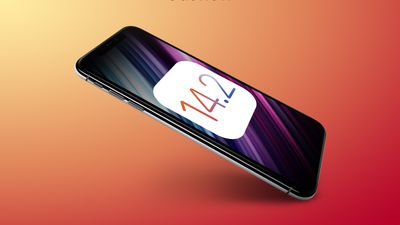
Apple today seeded the first public betas of upcoming iOS 14.2 and iPadOS 14.2 updates to its public beta testing group, a few days after seeding the first betas to developers and a little less than a week after releasing the iOS 14 and iPadOS 14 updates.
Public beta testers who have signed up for Apple's beta testing program can download the iOS and iPadOS 14.2 updates over the air after installing the proper certificate from the Public Beta website on an iOS device.
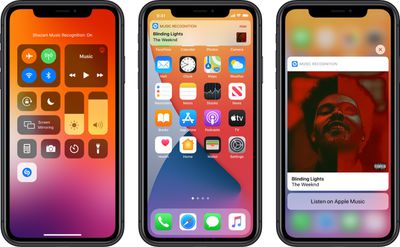
iOS 14.2 introduces a new Music Recognition control for the Control Center, deepening the integration of the Apple-owned Shazam app in the iOS operating system. Music Recognition lets you discover music playing around you and it can recognize music playing in apps even when you're wearing AirPods.
The Shazam Music Recognition feature can be added to Control Center through the Control Center options in the Settings app. To use the feature, open up Control Center and then tap on the Shazam icon to initiate a single recognition.
The new update brings a redesigned Now Playing widget for the Control Center that lists recently played albums that you might want to listen to when you have no music playing. There's also a redesigned interface for AirPlay, making it easier to play music across multiple AirPlay 2-enabled devices in the home.
For those who have low vision, Apple added a "People Detection" feature in the Magnifier app that uses the camera to let iPhone users know how far away other people are, which can be useful for social distancing purposes.
The new iOS 14.2 beta will likely be in testing for some time as Apple works on releasing new iPhones, with the new iPhones expected to debut sometime in October.
Apple's upcoming launch of 5G iPhones might not be a "massive event" due to economic uncertainty amid the global health crisis, AT&T Communications CEO Jeff McElfresh said in a paywalled interview published by CNBC.
"I do believe that you will see many of the iPhone subscribers move to upgrade to the device," said McElfresh. "But I wouldn't forecast that it's going to be a massive event. I also don't think it's going to be a nonevent. I think customers, based on the pressures of the economy that we're all facing today, will make a calculated decision as to what they want to do. And we're going to be there to offer them any device that Apple launches here shortly."
McElfresh added that AT&T already has engineers working on next-generation 6G networking, noting that it will take years before the technology fully materializes. No further details were shared about these efforts.
Apple is widely expected to unveil four new iPhones later this year, including one 5.4-inch model, two 6.1-inch models, and one 6.7-inch model. While flagship iPhones have started at $999 in recent years, Apple still has an opportunity for success in a price-conscious market this year if the 5.4-inch "iPhone 12 mini" starts around $749, as this device is expected to have an OLED display and 5G support just like higher-end models in the lineup.
Despite the global health crisis, Apple posted a June quarter revenue record of $59.7 billion. The results were boosted by strong iPad and Mac sales as more customers work, learn, and connect with family and friends from home.
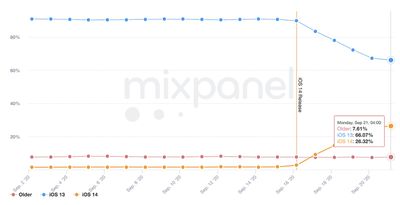
Five days after Apple released iOS 14, adoption of the software update has reached approximately 26 percent of active iPhone, iPad, and iPod touch devices, according to mobile analytics company Mixpanel. This includes iPadOS 14.
Mixpanel measures iOS adoption based on visits to websites and apps that use its mobile analytics SDKs, so its data is not official, but it is usually within the ballpark of Apple's own figures. Apple typically waits up to a month after a major release to publish its own adoption numbers, so no data is available for iOS 14 yet.
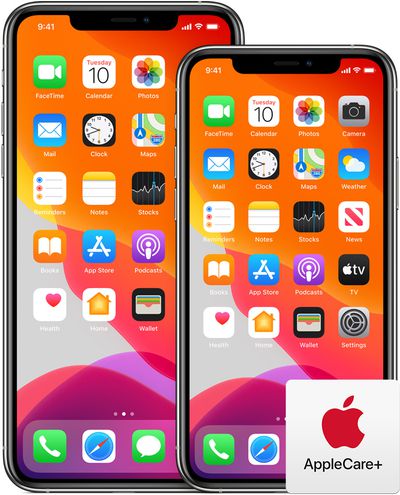
After expandingAppleCare+ monthly payments to a number of new territories in July, Apple has now made the scheme available to customers in the United Kingdom and Germany.
Monthly payments for AppleCare+ are now available for iPhones, iPads, and Apple Watches in the U.S., Canada, Australia, Japan, the UK, and Germany, according to an AppleCare+ support document. The option to pay upfront for AppleCare+ remains.
In these countries and regions, when you purchase AppleCare+ coverage for your iPhone, iPad, or Apple Watch, you can choose to pay monthly or pay upfront for 24 months of coverage. For Apple Watch Edition and Hermes, you can pay upfront for 36 months.
If you paid upfront, you can purchase coverage on a monthly basis after the 24 or 36 months is over. To purchase the new coverage, go to mysupport.apple.com. Or on your iPhone or iPad, go to Settings > General > About, then tap AppleCare+ Coverage Available and follow the onscreen instructions. This monthly plan automatically renews until canceled. You can't pay upfront for an additional 24 or 36 months.
In Australia, Canada, Germany, the United Kingdom, and the United States, you can purchase the new coverage within 60 days of the end date of your original coverage. In Japan, you can purchase the new coverage within 30 days of the end date of your original coverage.
The option to pay monthly rolled out in September 2019 for the United States. Monthly payment plans continue to renew each month until canceled, and AppleCare+ coverage on a monthly plan continues beyond the standard 24 or 36 month (for the Apple Watch Hermes) period as long as monthly payments are continued.
Customers who purchase AppleCare+ upfront and pay the full price for a standard AppleCare+ plan can later upgrade to a monthly plan to continue AppleCare+ support beyond 24 months. Monthly payments for AppleCare+ vary based on device and country.
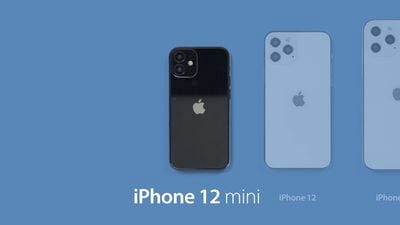
Leaker known as "L0vetodream" has today shared the alleged naming for the upcoming iPhone 12 lineup on Twitter. The tweet proposes that the upcoming iPhone 12 models will be titled "iPhone 12 mini," "iPhone 12," "iPhone 12 Pro," and "iPhone 12 Pro Max."
The names likely correspond to the three expected sizes of iPhone 12, with the 5.4-inch model being the iPhone 12 mini, the 6.7-inch model being the iPhone 12 Pro Max, and the two 6.1-inch models being the iPhone 12 and iPhone 12 Pro.
The naming of the "Pro" models follows the precedent established in previous years, and the speculated titles would be a logical naming system for the iPhone 12 lineup. With there being four new iPhones in this year's lineup, the use of four different names would help to differentiate the models significantly.
The iPhone 12 mini would be the first iPhone with the "mini" moniker, which has otherwise been seen on the iPad mini, Mac mini, and iPod mini. At 5.4-inches, the iPhone 12 mini would earn its name being smaller than 2019's smallest iPhone, the iPhone 11 Pro, which stands at 5.8-inches.
Apple TV+ had 18 nominations for this evening's virtual Primetime Emmy Awards, and the fledgling streaming service managed to come away with one win thanks to Billy Crudup's award for Outstanding Supporting Actor in a Drama Series for his performance in "The Morning Show."
Crudup had also previously won the 2020 Critics' Choice Award for his role as Cory Ellison, the rising-star executive who leverages charisma and confidence to take advantage of a network suddenly finding itself in crisis.
Crudup's Emmy nomination was one of eight for "The Morning Show," with Steve Carell, Jennifer Aniston, Mark Duplass, and Martin Short also earning acting nominations while Mimi Leder earned a directing nomination. The show was also nominated for its colorful opening title sequence and for overall production design.
The Primetime Emmys are considered the primary Emmy awards, but Apple also previously won a pair of Daytime Emmys for Apple TV+ children's shows "Ghostwriter" and "Peanuts in Space: Secrets of Apollo 10."
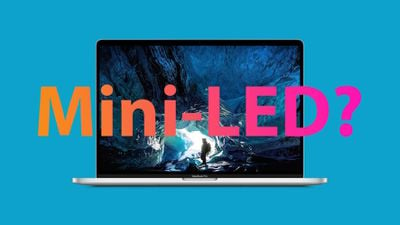
Increased competition among Apple's suppliers for mini-LED display chips will accelerate the company's adoption of the advanced technology in its iPad and MacBook lineups, according to a new research note from analyst Ming-Chi Kuo seen by MacRumors.
Kuo says that while Epistar had been predicted to be the exclusive supplier of mini-LED chips for Apple products in 2021, Sanan Optoelectronics has experienced better than expected development on the technology and will also begin supplying Apple in 2021 rather than the previously estimated timeframe of 2022.
The increased supply capacity and competition among suppliers will reportedly drive Apple's cost for mini-LED display dies from $75–$85 down to around $45. As a result, Kuo expects that mini-LED technology will appear in roughly 30–40% of iPad shipments and 20–30% of MacBook shipments in 2021, up from previous estimates of 10–20% shipment share for both product lines.
Although Epistar has met Apple's mass production requirements, we believe that Apple continues to look for new suppliers in order to reduce supply risks and costs. Among the second supplier candidates, Sanan Optoelectronics' development schedule and cost are superior to competitors (including Osram and Seoul Semiconductor). We predict that Sanan Optoelectronics will have 20–30% and 45–55% of Apple’s mini LED market share in 2021 and 2022, respectively (vs. our previous estimates of 0% and 10–20%), plus non-Apple. The demand for mini LEDs in China has grown, so we believe that Sanan Optoelectronics will significantly benefit from the mini LED business in the next 3-5 years.
Apple has been rumored for some time to be looking to introduce mini-LED display technology to its iPad Pro and Mac notebook lineups, and Kuo said roughly six months ago that Apple has six mini-LED products in its pipeline planned to launch though the end of 2021. The products include a 12.9-inch iPad Pro, a 27-inch iMac Pro, a 14.1-inch MacBook Pro, a 16-inch MacBook Pro, a 10.2.-inch iPad, and a 7.9-inch iPad mini.
As we've outlined in our guide on mini-LED technology, the displays use on the order of 1,000 to 10,000 individual LEDs that offer a number of improvements over traditional LED-backlit displays, coming close to performance of OLED displays without some of the drawbacks of that technology.
Mini-LED displays can offer deeper, darker blacks, brighter brights, richer colors, and better contrast compared to traditional LED-based displays, though the technology comes at a significant increase in cost for the time being.
In iOS 14, Apple introduced the concept of Home Screen widgets, which provide information from apps at a glance. Widgets can be pinned to the Home Screen in various spots and sizes, allowing for many different layouts.
On Twitter, the hashtag #iOS14HomeScreen started trending this weekend with users showing off their latest creations. MacRumors followers also shared their creations on Twitter and in this forum thread.
Some bigger brands have already released widget support, including IMDB, Google, and Twitch. Spotify is notably absent from the early supporting apps, though TuneTrack already offers Spotify "Playing Now" widget support in the meanwhile.
Hands On Video
We grabbed some of the tools we describe later in this article and shot this video which shows how you too can customize your iOS 14 home screen. Our videographer shows how to use Widgetsmith amongst other tools to create custom configurations as well as replacing the standard icons with your own images. There are some limitations to be aware of however.
We even tried to create a special Mac OS X Aqua themed home screen just to see how it would go. Bottom line, it took a while and wasn't quite functional.
Widgetsmith
One of the early Widget apps that has seen a lot of popularity is Widgetsmith [Free] which offers the ability to create widgets alongside styling customizations. Widgetsmith allows you to create customized small, medium or large widgets with Time, Date, Photos, Custom Text, Upcoming Events, Reminders, and Health and Activity. Widgetsmith also offers Weather and Tide widgets as part of their premium subscription package which costs $1.99/month or $19.99/year.
The flexibility of the tool has made it popular with iOS 14 Home Screen screenshots that have been circulating around the web. Taken to the extreme, you can see highly stylized home screens:
Update: Widgetsmith has been updated to version 1.0.4 and includes a new custom color picker and a new Battery icon widget.
ColorWidgets
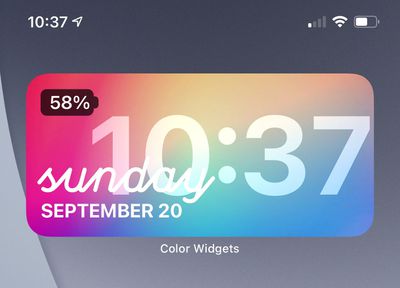
Another popular choice we've seen is ColorWidgets [Free] which offers a free Time and Battery widget with a lot of colorful styles. Some premium styles are also offered for a $3.99 one time purchase.
Weather Widgets
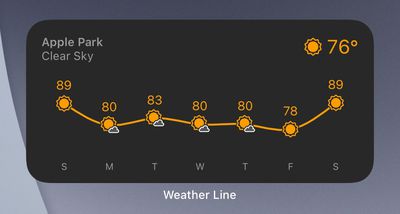
Weather is a popular widget type that has already seen a number of supporting apps. There are certainly more that we missed, but notably, Apple's own Dark Sky doesn't have widget support yet.
We will continue to cover notable Widgets as they are released. For a deeper dive, please visit our Twitter thread where we asked for widget recommendations and follow along in the 3rd Party Widgets Thread in our iOS 14 forum.
Additional Widgets
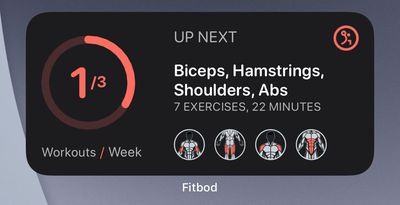
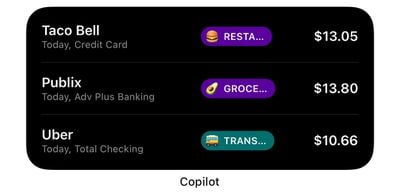
Additional interesting widgets that have launched:
Proven leaker known as "L0vetodream" has today shared a range of information about the ultra-wideband U1 chip in Apple's upcoming AirTags item trackers and AirPods Studio headphones.
The first of a series of tweets shared today simply stated that AirPods Studio will contain an ultra-wideband U1 chip. It seems likely that the U1 chip would be used in AirPods Studio to track the location of the headphones in the Find My app, but it could also have other functions such as directional detection of other in-range U1 devices.
Apple says that the U1 chip will "enable short-range wireless location to support new experiences, such as next-generation digital car keys," but other than directional AirDrop, much of its functionality has yet to be realized.
The distance between two devices that support ultra-wideband can be measured precisely by calculating the time that it takes for a radio wave to pass between the two devices, with much more accuracy than Bluetooth LE and Wi-Fi. The leaker went on to state that "The Internet of Everything starts with U1."
The U1 chip had only appeared in the iPhone 11 and the iPhone 11 Pro. The lack of a U1 in the 2020 iPad Pro and the second iPhone SE cast doubt over the future of the chip until its recent inclusion in the Apple Watch Series 6.
A further tweet, translated from Chinese, explained more about the utility of the U1 chip in AirPods Studio and its wider significance. The leaker believes that the expansion of the U1 chip to the Apple Watch Series 6 proves Apple's ongoing commitment to the technology and serves as an indication that the chip will go on to be much more important within Apple's ecosystem in the future.
I said this point a few months ago. With the launch of S6 and the U1 chip, it has confirmed my prediction that the ecosystem in the future will use U1 to determine distance and direction, similar to AirPods' spatial audio function in iOS 14. It is likely that the new headset with the U1 chip should be able to automatically recognize the left and right positioning of the headset.
The U1 chip will reportedly facilitate automatic recognition of the headphone's orientation, meaning that it would not matter which way around users would wear the headphones. There would be no static left or right side, and users could simply put on the headphones and the audio channels would switch as needed without user intervention.
With the release of spatial audio for AirPods Pro and the introduction of directional AirDrop for iPhone 11 with iOS 13, Apple appears to be increasingly interested in directional and location-centric technology.
A final translated tweet described how Apple's upcoming AirTags will have more nuanced importance than simply item tracking.
The tag is a node that interconnects everything. The node acts as a bridge to connect various devices. U1 is the most important part of the realization of this bridge. The privacy function of iOS 14 is created to make the tag better used in a private environment. A good solution to the problem of privacy violations involved in use.
The idea of AirTags being a key part of a larger U1 network to "bridge" different devices, with privacy at the forefront, may explain what makes AirTags different from existing item trackers and why Apple has seemingly waited so long to unveil them. Not only does this have potential for more private, accurate, and widespread item tracking capabilities, but also close-range data transfer between devices with supplementary directional information.
AirTags are believed to be arriving alongside the iPhone 12 in October. AirTags and AirPods Studio have reportedly been in production for some time.
As supposed renders and images, and videos of both products have been shared over the last week, it seems that the announcement of both products is not far away.
Just hours before new app downloads would be banned in the United States, Vanessa Pappas, the interim head of TikTok, announced on Saturday that the company has reached a proposal with Oracle and Walmart that will keep the video sharing platform alive in the country. The deal has also been approved by President Donald Trump, reports Bloomberg.
The deal will effectively establish a new company, TikTok Global, in which Oracle and Walmart can together take up to a 20 percent stake in. TikTok Global will be headquartered in the United States and will bring 25,000 jobs to the country. Pappas said that Oracle will be responsible for storing user data, emphasizing the company's commitment to protect its users' privacy.
We're pleased that today we've confirmed a proposal that resolves the Administration's security concerns and settles questions around TikTok's future in the US. Our plan is extensive and consistent with previous CFIUS resolutions, including working with Oracle, who will be our trusted cloud and technology provider responsible for fully securing our users' data. We are committed to protecting our users globally and providing the highest levels of security. Both Oracle and Walmart will take part in a TikTok Global pre-IPO financing round in which they can take up to a 20% cumulative stake in the company. We will also maintain and expand the US as TikTok Global's headquarters while bringing 25,000 jobs across the country.
The deal was announced just hours before the U.S. Commerce Department was set to ban new downloads of TikTok, and Bloomberg says the ban on TikTok has been delayed by a week after Trump gave his initial approval of the proposal. The initial ban was set to include both TikTok and WeChat, but it is unclear at the current time if the latter app, which is owned by China's Tencent Holdings, will still be banned from Apple and Google's respective U.S. app stores on Sunday.
President Trump in August signed an executive order giving ByteDance, TikTok's parent company, 90 days to sell its TikTok business in the United States due to evidence of possible national security threats from the China-based company. Though TikTok has opted for a partnership instead of a divestment of U.S. operations, all user data will be stored by U.S.-based Oracle, and the company will be able to review TikTok's current source code and that of any subsequent updates.
Note: Due to the political or social nature of the discussion regarding this topic, the discussion thread is located in our Political News forum. All forum members and site visitors are welcome to read and follow the thread, but posting is limited to forum members with at least 100 posts.
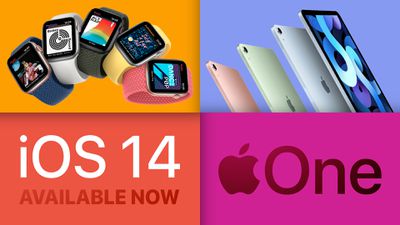
This week's news was obviously dominated by Apple's media event and the launch of iOS 14, but there was a lot to digest, so check out our summary below for the high-level view of the past week.
With the exception of the massively redesigned iPad Air, all of the new hardware introduced this week is starting to appear on store shelves and on customers' doorsteps, while all of the new software updates bring some changes and new features to existing devices, so there's lots to explore!
Everything Apple Announced at This Week's iPad and Apple Watch Event in Just Seven Minutes
Apple also announced that it will be offering its various services in a bundle called Apple One starting later this year, including an all-new Fitness+ service that will offer "studio-style workouts delivered by inspiring world-class trainers" on iPhone, iPad, and Apple TV.
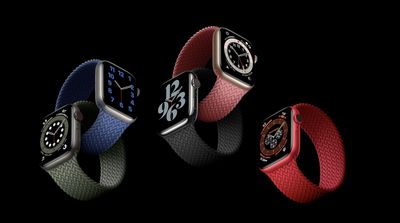
Key new features of the Series 6 include blood oxygen measuring, up to 20 percent faster performance than the Series 5, a brighter always-on display, a next-generation always-on altimeter, and new casing options like blue aluminum and graphite stainless steel.
Apple Watch Series 6 is available to order now on Apple.com and through the Apple Store app, and has just begun arriving in customers' hands. Pricing starts at $399 in the United States.
Lower-Cost Apple Watch SE Unveiled Without Features Like ECG App and Blood Oxygen Measuring
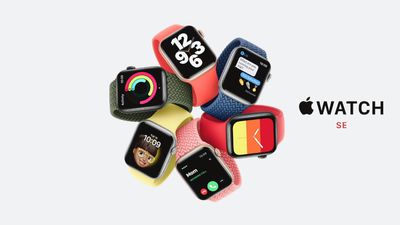
Apple also unveiled a lower-cost Apple Watch SE that features the same external design as the Apple Watch Series 6, but with some features missing, including an always-on display, blood oxygen measuring, and the ECG app for detecting atrial fibrillation. Apple Watch SE is also powered by the previous-generation S5 chip used in last year's Apple Watch Series 5.
Apple Watch SE shares a handful of features with the Series 6, including fall detection, a compass, an always-on altimeter, Emergency SOS with international emergency calling, high and low heart rate notifications, irregular heart rhythm notifications, water resistance up to 50 meters, the Noise app, and compatibility with the watchOS 7 update released this week.
Priced from $279, the Apple Watch SE is available to order now on Apple.com and through the Apple Store app, and it is starting to make its way into customers' hands now.
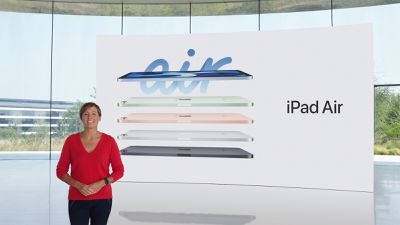
Apple Introduces 10.9-Inch iPad Air With A14 Chip, All-Screen Design, Touch ID in Power Button, and USB-C
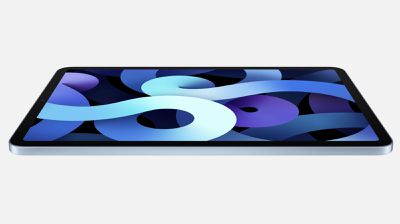
Shifting attention to the tablet side of things, Apple introduced a redesigned iPad Air with slimmer bezels, paving the way for an all-screen design similar to recent iPad Pro models. In addition, the new iPad Air is the first Apple device with Touch ID built into the power button.
The new iPad Air features a larger 10.9-inch Liquid Retina display with True Tone support, a USB-C port, and an improved 12-megapixel rear camera. The device is powered by a new six-core A14 Bionic chip for up to 40 percent faster performance and up to 30 percent faster graphics than the previous-generation iPad Air.
The new iPad Air will be available starting in October on Apple.com and through the Apple Store app in 30 countries and regions. Wi-Fi models will start at $599, while cellular models will start at $729, with 64GB and 256GB storage capacities available. There will be five colors to choose from, including silver, space gray, rose gold, and all-new green and sky blue finishes.
With iOS 14 and associated other updates barely out the door, Apple has already moved on to a fresh round of beta updates, jumping straight to iOS 14.2, which adds new Shazam music recognition integration to Control Center and a delivers few other tweaks. iOS 14.1 will presumably be shipping with the new iPhones next month, with iOS 14.2's public release to follow.
'Apple One' Bundles Introduced With Apple Music, Apple TV+ and More, Pricing Starts at $14.95/Month
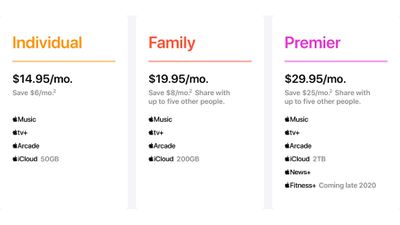
Apple this week introduced new "Apple One" bundles for its services, which will allow customers to subscribe to Apple Music, Apple TV+, Apple Arcade, and more for one set monthly price, with the total cost being cheaper than subscribing to the services individually.
There will be three tiers of Apple One available starting later this year, including Individual, Family, and Premier. All three will include Apple Music, Apple TV+, and Apple Arcade, with varying amounts of iCloud storage, while the Premier tier will add Apple News+ and Apple Fitness+.
Fitness+ is a new service that will sync with the Apple Watch to help you stay fit. Priced at $9.99 per month on a standalone basis, the service will offer "studio-style workouts delivered by inspiring world-class trainers" on iPhone, iPad, and Apple TV. Apple says the service will launch before the end of 2020.
MacRumors Newsletter
Each week, we publish an email newsletter like this highlighting the top Apple stories, making it a great way to get a bite-sized recap of the week hitting all of the major topics we've covered and tying together related stories for a big-picture view.
Over the course of the iOS 14 beta test, we here at MacRumors have been putting together in-depth feature guides, tutorial videos, and how tos on the new features in the iOS 14 and iPadOS 14 updates.
Many of our MacRumors readers have likely been running the betas for a couple of months now, but those who are new to the update will want to check out all of the content we have available below. It's also a great resource to send to friends and family members who have questions about iOS and iPadOS 14 content.
So...You Just Installed iOS 14?
If you just installed iOS 14, it's always a little daunting to figure out how to take advantage of all the new features. We made this video to walk a new iOS 14 user through the first things you should do to start taking advantage of the new features.
Now that you're set up with the basics, let's move on to our top iOS 14 and iPadOS 14 features.
Top iOS 14 Features for iPhone
In our Top iOS 14 Features article and video, we highlighted what we thought were the best features of the release. Watch the video or read the article which dives into the features in a bit more depth.
iPad owners also get a number of new features specifically for their devices. iPadOS 14 Features You Need to Know covered notable iPad-only features that can be found in the latest update. Similarly, the video will take you through them all but the article expands on each feature.
MacRumors readers use our iOS 14 forum to discuss software performance, minor tweaks, apps, and more. Our forums are also a great resource if you need iOS 14 help.
More Help
Have a question not covered in our guides and how tos? Let us know in the comments or send us an email here. Send us an email here. You can always find more on all of the iOS 14 features in our iOS 14 roundup.
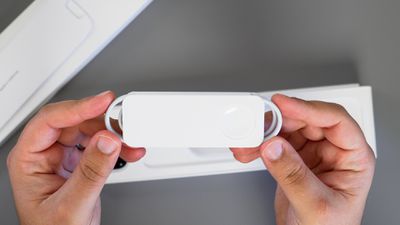
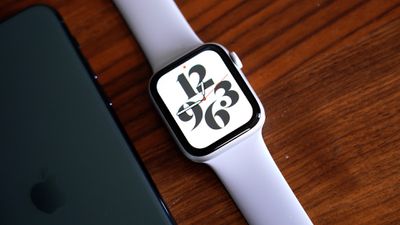
Today's the official launch date for the Apple Watch Series 6 and the Apple Watch SE, both of which Apple announced on Tuesday. We picked up a couple of the new models and thought we'd give them a quick look for MacRumors readers thinking of ordering a new watch.
Apple Watch Series 6 & Apple Watch SE Hands-On!
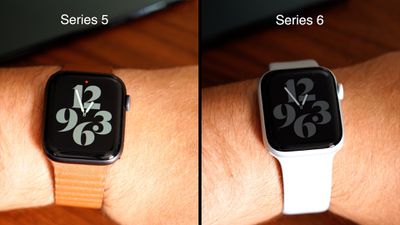
When it comes to design, both the $399 Series 6 and the $279 SE look just like the Apple Watch Series 5 with the larger, thinner display introduced with the Series 4 and 40 and 44mm size options, so there are no surprises there.
We couldn't get one of the new colors delivered on Friday, but the Series 6 aluminum models come in new blue and (PRODUCT)RED aluminum shades along with the standard silver, space gray, and gold options. You can't get those new colors with the Apple Watch SE because it only comes in silver, space gray, and gold. The SE also isn't available in stainless steel or titanium like the Series 6.
Neither of Apple's new watches comes with a 5W power adapter for charging, so hopefully you have a few already on hand. You do still get the 1m charging cable, though. Apple said when introducing the watches that the power adapter was removed for environmental reasons, and we're also expecting to see the power adapter nixed from the iPhone 12 boxes too, based on rumors.
The new Apple Watches look like the Series 5, but there are some differences between them. The Apple Watch Series 6 has the same Always-On display that was in the Series 5, but it's brighter outside. We had a hard time telling a difference, but it may be more obvious in some conditions.
The Always-On display in the Series 6 also lets you use Control Center and check notifications without having to raise your wrist. The Apple Watch SE has no Always-On display at all, so it's the same old blank screen when your wrist is down that you may be used to from prior Apple Watches.
Both watches have new Always-On altimeters for hiking, skiing, and other activities that involve elevation changes. You'll see the altimeter in real-time on the Series 6 thanks to that Always-On display.
There's a faster A6 chip in the Series 6 while the SE has the same S5 chip that was in the Series 5, and there's a noticeable jump in performance when using the Series 6. It feels faster and more powerful when navigating through the watchOS operating system.
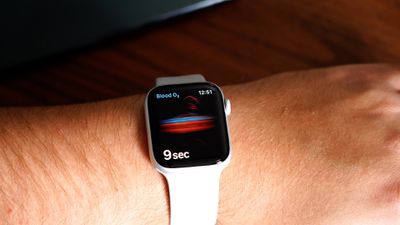
If you flip the two watches over, there's a difference when it comes to sensors. The Series 6 is equipped with green, red, and infrared LEDs to support the new blood oxygen monitoring feature which is the big new health change. Blood oxygen monitoring and ECG are Series 6-exclusive features.
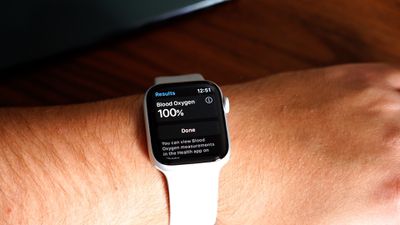
The LEDs and infrared light in the Series 6 shine light onto your wrist and photodiodes detect the color of your blood to determine the oxygen percentage. Bright red blood is well oxygenated, while darker blood has less oxygen. The Apple Watch reads all of that information and provides an oxygen level reading between 70 and 100 percent.
It can be a little tricky to get a blood oxygen reading because you need to make sure to hold still. You can get readings on demand or the Apple Watch will occasionally take measurements in the background. It's neat to have the option, but it's not really clear what we're supposed to do with blood oxygen levels.
Healthy people are going to have a SpO2 level that ranges from 95 to 100% and rarely fluctuates, so like ECGs, this may be a feature that most people aren't going to take much advantage of. For those who don't feel the need to have the specific ECG and blood oxygen monitoring capabilities, the Apple Watch SE does just about everything else the Series 6 does at a more affordable price point, which makes it a good value.
You still get key health features like the optical heart rate sensor, fall detection, noise level monitoring, and emergency SOS, and it has the same general health and fitness functionality outside of the blood oxygen detection and ECG.
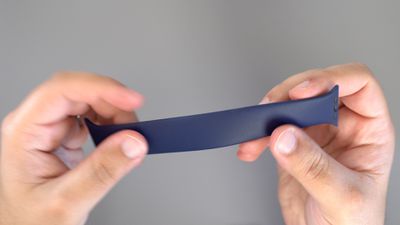
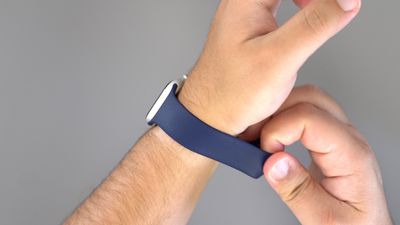
Apple also introduced new Solo Loop and Braided Solo Loop bands with the Series 6 and SE, and we picked up a Solo Loop. These bands have no clasps or buckles and are meant to stretch to slide over your hand. Apple sells them in nine sizes, and you have to measure to make sure you get the right fit. MacRumors videographer Dan ordered a size 10 which ended up fitting his wrist well, and he said it's "incredibly comfortable." The rubber of the band stretches quite a bit, which makes it easy to get on and off.
All in all, if you have a Series 5, there may be no need to upgrade unless you really want the blood oxygen monitoring capabilities and the faster S6 chip, and if you have an older watch and don't need ECG or blood oxygen monitoring, the SE may be the better choice for you.
We'll be doing some more in-depth videos on the Apple Watch Series 6 and the Apple Watch SE next week, so make sure to stay tuned to MacRumors.com and subscribe to the MacRumors YouTube channel.
Apple hosted its virtual "Time Flies" event this week, where it introduced four new products, including the Apple Watch Series 6, lower-cost Apple Watch SE, a 10.9-inch iPad Air with an all-screen design, and an updated 10.2-inch iPad with a faster A12 Bionic chip. As expected, there were no new iPhones, which are believed to be coming in October instead.
Apple also announced that it will be offering its various services in a bundle called Apple One starting later this year, including an all-new Fitness+ service that will offer "studio-style workouts delivered by inspiring world-class trainers" on iPhone, iPad, and Apple TV.
As usual, there were a flurry of leaks and rumors leading up to Apple's event, making it hard to remember who said what. For that reason, we've put together a Rumor Report Card, assessing the accuracy of many of the biggest leaks that surfaced.
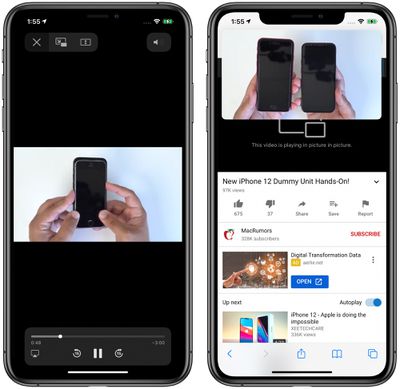
Apple in iOS 14 added Picture in Picture to the iPhone, a feature designed to let you watch a video in a small screen on your device while you continue to do other things on the phone.
When Picture in Picture was working with YouTube
The YouTube app doesn't support Picture in Picture, but up until yesterday there was a functional workaround that allowed videos from YouTube.com to be watched in Safari in Picture in Picture mode.
As of today, that workaround is gone, and it's not clear if it's a bug or a deliberate removal. Attempting to use Picture in Picture on a video on the mobile YouTube website simply doesn't work. Tapping the Picture in Picture button when in full screen mode pops the video out for a second, but it immediately pops back into the website, so it can't be used as a Picture in Picture window.
Picture in Picture in iOS 14 stopped working on iPhone for videos on YouTube’s website. YouTube videos embedded elsewhere still work fine. pic.twitter.com/8vTFy4u3Ut
— Eric Slivka (@eslivka) September 18, 2020
Picture in Picture works with YouTube.com on the iPad, and YouTube videos embedded on third-party sites such as MacRumors.com appear to be able to play in Picture in Picture mode, but Picture in Picture is not functioning on the YouTube website.
We tested Picture in Picture with YouTube just yesterday for a Picture in Picture tutorial video and as you can see below, it was working fine. Since then there have been no updates to iOS or Safari, so it's not clear what's going on.
For now, Picture in Picture is no longer working with the mobile YouTube website, but there is another workaround. If you request desktop site on YouTube.com in Safari, you can get Picture in Picture to work as intended.
Update: Picture in Picture appears to work on the mobile YouTube website in Safari for those who are YouTube Premium subscribers, which suggests that the restriction is intentional and not a bug.
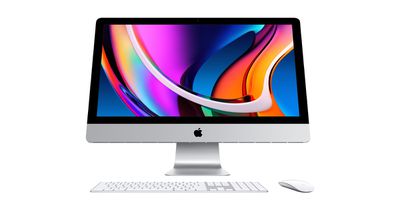
Apple in August refreshed the 2020 iMac lineup with a new 27-inch model that's equipped with 10th-generation Intel processors, more RAM, more SSD settings, and faster AMD GPUs.
Unfortunately, some new Mac owners have been running into problems with their machines and have been reporting ongoing glitching with the graphics. There's a 57-page thread on the MacRumors forums filled with complaints dating back to August, suggesting this is a problem that's been impacting iMac owners since the new Macs came out.
Based on a poll, a good number of iMac owners who have the higher-end 5700XT GPU are seeing a white horizontal line flicker across the display on occasion, but the problem does not seem to impact all users. MacRumors reader torifile describes the issue:
I got my 2020 iMac Thursday night. It's as fast as expected and gorgeous. Last night I thought I saw, out of the corner of my eye, a horizontal white line flash mid-way up the screen. It was really fleeting and I thought I was just seeing things. This morning, I saw the same thing. The computer isn't running hot or anything. iStat Menus has all the cores untaxed. I recall having this same problem with my MBP 13" (2019) with an earlier version of macOS (I can't remember if it was a late Mojave build or an early Catalina) and it was cleared up with a software update.
The white line described by those affected appears to flash across the screen at random intervals throughout the day, and there are some other seemingly related graphical issues that iMac owners have run into. Some users have reported being able to remedy the problem by choosing a scaled resolution other than the default, but that's not an ideal longterm solution.
It's not clear if the issue that iMac owners are experiencing is hardware or software based, but Apple has not yet implemented a fix for the problem.
Now we know Apple's iPhone 12 models haven't been announced yet, but the winner of the giveaway will receive the new iPhone once it comes out and is available for purchase. A fresh copy of iMazing will be available right after the giveaway, though, so you can backup your current iPhone and get ready for the new device.
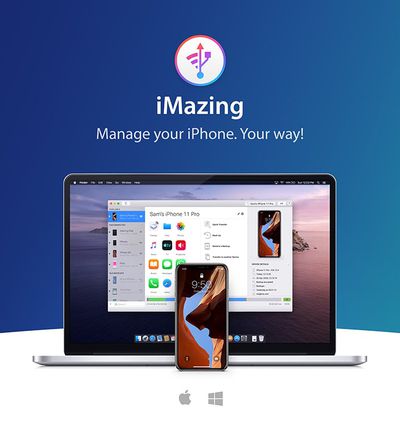
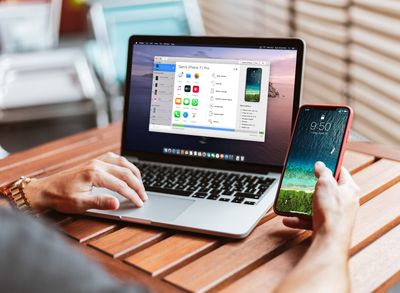
For those unfamiliar with iMazing, it's a Mac and Windows app designed to provide a wealth of tools for iOS device management, many of which are not easily available through Apple's own Finder-based management system for iPhones.
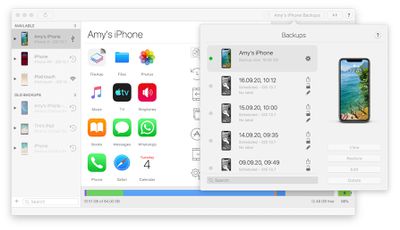
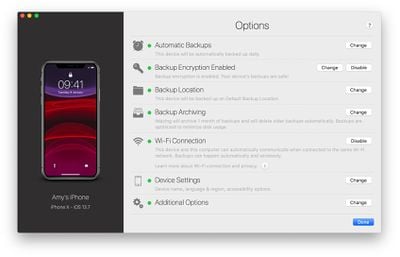
iMazing offers Time Machine-like wireless backups with multiple backup versions available rather than Apple's single iCloud and Mac/Windows backup tools that overwrite older backups. Backups are stored on your Mac or PC, and you can set backups to happen automatically on your schedule.
Backup snapshots are available for you to browse through, and you can see your saved data. There are options to save backups for weeks, months, or longer, and the iMazing software is designed to let you restore any specific backup.
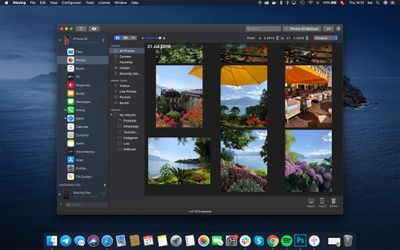
Also useful is an option to transfer photos from an iOS device to a Mac with simple drag and drop gestures so you can keep what you need and delete what you don't need, with the software loading images right from your device. iMazing has a built-in EXIF viewer so you can see details on file type, size, location, and more, simplifying photo management.
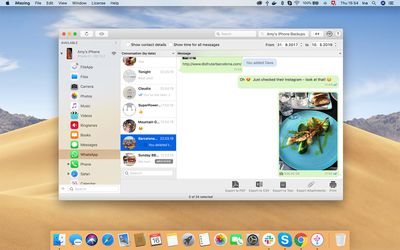
All of your iPhone messages from the Messages app can be saved and archived for later use with iMazing, and the same goes for WhatsApp. It saves all of the content of messages, including photos, videos, contacts, and links.
For those who like to download their own music, you can use iMazing to transfer songs from your iPhone to your computer and vice versa. Have an old iPod? iMazing can even recover music from older devices that otherwise can't be transferred to your Mac or PC.
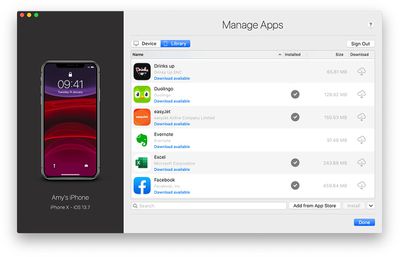
iMazing includes app management, which is useful for those who miss the app access that iTunes used to provide. The software supports bulk deleting apps, backing up and restoring app data, and downloading apps to the iMazing app library so they can be reinstalled if they're deleted from the App Store.
Configuration and supervision tools are available for small businesses, making it easier for them to manage multiple devices and activate functionality like locking an iPad in Single App Mode, useful for point of sale stations.
The iMazing software is compatible with iOS 14 and macOS Big Sur, the newest software updates. Apple's iPhone 12 models will come with iOS 14 installed by default, and will work with iMazing out of the box.
We have one iPhone 12 Pro Max to give away to a MacRumors reader. The iPhone 12 Pro Max refers to Apple's rumored 6.7-inch iPhone, which will be the highest-end model with an edge-to-edge OLED display, 5G capabilities, upgraded cameras, and more.
The winner will get to choose their preferred color, and again, this prize will be provided when the iPhone 12 Pro Max launches. Based on rumors, the new higher-end iPhone could come out in October, but we could see a staggered launch this year that may delay some Pro models until November.
To enter to win our giveaway, use the Gleam.io widget below and enter an email address. Email addresses will be used solely for contact purposes to reach the winners and send the prizes. You can earn additional entries by subscribing to our weekly newsletter, subscribing to our YouTube channel, following us on Twitter, following us on Instagram, or visiting the MacRumorsFacebook page.
Due to the complexities of international laws regarding giveaways, only U.S. residents who are 18 years or older and Canadian residents (excluding Quebec) who have reached the age of majority in their province or territory are eligible to enter. To offer feedback or get more information on the giveaway restrictions, please refer to our Site Feedback section, as that is where discussion of the rules will be redirected.
The contest will run from today (September 18) at 11:00 a.m. Pacific Time through 11:00 a.m. Pacific Time on September 25. The winner will be chosen randomly on September 25 and will be contacted by email. The winner will have 48 hours to respond and provide a shipping address before a new winner is chosen.


 Note: MacRumors is an affiliate partner with Amazon. When you click a link and make a purchase, we may receive a small payment, which helps us keep the site running.