Apple today shared a new App Store ad on its YouTube channel in Japan ahead of the New Year. The brief 15-second video highlights various apps available on the App Store for productivity, connecting with others, and gaming.
The ad emphasizes how the App Store can help people get off to a good start in 2021, complete with colorful animations. New Year or "Shōgatsu" is widely considered the most important holiday in Japan, observed on January 1-3.
Apple also typically holds a one-day New Year's shopping event in Japan in early January, offering Apple Store gift cards with the purchase of select Apple products, but it has yet to announce an event of this kind for 2021. This year, the event took place on January 2 at Apple Stores in Japan and through the Apple Store app.
Despite mocking Apple for no longer including a charger with the iPhone, Samsung and Xiaomi are now expected to follow suit and remove the charging adapter from their upcoming smartphones.
Alongside the announcement of the iPhone 12 and iPhone 12 Pro, Apple announced that it would no longer include the charging adapter with all new iPhones, citing environmental concerns. The move was publicly criticized by rival smartphone makers Samsung and Xiaomi.
The day after the announcement of the iPhone 12 and iPhone 12 Pro, Xiaomi posted a video promoting the Mi 10T Pro on social media showing the unboxing of a charger accompanied by the comment "Don't worry, we didn't leave anything out of the box."
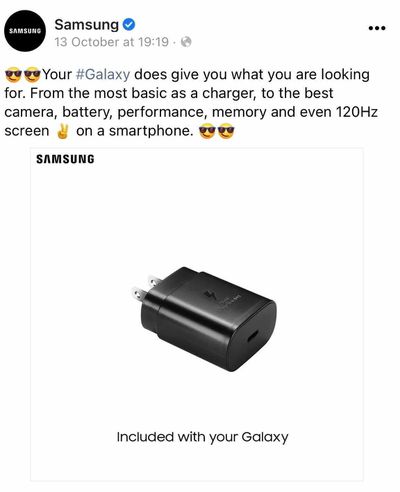
Samsung similarly posted an image of a charger with the text "Included with your Galaxy," and the message:
Your #Galaxy does give you what you are looking for. From the most basic as a charger, to the best camera, battery, performance, memory and even 120Hz screen.
In spite of these social media posts clearly poking fun at Apple's decision, Samsung is now believed, based on regulatory filings, to be removing the charger from the Galaxy S21, which is set to be unveiled on January 14. This may now be more likely considering that Samsung has deleted its "the most basic as a charger" post from social media entirely, as spotted by HTTech.
Xiaomi CEO Lei Jun has also now confirmed on Weibo that the company's upcoming Mi 11 phone will not come with a charger due to environmental concerns. Jun said that smartphone users already have many chargers, so including another with the Mi 11 would contribute to an unnecessary environmental burden:
Xiaomi Mi 11 is officially unveiled with brand new packaging, so light and thin.
Behind the thinness, we made an important decision: in response to the call of technology and environmental protection, Xiaomi 11 canceled the included charger.
Today everyone has a lot of idle chargers, which is both a burden to you and on the environment. We are well aware that this decision may not be understood or even be complained about. Is there a better solution between industry practice and environmental protection?
iPhones now ship without wired EarPods or a power adapter in the box, with only a Lightning to USB-C charging cable included. With these accessories removed, all new iPhones now ship in a thinner box. Apple touts the environmental benefits of no longer bundling these accessories, noting that the move reduces carbon emissions and avoids the mining and use of rare-earth elements.
With a major competitor no longer offering accessories like the power adapter and EarPods, Samsung and Xiaomi may now believe consumers are prepared to purchase accessories separately. Samsung and Xiaomi have been known to follow similar trends set by Apple in the past. For example, Samsung made fun of Apple for removing the headphone jack from the iPhone 7 in 2016 before mirroring the decision and releasing the 2018 Galaxy A8 without a headphone jack.
In a research note today, obtained by MacRumors, Kuo said that Apple Car specifications have yet to be finalized, adding that he would not be surprised if the vehicle's launch timeframe is pushed out even farther to 2028 or later:
We predicted in a previous report that Apple will launch Apple Car in 2023–2025 […] However, our latest survey indicates that the current development schedule of Apple Car is not clear, and if development starts this year and everything goes well, it will be launched in 2025–2027 at the earliest. Due to changes in the EV/self-driving market and Apple's high-quality standards, we would not be surprised if Apple Car's launch schedule is postponed to 2028 or later.
Kuo said the market is "overly bullish" about the Apple Car's launch schedule, and he has advised investors to avoid buying Apple Car-related stocks at this time.
While he does not believe that the Apple Car has no chance of success, Kuo said there is uncertainty about how competitive Apple would be in the EV/self-driving vehicle market due to the company lagging behind in deep learning/artificial intelligence:
The market has high expectations for Apple Car. Still, we remind investors that although Apple has a variety of competitive advantages, it is not always successful in new business. For example, Apple failed to enter the smart speaker market. The demand for HomePod and HomePod mini were lower than expected, and the development of new smart speaker models had been temporarily suspended. The competition in the EV/self-driving car market is fiercer than that for smart speakers, so we think it's perilous to jump to the conclusion that Apple Car will succeed.
If Apple Car wants to succeed in the future, the key success factor is big data/AI, not hardware. One of our biggest concerns about Apple Car is that when Apple Car is launched, the current self-driving car brands will have accumulated at least five years of big data and be conducive to deep learning/AI. How does Apple, a latecomer, overcome this lagging gap?
Reuters claimed that Apple's self-driving vehicle will feature a unique "monocell" battery design that "frees up space inside the battery pack by eliminating pouches and modules that hold battery materials," potentially resulting in longer range per charge.
Tesla CEO Elon Musk recently reacted to the Apple Car rumors on Twitter, claiming that a "monocell" battery is "electrochemically impossible." Musk also claimed that "during the darkest days" of Model 3 production, he reached out to Apple CEO Tim Cook to discuss the possibility of Apple acquiring Tesla for a fraction of its current value, but Cook apparently declined the meeting.
All in all, it sounds like the Apple Car remains a distant reality.
The holiday season is in full swing, and we'd like to take this opportunity to thank all of our readers for having joined us in another year that was jam-packed with Apple news and rumors.
The calendar will shortly be turning over to 2021, and Apple has a lot more on its plate, as we've seen in rumors over the past week about the long-rumored Apple Car, next year's iPhone 13 lineup, and a new Apple TV. For highlights on these stories and more from the past week, read on below!
Apple Car Production Slated for 2024 With 'Next Level' Battery Technology
The report claimed that Apple's self-driving vehicle will feature a unique "monocell" battery design that "frees up space inside the battery pack by eliminating pouches and modules that hold battery materials," potentially resulting in longer range per charge.
Tesla CEO Elon Musk reacted to the news on Twitter, claiming that a "monocell" battery is "electrochemically impossible." Musk also claimed that "during the darkest days" of Model 3 production, he reached out to Apple CEO Tim Cook to discuss the possibility of Apple acquiring Tesla for a fraction of its current value, but Cook apparently declined the meeting.
Meanwhile, in a LinkedIn post, Volkswagen Group CEO Herbert Diess said "we look forward to new competitors who will certainly accelerate the change in our industry again and bring new skills."
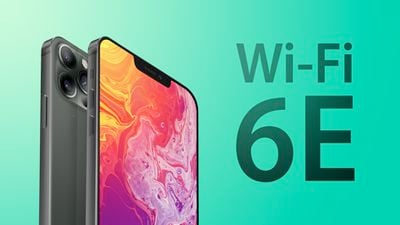
iPhone 13 Lineup May Support Wi-Fi 6E, Larger iPhone SE Unlikely in Early 2021
Following discussions with multiple Apple suppliers, Barclays analysts this week outlined a few expectations for future iPhones and iPads.
First, the analysts said iPhone 13 models may support the new Wi-Fi 6E standard, which offers the same features and capabilities of Wi-Fi 6 — higher performance, lower latency, and faster data rates — extended into the 6 GHz band. The additional spectrum will provide a lot more airspace beyond existing 2.4GHz and 5GHz Wi-Fi, resulting in increased bandwidth and less interference for devices that support Wi-Fi 6E.
As for the iPhone SE, the analysts believe Apple has no plans to refresh the device in the foreseeable future. While they had heard about a larger iPhone SE, rumored to feature a 5.5-inch or 6.1-inch display, the device was not mentioned in any of their discussions with Apple suppliers. In April, well-known analyst Ming-Chi Kuo said the larger iPhone SE was delayed until the second half of 2021.
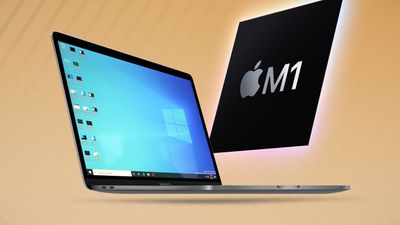
Video: Testing Windows on an M1 Mac With Parallels 16
Last week, Parallels launched a preview version of its virtualization software with support for Apple Silicon. Paired with a preview version of Arm-based Windows available through the Windows Insider program, it is possible to get Microsoft's operating system up and running on M1 Macs.
It remains unclear if Microsoft will ever make a licensed release version of Arm-based Windows available to customers.
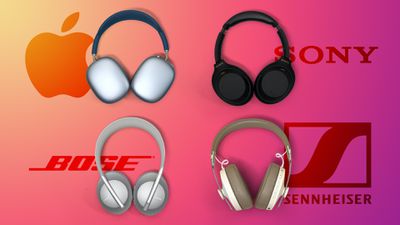
Comparison: AirPods Max vs. Sony/Bose/Sennheiser Options
It's been a little over a week since the AirPods Max launched, marking Apple's entry into the higher-end over-ear headphones market.
Priced at $549, the AirPods Max are hundreds of dollars more expensive than many highly-rated noise cancelling headphones from other brands, which can make for a tough purchase decision.
AirPods Max still face lengthy shipping estimates on Apple.com, although delivery times have improved somewhat to mid-February for the Space Gray and Silver colors and 8-10 weeks for the Pink, Green, and Sky Blue options, compared to 12-14 weeks for all of the colors recently.
Apple's A14 Chip Outperforms New Snapdragon 888 Chip Coming in Future Android Phones
Qualcomm this week shared benchmark results for its new Snapdragon 888 chip that will be used in flagship Android smartphones coming out in 2021, and not only is it unable to keep pace with Apple's A14 chip in iPhone 12 models, but it is even slower than the last-generation A13 chip used for the iPhone 11 lineup.
While the Snapdragon 888 delivers significant performance improvements over the previous-generation Snapdragon chip, this means that future Android smartphones like Samsung's rumored Galaxy S21 will be slower than already-released iPhone models.
Apple's mobile processors have led the industry in performance for years, and the company recently extended this expertise to the Mac with its new M1 chip, which also delivers industry-leading performance per watt.
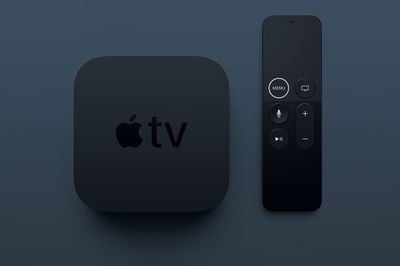
New Apple TV With Gaming Focus, Updated Remote, and Faster Chip Expected Next Year
Earlier this year, an anonymous leaker known as "Fudge" on Twitter indicated that Apple has prototyped new Apple TV models with variants of the A12 and A14 chips for faster performance; if true, it's unclear if Apple will ultimately settle on one chip or release two different models. The new Apple TV may also have larger 64GB and 128GB storage capacity options.
The current Apple TV 4K model was released over three years ago, so odds are looking good for an update next year.
MacRumors Newsletter
Each week, we publish an email newsletter like this highlighting the top Apple stories, making it a great way to get a bite-sized recap of the week hitting all of the major topics we've covered and tying together related stories for a big-picture view.
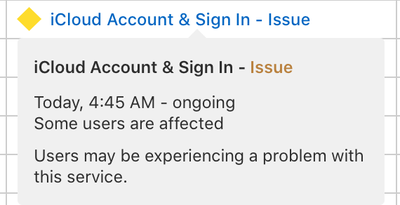
Apple's status page shows an ongoing issue with "iCloud Account and Sign In" since early Christmas morning.
The issue seems likely to be related to activation issues users having been experiencing on our forums. Most notably are a number of users complaining that their new Apple Watch is failing verification upon setup. Users have been reporting this issue in our forums. BeatCrazy writes:
I realize it's Christmas morning and Apple's activation servers are probably on overload, but this still seems unnecessarily frustrating.
I got my two kids (<18 yo) Apple Watch SE + Cellular, with plans to activate via Family Setup/sharing. They each already have Apple IDs that are used on iPads regularly.
I'm able to start the pairing process using my iPhone, sign into their Apple IDs with their passwords, but I keep getting hung when Apple wants me to enter the passcode of another device. I'm given options like their iPad passcodes, or one of my Macs. After entering any of these, the watch spins for about 2 minutes and I get the error "Verification Failed - There was an error verifying the passcode of your (or insert family member name here) iPhone (or insert iPad/Mac)." Apple gives me a choice to "reset encrypted data", which I take as an offer to destroy all their existing Apple ID passwords and data - not a good option IMO.
A number of users have responded with similar issues in that thread. Meanwhile, another user reports having trouble with HomePod setup today.
It has been getting stuck in “configuration” even after multiple resets. I have tried removing it from my iCloud account and even signed out of iCloud on the iPhone I was using to set it up. I have tried at least a dozen times and it will not configure, it just gets stuck. I just love spending my Christmas Holiday messing around with electronics that don’t work as expected. Any advice?
Similarly, it seems likely related to a high load of traffic from new Apple users logging into Apple's verification servers for the first time.
At this point, it seems the best advice would be to wait until later to try again as the traffic dies down.
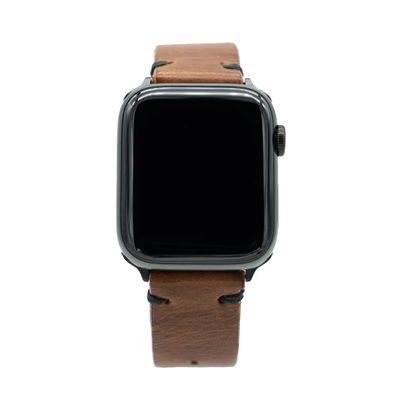
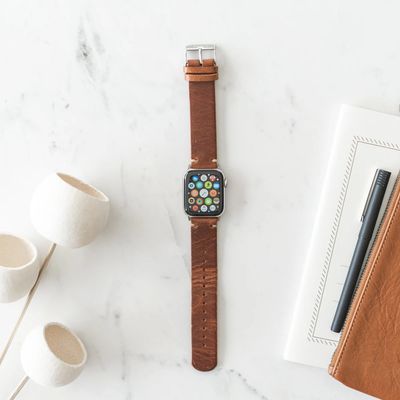
For this week's giveaway, we've teamed up with Southern Straps to offer MacRumors readers a chance to win a Brown Leather Strap that's designed to work with the Apple Watch.
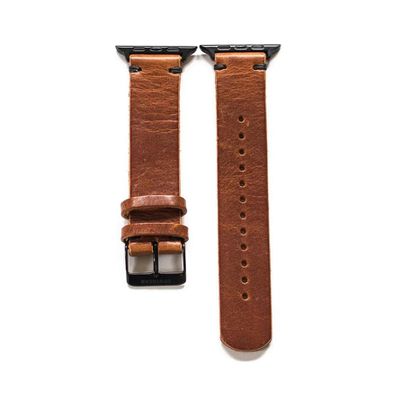
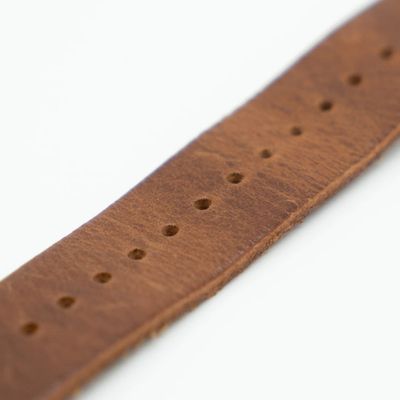
Priced at $90, the Brown Leather Strap is constructed from a full grain Horween leather and hand sewn in San Francisco. Each band is vegetable dyed for a rich, brown color, which will develop a unique patina over time.
Southern Straps uses strengthened waxed cord for stitching the Apple Watch band, which ensures its durability over time. Each band also comes with a two year warranty.
The Brown Leather Straps are available in two sizes to fit both 44/42mm Apple Watch models and 40/38mm Apple Watch models, and they are compatible with all of the Apple Watches that Apple has released to date.
Southern Straps says that the bands fit wrists sized 14 to 25cm. The bands can be ordered with black, silver, or gold hardware to match the finish of the Apple Watch.
Southern Straps also has a whole range of other Apple Watch bands for those interested, including leather bands in black and high-quality nylon Apple Watch bands in several attractive striped shades.
We have five Brown Leather Straps from Southern Straps to give away to MacRumors readers, and each winner will be able to pick hardware in the finish of their choice. To enter to win our giveaway, use the Gleam.io widget below and enter an email address. Email addresses will be used solely for contact purposes to reach the winners and send the prizes. You can earn additional entries by subscribing to our weekly newsletter, subscribing to our YouTube channel, following us on Twitter, following us on Instagram, or visiting the MacRumorsFacebook page.
Due to the complexities of international laws regarding giveaways, only U.S. residents who are 18 years or older and Canadian residents (excluding Quebec) who have reached the age of majority in their province or territory are eligible to enter. To offer feedback or get more information on the giveaway restrictions, please refer to our Site Feedback section, as that is where discussion of the rules will be redirected.
The contest will run from today (December 25) at 11:00 a.m. Pacific Time through 11:00 a.m. Pacific Time on January 1. The winners will be chosen randomly on January 1 and will be contacted by email. The winners will have 48 hours to respond and provide a shipping address before new winners are chosen.
If you were lucky enough to receive a new iPhone, iPad, Mac, Apple Watch, or AirPods this year, you'll want to check out the extensive guides we have for new device owners. Whether you're new to a product altogether or have an upgraded version of a device with new features, we've got you covered.
Each of our guides highlights all of the how tos, guides, and videos that we've released throughout the year covering various Apple products, and they're an excellent resource for yourself or a loved one that's new to an Apple product.
You'll find even more of our guides and how tos by navigating to the Guides and How Tos section of our website.
Read the Roundups
Need more help learning about all of the features of your new device? We have a huge collection of in-depth roundups that we keep updated, and these are fantastic for learning about just what your new device can do. We've highlighted some of our most popular roundups below, but you can see them all by clicking on the Roundup tab at the top of the website or visiting the main roundup page. We've also got roundups for upcoming products, which are fun to read to get a glimpse of what to expect in 2021.
Have a question that's not answered in our guides and how tos? The forums are an excellent resource where you can get help and chat about your new Apple product with other MacRumors readers.
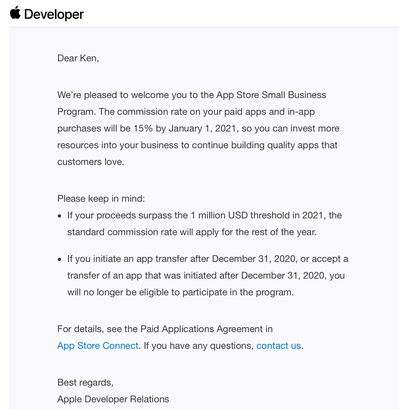
Apple recently introduced a new Small Business Program that reduces the App Store's commission rate to 15% for developers earning up to $1 million per calendar year in net revenue from the sale of apps and in-app purchases. For developers exceeding the $1 million threshold, Apple's standard 30% commission rate still applies.
Earlier this week, Apple began emailing eligible developers about their acceptance into the program, noting that the reduced 15% commission rate would go into effect by January 1, 2021. And as it turns out, Apple isn't waiting long to flip the switch, as some developers are already starting to see the 15% rate applied to their earnings.
A few of the developers already seeing the reduced rate include David Hodge, maker of the third-party Tesla vehicle app Nikola for the iPhone, and Jacob Gorban, a developer of the photo editing app ImageFramer for the Mac.
Apple announced the Small Business Program last month amid increasing scrutiny over its App Store practices, including an antitrust lawsuit from Fortnite maker Epic Games, which is ineligible for the reduced commission since it exceeds the $1 million earnings threshold. Apple said the program will benefit the "vast majority" of App Store developers.
Apple's website has a Small Business Program page where developers can initiate the enrollment process and learn more details.
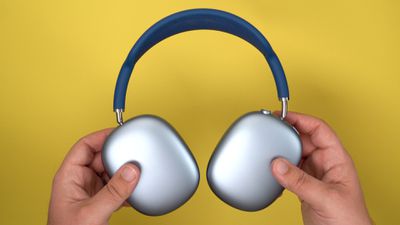
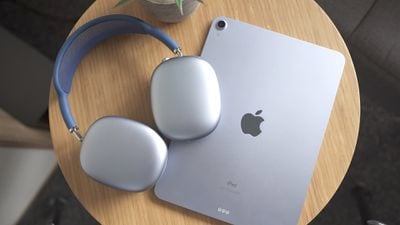
There's been a lot of debate about whether the AirPods Max are worth their $550 price tag, and value is always going to be something of a personal decision, so in our latest video we decided to look at five reasons why you might think about purchasing the new AirPods Max.
Build/Comfort
For people who are going to spend quite a bit of time using headphones, comfort and build quality are obviously key factors in determining whether they're going to have a good experience with a particular set. Comfort is going to vary from person to person based on head shape, head size, and other factors, but we've found the AirPods Max to be incredibly comfortable.
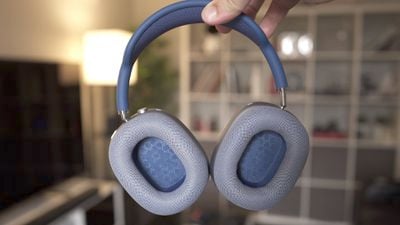
The mesh ear cups offer a good seal while still allowing for some breathability that helps reduce sweating sometimes experience with other materials like leather. And if your ear cups wear out, the magnetic attachment system of the AirPods Max makes them incredibly easy to swap out.
AirPods Max are made largely of metal, with aluminum ear cups and stainless steel telescoping arms, which gives them a quality feel that is pleasantly cool to the touch. Those metal part do mean, however, that the AirPods Max come in significantly heavier than many competing headphones, which may be an issue for some users. But we've found that the mesh headband does an excellent job of distributing that weight across the head for maximum comfort.
Noise Cancellation
One of the main reasons people buy over-ear headphones is for active noise cancellation (ANC), and we've found that the AirPods Max offer excellent capabilities in that regard. In our experience, it's difficult to hear anything from our surroundings while wearing the AirPods Max with ANC turned on.
You can of course turn off ANC if you want to be able to hear more around you, but there's also Transparency mode which keeps ANC on but pipes surrounding sound in, and we've found that it lets us hear just enough without being too much of a distraction.
Audio Quality
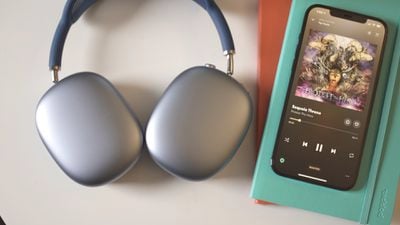
While the AirPods Max won't match high-quality wired headphones, we've been impressed with the sound the AirPods Max can deliver over Bluetooth. The sound profile of the AirPods Max is well-balanced and not overly aggressive toward either the highs or lows.
With H1 chips in each ear cup, the AirPods Max use computational audio to adjust what you're hearing in real-time, customizing it for the fit on your head and other factors. And while we don't recommend turning the volume up too high, we found that sound quality remains solid even at higher volume levels, offering a clear, distortionless sound.
H1 Chip
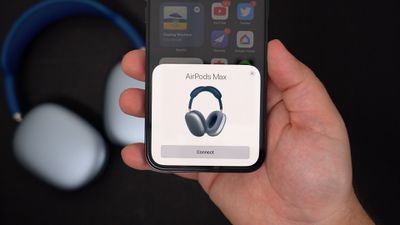
Speaking of those H1 chips, they deliver more than just good audio quality. They're also the key component that integrates the AirPods Max into the Apple ecosystem. Just like with AirPods and recent Beats headphones, the H1 chip supports easy pairing and seamless audio switching among devices linked to your iCloud account. If you're listening to music from your iPhone and then pick up your iPad to start watching a video, the AirPods Max can automatically switch over to begin playing the audio from your iPad.
This is all customizable, of course, so you can select which devices you want to be able to take over as audio sources automatically, and even if you turn off automatic switching for a device, it takes just a couple of taps to manually switch over.
Spatial Audio
Finally, there's Spatial Audio, a new feature Apple recently rolled out to AirPods Pro and which is also included on AirPods Max. Spatial Audio offers an immersive, 3D audio experience with compatible content, and while we initially thought it would be rather gimmicky, we were quickly proven wrong. It really has to be experienced to be believed, but it makes it feel like the audio is coming from all around you, yet anchored by the device you're watching the content on.
So if you're watching a show on Apple TV+ on your iPad, for example, you'll get a surround-sound experience which is very nice on its own, but then if you turn your head or move your iPad, the audio adjusts on the fly to match the relative orientation of your head and the iPad. It's a remarkably good experience that will make you think your headphones have stopped working and that your iPad is blasting audio out of its own speakers.
Wrap-up
Those are our top five reasons why you might want to invest in AirPods Max. Yes, their $550 price tag can be a bit hard to swallow when competitors are coming in at $350 or less, but if you're heavily invested in the Apple ecosystem, the combination of comfort, build quality, and features might be enough to tip the balance in favor of the AirPods Max.
Were you able to get your hands on the AirPods Max before shipping dates slipped well into next year? Have you recently opted for a competing set of headphones after seeing what the AirPods Max had to offer? Let us know your thoughts in the comments.
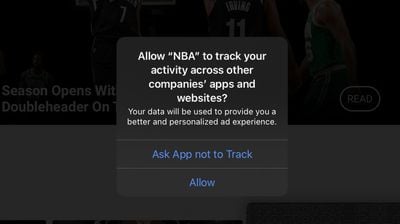
As a privacy measure, Apple will be requiring developers of iPhone and iPad apps to request permission from users to track their activity across other apps and websites for personalized advertising purposes starting early next year.
Ahead of time, the prompt for users to allow or deny tracking has started to show up in the first beta of iOS 14.4, seeded last week. A screenshot shared in the MacRumors forums shows the NBA app requesting to track a user's activity, with the customizable fine print indicating that the data will be used to provide users "a better and personalized ad experience."
Update: We've learned that apps have been able to prompt users for tracking permission since iOS 14 was released in September, and some apps already introduced the prompt prior to the iOS 14.4 beta. Apple is still planning to require use of the prompt "early next year."
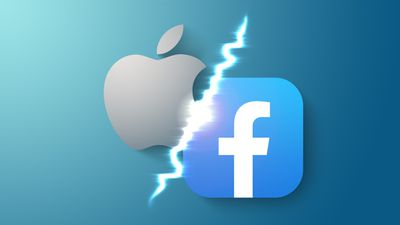
Last week, Facebook claimed that Apple's new requirement will hurt small businesses, adding that the move is "more about profit than privacy." In a full-page newspaper ad, Facebook said that Apple's move will force small businesses to turn to subscriptions and other in-app payments for revenue, in turn benefitting Apple's bottom line.
"They're hurting small businesses and publishers who are already struggling in a pandemic," said Facebook, in a blog post. "These changes will directly affect their ability to use their advertising budgets efficiently and effectively."
In response to Facebook, Apple expressed that users deserve control and transparency. "We believe that this is a simple matter of standing up for our users," said Apple, adding that "users should know when their data is being collected and shared across other apps and websites — and they should have the choice to allow that or not."
Earlier this week, the non-profit Electronic Frontier Foundation (EFF) called Facebook's campaign against Apple "laughable" and applauded Apple for its "pro-privacy" change.
"When a company does the right thing for its users, EFF will stand with it, just as we will come down hard on companies that do the wrong thing," the EFF said. "Here, Apple is right and Facebook is wrong."
Volkswagen Group CEO Herbert Diess has responded to recent rumors of an Apple car, saying that the major German automaker embraces competition and anticipates the innovations of newcomers in the industry.
We look forward to new competitors who will certainly accelerate the change in our industry again and bring new skills. The incredible valuation [of new competitors] and their practically unlimited access to resources instills a lot of respect in us. A real challenge - dimensions larger than that within our industry (e.g. Toyota Motor Corporation).
I already said: The most valuable company in the world will again be a mobility company - it can be Tesla, Apple, or Volkswagen AG.
On Monday, Reuters reported that Apple is aiming to begin production on a self-driving vehicle starting in 2024. Apple is reportedly developing a "next level" battery system that could "radically" reduce cost and increase vehicle range, and plans to make use of multiple LiDAR scanners for self-driving functions.
The Volkswagen Group has been the world's largest automaker by sales since 2016 and sells vehicles under the Audi, Bentley, Bugatti, Lamborghini, Porsche, SEAT Škoda, MAN, Scania, and Volkswagen brands. Diess's comments illustrate how far recent rumors of an Apple car have pervaded the auto industry. Following the Reuters report, Apple's stock climbed by around four percent, while Tesla's fell by around six percent.
Yesterday, Tesla CEO Elon Musk weighed into discussions surrounding an Apple car, saying that he once reached out to Apple CEO Tim Cook about the possibility of Apple acquiring Tesla, but Cook "refused to take the meeting."
If and when Apple does begin selling a passenger vehicle, Tesla, Volkswagen, and Apple will likely be direct competitors, with all three companies heavily investing in self-driving technology.
This week we're tracking deals on a few Apple products, including the 10.2-inch iPad, M1 MacBook Pro, AirPods, and more. You'll find all of these discounts in the lists below, so be sure to browse them soon as most of them likely won't last until the end of the week.
Note: MacRumors is an affiliate partner with some of these vendors. When you click a link and make a purchase, we may receive a small payment, which helps us keep the site running.
10.2-Inch iPad
Amazon has the 32GB Wi-Fi 10.2-inch iPad for $299.00 in space gray, down from $329.00. This is the 8th generation model that launched earlier in 2020.
We have seen this version of the iPad about $20 cheaper in the past, but that sale has been rare, so this week's discount is a solid deal on the iPad.
AirPods
A few AirPods deals remain ongoing as we arrive at Christmas this week. You can get the AirPods with Wired Charging Case for $109.99, down from $159.00. You'll see this sale after an automatic coupon worth $15 is applied at the checkout screen.
Secondly, you'll find the AirPods Pro in new condition for $189.99 on Woot, down from $249.00. We've been tracking this deal since November, and although the AirPods Pro dipped lower on Black Friday, it's the best sale we've seen in December.
We track sales for every model of the AirPods in our Best AirPods Deals guide, so be sure to bookmark that page while you shop around for the wireless headphones.
M1 MacBook Pro
On B&H Photo you'll find the M1 256GB 13-inch MacBook Pro for $1,199.00, down from $1,299.00. This is the best price we've ever seen for this model of the new MacBook Pro.
Amazon has the 512GB model for $1,399.00, down from $1,499.00, which is another lowest-ever price for the M1 MacBook Pro. This model should arrive the first week of January, while the 256GB model is expected before the end of the month.
You can find the best monthly deals on all new MacBook Pro and MacBook Air notebooks in our new "Best Deals" guide. Be sure to visit the guide and bookmark it if you're on the hunt for a new Apple notebook; we'll be updating it weekly as we discover new MacBook offers across the web.
iMac
There are two models of the newest iMac on sale at a few retailers, including a 21.5-inch and 27-inch model. You can get the 21.5-inch iMac (3.6 GHz Quad-Core, 8GB RAM, 256GB SSD) for $1,219.00, down from $1,299.00 at Amazon and B&H Photo.
Likewise, the 27-inch iMac (3.1 GHz 6-Core, 8GB RAM, 256GB SSD) is available for $1,649.00, down from $1,799.00 at Amazon and B&H Photo. Both of these sales represent lowest-ever prices for each model.
The 27-inch iMac was last updated in August 2020, when Apple introduced 10th-generation Intel processors, more RAM, more SSD storage, faster AMD GPUs, and True Tone support for the display. You can keep track of ongoing sales on Apple's iMac line by visiting our Best iMac Deals guide.
Apple Watch
Amazon is offering up to $60 off the Apple Watch Series 6 and Apple Watch SE this week, with sales focused on GPS models in both 40mm and 44mm sizes. The best prices on the Series 6 are focused on the (Product)Red color, although there are a few discounts on other colors as well.
In a new support document, Apple has acknowledged that when an ultrawide or super-ultrawide external display is connected to a Mac with the M1 chip, some resolutions supported by the display may not be available currently.
Apple says it is aware of this issue and has a solution planned for a future macOS update. Apple did not specify exactly when a fix will be available, but the first beta of macOS 11.2 was seeded last week, so that is one possibility.
To see additional resolutions for your external display, click on the Apple logo in the top-left corner of your Mac, open System Preferences, click Displays, and press and hold the Option key while you click "Scaled."
Apple has started contacting eligible developers to inform them that they have been accepted into the Small Business Program, which allows developers to benefit from significantly reduced App Store fees.
In November, Apple announced the Small Business Program, which sees App Store fees slashed to just 15 percent for developers earning under one million dollars per calendar year. Developers have been able to sign up to the Small Business Program since Thursday, December 3, and according to emails shared with MacRumors, Apple has now begun notifying developers if they have been accepted.
All developers who earned under one million dollars in 2020 are able to qualify for the program and the reduced 15 percent commission rate, and new developers who join in 2021 will also qualify. Going forward, developers who earn up to one million dollars in the prior calendar year will be able to participate. The App Store commission remains at 30 percent for developers making over one million dollars per year.
Apple says that the program will be available to the vast majority of developers, with those developers all receiving the same access to Apple's developer tools and programs. Apple expects the App Store Small Business Program to generate more digital commerce, support new jobs, and provide more funds for small businesses to invest back into their apps as they work to create innovative software for Apple users.
Amid a barrage of public attacks on Apple from Facebook over privacy measures, Facebook employees have expressed their displeasure with the direction of the campaign in comments obtained by BuzzFeed News.
Facebook argues that Apple's privacy changes in iOS 14, which give users the option to opt-out of ad tracking, will harm small businesses that see increased sales from personalized ads. However, some Facebook employees are reportedly complaining about what they perceived to be a self-serving campaign.
BuzzFeed News obtained internal comments from one of Facebook's private message boards and audio of a presentation to Facebook workers, revealing that there is discontentment among employees about the angle used to attack Apple's privacy changes. One Facebook engineer, in response to an internal post about the campaign from Facebook's advertising chief Dan Levy, said:
It feels like we are trying to justify doing a bad thing by hiding behind people with a sympathetic message.
Ahead of an internal meeting to explain the rationale of the campaign against Apple, Facebook employees asked and voted up several questions that focused on the consequences of the campaign on Facebook's public image. The most popular questions asked reportedly all expressed skepticism or concern:
Aren't we worried that our stance protecting [small- and medium-sized businesses] will backfire as people see it as "Facebook protecting their own business" instead?
People want "privacy," Facebook objecting here will be viewed with cynicism. Did we know this would be bad PR, and decide to publish anyway?
How do we pick a message that looks less self-serving?
In response, Facebook vice president of product marketing Graham Mudd said that the company has been "really clear" that Apple's changes do "have a financial impact on us," in addition to small businesses:
We're not trying to sweep that under the rug. We are, you know, a profitable, big company and we're going to get through this and adapt our products and so forth. But the real folks that are going to get hit by this are small businesses, and that's why we made them the focus of the message.
Following the presentation, many Facebook employees were apparently unconvinced. Some did not understand how Apple's changes would negatively affect small businesses, while one highlighted that Apple's privacy changes also prevent "malicious actors" from tracking people:
We're not going to… be the only ones that should be allowed to track people without their consent — any company can do that, even smaller startups and malicious actors.
The same employee launched a scathing attack on Levy's post, accompanied by a popular meme with the text "Are we the baddies?"
The only thing I'm hearing, again and again, is "this is bad for the businesses," and I'd really like someone at the top to explicitly say, "People are better off if they don't know what we're doing, if we don't have to explain ourselves to them, if they don't get a choice to opt-in or opt-out of our practices, if we obscure it as much as possible behind interesting features and then get them to accept surreptitious tracking on the back end as long as we downplay it."
Other critics suggested that Facebook incentivizes opting-in to ad tracking in a positive campaign rather than attacking the notion of a choice to opt-in or out. Levy responded to criticisms explaining that the campaign was simply "not about our business model."
That's Apple's marketing working and convincing you to scapegoat us so they can decide how the internet should work — even beyond their devices. I'm an optimist who works in technology because I think tech can be a lever for democratizing access and giving opportunity. Including for businesses. And if you think this is going to stop with personalized ads... well, then I disagree.
Other comments from employees highlighted that the spirited defense of small businesses was hypocritical because Facebook has repeatedly disabled the ad accounts of small business advertisers by mistake and increasingly uses automated customer support, leading to a plethora of public complaints from small businesses:
[They] highlight that we're probably not doing everything we can to "stand up for small [businesses]" when we don't provide human customer service support to small advertisers.
Facebook spokesperson Ashley Zandy responded to BuzzFeed News, insisting that the stories of small businesses are Facebook's priority:
Since launching this effort we have heard from small businesses literally around the world who are worried about how these changes could hurt their businesses. Because this is such a critical time for [small- and medium-sized businesses], we will continue to share those stories with the public and our employees.
Following the launch of the campaign, the Electronic Frontier Foundation (EFF), a non-profit organization that defends civil liberties in the digital world, called Facebook's criticisms of tracking-related privacy measures "laughable."
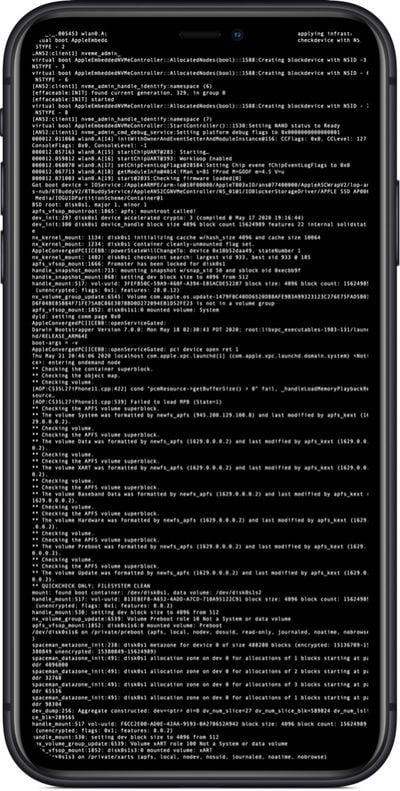
Apple in July announced the launch of a new Apple Security Research Device Program, which is designed to provide researchers with specially-configured iPhones that are equipped with unique code execution and containment policies to support security research.
Apple is notifying the first researchers who will be receiving these special iPhones as of today, and the Cupertino company says that the devices will be sent out right away. Under the terms of the program, participating security researchers will be provided with iPhones that are on loan for one year, though it will be possible to extend the loan period.
The goal of the Security Research Device Program is to further improve the security of iOS, and Apple believes that the contributions of security researchers will assist the company in achieving its goal of increasing safety for consumers. Apple says that it values collaborating with independent researchers and appreciates the work they do on Apple platforms.
The iPhones Apple will provide are less locked down than consumer devices, which will make it easier for researchers to locate serious security vulnerabilities. These devices are as close as possible to production phones with the latest version of iOS and modern hardware. Researchers will not need to jailbreak the phones to do research, which will enable them to investigate platform security features, and they can run whatever tools they want to test the OS.
Program participants have access to extensive documentation and a dedicated forum with Apple engineers for collaborative purposes. The Security Research Device Program runs alongside the bug bounty program, so researchers who locate vulnerabilities can receive payouts of up to $1.5 million.
Late last week, Parallels launched a Parallels Desktop 16 for Mac Technical Preview Program, which allows M1 Mac owners to use the Parallels software. Paired with a version of Arm-based Windows that's available through the Windows Insider program, it's possible to get Windows up and running on an Arm-based Mac.
In our latest YouTube video, we installed Parallels on an M1 Mac and tested out Windows, but it didn't exactly go smoothly. When we first set up Parallels on an M1 Mac, it was functional, but about an hour into the experience we kept running into errors attempting to get Windows working. It continually froze and the performance was abysmal.
With some tinkering and some troubleshooting help from the MacRumors forums, we were able to get it working well enough to test out. Parallels on the M1 Mac is available as a Technical Preview and Windows can only be installed through Windows Insider, so neither of these are release versions of software. Given that we're working with beta software that's still in development, it's not surprising that there are issues that need to be worked out, and anyone who wants to test out Windows on an M1 Mac through Parallels should expect to deal with bugs.
When running macOS Big Sur, the M1 MacBook Pro with 8GB RAM has a single-core Geekbench score of 1719 and a multi-core score of 7384. When running Windows 10 through Parallels using the default two-core setting, the M1 Mac achieved a single-core score of 1491 and a multi-core score of 2753.
That's pretty similar to Microsoft's own Surface Pro X in terms of multi-core performance, and better when it comes to single-core performance, so when it works, speeds aren't too bad. Parallels defaults to allowing just two cores when running Windows, but you can swap over to four core operation.
With four cores activated, multi-core Geekbench scores were much better, hitting 5013. The single-core score didn't improve quite as much at 1518. You can enable eight cores too, but going from four to eight cores did little for performance (1524 single core and 5958 multi-core).
In the four-core mode, there are some performance issues, so it's best to stick to the two-core default where possible. When an app is able to open and run, performance is solid, but there are a lot of bugs to deal with and a lot of software that does not work.
Many pre-installed apps don't function well and often refuse to open, but third-party apps like Geekbench seem to operate as expected. Paint 3D, the Xbox app, and the Calendar app refused to work, for example, but the Microsoft Edge browser and Office suite of apps were functional and performed decently. Third-party apps like Spotify, Notion, and others worked well, and the Windows VM is even capable of playing older games like Civilization IV and Skyrim.
Right now, getting Arm-based Windows on an M1 Mac requires Parallels and the Windows Insider preview version of the software, and it continues to be unclear if Microsoft will make a release version of Arm Windows available for people to license.
Those who want to try out Windows (or another OS) on an M1 Mac can sign up to try the Parallels Technical Preview.
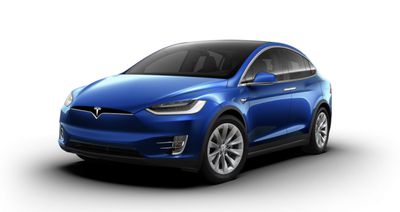
Tesla CEO Elon Musk today said on Twitter that he once reached out to Apple CEO Tim Cook about the possibility of Apple acquiring Tesla, but Cook "refused to take the meeting." Musk says that he attempted to contact Apple during the "darkest days of the Model 3 program," offering Tesla for 1/10 of its value.
Musk's tweet came in response to Reuters' recent report about Apple's work on an upcoming Apple Car.
During the darkest days of the Model 3 program, I reached out to Tim Cook to discuss the possibility of Apple acquiring Tesla (for 1/10 of our current value). He refused to take the meeting.
— Elon Musk (@elonmusk) December 22, 2020
According to Reuters, Apple is aiming to begin production on an Apple Car by 2024, using "next-level" battery technology that involves a "monocell" design that bulks up individual battery cells and frees up space inside the battery pack by removing pouches and modules that hold battery materials. Apple is also planning to use lithium iron phosphate battery technology.
Musk in a separate tweet said that the Apple Car rumors are "strange if true" and that a monocell design is "electrochemically impossible."
Strange, if true.
- Tesla already uses iron-phosphate for medium range cars made in our Shanghai factory.
- A monocell is electrochemically impossible, as max voltage is ~100X too low. Maybe they meant cells bonded together, like our structural battery pack?
— Elon Musk (@elonmusk) December 22, 2020
There have been rumors that Apple once considered a purchase of Tesla and made a "serious bid" of $240 per share back in 2013, but given Musk's comments, that may not be accurate.
Apple and Tesla have been at odds since Apple started working on the Apple Car project and have notoriously poached employees from one another. In 2015, in fact, Musk said that he calls Apple the "Tesla Graveyard." "If you don't make it at Tesla, you go work at Apple," he said.
If and when Apple does start manufacturing a car aimed at consumers, Tesla and Apple will be direct competitors. That could happen as early as 2024 or 2025 if Apple's work on an Apple Car stays on track.




 Note: MacRumors is an affiliate partner with some of these vendors. When you click a link and make a purchase, we may receive a small payment, which helps us keep the site running.