600,000 Macs Worldwide Reportedly Infected by Flashback Trojan
 Ars Technica reports on a Tweet from Russian malware analyst Ivan Sorokin at Dr. Web claiming that the Flashback trojan has now infected over 600,000 Macs worldwide. That number reportedly includes 274 machines "from Cupertino", presumably meaning at Apple's headquarters.
According to Dr. Web, the 57 percent of the infected Macs are located in the US and 20 percent are in Canada. Like older versions of the malware, the latest Flashback variant searches an infected Mac for a number of antivirus applications before generating a list of botnet control servers and beginning the process of checking in with them.
The authors of the Flashback trojan have continued to tweak the software since it first surfaced last September, adjusting its tactics several times to include both social engineering tricks and exploits of vulnerabilities.
The most recently-seen version of Flashback surfaced earlier this week, exploiting a Java vulnerability that was unpatched on OS X. While Oracle had released an update closing the hole on Windows back in February, Apple had yet to issue a fix for Macs, as the company has historically maintained its own Java updates that are deployed some time after Oracle issues its own corresponding updates. But just a day after that report, Apple did update Java to address the vulnerability being exploited by Flashback.
Antivirus firm F-Secure has instructions on how users can determine whether their machines are infected by the Flashback trojan. The instructions do involve running commands in Terminal, and users should thus take care to follow the instructions exactly.
Popular Stories
Apple is not expected to release a standard iPhone 18 model this year, according to a growing number of reports that suggest the company is planning a significant change to its long-standing annual iPhone launch cycle.
Despite the immense success of the iPhone 17 in 2025, the iPhone 18 is not expected to arrive until the spring of 2027, leaving the iPhone 17 in the lineup as the latest...
Language learning app Duolingo has apparently been using the iPhone's Live Activity feature to display ads on the Lock Screen and the Dynamic Island, which violates Apple's design guidelines.
According to multiple reports on Reddit, the Duolingo app has been displaying an ad for a "Super offer," which is Duolingo's paid subscription option.
Apple's guidelines for Live Activity state that...
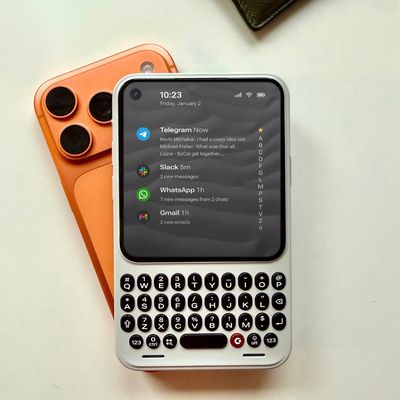
The company behind the BlackBerry-like Clicks Keyboard accessory for the iPhone today unveiled a new Android 16 smartphone called the Clicks Communicator.
The purpose-built device is designed to be used as a second phone alongside your iPhone, with the intended focus being communication over content consumption. It runs a custom Android launcher that offers a curated selection of messaging...
Apple is planning to release a low-cost MacBook in 2026, which will apparently compete with more affordable Chromebooks and Windows PCs. Apple's most affordable Mac right now is the $999 MacBook Air, and the upcoming low-cost MacBook is expected to be cheaper. Here's what we know about the low-cost MacBook so far.
Size
Rumors suggest the low-cost MacBook will have a display that's around 13 ...
Apple plans to introduce a 12.9-inch MacBook in spring 2026, according to TrendForce.
In a press release this week, the Taiwanese research firm said this MacBook will be aimed at the entry-level to mid-range market, with "competitive pricing."
TrendForce did not share any further details about this MacBook, but the information that it shared lines up with several rumors about a more...
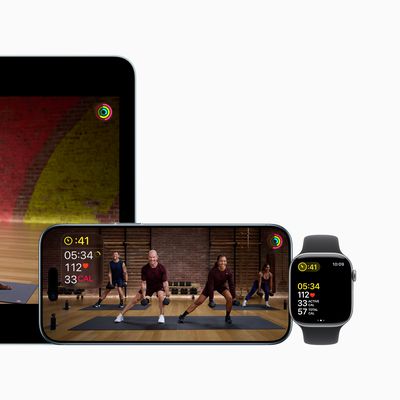
Apple today announced a number of updates to Apple Fitness+ and activity with the Apple Watch.
The key announcements include:
New Year limited-edition award: Users can win the award by closing all three Activity Rings for seven days in a row in January.
"Quit Quitting" Strava challenge: Available in Strava throughout January, users who log 12 workouts anytime in the month will win an ...
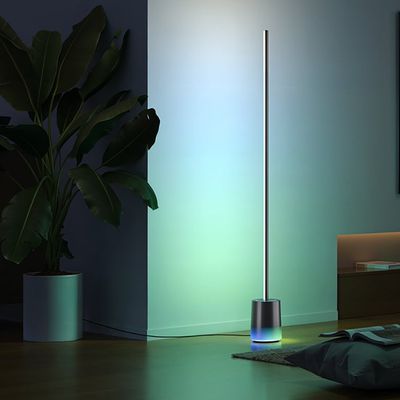
Govee today introduced three new HomeKit-compatible lighting products, including the Govee Floor Lamp 3, the Govee Ceiling Light Ultra, and the Govee Sky Ceiling Light.
The Govee Floor Lamp 3 is the successor to the Floor Lamp 2, and it offers Matter integration with the option to connect to HomeKit. The Floor Lamp 3 offers an upgraded LuminBlend+ lighting system that can reproduce 281...
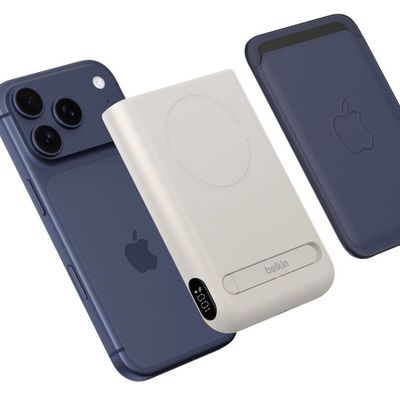
Belkin today announced a range of new charging and connectivity accessories at CES 2026, expanding its portfolio of products aimed at Apple device users.
UltraCharge Pro Power Bank 10K with Magnetic Ring
The lineup includes new Qi2 and Qi2.2 wireless chargers, magnetic power banks, a high-capacity laptop battery, and USB-C productivity accessories, with an emphasis on higher charging...